How FlexWash Runs an In-Bay Automatic
Requirements
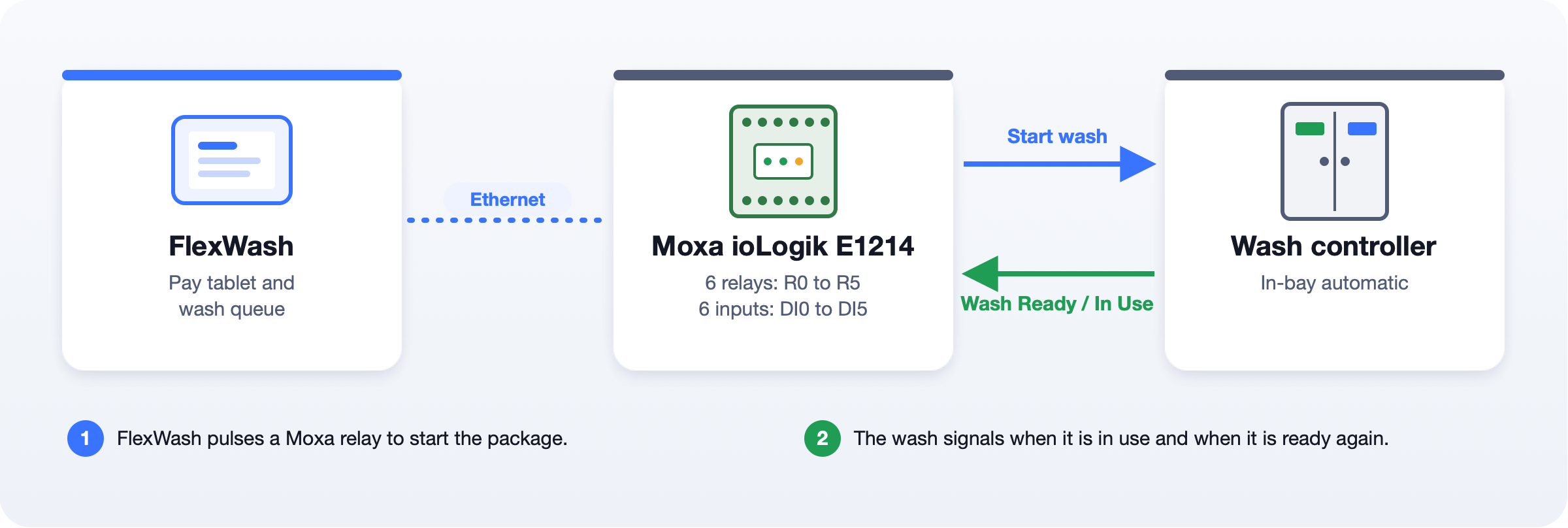
Your wash controller needs:- A package start input for each wash package that FlexWash sends. FlexWash starts a package by closing a relay contact across that input, like a pressed button.
- A Wash Ready or Wash In Use signal that tells FlexWash when the bay is washing and when it is ready to accept a wash. This signal is required. Without it, FlexWash cannot hold the next car.
Responsibilities
FlexWash supports the ioLogik interface described on this page. We do not design, install, troubleshoot, or support the wash controller.
Wash Start Wiring
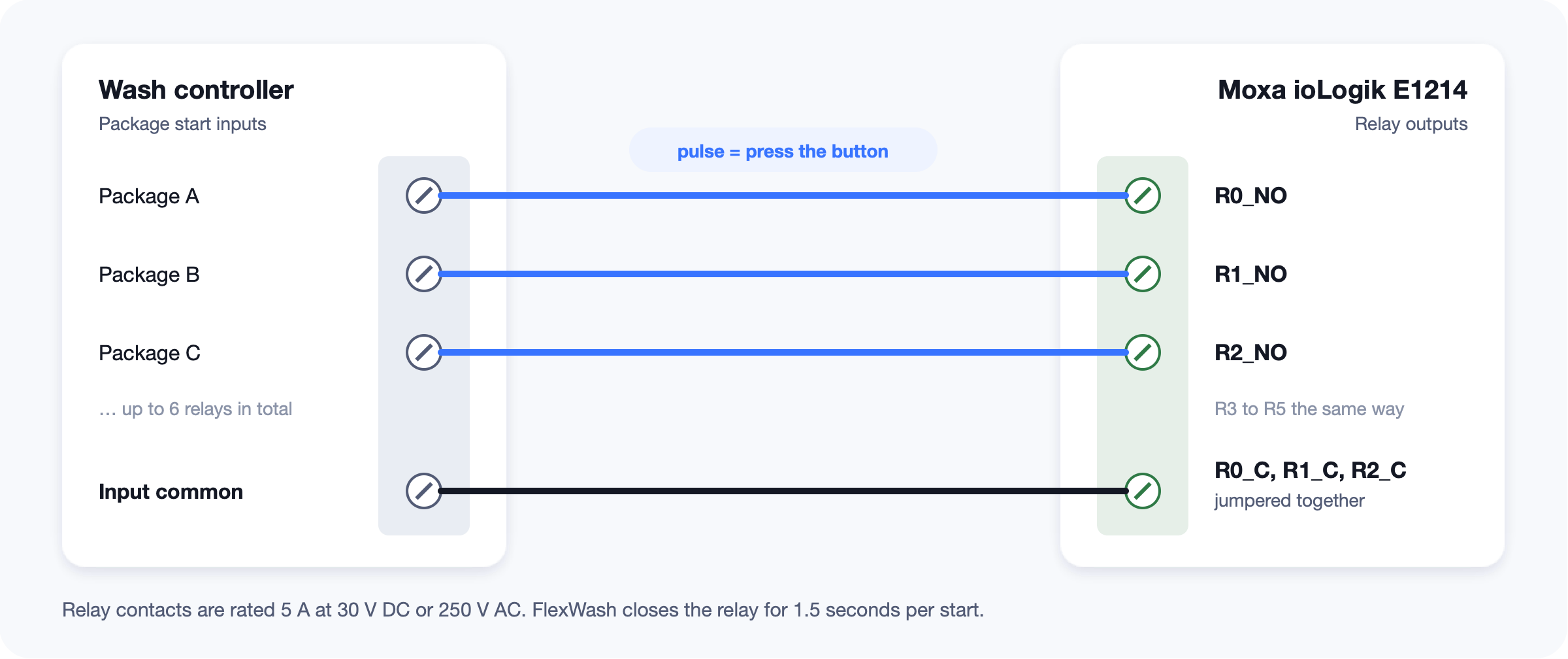
- Wire each package start input to the NO terminal of one relay. The first package uses
R0_NO. - Wire the controller’s input common to the C terminal of each relay you use. Link the C terminals with short jumper wires.
- The E1214 has six relays,
R0toR5. Packages, retracts, and an optional finish command share them.
Wash Ready or Wash In Use Wiring
Always connect the status output through an external relay. The relay contact goes toDI0, which is reserved for it. The ioLogik digital inputs accept a dry (voltage-free) contact only. Never put voltage on a digital input.
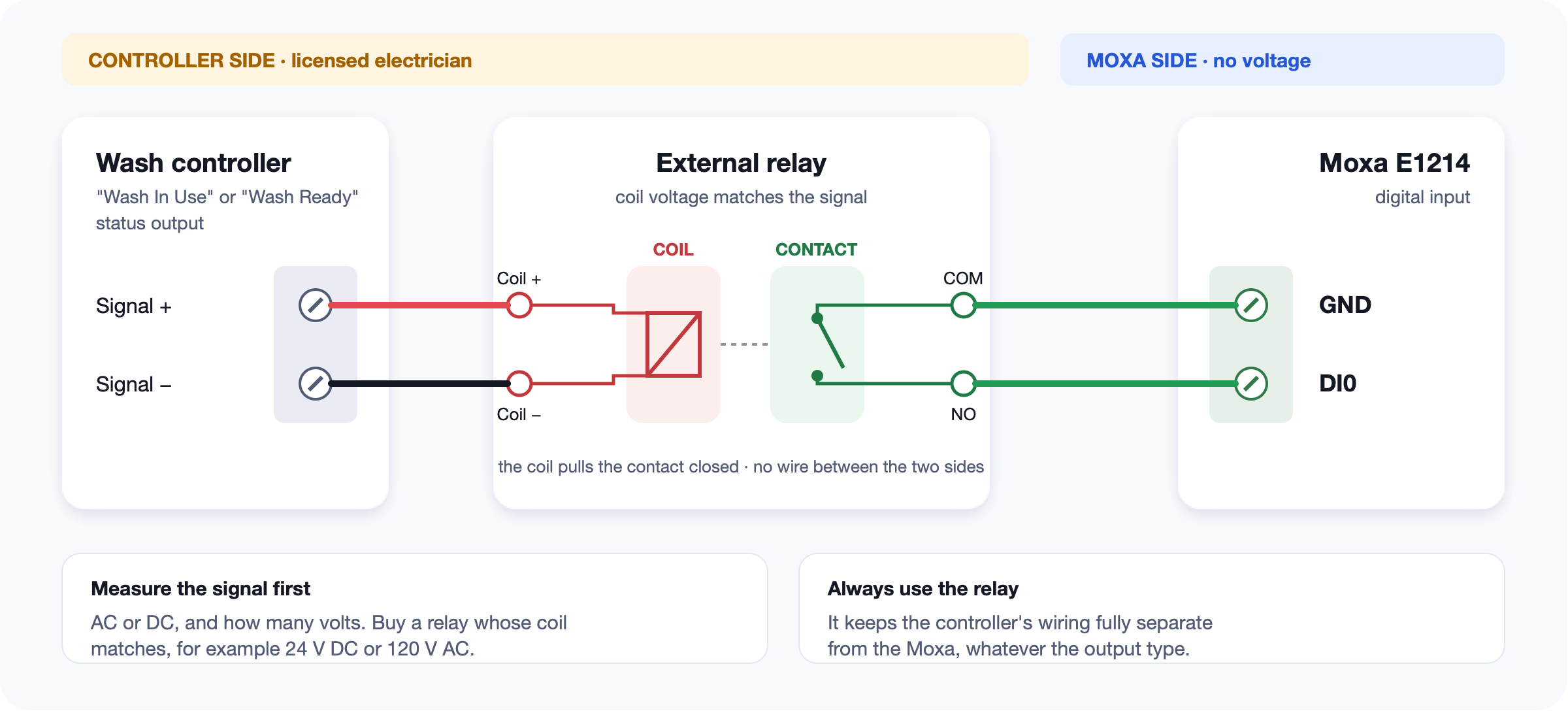
- Wire the controller’s status output to the relay coil.
- Wire the relay
COMandNOterminals to the ioLogikGNDandDI0.
External Relay
We recommend a plug-in “ice cube” relay on a matching 8-pin socket:- Coil voltage that matches the status output. Measure the output with a multimeter during a wash first: AC or DC, and how many volts. For example, a 24 VDC output needs a 24 VDC coil.
- 2-pole (DPDT), 8-pin, the common MY2N style. One set of contacts goes to the ioLogik.
- LED indicator, so you can see when the coil is on.
- Screw-terminal socket, DIN-rail mounted.
COM, and NO terminals.
Before you connect the ioLogik, power off and check the relay with a multimeter on continuity:
- Coil terminal to
COM: no continuity. The coil and the contact must be isolated. COMtoNO: no continuity with the coil off, continuity with the coil on.
Wash Ready or Wash In Use Signal
Your controller tells FlexWash when the bay is ready in one of two ways. Both work. FlexWash matches the Ready For Next Wash Input Inverted setting to the signal your controller uses.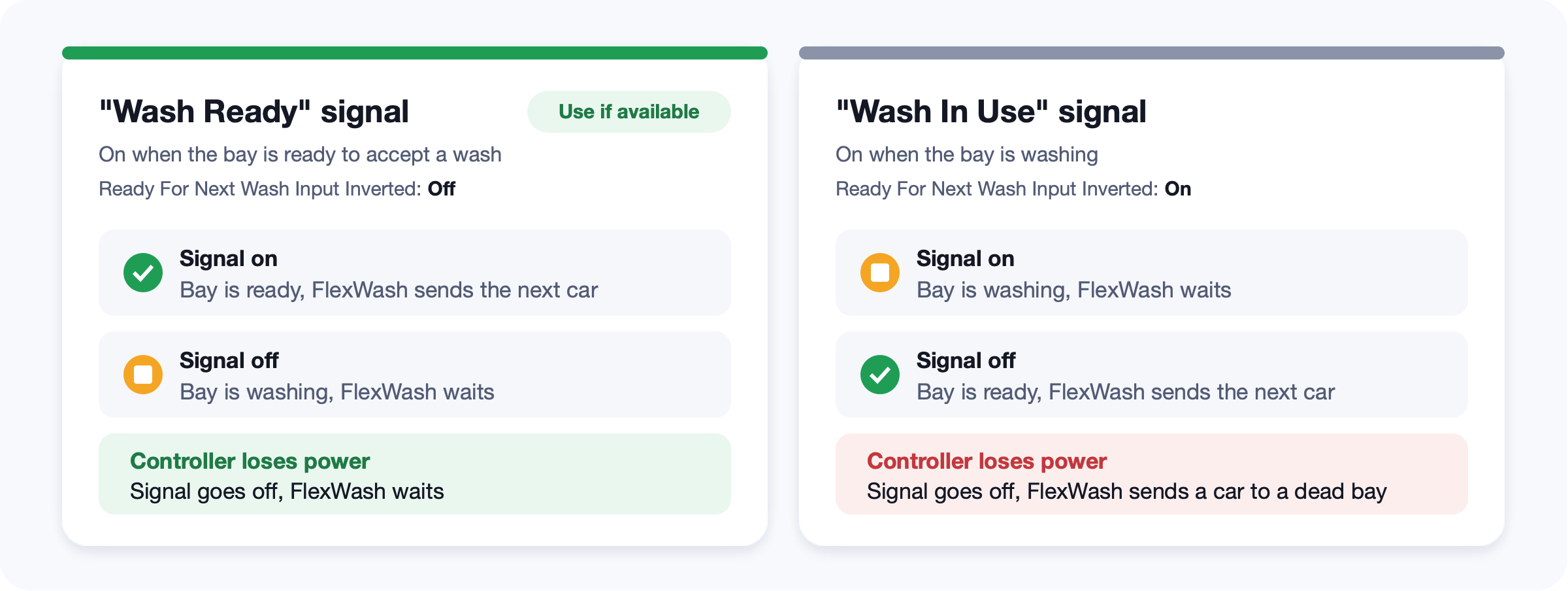
How the Queue Works
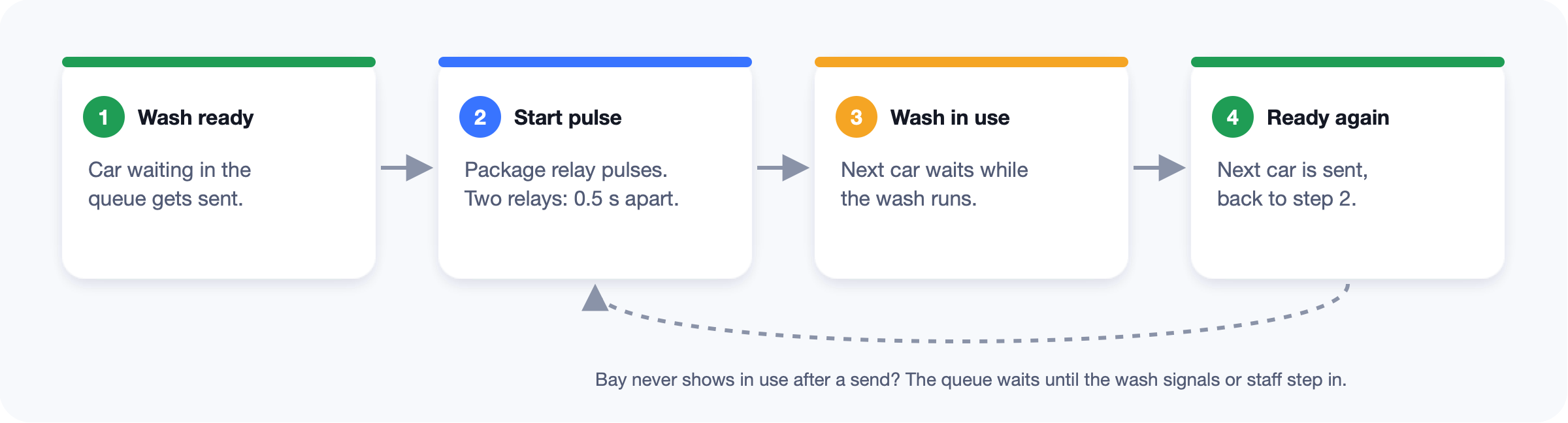
- FlexWash sends the next car only when the bay is ready to accept a wash.
- FlexWash pulses the package relay. A package with more than one relay fires them 0.5 seconds apart.
- The next car waits until the bay is washing, then ready again.
- If the bay never shows it is washing after a send, the queue waits until the bay signals or staff step in.
- Staff can still send a wash by hand from a tunnel tablet. A manual send does not wait for the bay to be ready.
Before Go-Live
- Status output measured during a wash: AC or DC, and voltage
- External relay coil matches the status output, and only its contact goes to the ioLogik
- Continuity checks on the relay pass
- Each relay starts the right package
- The ioLogik input changes when the wash starts and when it finishes
- IBA lane set to Unattended in Lane Config
- Two cars queued: the second waits until the first wash is done