
Symptom
One of the tunnel gates (Gate 1, Gate 2, or Gate 3) opens on its own — repeatedly and at random throughout the day — even when no car should be triggering it. The extra opens back up the gate queue and clog the tunnel.Cause
The gate queue has gotten out of sync. The most common reason is that an operator is manually opening the gate for members at the entrance. Each manual open adds a car to the gate queue that never gets matched and cleared, so the queue keeps growing and the gate keeps firing.How to fix it from the tunnel tablet
1
Open the main menu
On the tunnel tablet, tap the Coordinator link in the top left to return to the main menu.
2
Go to Gate Control
From the menu, tap Gate Control.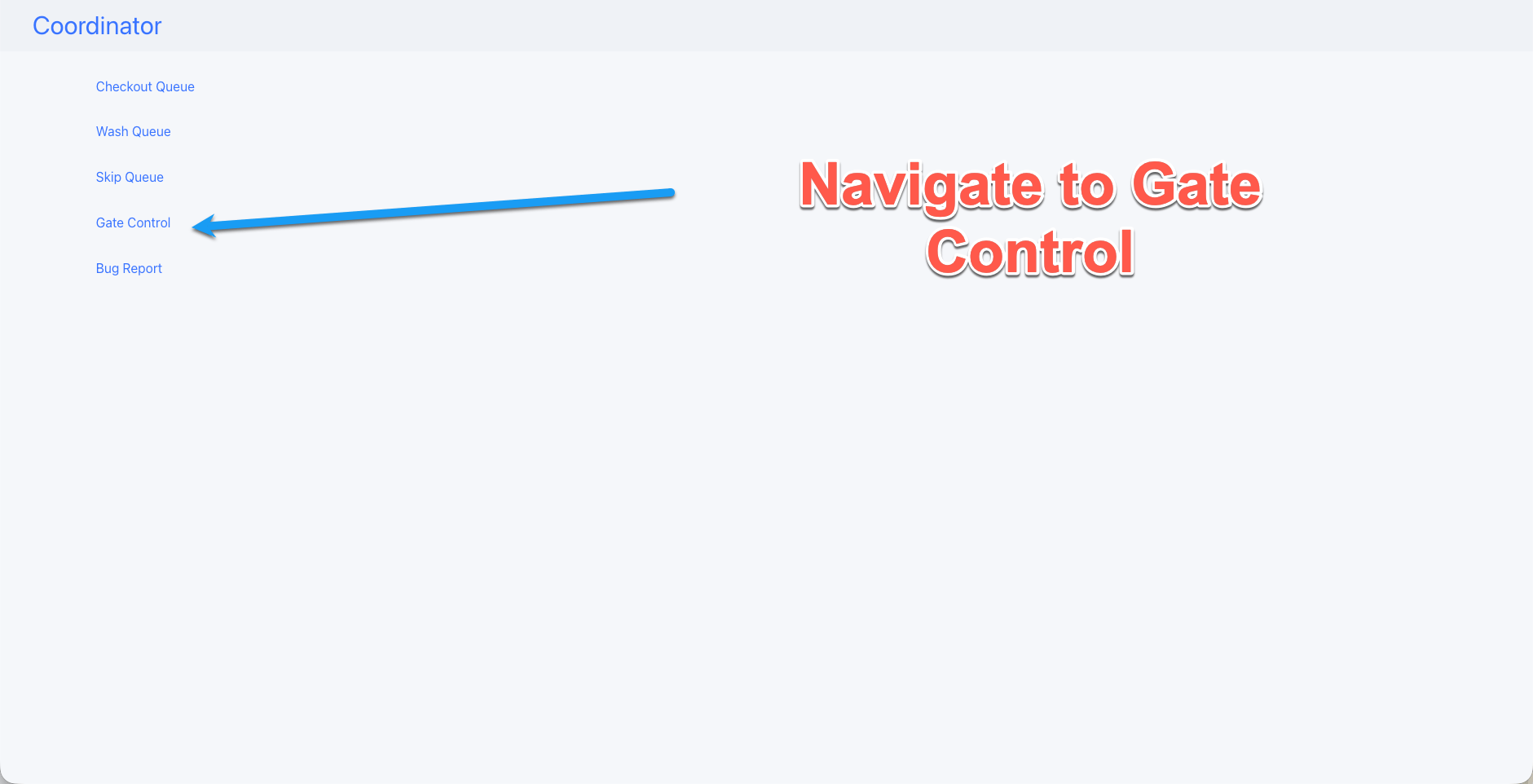
3
Find the backed-up gate
You’ll see Gate 1, Gate 2, and Gate 3 with cars stacked beneath them (license plate + photo). The gate with several cars queued under it is the one that’s out of sync.
4
Drain the queue
For each stacked car, tap Move to Wash Queue. This moves the cars out of the gate queue and into the wash queue, clearing the backup so the gate stops firing on its own.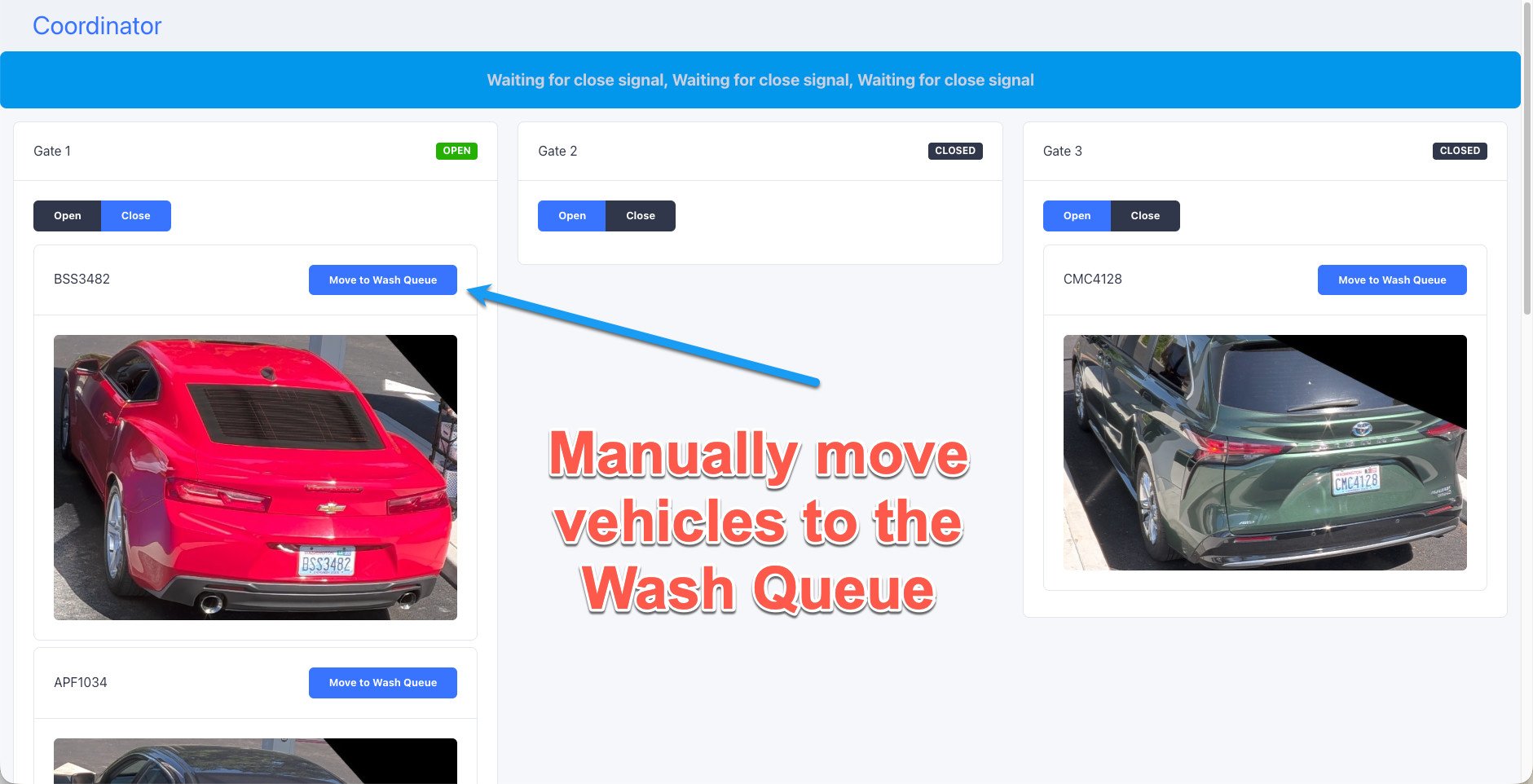
5
Clear the merge loop if needed
If the banner “Waiting for close signal…” is showing across the top, tap Clear Merge Loop to reset it.
If the gate is still misbehaving
As a reset, restart the web service to flush the queue. This clears the backup immediately — but if the underlying behavior continues, the queue will fill up again, so treat it as a quick fix rather than the cure.Prevention
Stop manually opening the gate for members. Manual opens are the usual root cause. Let the system match members through the normal flow instead of opening the gate by hand. If a member needs to be let through, move them through the wash queue rather than manually triggering the gate.When to escalate
If the queue keeps backing up after you’ve drained it and stopped manual opens, contact FlexWash support.Other gate symptoms
Gate not opening (Programming Mode)
The gate works by hand but ignores FlexWash. Usually the programming mode.
Gate stuck open (Open High Priority)
The gate will not respond to open or close commands. Usually the key switch.