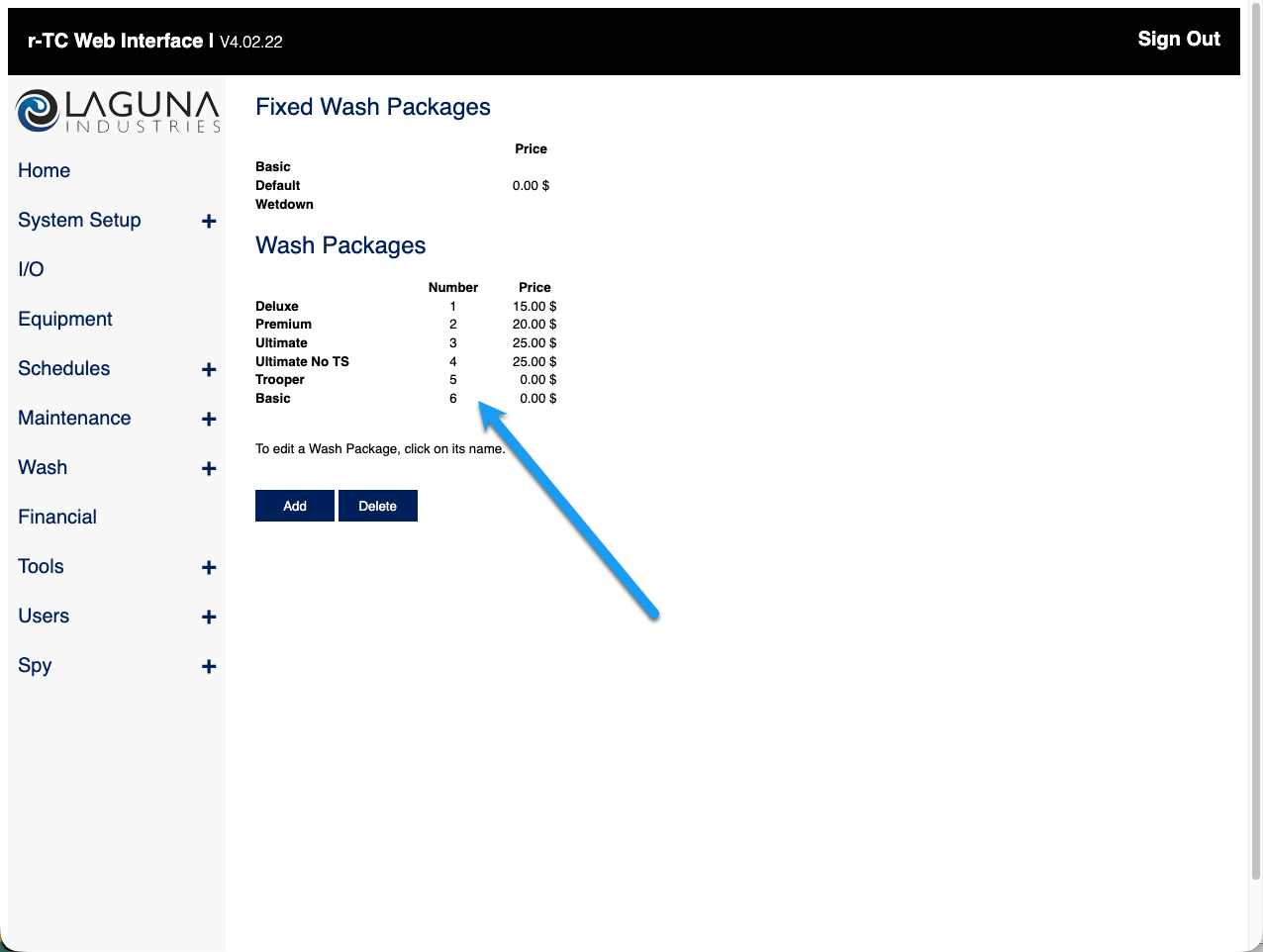
Before you start
- The FlexWash switch and coordinator are installed and online. See On-Prem Installation.
- A contact at Laguna, they normally set the WAN parameters and enables Ethernet on your packages. An experienced technician can do both instead, with the router and r-TC web interface passwords from Laguna.
- Access to the r-TC network if you are performing these steps yourself, either a laptop connected to it or the HMI.
Step 1. Connect the r-TC router to the FlexWash switch
Run an Ethernet cable from port 23 on the FlexWash switch to Laguna’s router, which sits inside the controller enclosure.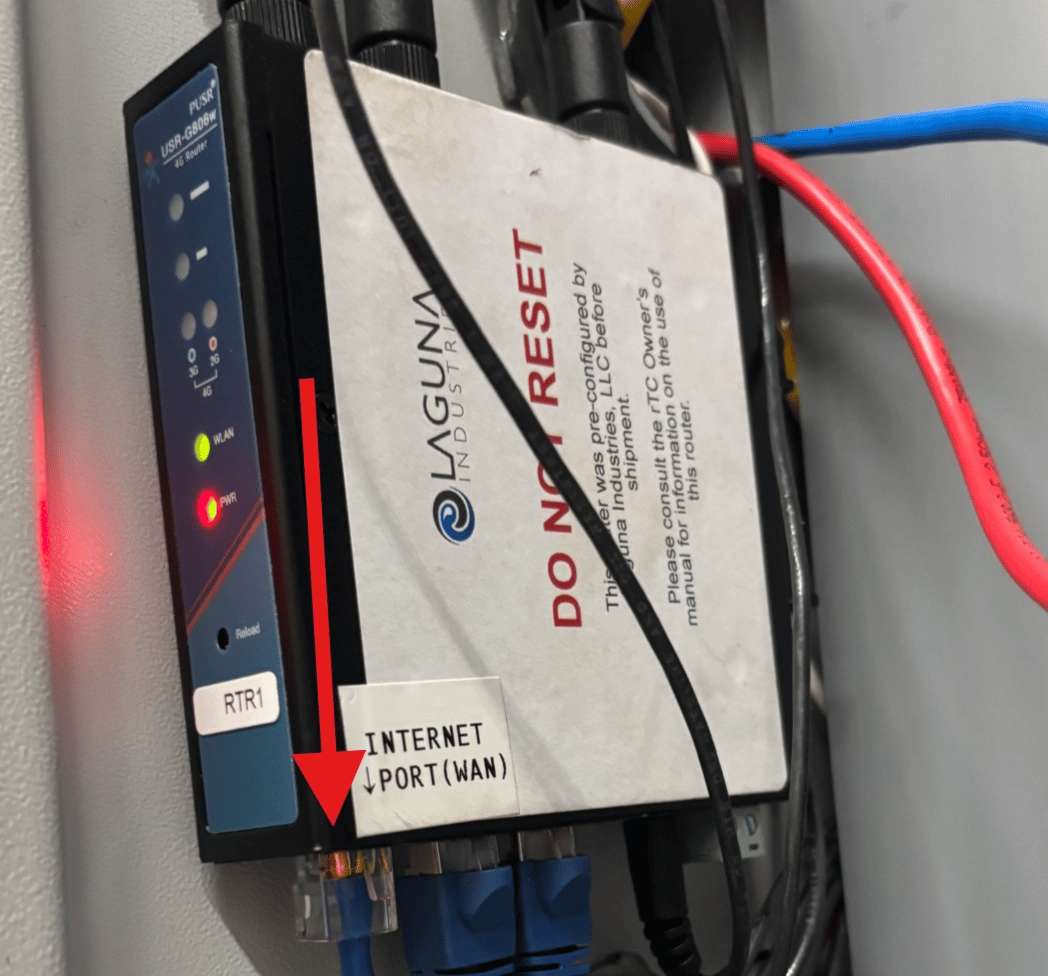
Step 2. Set the WAN parameters on the r-TC router
1
Open the router interface
Navigate to
192.168.1.91.2
Log in
Credentials vary by site. Factory credentials sometimes work. If they do not, contact Laguna for the password.
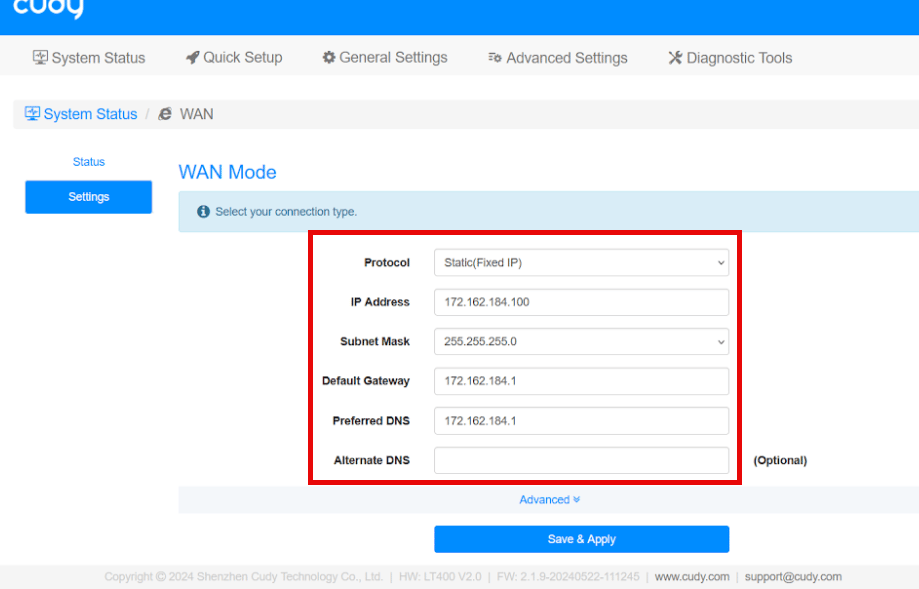
Apply these settings
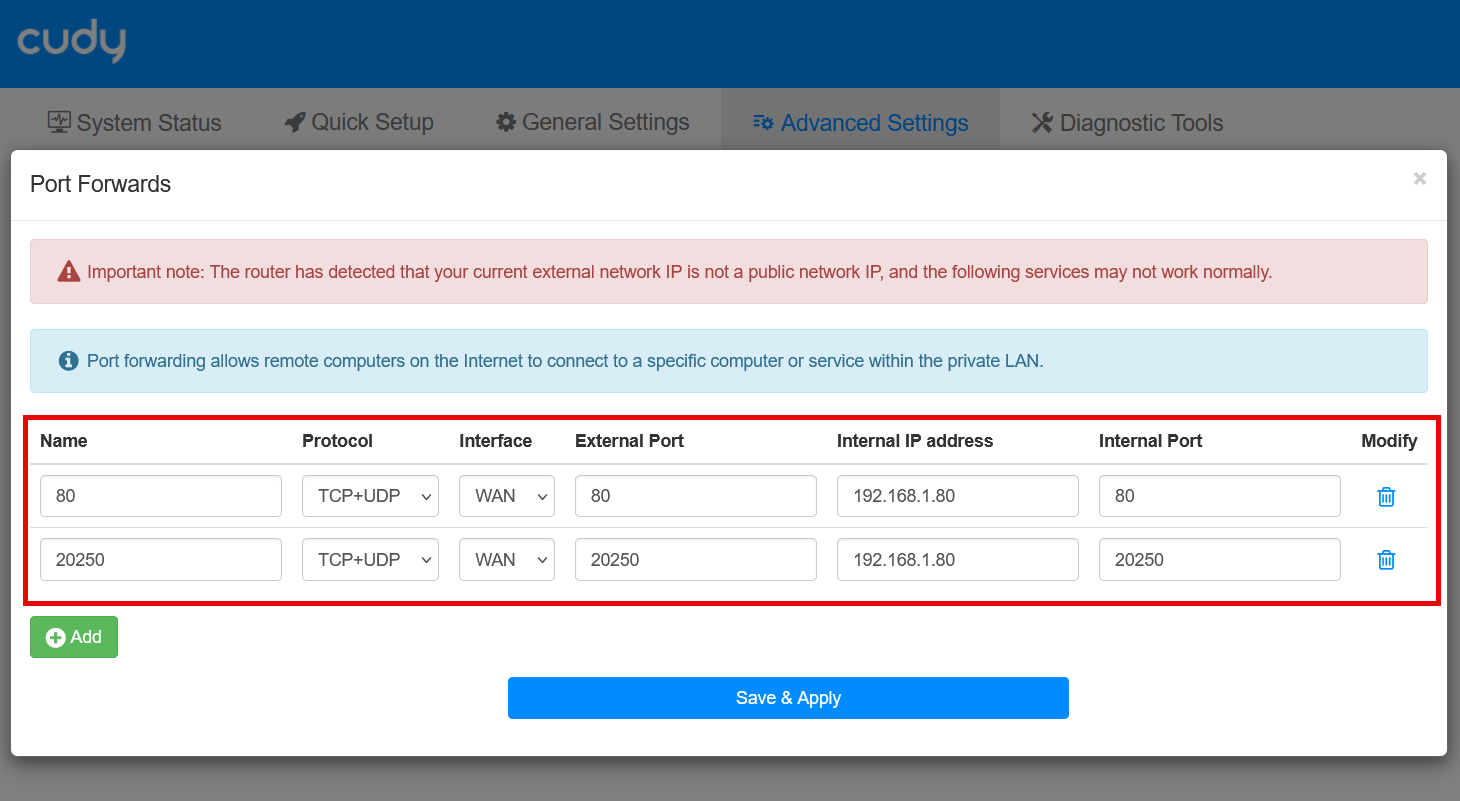
Port forwarding, both entries required:
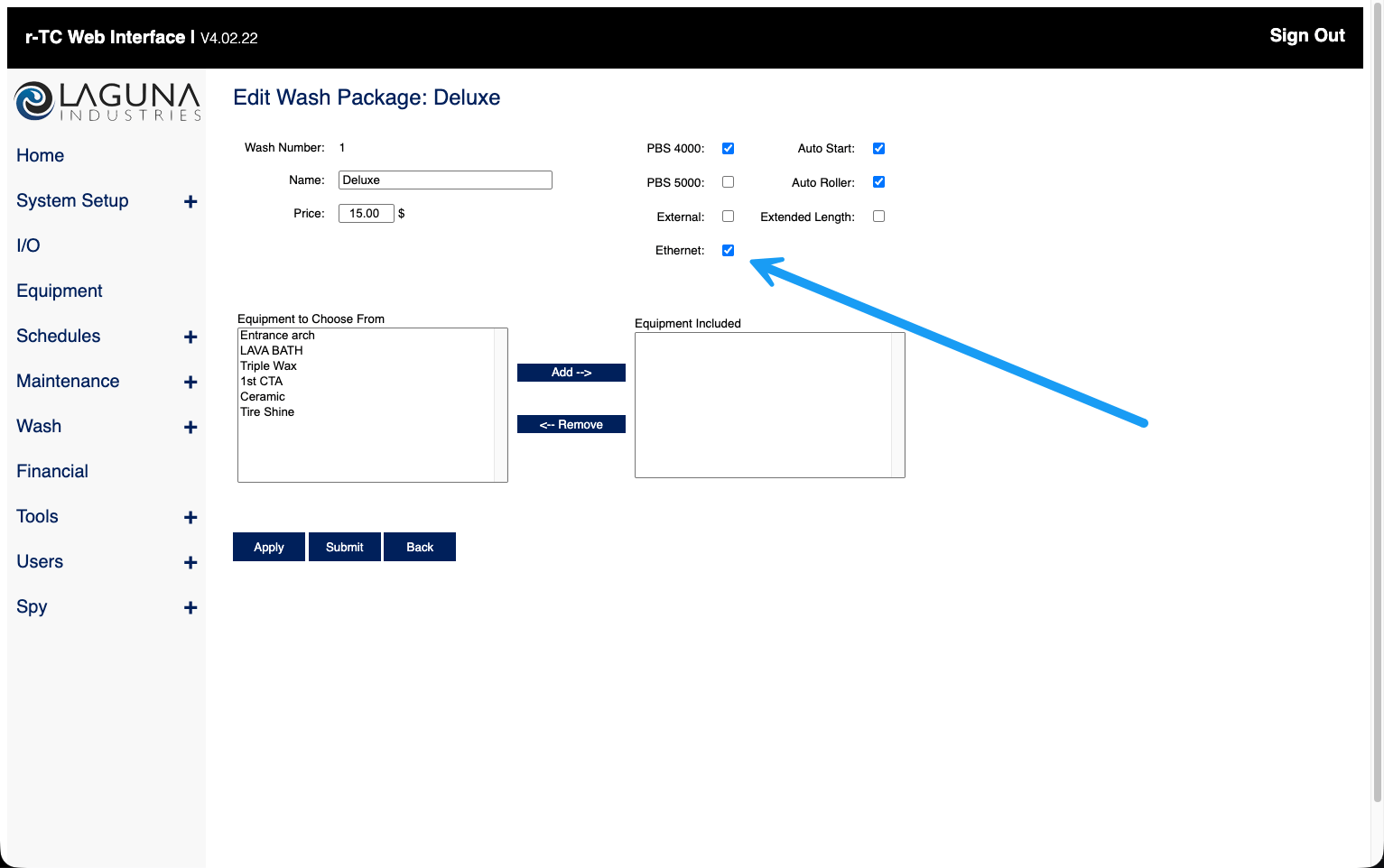
Step 3. Enable Ethernet in the r-TC web interface
Laguna normally performs this step. An experienced technician can do it instead. The r-TC web interface is at192.168.1.80, the Ethernet option must be enabled on every one of your wash packages and retracts. FlexWash cannot trigger anything without it.
Step 4. Provide your wash codes
Each wash package carries a numerical wash code. Send the codes to your onboarding specialist or to Customer Support. FlexWash maps them to your packages.