
Where to Find the Importers
Open the left navigation, expand Admin, then expand Import. The four importers appear as direct links.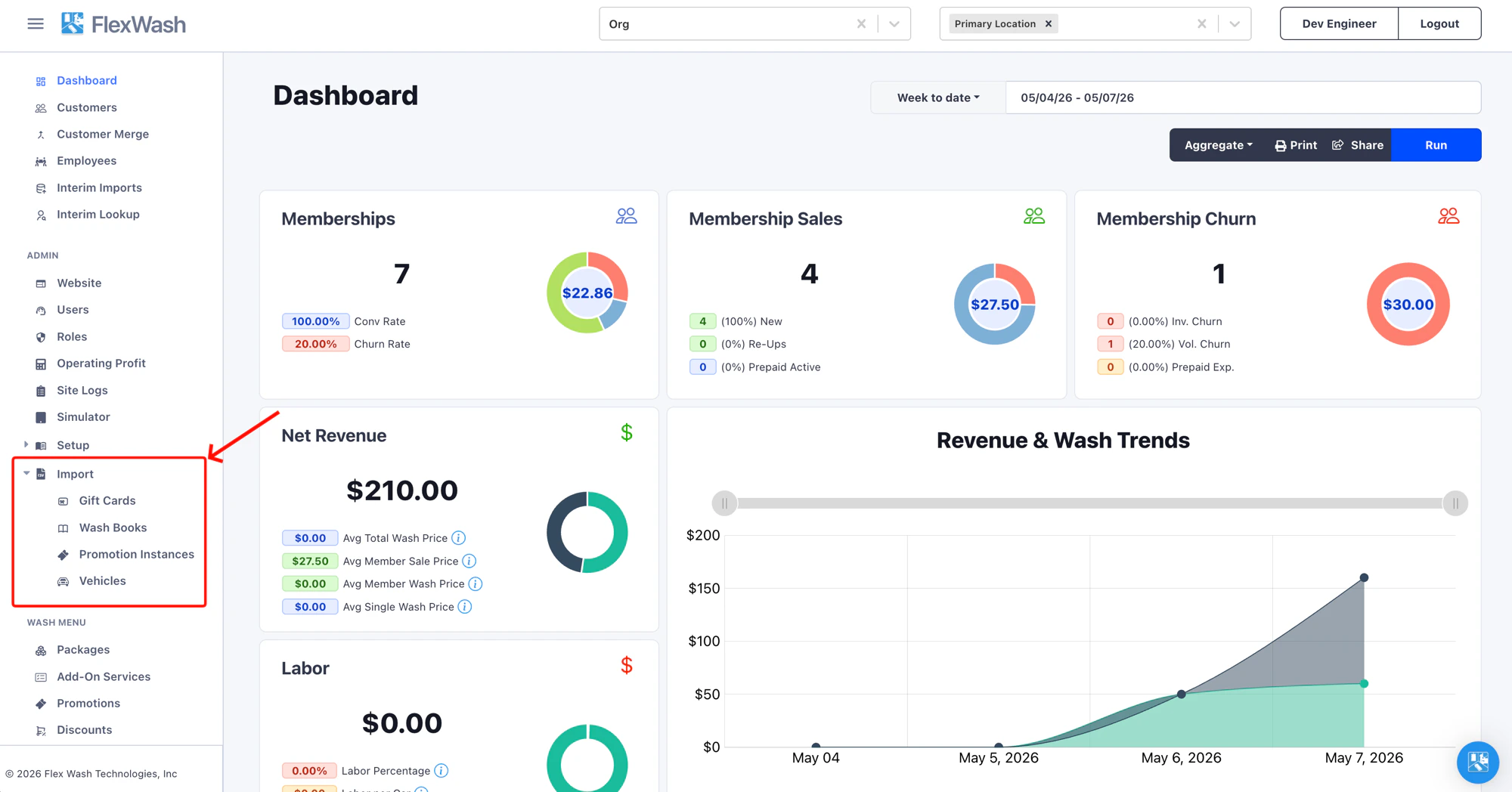
Choosing the Right Importer
Operators routinely confuse the importers because the source data often looks similar. Use this table to pick the right tool before building a file.Re-import anytime, last write wins
Re-import the same file as often as you need. Each row is matched by
its code (or license plate for vehicles), and the most recent upload
wins: records already in your organization are updated in place and
new rows are added. Re-running never creates duplicates.
Upload History
Every importer has a History tab next to Import at the top of the page. The tab shows every file ever uploaded for that importer in this organization, who uploaded it, when, and how many rows were imported.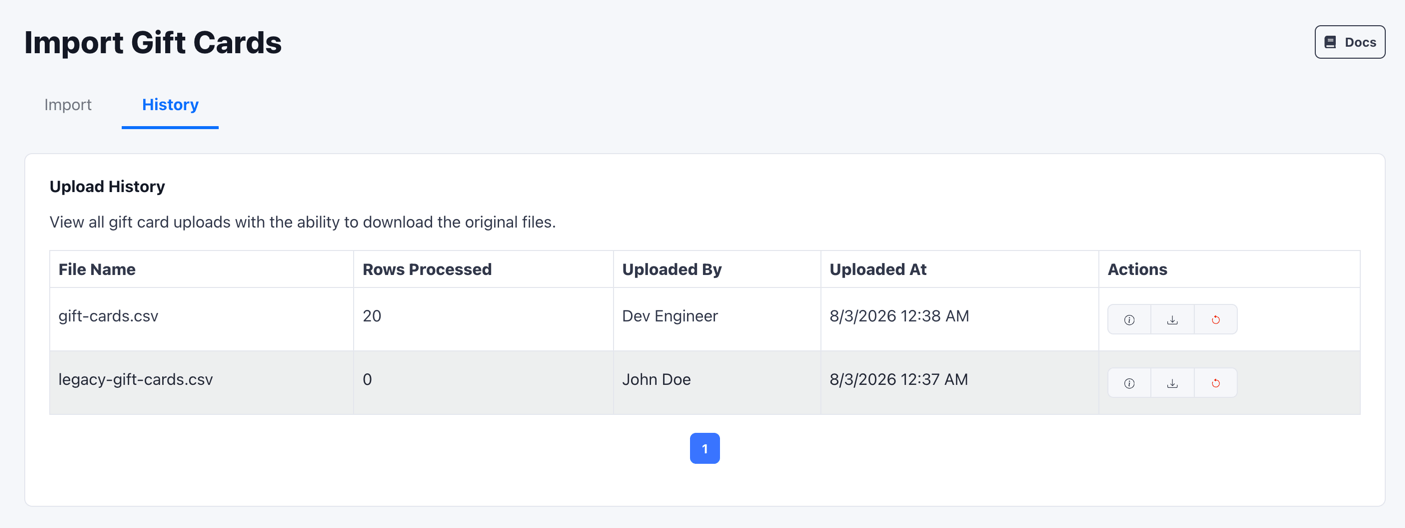
Rolling Back an Import
Every row in the History tab has a Rollback option in the Actions column. Rollback removes what a specific upload created, so you can remove a bad file’s imports yourself.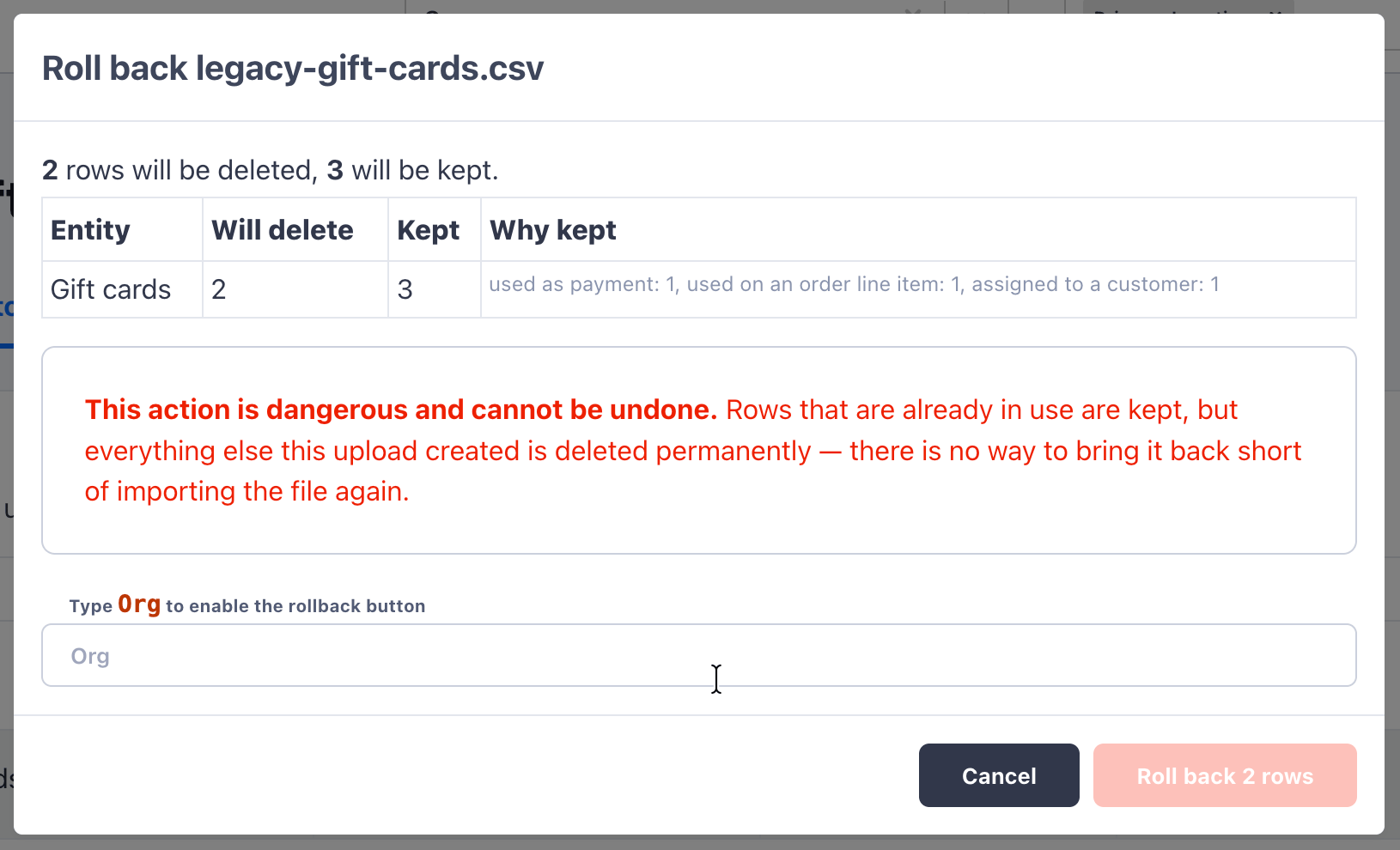
- How many rows will be deleted. These are rows the upload created that are not referenced anywhere else in FlexWash.
- How many rows will be kept, and why. A row is kept if it’s already in use, for example as a payment, on an order line item, or assigned to a customer. FlexWash never deletes a record that would break existing data.
Per-Importer Guides
Gift Cards
Bulk-load pre-printed gift cards with starting balances.
Wash Books
Import prepaid wash bundles tied to a package template.
Promotion Instances
Generate batches of single-use codes for a Wash Codes promotion.
Vehicles
Load fleets, house accounts, and one-shot vehicle rosters with optional memberships.