
Recognizing the Problem
The most common sign is an error on the Wash Queue screen: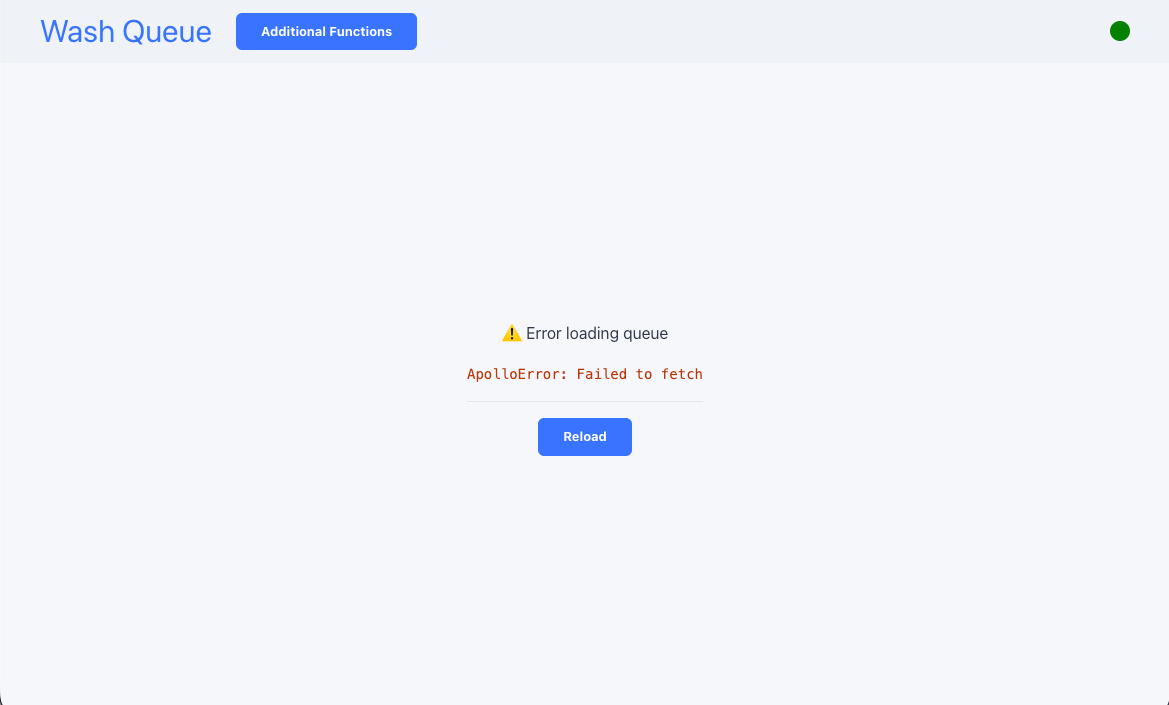
Isolating the Issue
Because the tablet depends on a live connection to the Coordinator, the failure almost always falls into one of three categories:- Bad network signal. If the tablet is on WiFi, weak or intermittent signal can drop the connection.
- Bad wire. If the tablet uses ethernet, a faulty cable or port can break the connection.
- Coordinator offline. If the Coordinator is down, no device on the network can reach it.
Test the Network Connection
Connect a different device to the same network connection the tablet uses and try to open the Wash Queue. If the second device also fails to load the queue, the problem is with the network/wire or the Coordinator, not the tablet.Test Internet Access
From that same device, try to open any public website.- The public site loads. Your network is working, so the issue is with the Coordinator. Continue with the support steps below.
- The public site fails. The network itself is down. Check the WiFi signal or the ethernet wire and port.