
FlexWash LAN
At a high level the FlexWash LAN looks like this..png?fit=max&auto=format&n=eSNVkqns1TN0nxgZ&q=85&s=ebf1d795ba60846baad0d6d53fbaa588)
Requirements
Every FlexWash site requires a network connection that meets the following minimums.IP Assignment
Our FlexWash subnet is 172.162.184.0/24. Static Range: 172.162.184.1–172.162.184.199 (reserve .1 for the gateway; .0 is the network address, .255 is broadcast, don’t use either). All the devices we know of are programmed in this range. Dynamic Range: 172.162.184.200–172.162.184.254. Devices in this range are assigned by DHCP, which typically means that we don’t recognize them. Devices that we send commands to need to be in the static range, for example the tunnel controller. Devices that only issue commands can be in this range, for example pay tablets.Example Installation
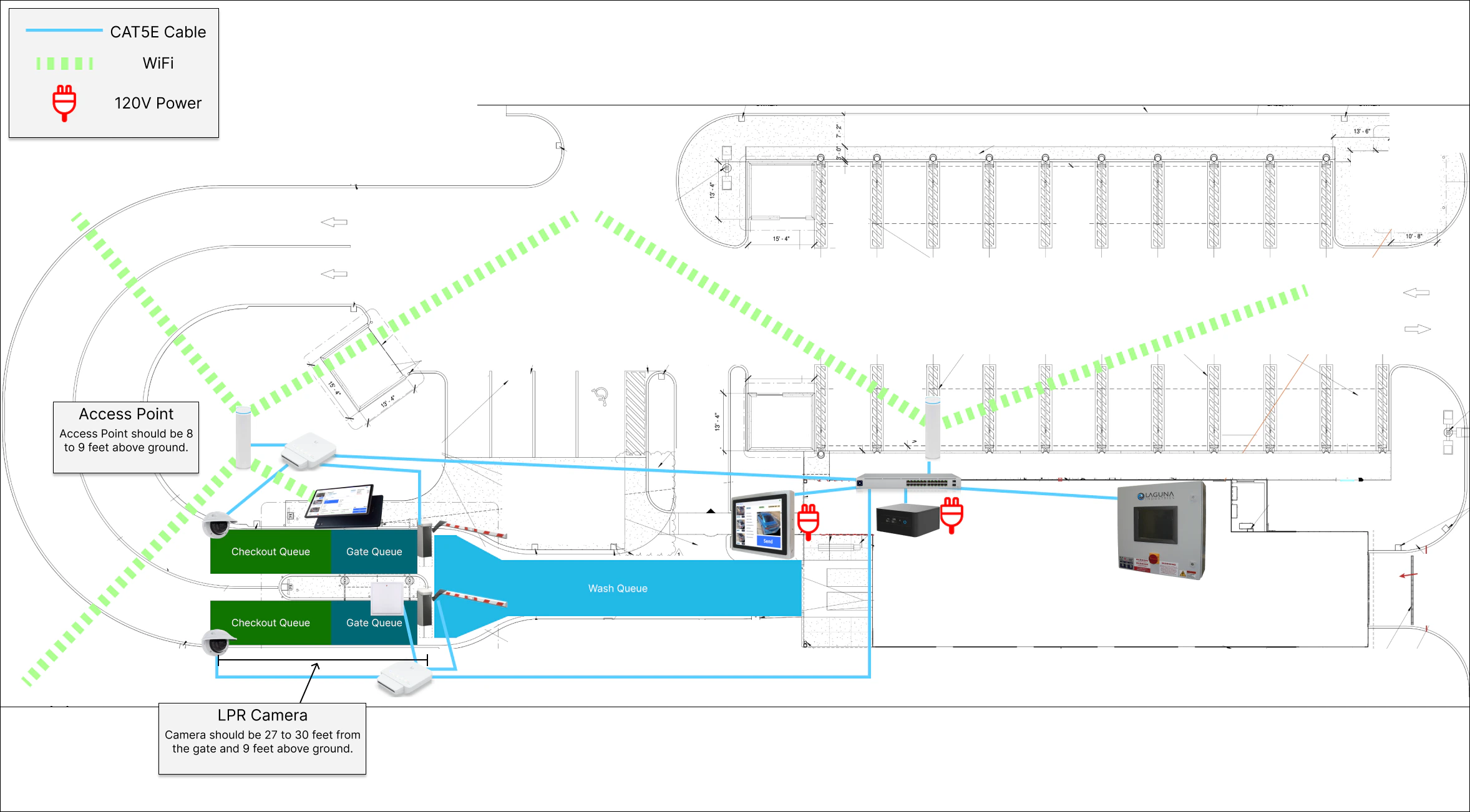
Check our Flexwash Queues article.
Coordinator Networking Requirements
We typically recommend connecting the coordinator directly to your ISP router to ensure that it has a direct connection to the internet with minimal interference. To ensure a stable connection, we require that the network that the coordinator is plugged into support IPv4 (most do by default). If you are unsure, check with your ISP or network administrator.Advanced Users Only: If you are running a more sophisticated IT setup, you may connect the
coordinator into your network in the manner you see fit, as long as you have the in-house
networking expertise to properly support your custom configuration. Our hard requirements are IPv4
support and that the coordinator have access to the public internet, and we strongly recommend
against applying outbound firewall rules to the coordinator’s internet traffic to avoid any
potential interference with day-to-day operations.
UniFi
Some of the networking equipment we ship is UniFi hardware. Treat this as an implementation detail, not a platform you can build on or integrate with. We choose our hardware based on what serves our deployments best, and that choice can change at any time. Two consequences follow from this:- You cannot run FlexWash on your own UniFi network. The internal network behind the coordinator is provisioned, configured, and monitored by us. Adopting our devices into your own UniFi site, or connecting our switches and access points to your existing UniFi infrastructure, will break the deployment.
- You cannot access the FlexWash UniFi controller. Access is restricted to FlexWash engineering and support staff.
- FlexWash must be complete isolated from other UniFi networks otherwise the interference will cause failures and downtime.
Coordinator Wiring
Depending on the model, the coordinator must be wired according to these specs: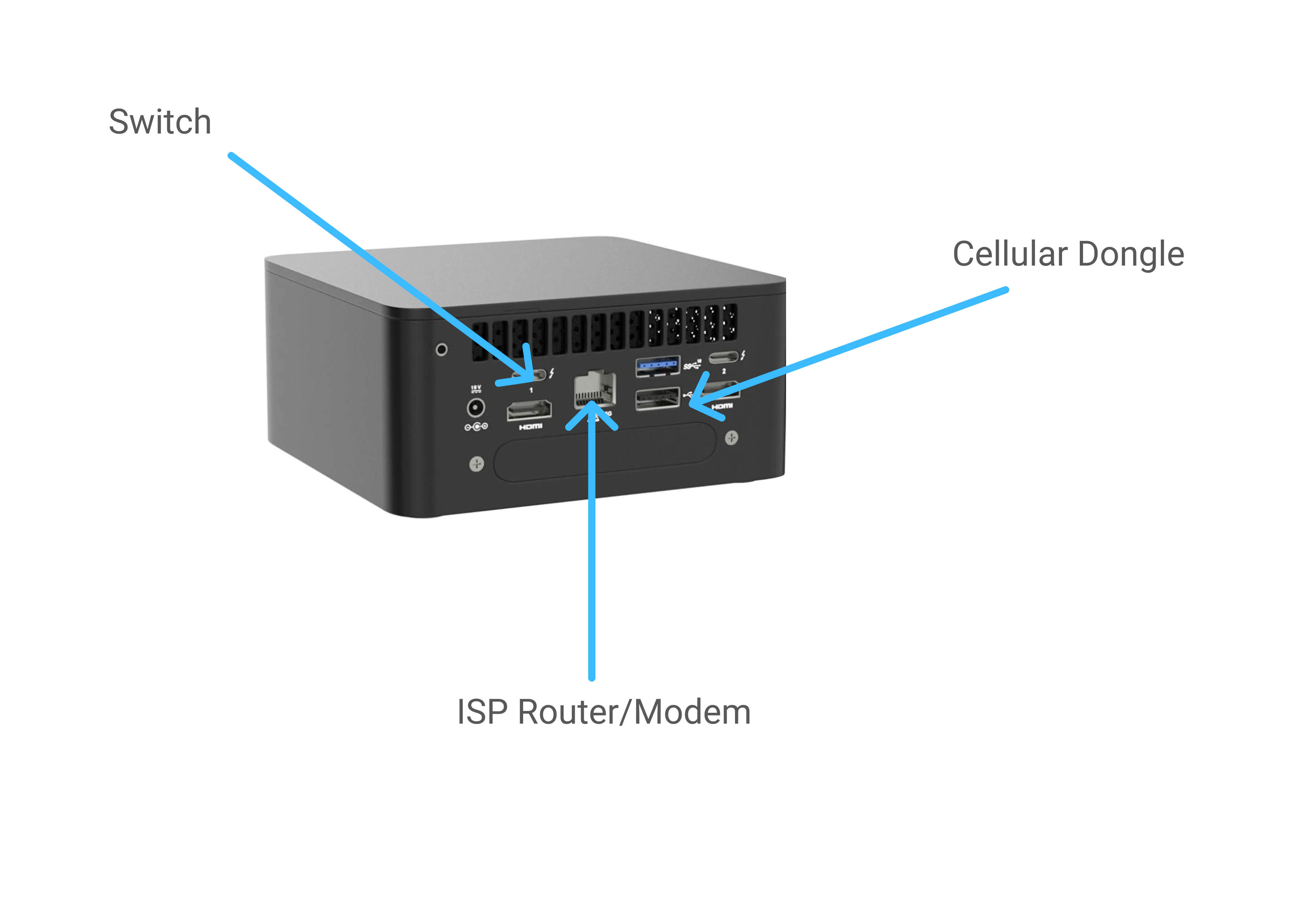
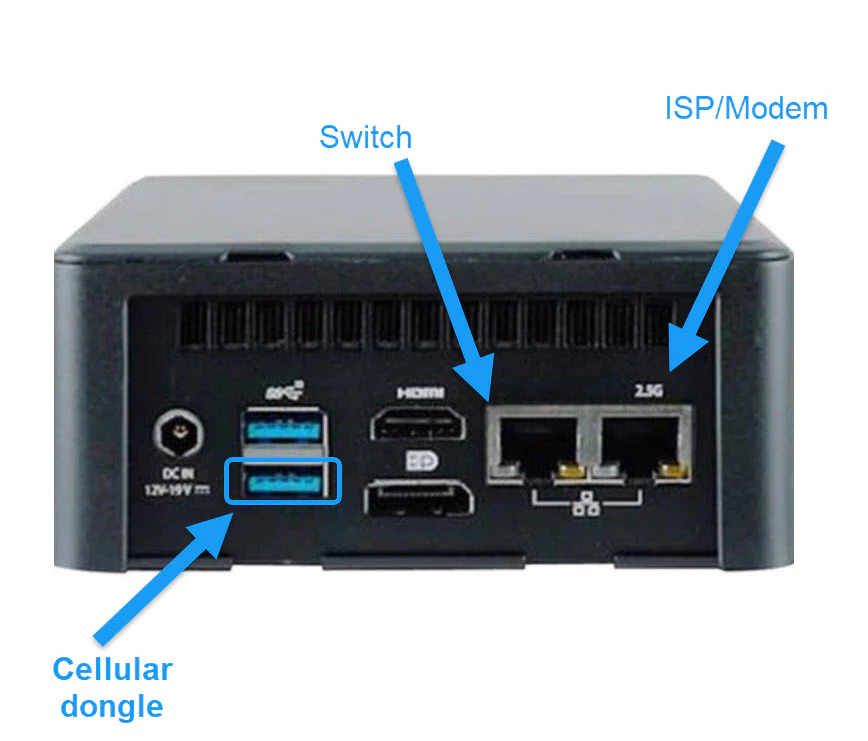
Switch Wiring
The switch must be wired according to this spec. Note ports 1 and 2 are special. Make sure unused ports are covered with the provided dust protectors to prevent damage.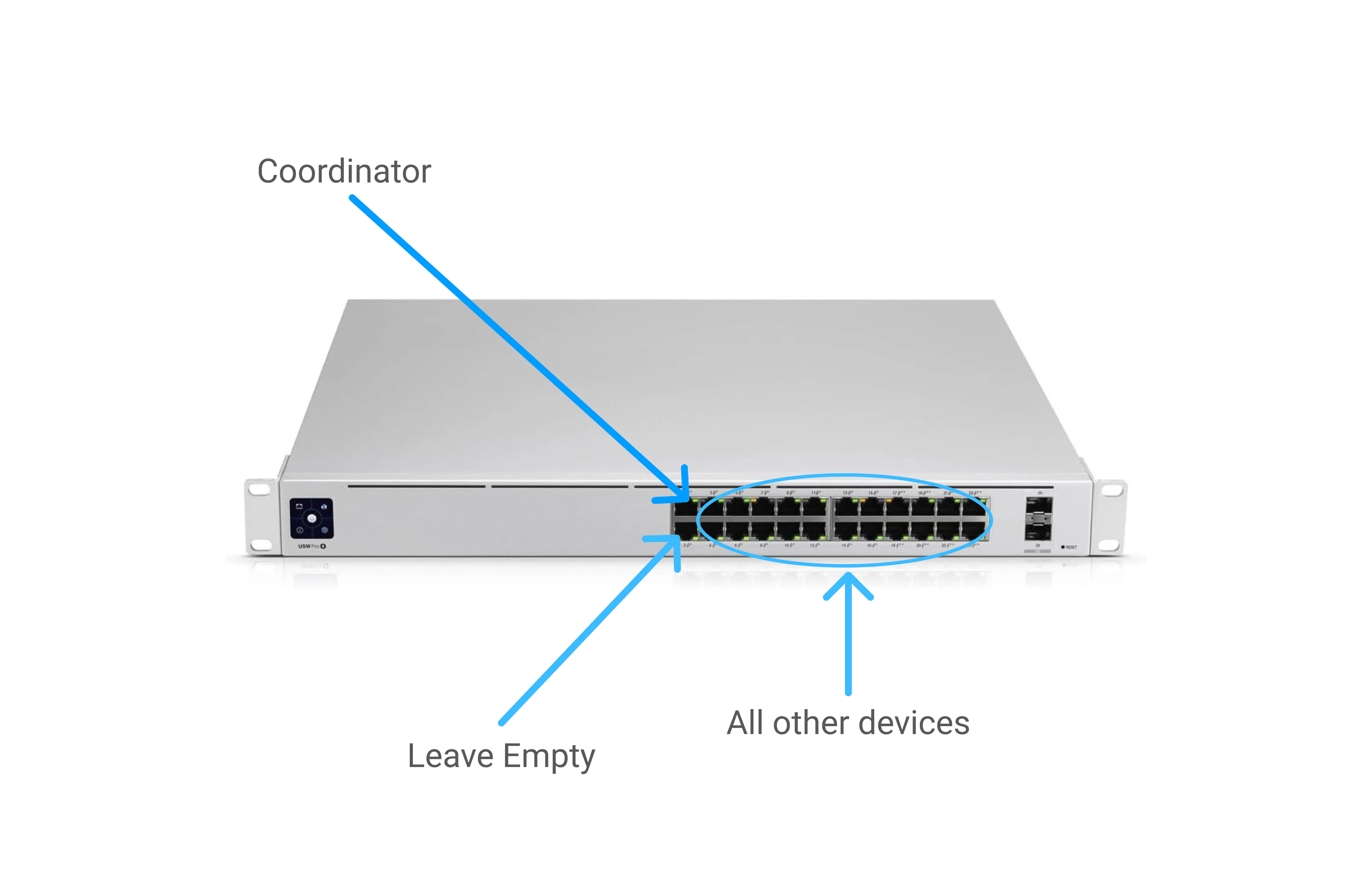
Edge Switch
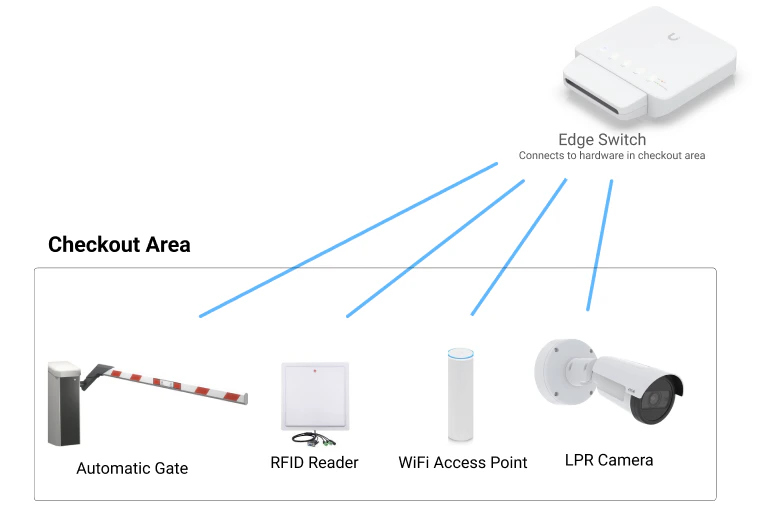
- Camera
- RFID Reader
- Access Point
- Gate Controller
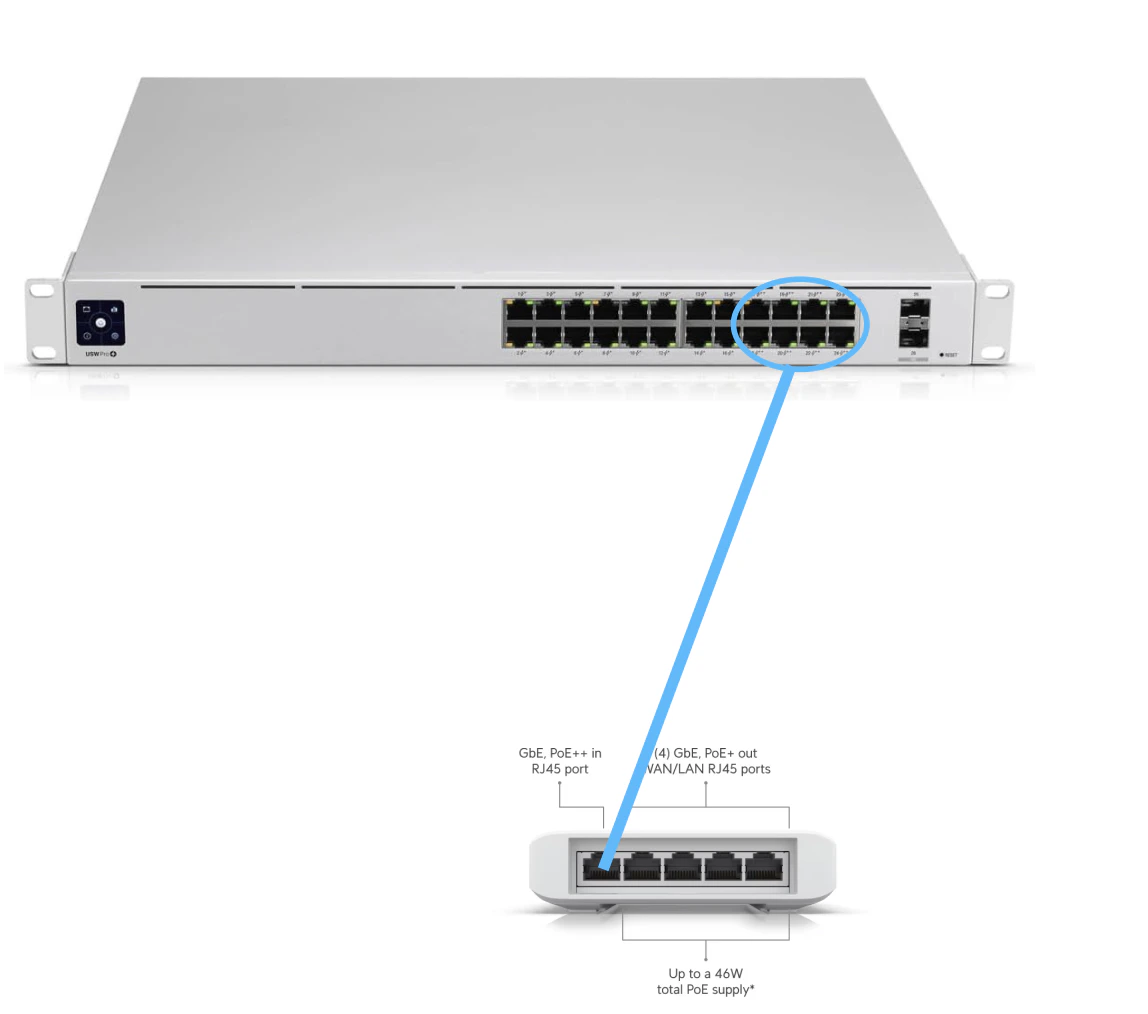
Battery Backup & Surge Protection
Make sure the battery terminals are connected before you plug in FlexWash equipment. All FlexWash equipment must be plugged into the ports labeled Battery + Surge as shown on the image below: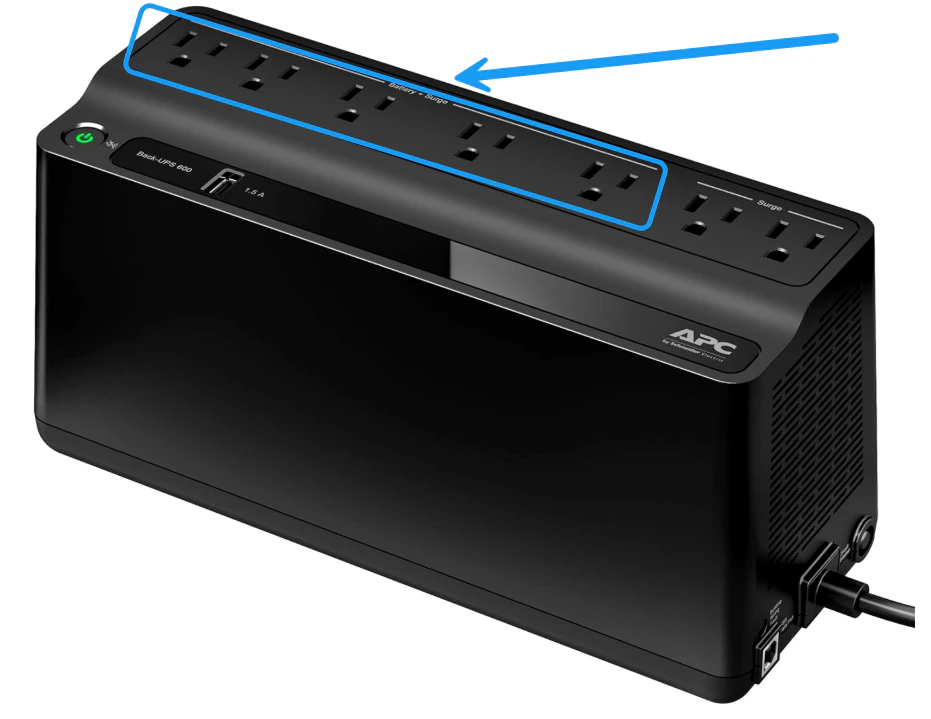
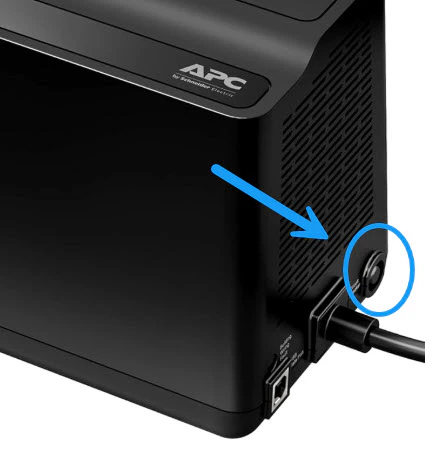
The battery backup is only for transient protection but should give you around 30 minutes of failover during a power outage.