
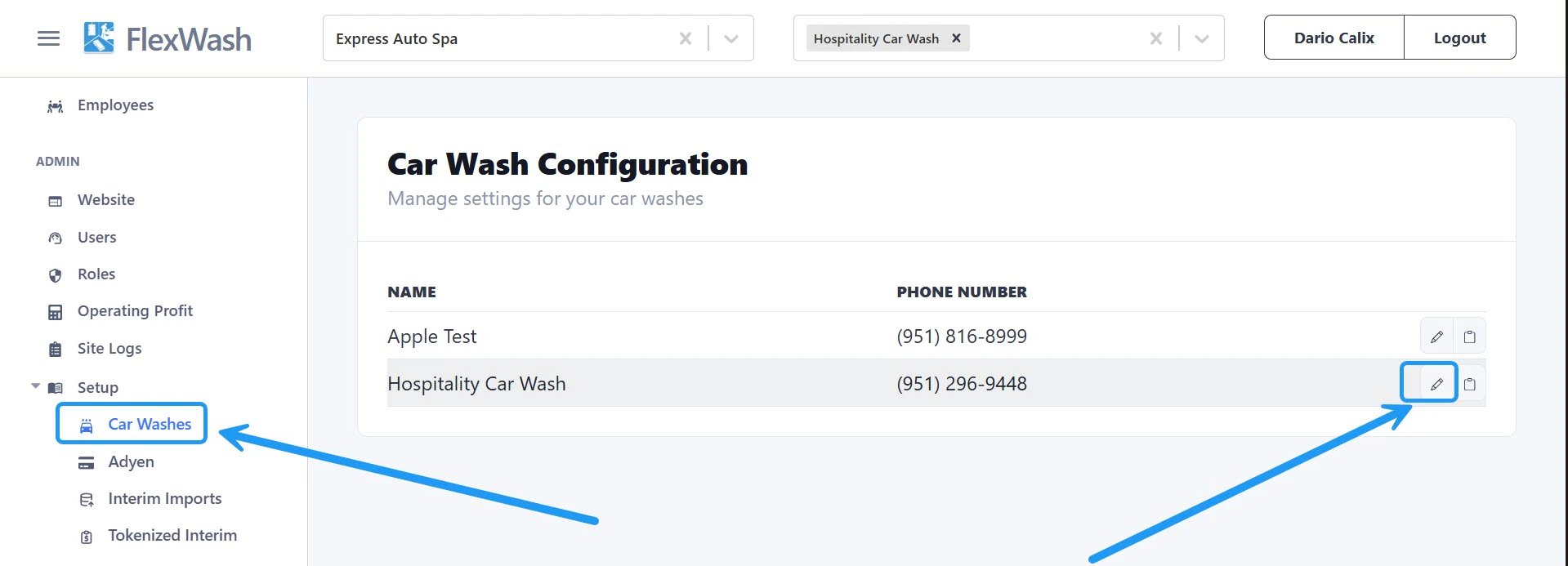
Phone Number
Update the phone number displayed on both digital and printed receipts. Enter the new number and save your changes.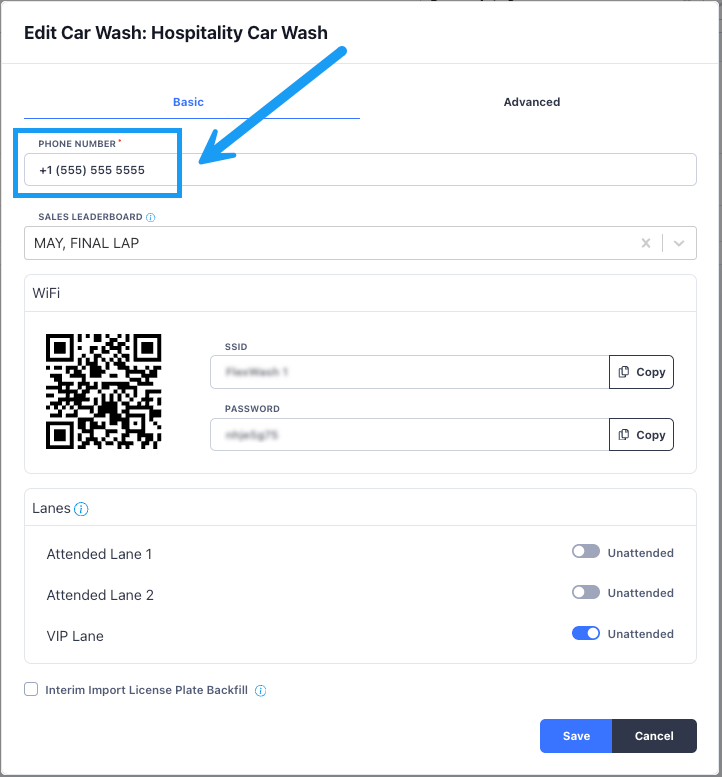
Sales Leaderboard
Select which leaderboard is displayed on Pay Tablets to track and motivate sales performance.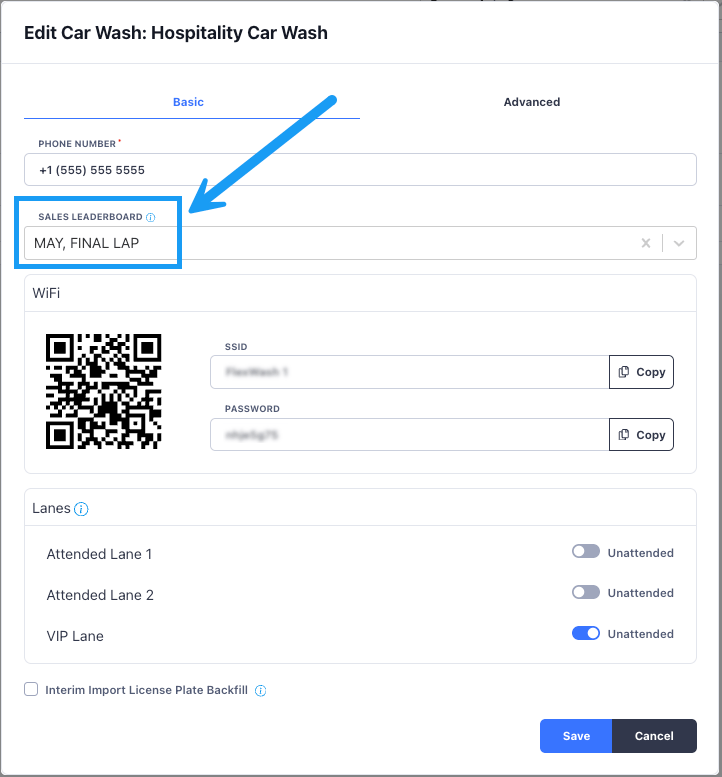
FlexWash WiFi
View the WiFi password for the selected site and access the QR code for quick connection.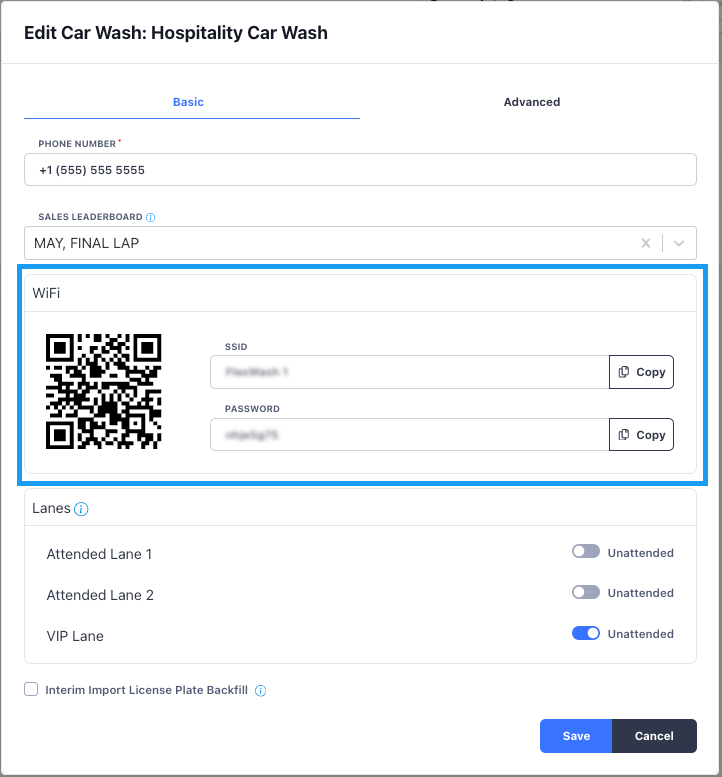
Lane Config
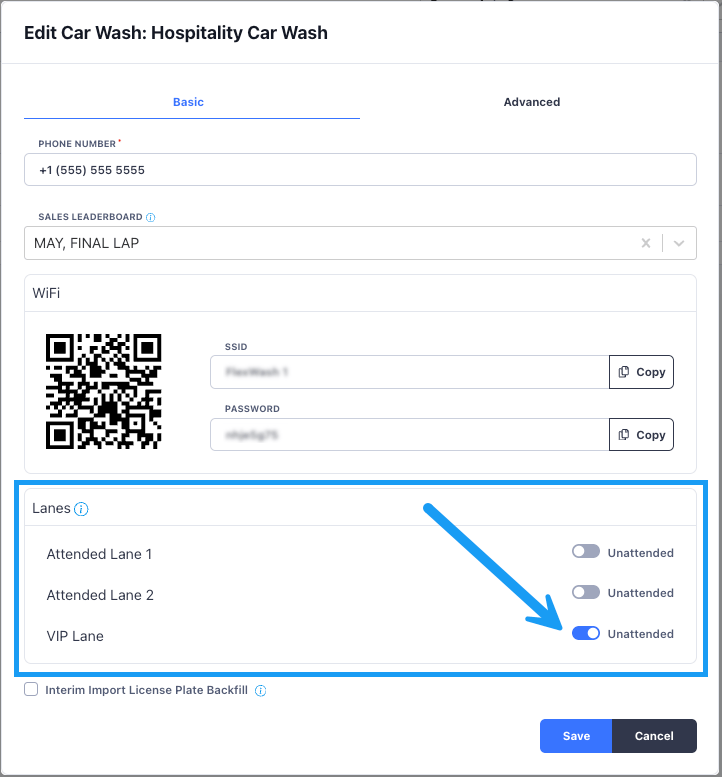
- Attended Mode: An attendant is present to assist customers.
- Unattended Mode: The lane operates independently without continuous supervision.
This change takes effect immediately; no system restart required.
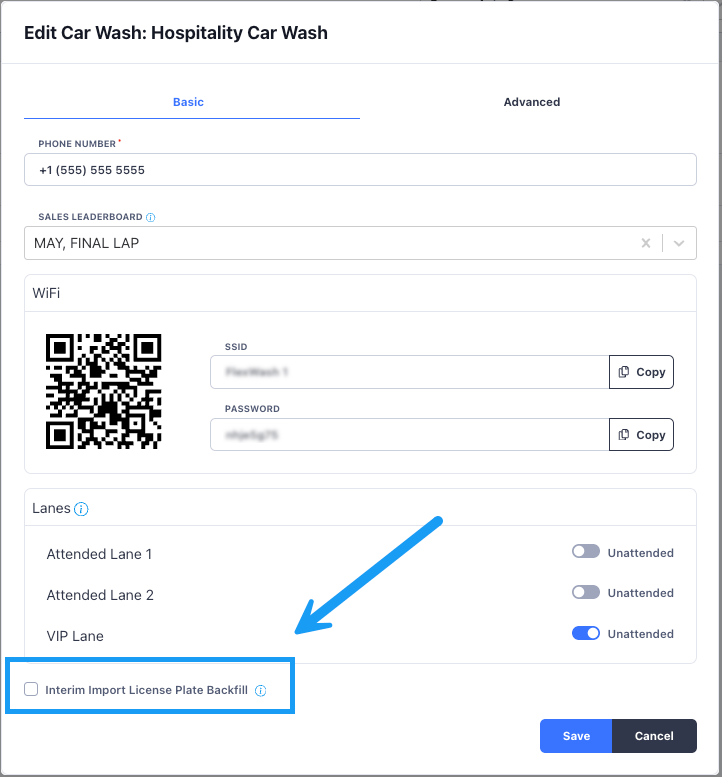
License Plate Backfill
Members brought in through interim imports often have an RFID tag but no license plate on file. Turn on License Plate Backfill and FlexWash reads the plate from the LPR camera photo on the member’s next wash and fills in the blank.There is a 30 minute delay between when the order processed and when we try to update the
license plate with LPR.
Migrating From an RFID-Based System
If your old system identified members by tag rather than by license plate, your import files often repeat the tag in the License Plate column. A row might list80843+056175 as both the plate and the tag.
FlexWash reads a plate that equals the tag as a placeholder, matches the row by tag, and keeps any
real plate already on file. Tag matching is canonical, so leading zeroes, letter-O forms, and
Glide-prefixed encodings all resolve to the same tag.
This runs on every interim import and needs no configuration. The backfill setting is only what
starts the camera filling in the missing plates.
The Rules FlexWash Follows
- A plate that equals the tag is not a plate. FlexWash matches the row by tag instead.
- A real plate wins. Whichever side holds one, the file or the record, keeps it.
- A blank RFID Tag cell never removes a tag. An empty cell means the file does not know the tag, so the vehicle keeps the one it has, including a tag your team applied at the pay tablet.
- One car, one vehicle record. When a plate and a tag point at the same car held in two records, FlexWash merges them and the wash history follows.
- A tag found on a different car is treated as moved. The imported member gets the vehicle from the file. The other vehicle keeps its plate, its owner, and its history, and gives up only the tag.
How FlexWash Resolves Clashes
Validation
FlexWash validates the file before it writes anything. If two rows carry the same license plate, or carry tags that normalize to the same value, FlexWash rejects the whole import with a Duplicate Data error and changes nothing. Correct the file and upload it again.Token Transfer and Ordering
You do not need to wait for token transfer to turn this on. FlexWash resolves each row against your current records as it goes, so the order does not matter:- A real plate is on file first and the interim file follows. The plate on file stays.
- The interim file lands first and LPR captures the plate later. The next file matches by tag and keeps the captured plate.
- A later file brings the real plate to a tag-only record. The record gains the plate.
Repeat Imports
Re-importing an existing member updates them in place, keeps their membership, and adds any new vehicles. FlexWash trims whitespace around a tag and stores an empty tag cell as no tag.Turn the backfill on while most of your member base is still tag-only and expect more manual
merges. When LPR reads a plate that another vehicle in your organization already holds, FlexWash
records the capture as a duplicate and leaves the vehicle unchanged for someone to resolve.