Check these first
A reset never fixes power, cabling or interference. It also does not update firmware.
When to reset
- Equipment from another deployment. A device previously set up at another site or by a previous owner still belongs to that deployment and will not join yours until it is cleared.
- Stuck adopting. The device cycles between adopting and failed after cabling, power, and firmware have been ruled out.
- Corrupted configuration. The device will not finish starting up after a power loss during an update.
Before you reset
- Identify the device. Read the model line on its label:
U6-Mesh,U7-Pro-Outdoor,USW-Pro-24-PoE, orUSW-Flex. Steps differ between them. - Close the lane. Do this before opening or after close, never with cars in the tunnel.
- Reset one device at a time, then confirm it came back before touching another.
Reset the device
Every one of these devices resets the same way: hold the recessed “reset” button until the indicator changes, release, and wait for steady white.1
Leave the device powered
It must stay powered for the whole reset. Never hold the button while plugging it in, which starts recovery mode instead of a reset.
2
Press and hold the reset button
Use a paperclip or SIM tool if the button is recessed. Hold until the indicator changes, then release immediately. About five seconds. Do not exceed ten.
3
Wait for the restart
The device powers down its indicator, boots, then settles on steady white. Steady white means it is cleared and ready to be brought back onto the network.
Where the button is, and what to watch
Device Layout
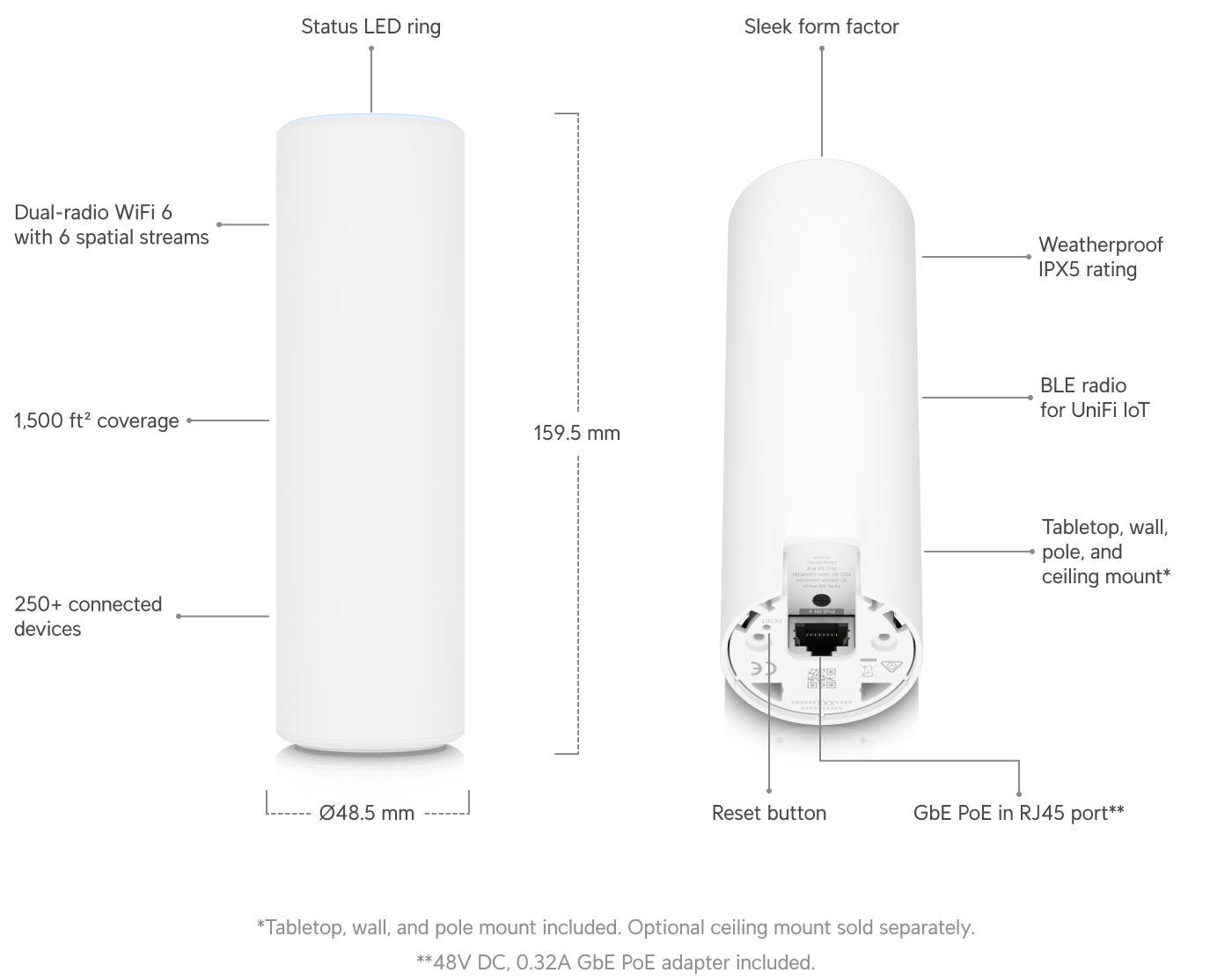
U6-Mesh.
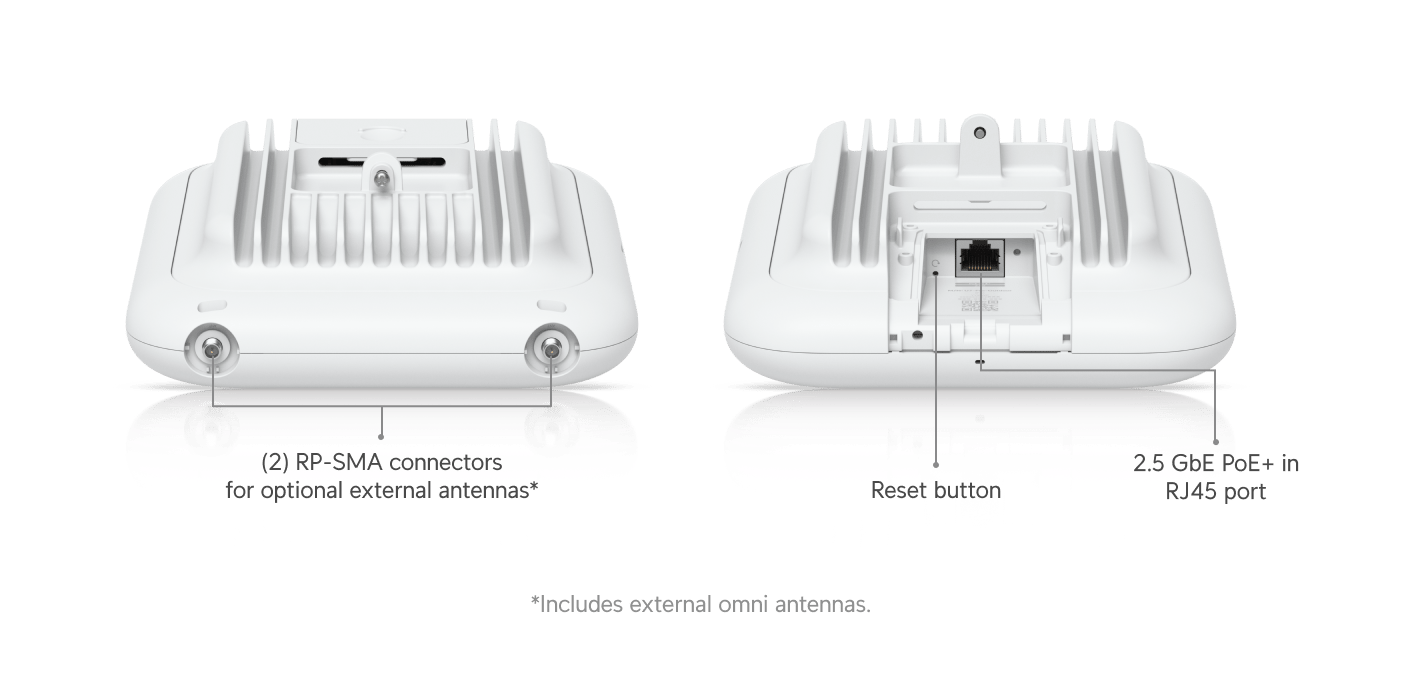
U7-Pro-Outdoor.
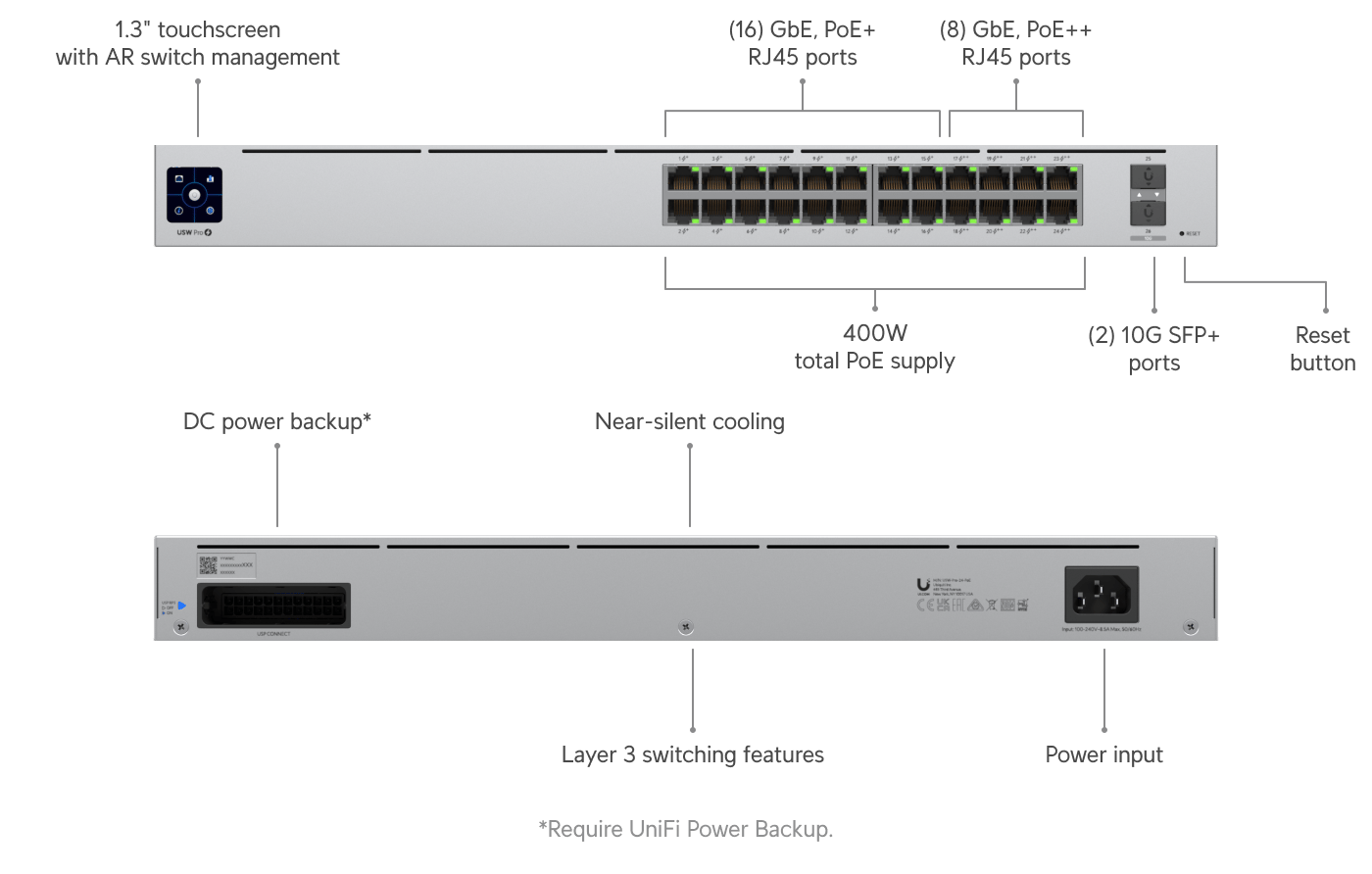
USW-Pro-24-PoE.