
Pay Tablets
Menu
From the Pay Tablets, first you have to tap on the Menu button on the top left corner, and then click on the “Search Customers” option. See images below for reference: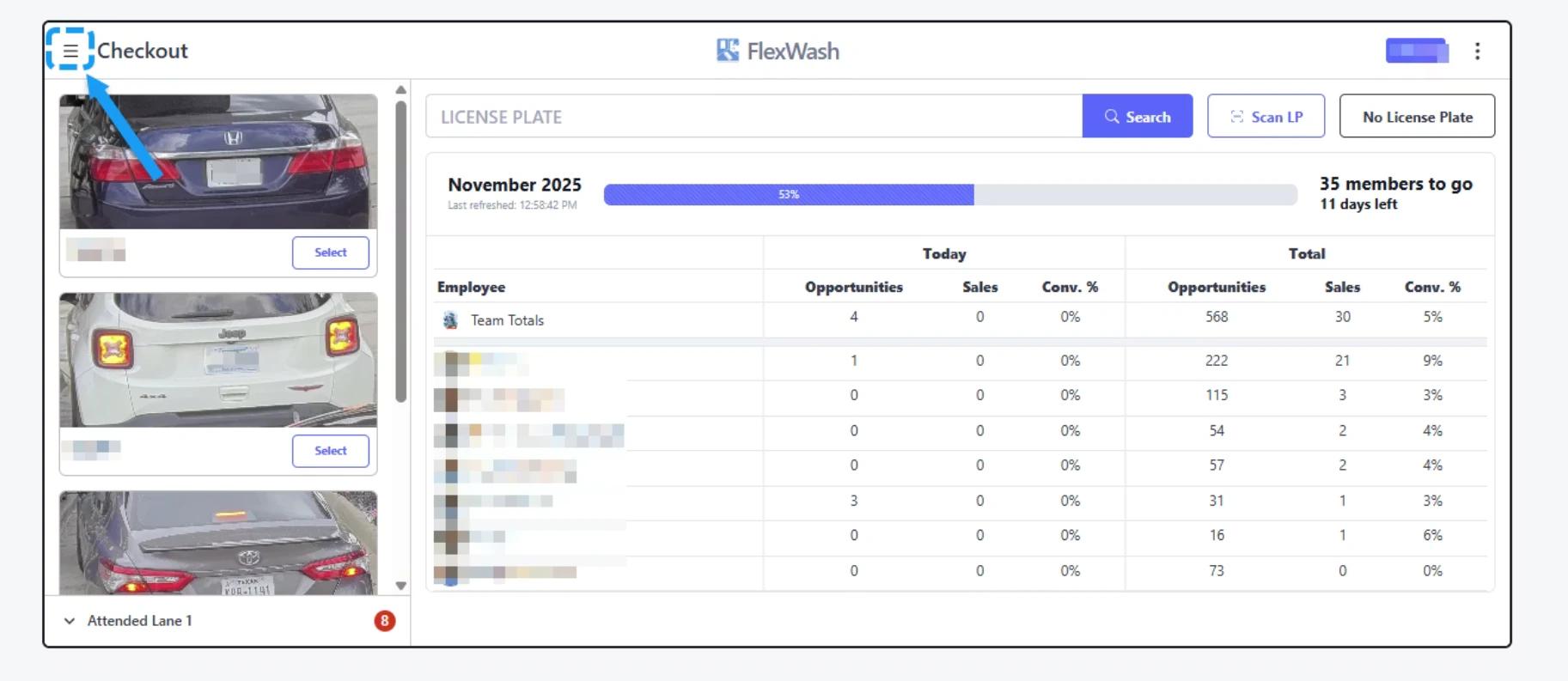
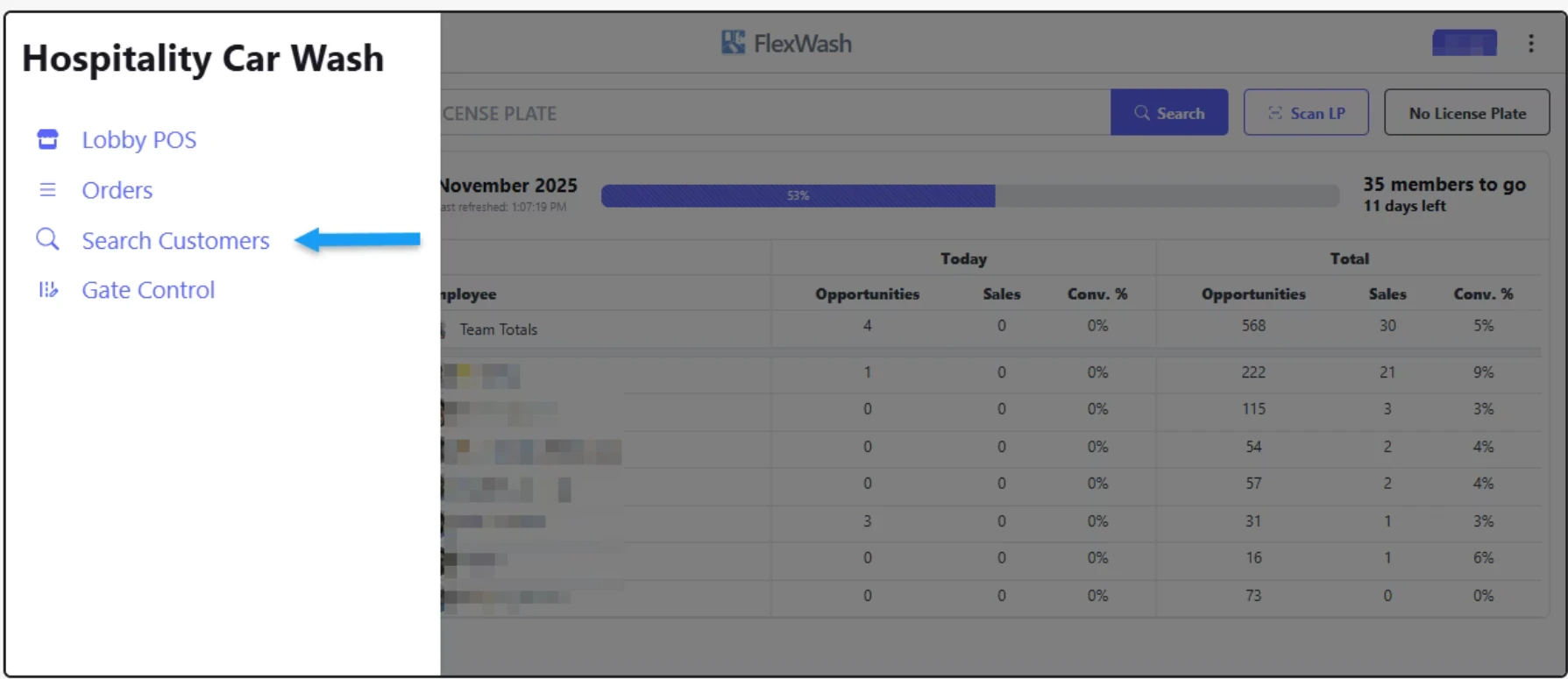
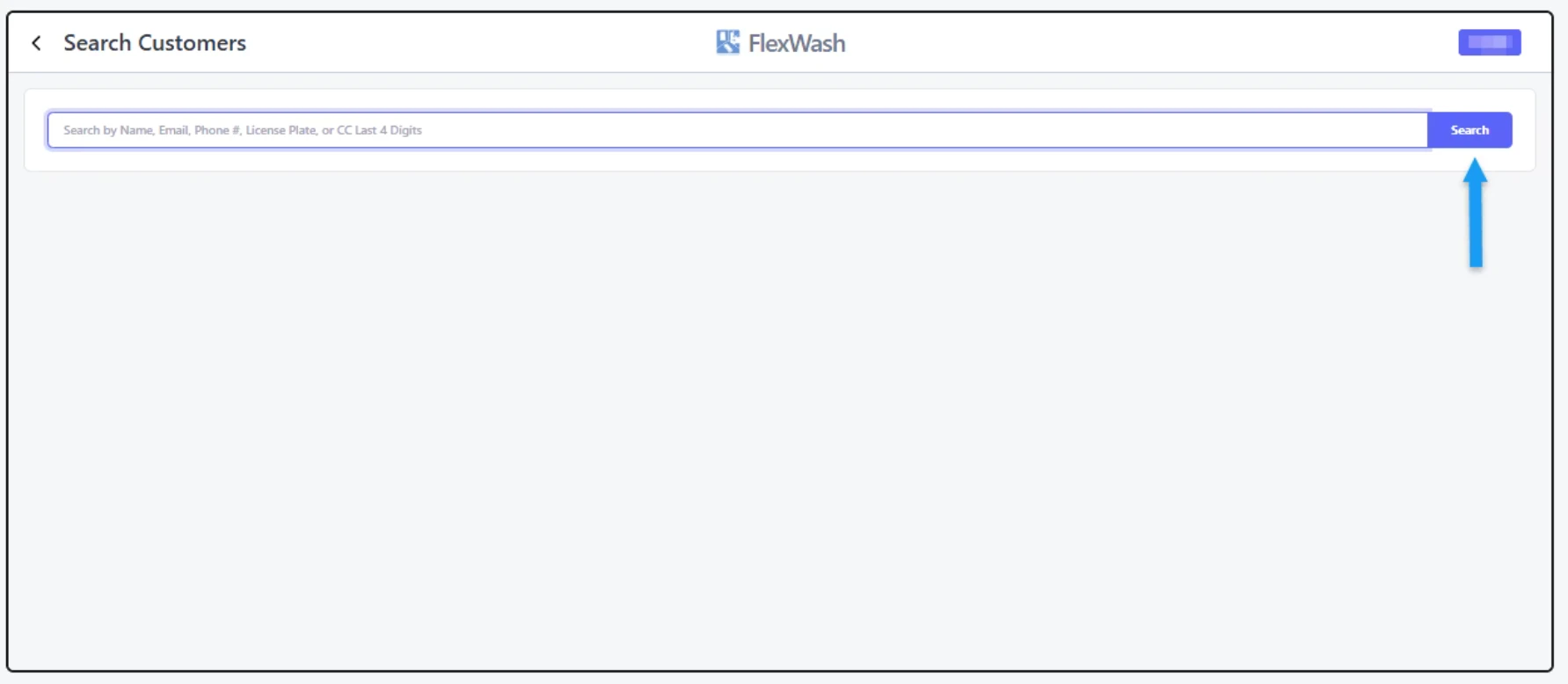
Search Customers
Edit Account
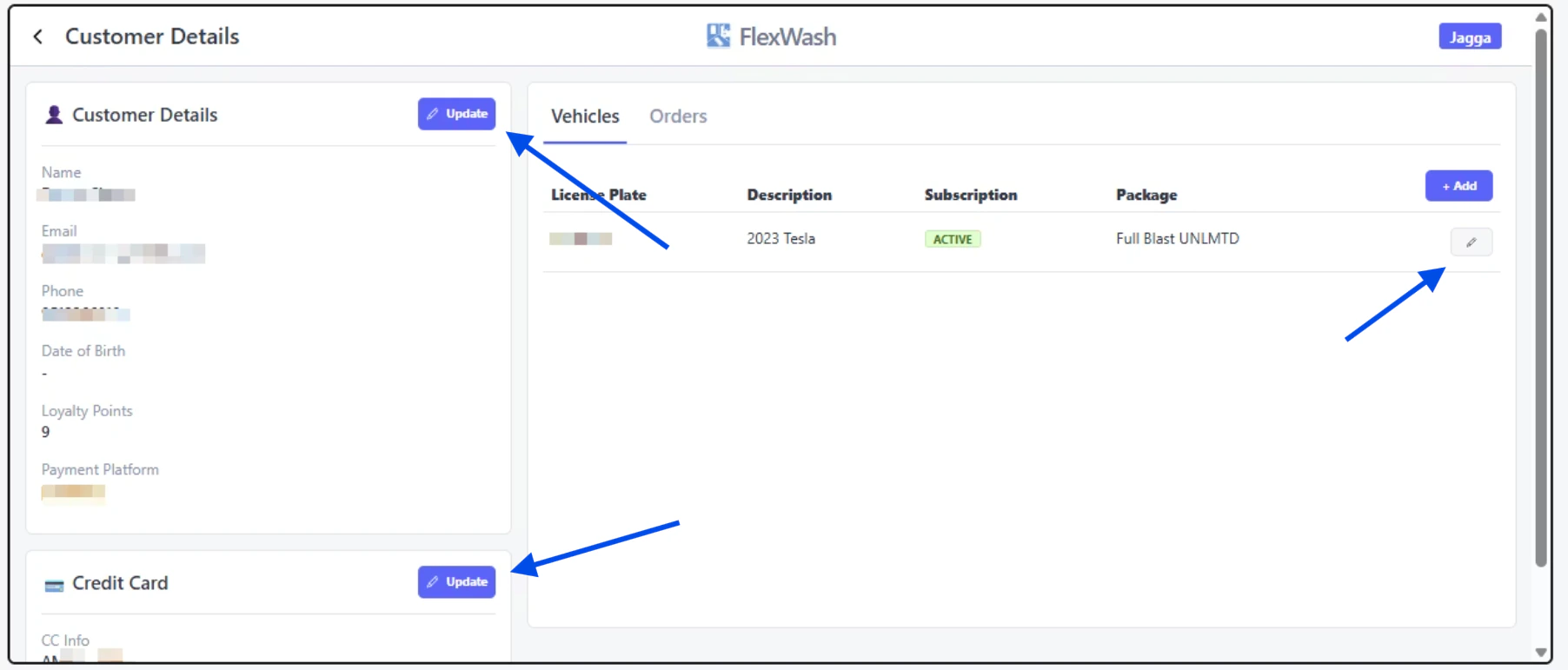
This article shows you how to update an account’s information directly from the Pay Tablet or handheld device.