
The key switch
Magnetic barriers ship with a keyed override switch on the housing, marked with an up arrow and a down arrow. Up holds the barrier open. Down closes it. The switch is wired to the controller’s Open High Priority input. This is a safety device, commonly called a fire fighter switch. It exists so emergency services can force the barrier open and keep it open, which is why it overrides every other command.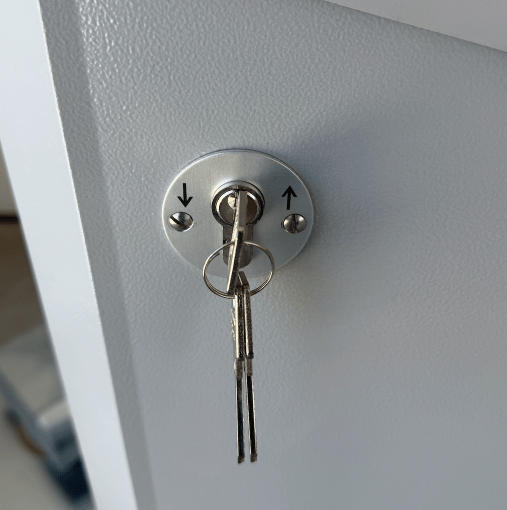
Open High Priority
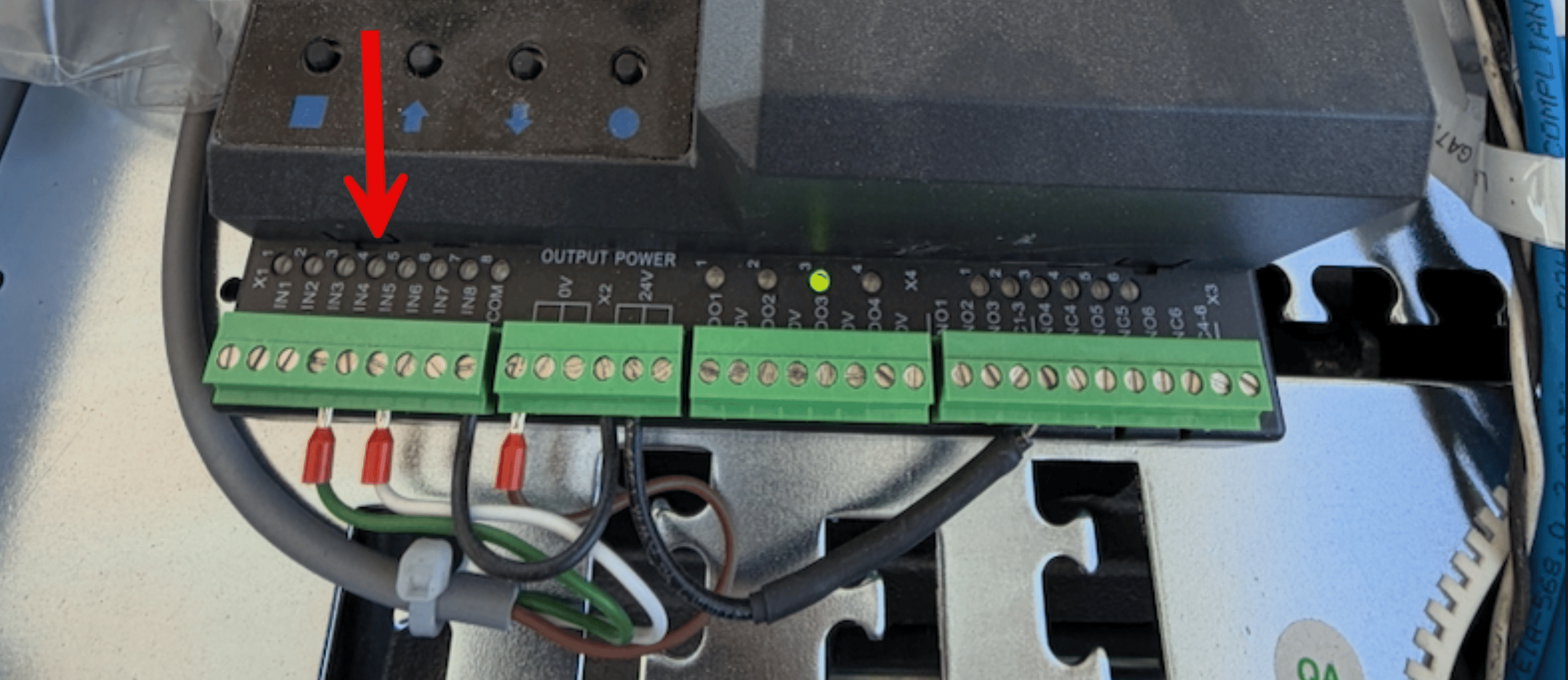
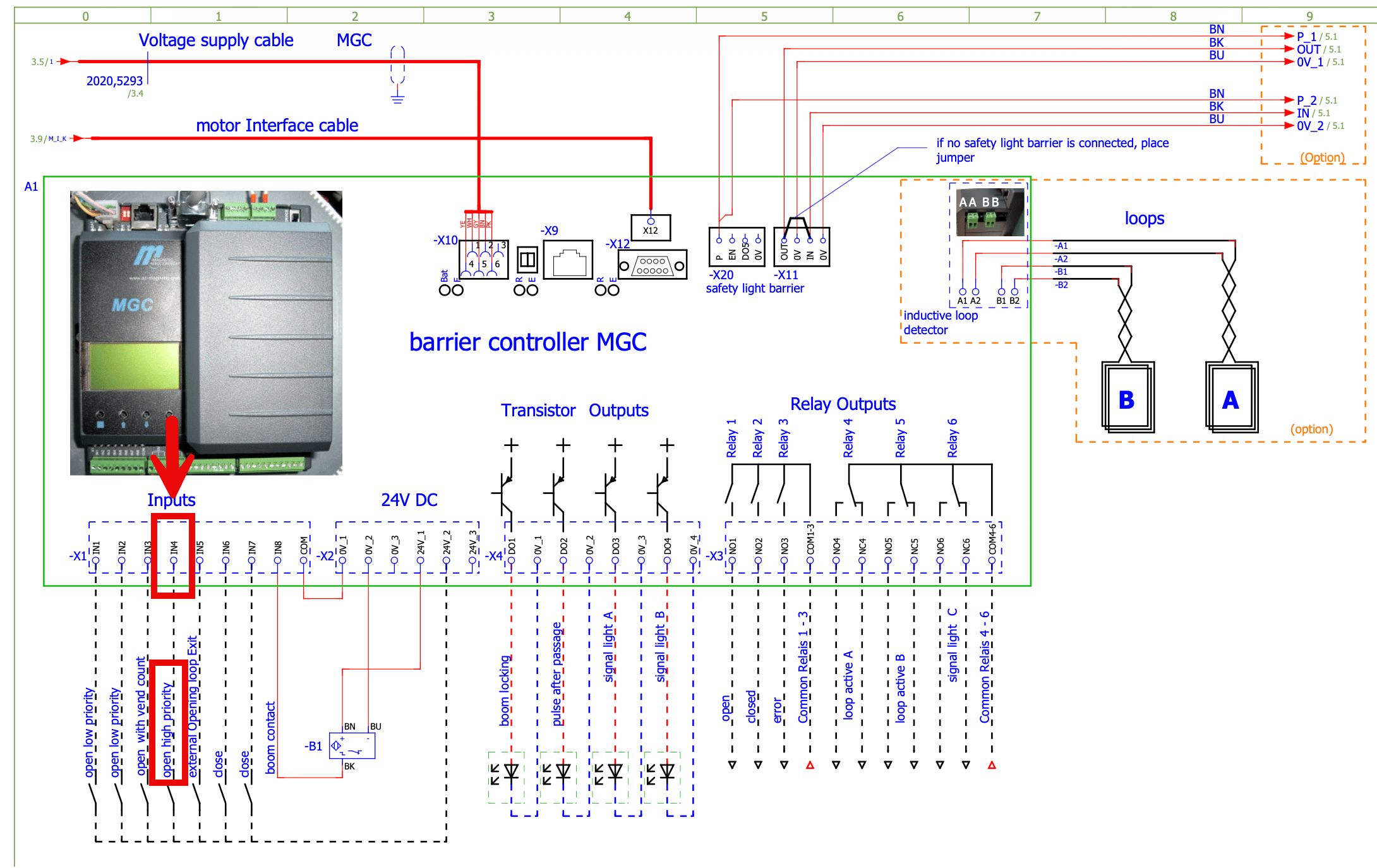
IN4 on terminal block -X1 is Open High Priority. Key switches, fire fighter switches, and emergency opening contacts all wire to this input.
While a signal is present on IN4 the barrier opens and stays open, ignoring every close command until the signal clears.
Input reference
If the gate cycles open repeatedly with no car present and the queue backs up, that is a different problem. See Gates Opening Randomly.
Other gate symptoms
Gate not opening (Programming Mode)
The gate works by hand but ignores FlexWash. Usually the programming mode.
Gate opens randomly (Queue Out of Sync)
The gate cycles open with no car present and the queue backs up.