Email types
Setting up an email
Users with Admin access or higher can set up emails for other users. The Email Reports section appears when you edit an existing user, not when you create one.- In the left sidebar, click Users in the Admin section, then open the user.
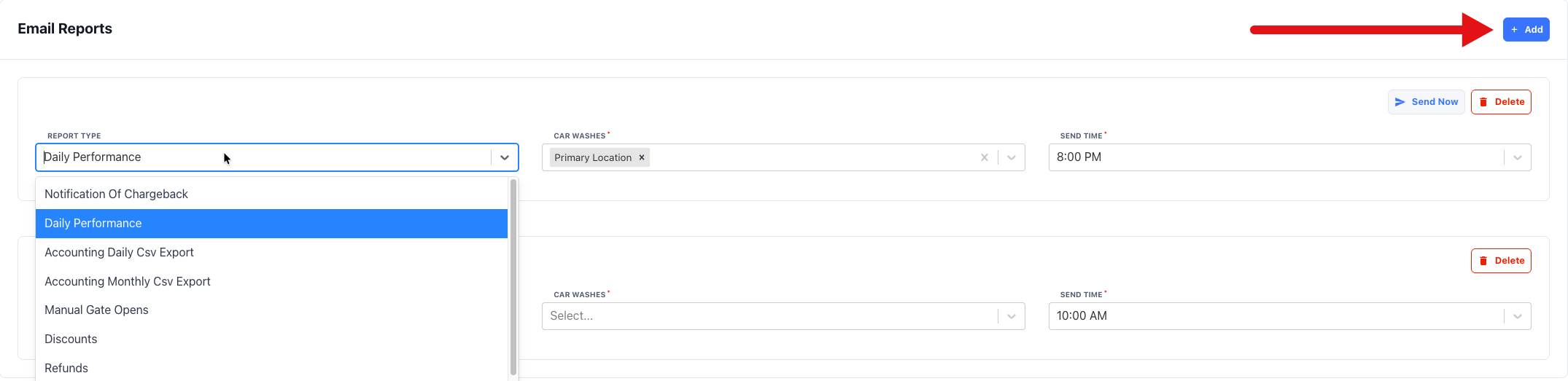
- In the Email Reports section, click Add.
- Select the Report Type.
- Select the car washes. The two accounting exports cover one car wash. All other types can cover several.
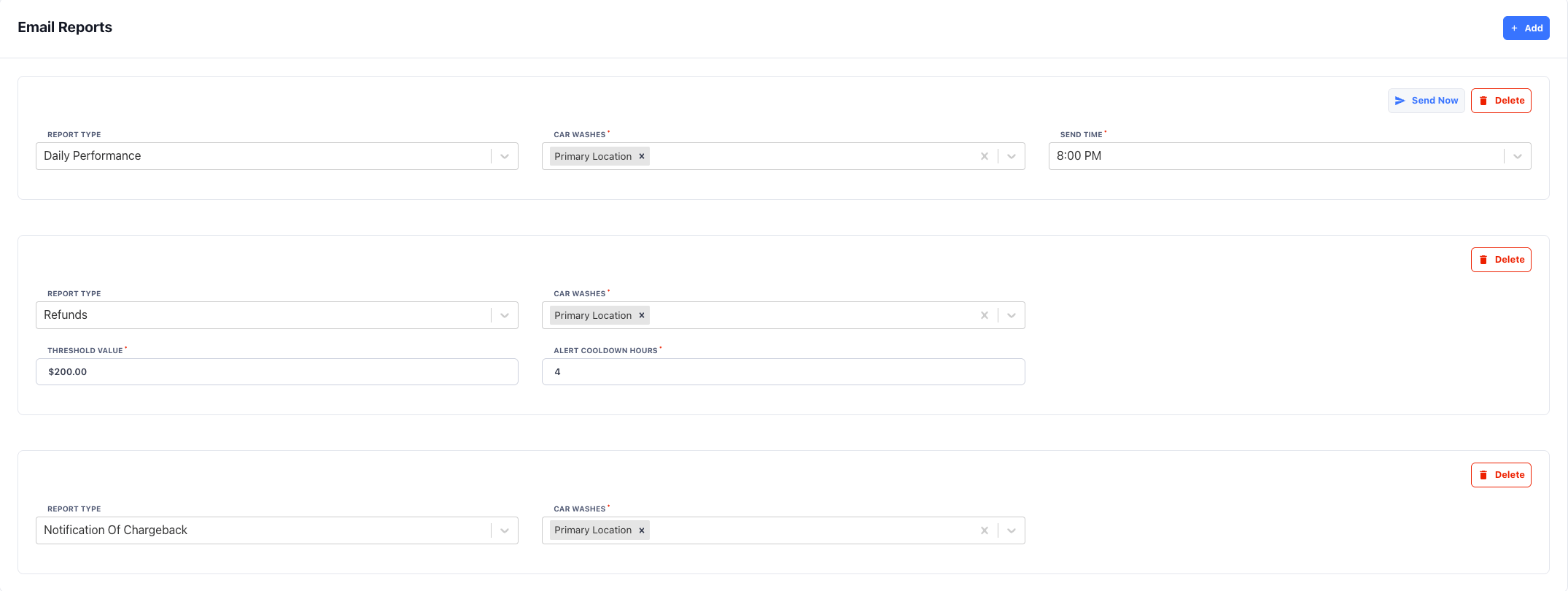
- Complete the settings for the delivery type. See below.
- Click Save.
Scheduled reports
Scheduled reports send at the Send Time you choose, in the user’s time zone. Send times are on the hour. The default is 10:00 AM.- Daily Performance covers the current day up to the send time. Choose a send time after the car wash closes to get the full day.
- Accounting Daily Csv Export sends at the send time when a new deposit has completed since the last email. If no new deposit completed, FlexWash skips that day.
- Accounting Monthly Csv Export sends on the 1st of each month and covers the previous month.
Chargeback notifications
Notification Of Chargeback sends as soon as a chargeback opens. It has no schedule or threshold. The email shows whether the chargeback can be defended and the deadline to respond. For what to do with a chargeback, see Chargebacks.Threshold alerts
Threshold alerts watch a number for the current day, in the user’s time zone, and email the user when it reaches the Threshold Value.
FlexWash checks thresholds every 10 minutes from 6:00 AM to 10:59 PM Pacific
time (9:00 AM to 1:59 AM Eastern). The count starts over each day.
Alert Cooldown Hours sets the minimum time between two alerts for the same
email. For example, with a cooldown of 4, the user gets at most one alert every
4 hours. After the cooldown, the user gets another alert if the total is still
at or above the threshold.
Send Now on a threshold alert sends the alert right away, without checking
the threshold or the cooldown.