When to Use Promotions
Use Promotions when:- The customer discovers the offer outside the wash (ads, email, SMS, flyers).
- Redemption should be controlled, tracked, or limited.
- The discount should only apply when a valid code is presented.
- The offer is tied to a specific campaign or acquisition channel.
How Promotions Work
- A Promotion is configured with eligibility rules and a deduction.
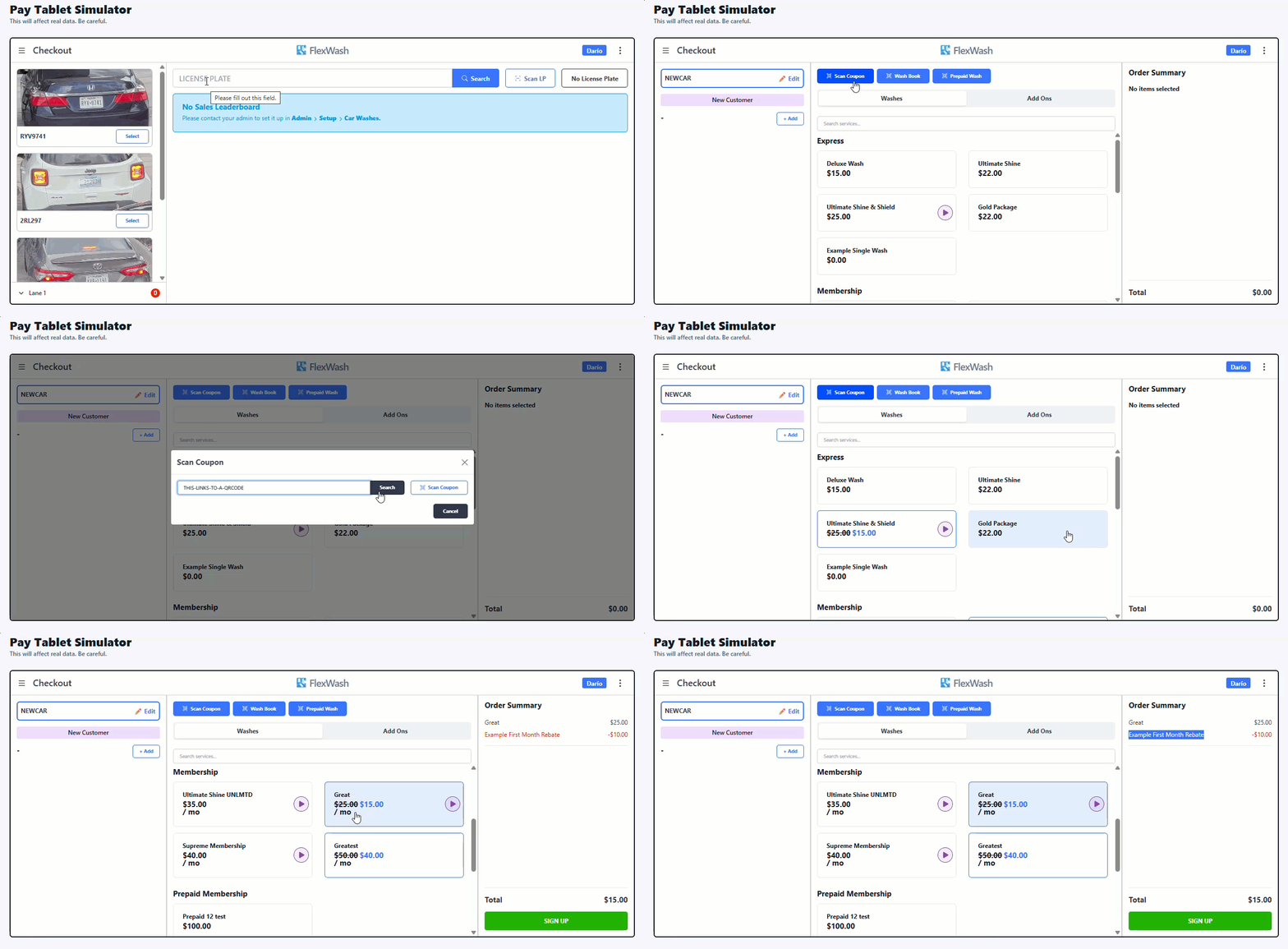
- The customer presents a valid QR code or application code.
- The code is scanned at the Pay Tablet or entered during online checkout.
- FlexWash validates the Promotion and applies the deduction automatically.
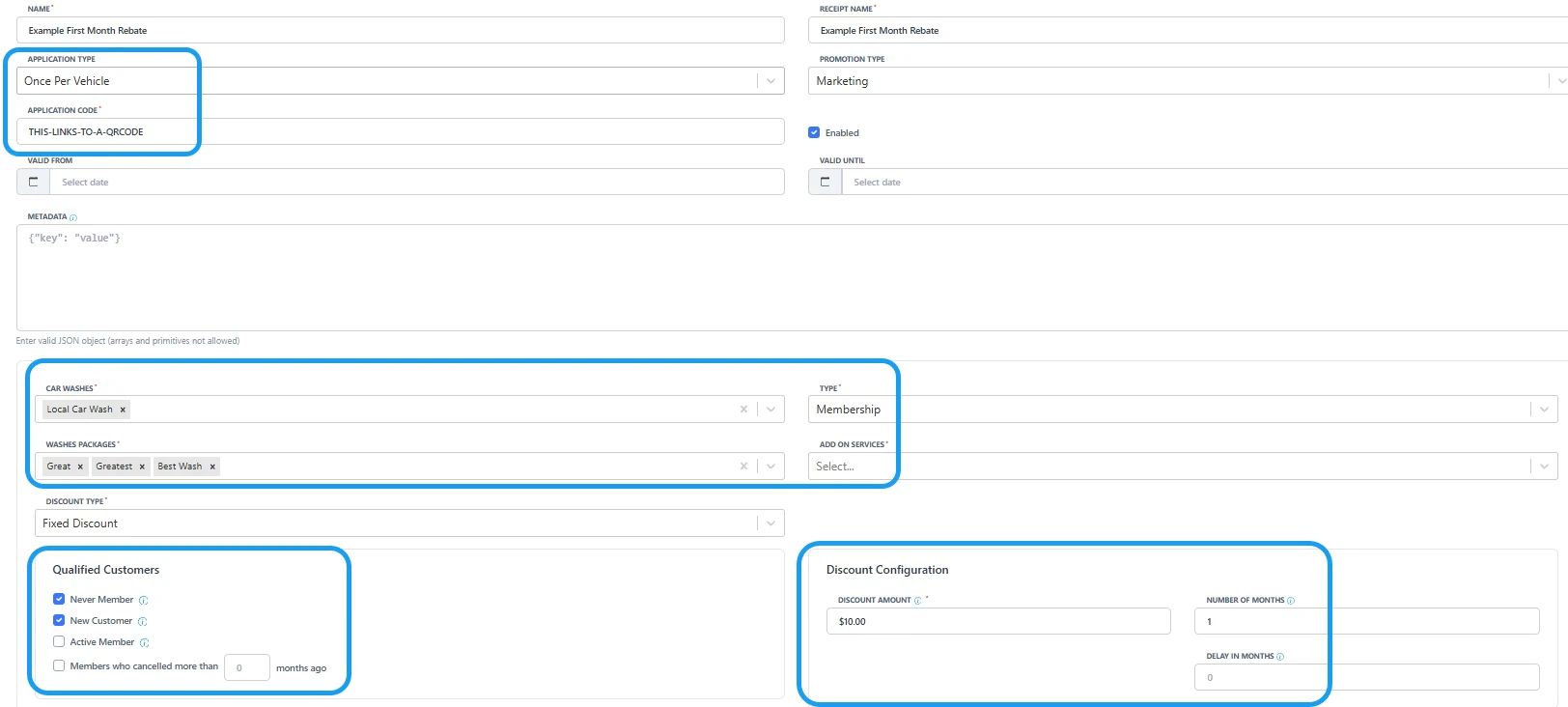
- Applies only to membership packages.
- Fixed $10 deduction.
- First billing cycle only.
- Redeemable once per vehicle.
- Requires an application code.
Stacking
Default: A Promotion’s discount applies to every matching item in an order. For example, a “$2.50 off” Promotion on a wash and three add-ons takes $10.00 off an order that has all four. Do Not Stack: When a markdown has Do Not Stack turned on, only the first matching item selected on the Pay Tablet gets the discount. Other matching items stay at full price.- Stackable add-ons. If the discounted item is a Stackable add-on, every unit gets the discount. This is the same with or without Do Not Stack.
- The wash counts first. The Pay Tablet selects a wash before any add-on. If the discount covers the selected wash, the wash gets it.
What the Cashier Sees
After the first matching item is selected, the other matching items stop showing the discounted price. If the cashier removes that item, the discount moves to the next matching item in the order.When to Use Which
- “10% off any one add-on”: turn Do Not Stack on.
- “10% off the whole order”: leave it off.
Where to Set It
Go to Promotions, open the Promotion, and find the Markdowns section. The Do Not Stack checkbox appears once the markdown includes an add-on service.
Wash Codes
Wash Codes allow you to generate unique, single-use promotion codes in bulk. When Wash Codes are enabled, a Wash Codes section appears at the bottom of the Promotion configuration page where you can generate and download a file containing unique codes tied to the configured wash package and deduction.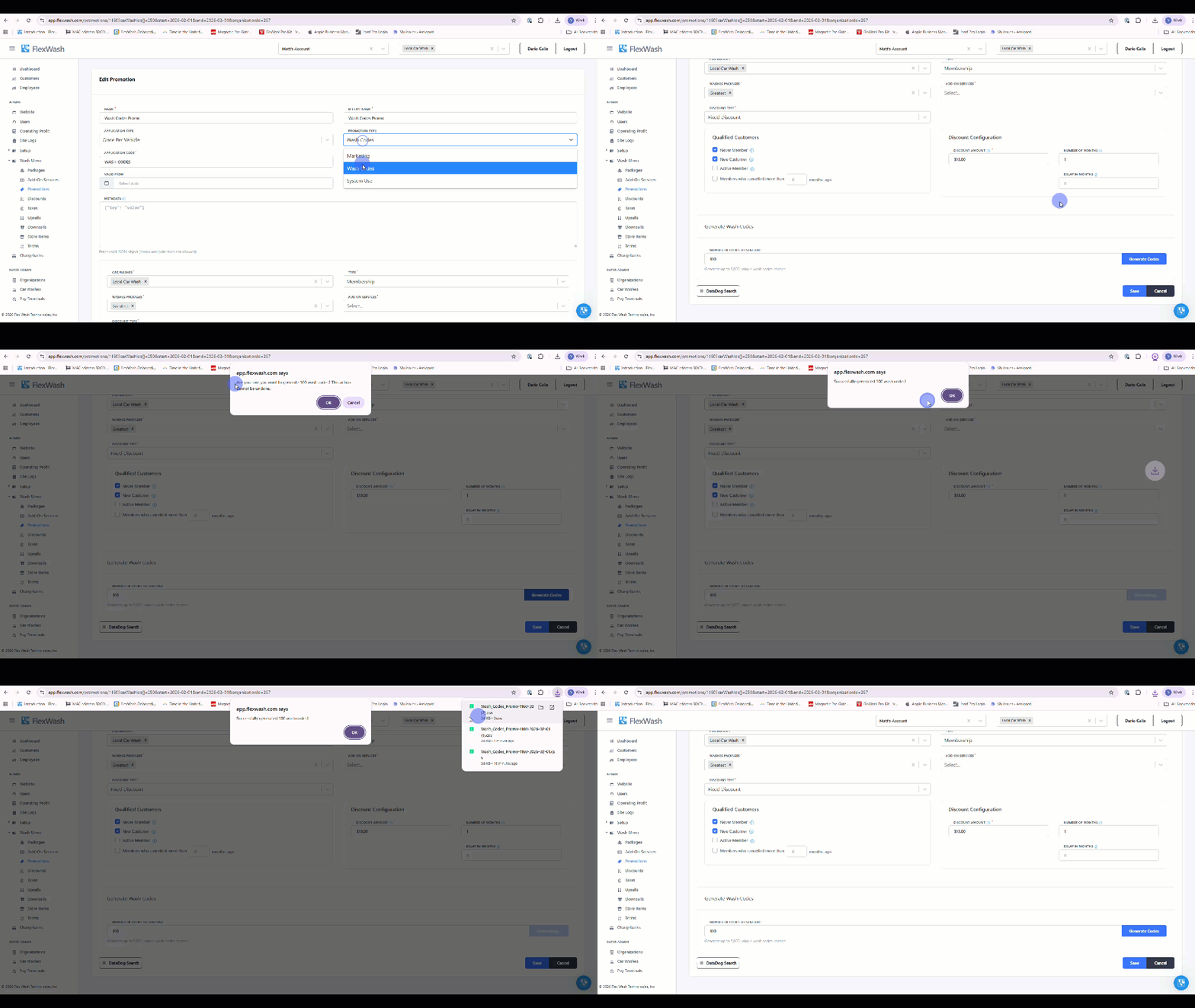
Key Benefits
- Revenue protection through controlled redemption.
- Clear attribution for marketing campaigns.
- Faster checkout with automated application.
- Consistent pricing across locations and channels.
Marketing Tools
If you have FlexEngage enabled you can set a promotion to be of application typeSingle Use and promotion type Marketing. This will give you an iFrame at the
bottom of the page when you create the promotion.
FlexEngage powers these iFrames to collect contact information and send unique
coupon codes to the customer. iFrames are snippets of HTML code that can embed
the form into your own website. This gives you creative and brand control around
the promotion form. For example:
https://www.express-auto-spa.com/facebook/express-ad
The coupon codes sent from these iFrames embed the contact information, so when
customers redeem on site we automatically associate the contact information to
their license plate. This allows us to track in depth promotion information. See
promotions reporting docs for more details.