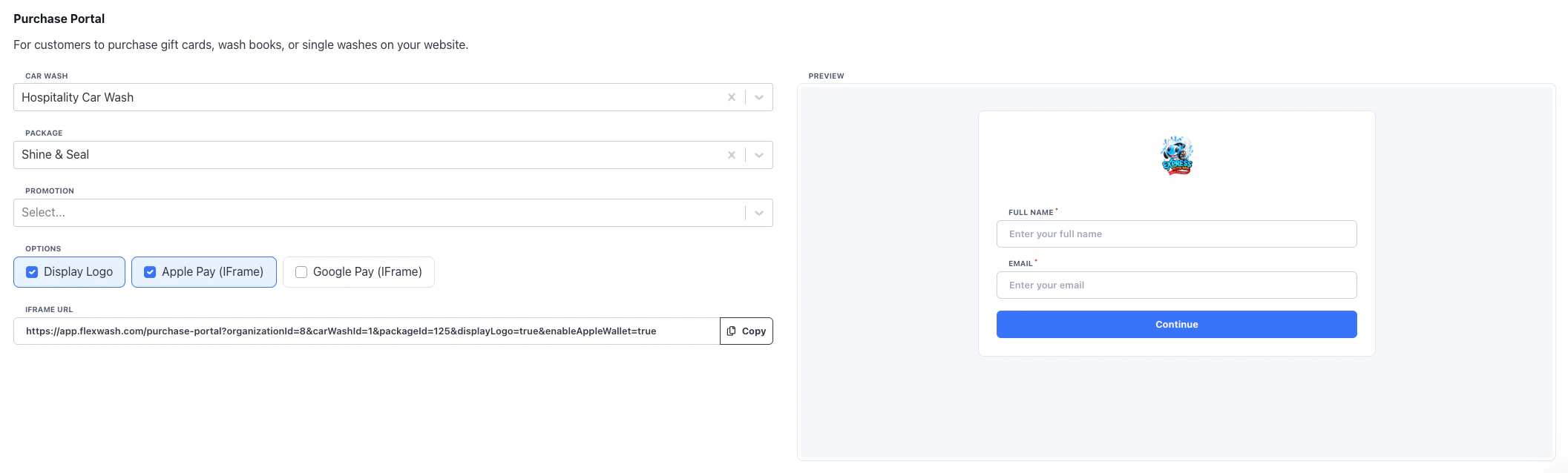
In the Website page under the Admin section you can copy the HTML for the Purchase Portal iFrame. A preview box for testing is available in the same section.
You must select a location and package for the iFrame. That is the location to which the money will be deposited.You can optionally have a promotion pre-selected if you want to run ads and allow for easy sign up.
You can have your webpage listen for success/fail callbacks from the iFrame to respond accordingly. For example to redirect to a branded thank you page, or to feed the data into ads or 3rd party systems. There are two types of messages posted to the parent site:
flexwash-purchase-portal-success with the name, and email of the member
flexwash-purchase-portal-error
Below is example Javascript that can be used for sign up portal events.
<script> function handleMessage(event) { if (event.origin !== 'https://app.flexwash.com') { return; } const { type } = event.data; if (type === 'flexwash-purchase-portal-error') { // error case } if (type === 'flexwash-purchase-portal-success') { // success case // name = event.data.name // email = event.data.email } } window.addEventListener('message', handleMessage);</script>
Was this page helpful?
Assistant
Responses are generated using AI and may contain mistakes.