Terms and Conditions
Add your membership terms to FlexWash once, then attach them to your membership packages. Customers read, accept, and sign the terms when they sign up for a package that has them.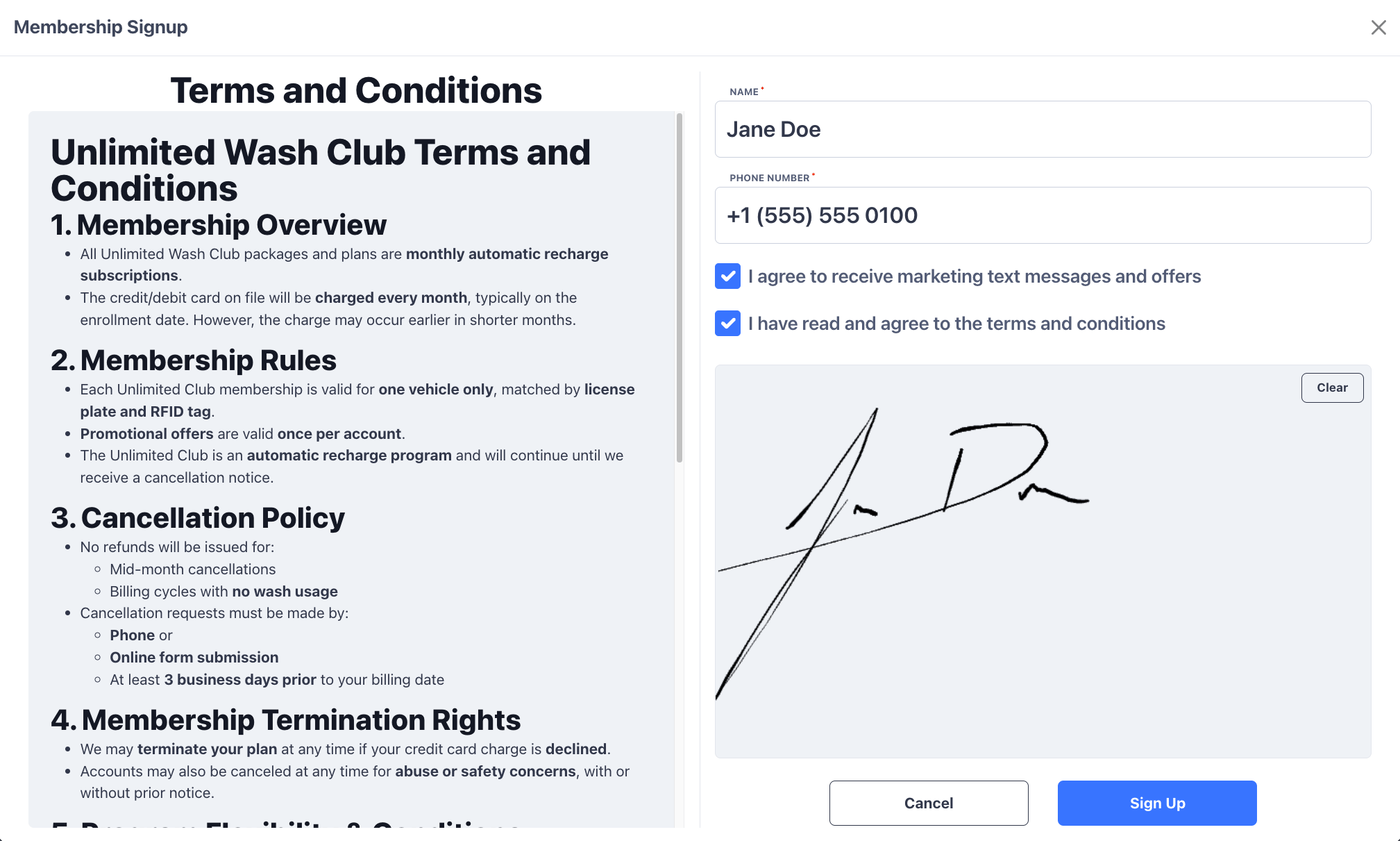
Terms shown during membership sign up on the pay tablet
Terms
Open Wash Menu > Terms in the left navigation. The list shows each term’s Name and Description. Click Create term to add a new one.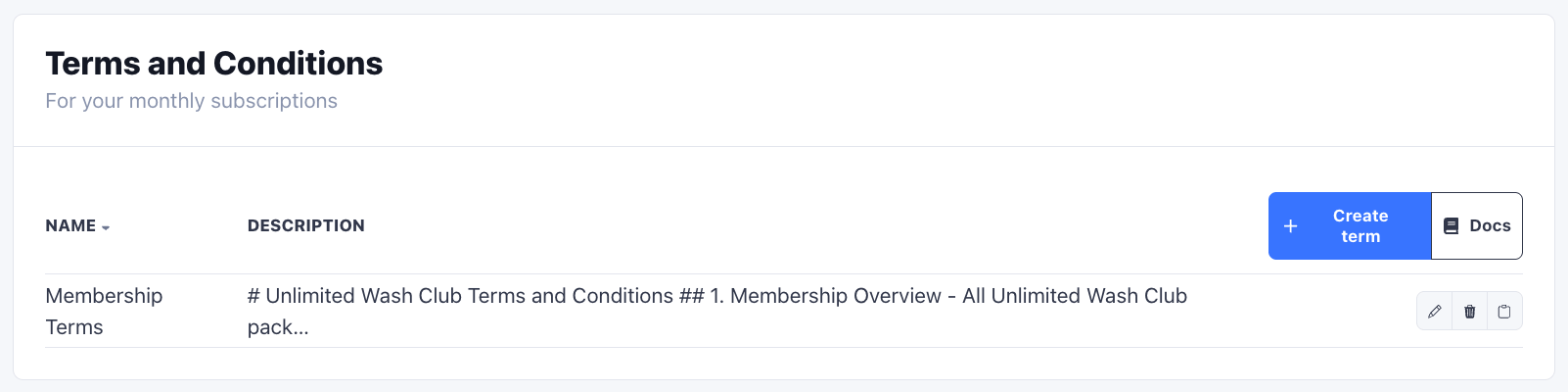
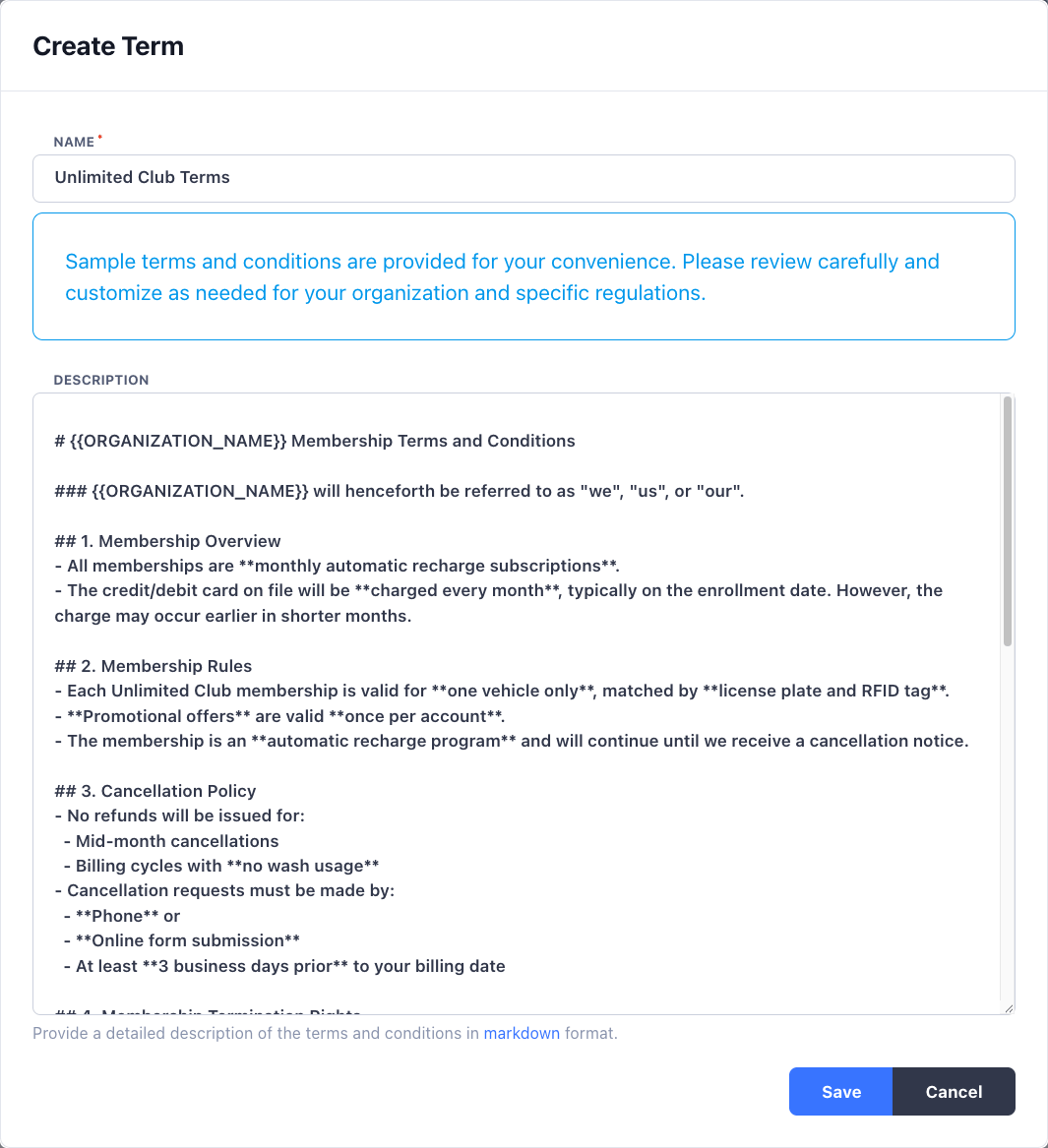
Create Term
- Enter a Name, such as “Unlimited Club Terms”. You use this name to pick the terms on a wash package.
- Enter the terms in Description. The field starts with sample terms. Review them and change them to fit your business and local regulations. You can format the text with Markdown.
- Click Save.
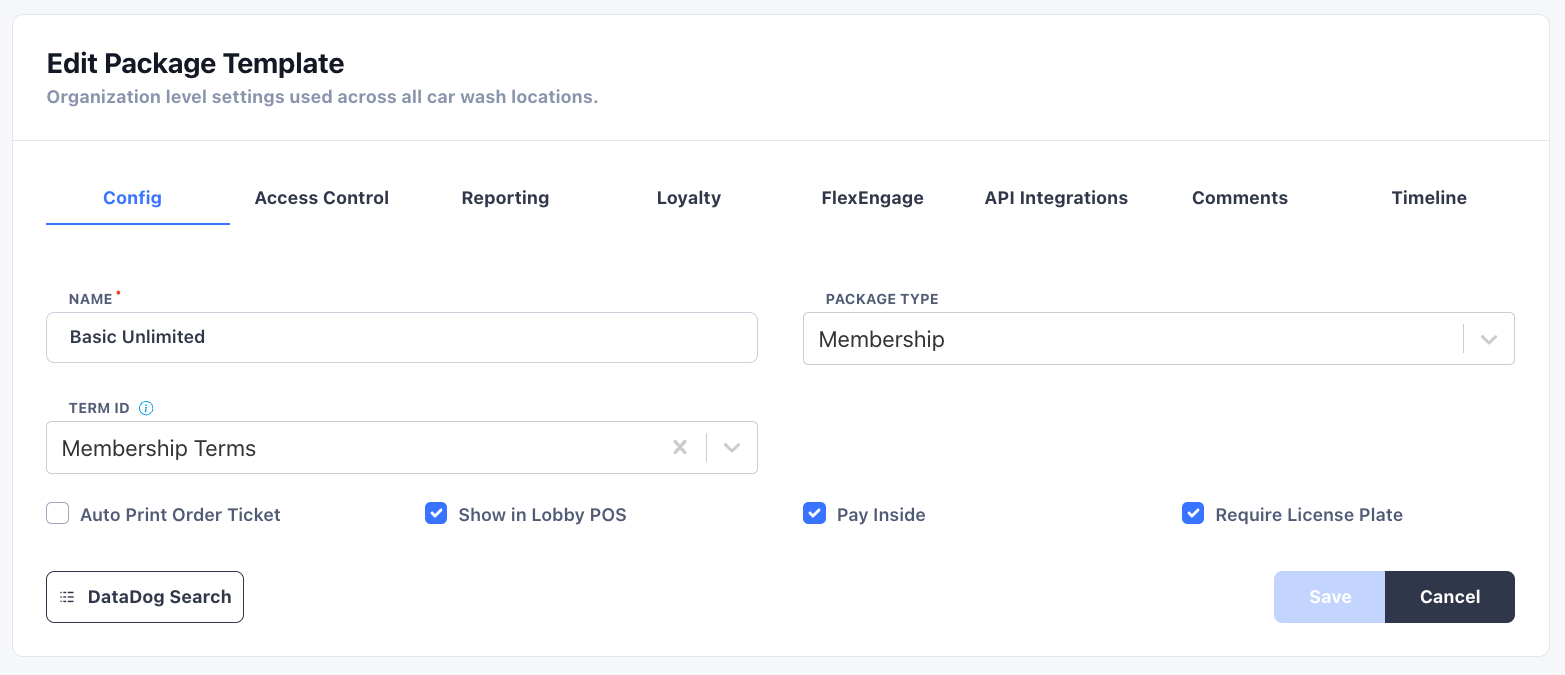
Term ID
To apply the terms to a wash package:- Open the package in Wash Menu > Packages.
- In Term ID, select the terms by name. The field appears only when Package Type is Membership or Prepaid Membership.
- Click Save.