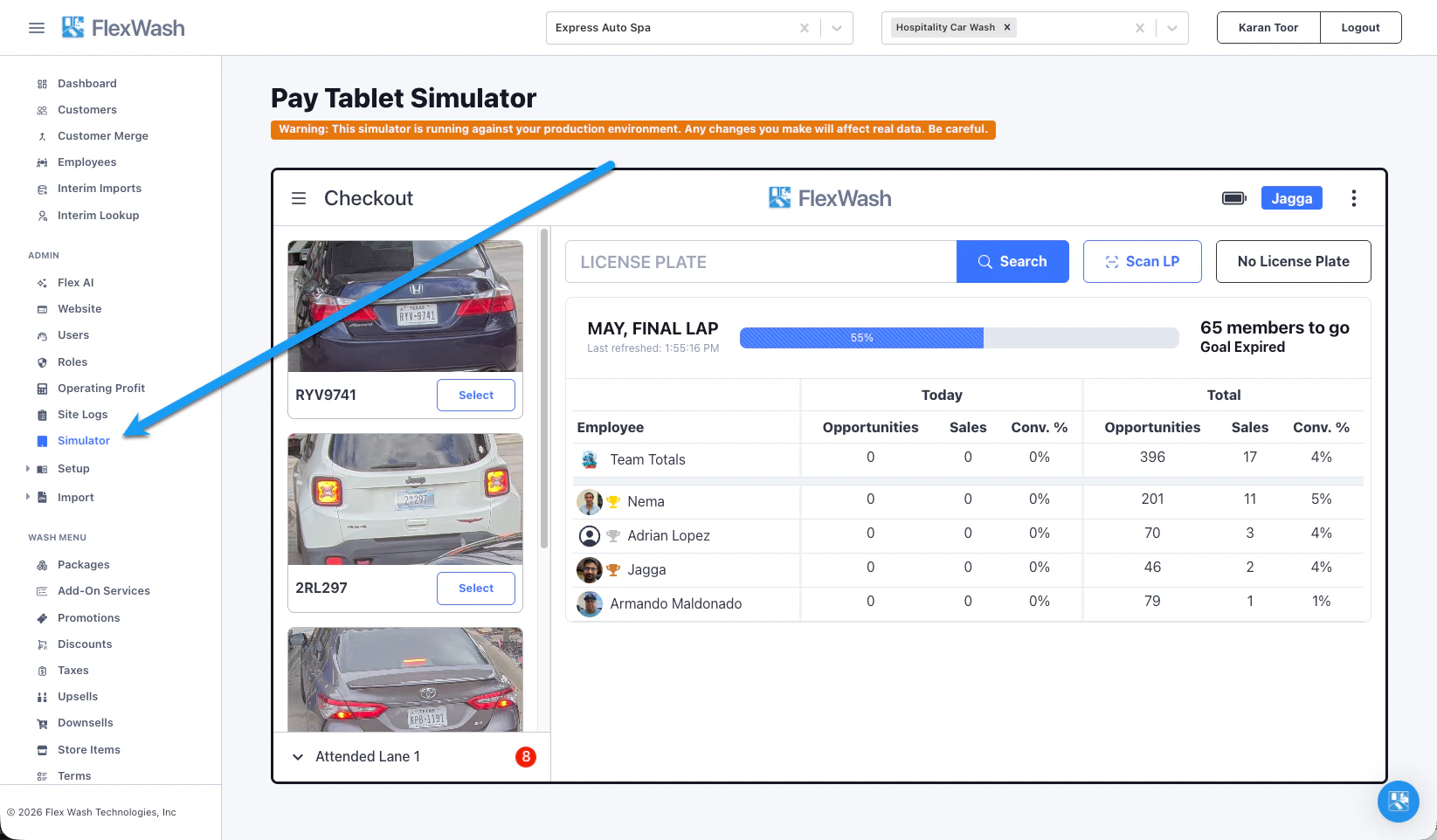
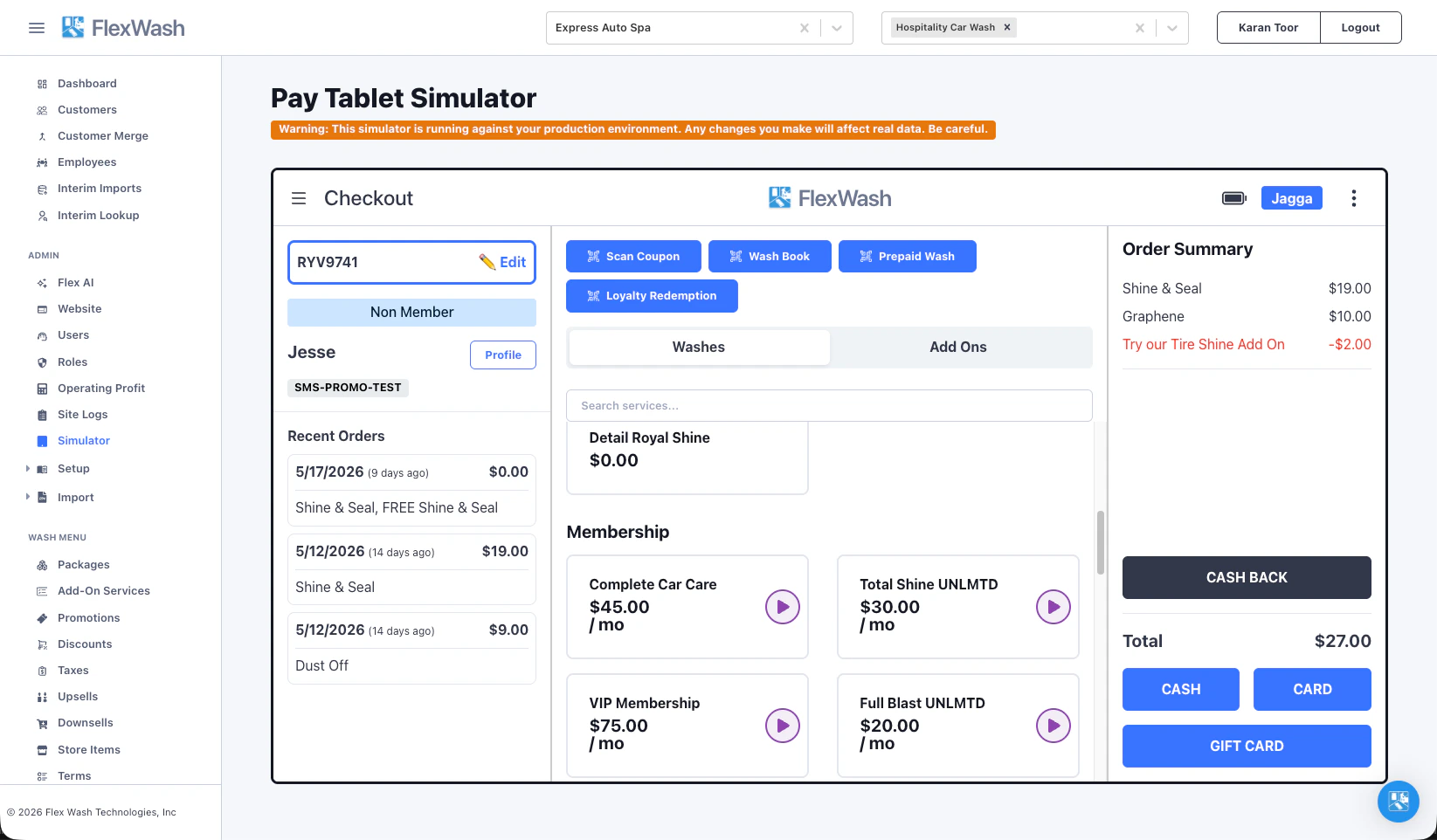
The Pay Tablet Simulator runs the same checkout software your team uses on the lot, right inside the FlexWash web app. It connects to your live data, so you can build real orders and confirm your wash menu, pricing, discounts, promotions, and taxes behave exactly as you expect.
It does everything a physical Pay Tablet does except the hardware-specific actions that depend on on-prem equipment: it cannot open gates or capture card payments through a physical card reader.
The simulator runs against your production environment. Every order you complete, every customer you edit, and every cash sale you record changes real data and shows up in your reports. Treat it exactly like a live Pay Tablet.
Open the simulator
In the left navigation, under Admin, select Simulator.
The simulator loads a Pay Tablet from the car wash selected in the top navigation bar. Switch car washes from that bar to simulate a different location. The lane shows stub vehicles for testing purposes, they are not related to your site.
The simulator is available to admin users, and the selected car wash must have a Pay Tablet device configured.
Build and test an order
The checkout works just like a physical Pay Tablet.
- Look up a vehicle the same way you would on a physical tablet. The stub vehicles in the lane on the left are also selectable for testing.
- Add washes, add-ons, and store items from the menu to confirm pricing, taxes, discounts, promotions, upsells, and downsells calculate correctly.
- Watch the Order Summary for the running total. Promotional discounts appear as their own lines, so you can verify a promotion fires and applies the right amount.
Verify members and gift cards
- Look up a member by license plate and confirm they are recognized, their package and benefits apply, and their recent orders appear.
- Scan or key a gift card to confirm FlexWash finds it and redeems the correct balance.
Record a cash sale
Complete an order with Cash to record a real cash transaction against the car wash.
Cash and gift card are the only tenders that finalize a sale in the simulator. Card payments and new membership signups depend on the physical card reader, which is not available here.
Look up and edit customers
Open any customer’s profile from the checkout and update their details just as you would on a Pay Tablet. For the lookup options, see Customer Profile Search. Because the simulator uses live data, every change you make is saved to the real customer record.