Accessing the page
In the left sidebar, click Chargebacks in the Accounting section. Admins can view the page by default. Other users need the Manage Chargebacks permission. An admin can grant it by editing a role and checking Manage Chargebacks in the Accounting section. For how to create and edit roles, see Roles. If a car wash shows “This car wash has not been registered with Adyen yet”, its payment account setup is not complete. Contact FlexWash support.Filters
Select one or more car washes at the top of the page. Each car wash shows in its own card with its own disputes. Inside each card, filter the disputes by:- Date range. The default is Last 90 days. Widen it to see older disputes.
- Payment method
- Reason (on the Chargebacks and Ongoing & closed tabs)
Tabs
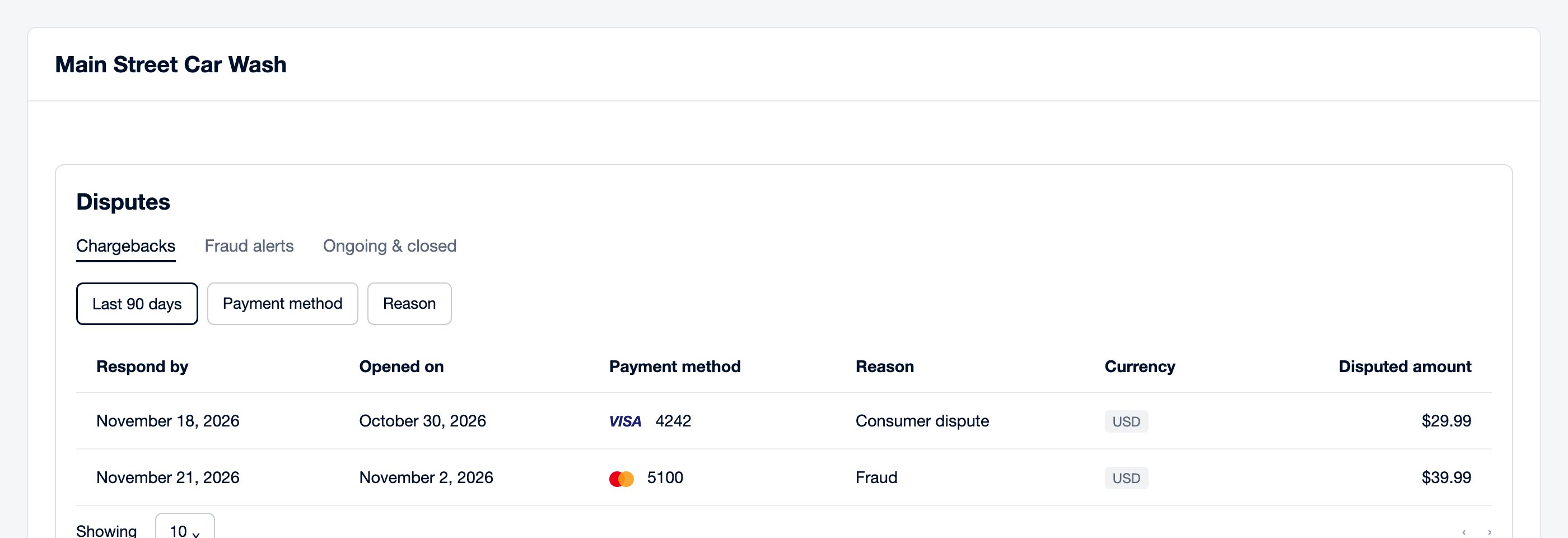
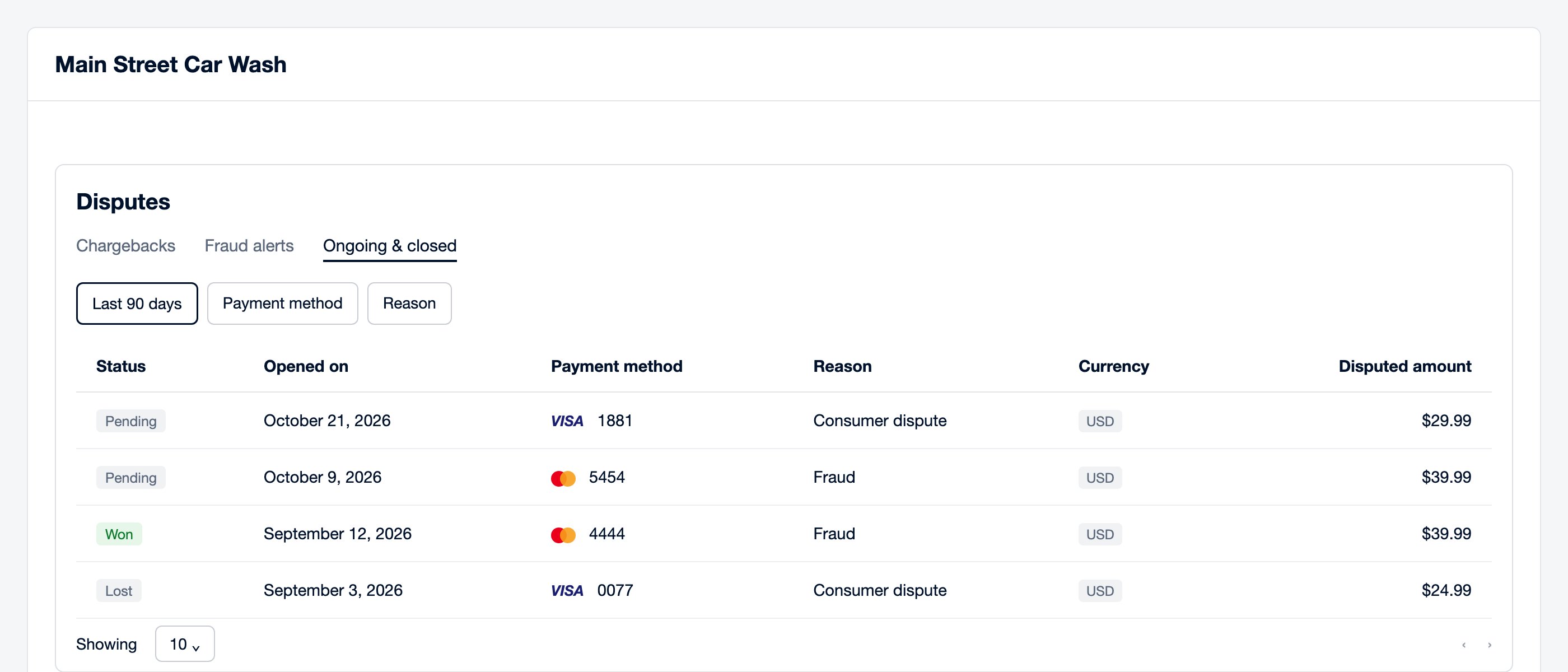
The Fraud alerts tab is a history, not a to-do list. To see where a
dispute stands, check its Status on the Ongoing & closed tab.
Dispute details
Click a dispute to open its details: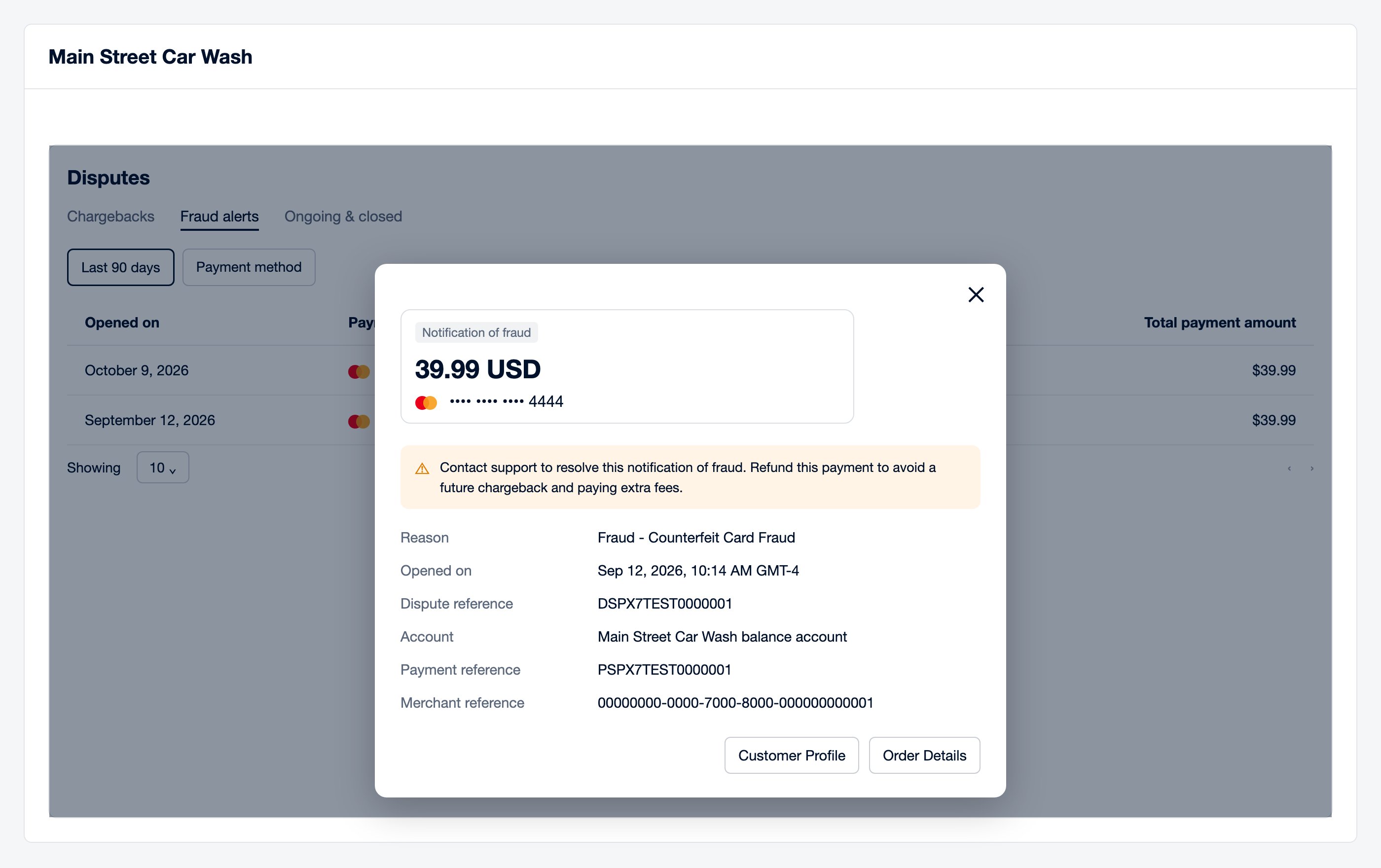
Two buttons open FlexWash in a new tab:
- Order Details opens the order that was disputed.
- Customer Profile opens the customer who paid.
Fraud alerts
A fraud alert is Adyen’s Notification of fraud. The card issuer reports the payment as fraud, the same as a Visa TC40 or Mastercard SAFE report. A fraud alert is not a chargeback:- No money is withdrawn from your account.
- There is nothing to defend.
- The cardholder can still open a chargeback later.
- Open the fraud alert and click Order Details.
- Refund the order. See Refunds.
Chargebacks
A chargeback takes the payment amount back from your account while the dispute is open. New chargebacks appear on the Chargebacks tab. The Respond by column shows the deadline to defend each one. Once a chargeback no longer needs a response, it moves to Ongoing & closed. To defend a chargeback, prepare a written explanation of what happened, with evidence. Good evidence includes:- Proof of service, such as the order and the wash record.
- Camera stills of the vehicle being serviced, with the license plate visible.
- Messages with the customer.
- For counterfeit card fraud, proof that the card’s chip was read at the pay terminal.