Why it matters
No reliance on memory
The setting travels with the vehicle, so it does not depend on which loader is working the lane that day.
Consistent across sites
The tag is on the vehicle, not the site controller, so a customer gets the same treatment at every location.
Fewer damage claims
Retracts get applied when they should, which removes a common cause of avoidable damage.
Loaded ahead of time
Settings are read at identification, before the vehicle reaches the equipment.
How it works
1
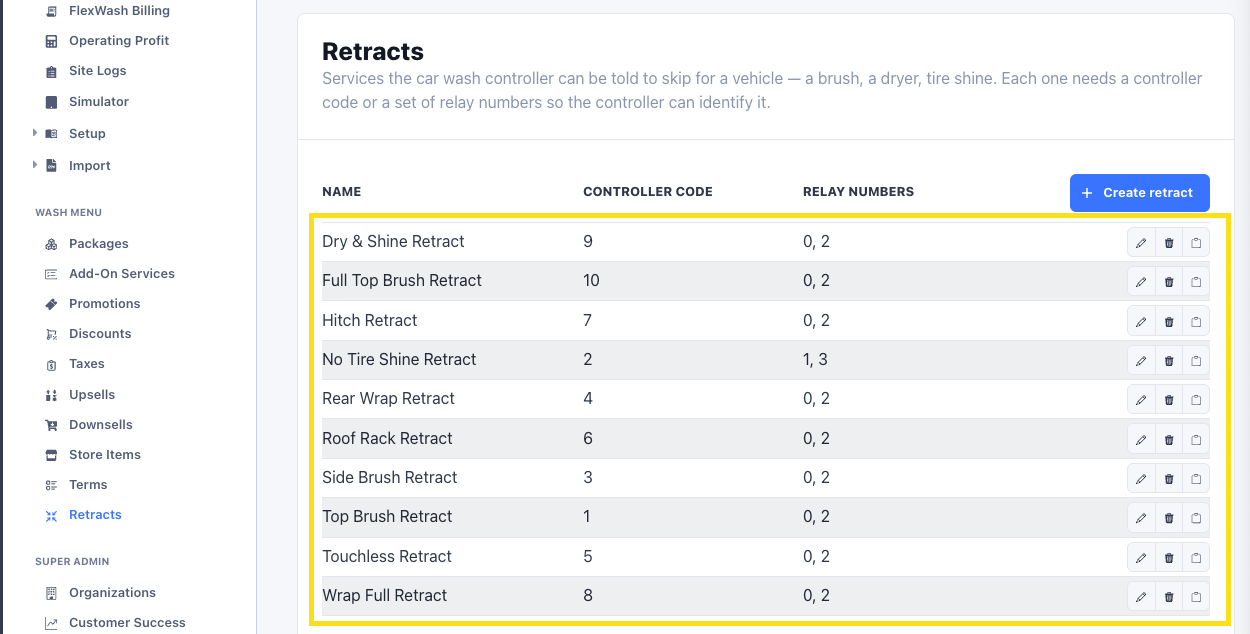
Retracts are defined in your controller
Each retract is configured individually in your site controller (DRB, RTC, or similar). FlexWash reads those definitions and applies settings against them. If a retract does not exist in the controller, it cannot be tagged.
2
Retracts are linked to tags
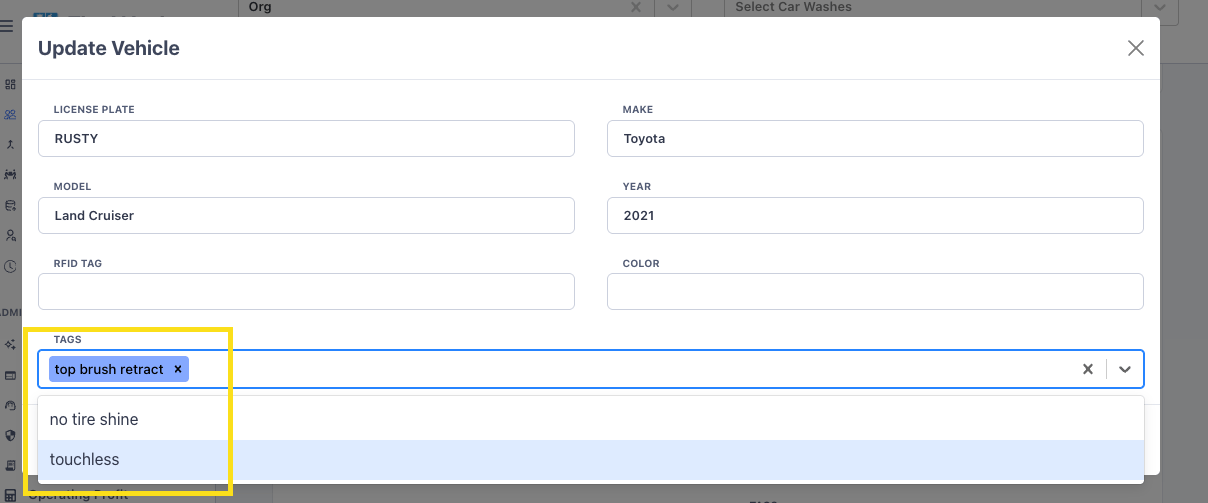
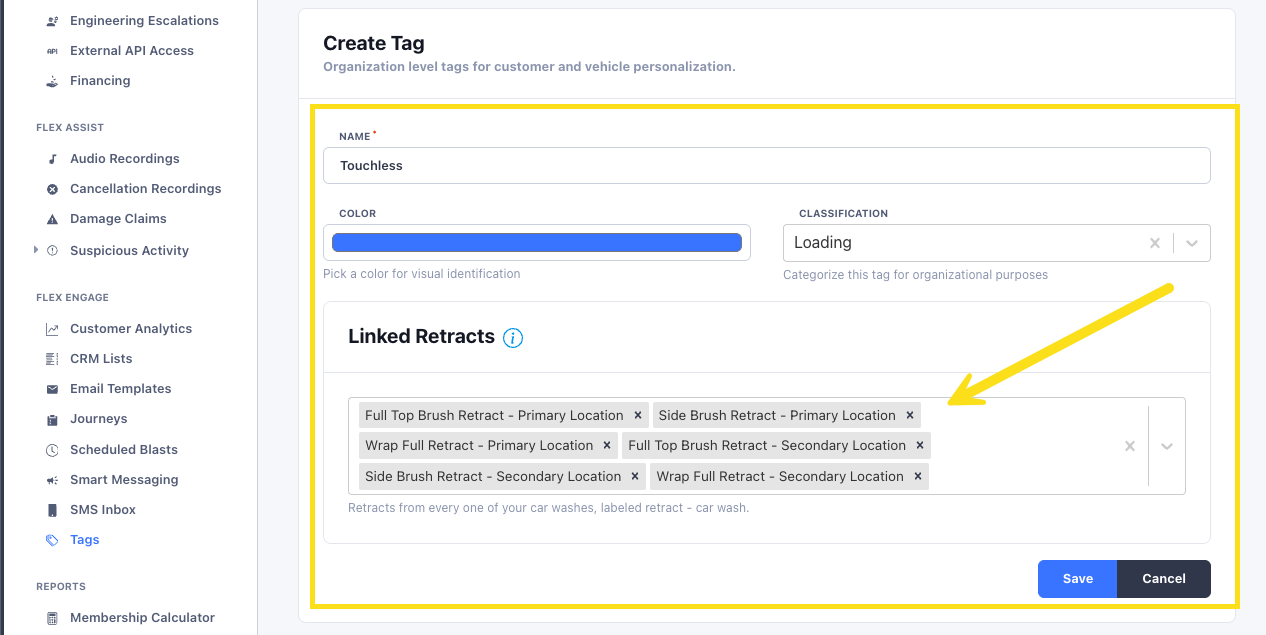
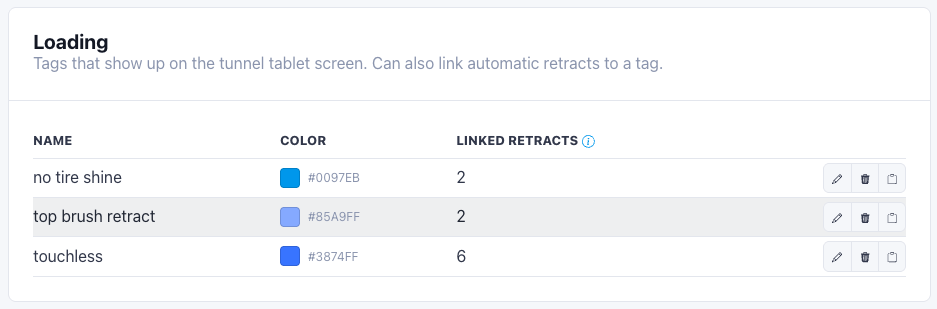
Retracts are attached to tags in the loading tag category. A tag can cover one retract or several, so you can group them for a vehicle type rather than selecting each one individually.
3
A vehicle gets tagged
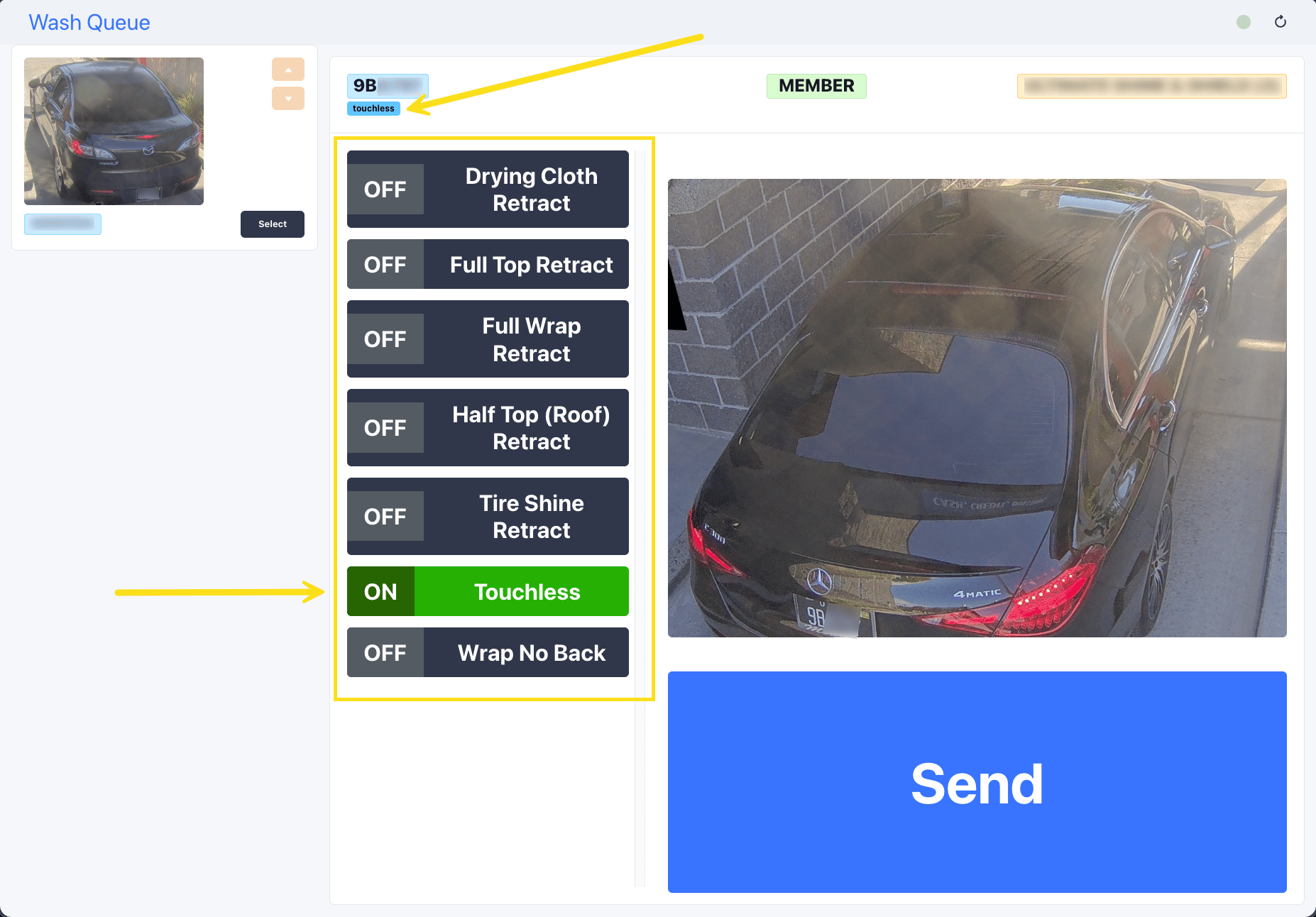
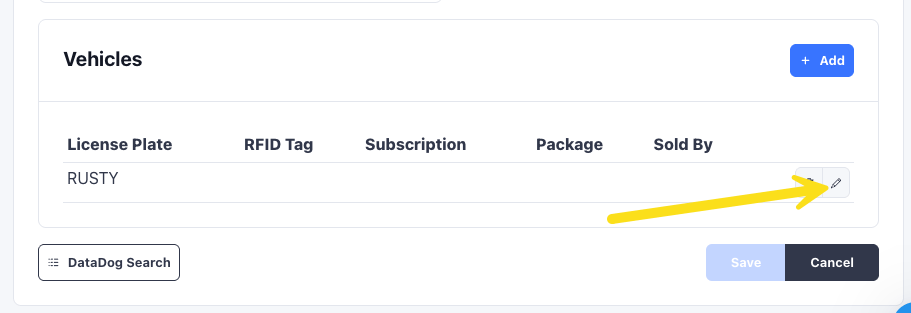
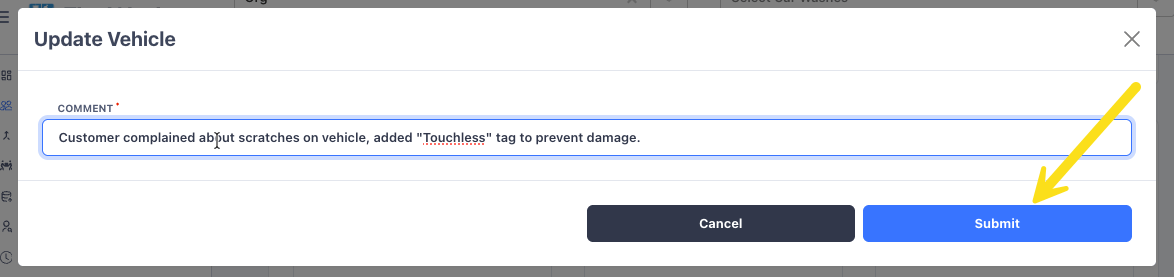
Either a loader selects the retract at the site, or an attendant adds the tag to the vehicle profile. Both write to the same place.
4
Every future visit applies it automatically
On the next arrival, the vehicle is identified and its loading tags are read. The tagged retracts fire without anyone doing anything.
Automatic and manual sites
A site runs in one of two modes, never both. Everything above describes automatic mode.
Automatic is the right default for a vehicle whose needs do not change, such as
a lifted truck that always needs the same retracts. Manual suits sites that make
frequent one-off adjustments and do not want each one becoming permanent.
Setting up your tags
Group retracts by the kind of vehicle or by individual equipment, whichever way works best for your operation. Common groupings:- Lifted trucks. Retract equipment that catches on raised bodies and oversized tires.
- Luxury vehicles. Go touchless. Retract anything the customer would not want contacting their paint or trim.
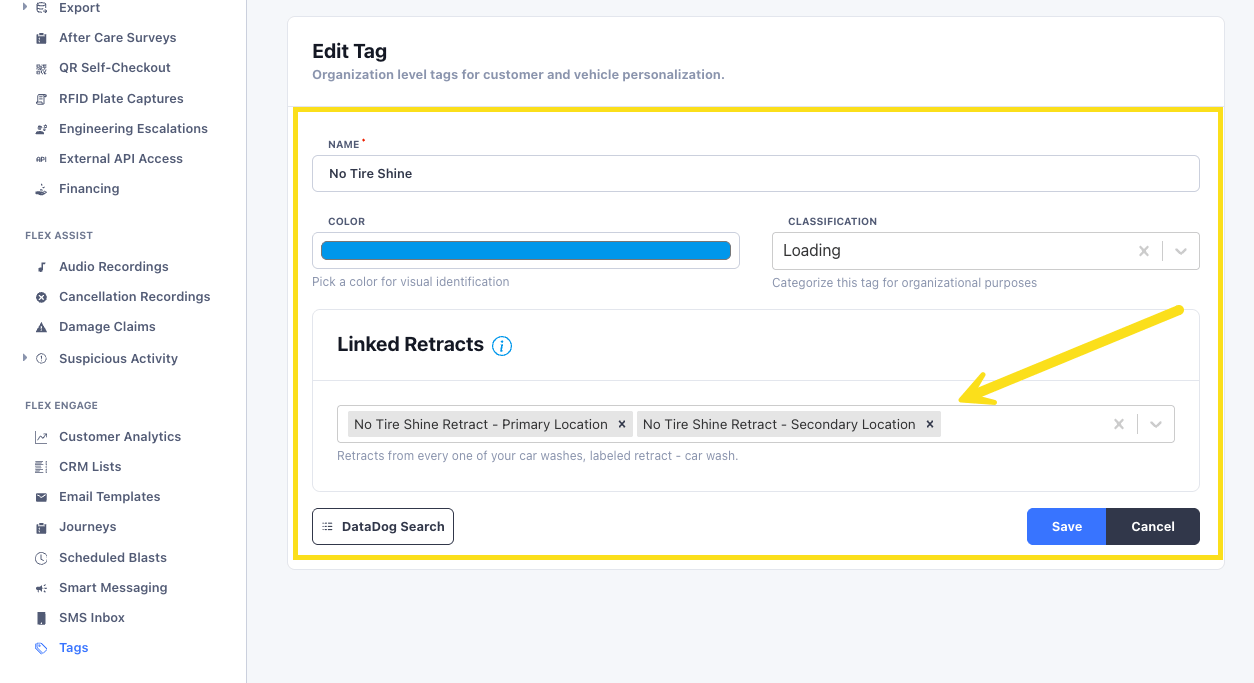
- One to one. A tag can apply a single retract when you want to be precise about one piece of equipment. A “No Tire Shine” tag linked only to the tire shine retract at each of your locations.
Applying and removing retracts
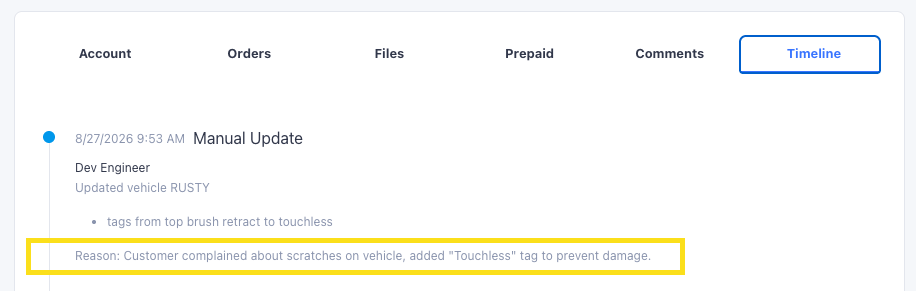
A retract stays on the vehicle until someone takes it off. Once applied it fires on every visit, so there is nothing to re-enable. On a manual site, a change a loader makes at the lane applies to that wash only and does not change what is saved. Two places to manage it, and both write to the same vehicle:
In both places it is the same control. Select the tag to apply the retract, unselect it to remove it.
On the Wash Queue page, you can see the currently saved tag at the top, below the plate number, check or uncheck the tag on the vehicle. The change saves immediately.