
Running the report
Confirm the car wash selection in the top navbar, pick a date range, and click Run.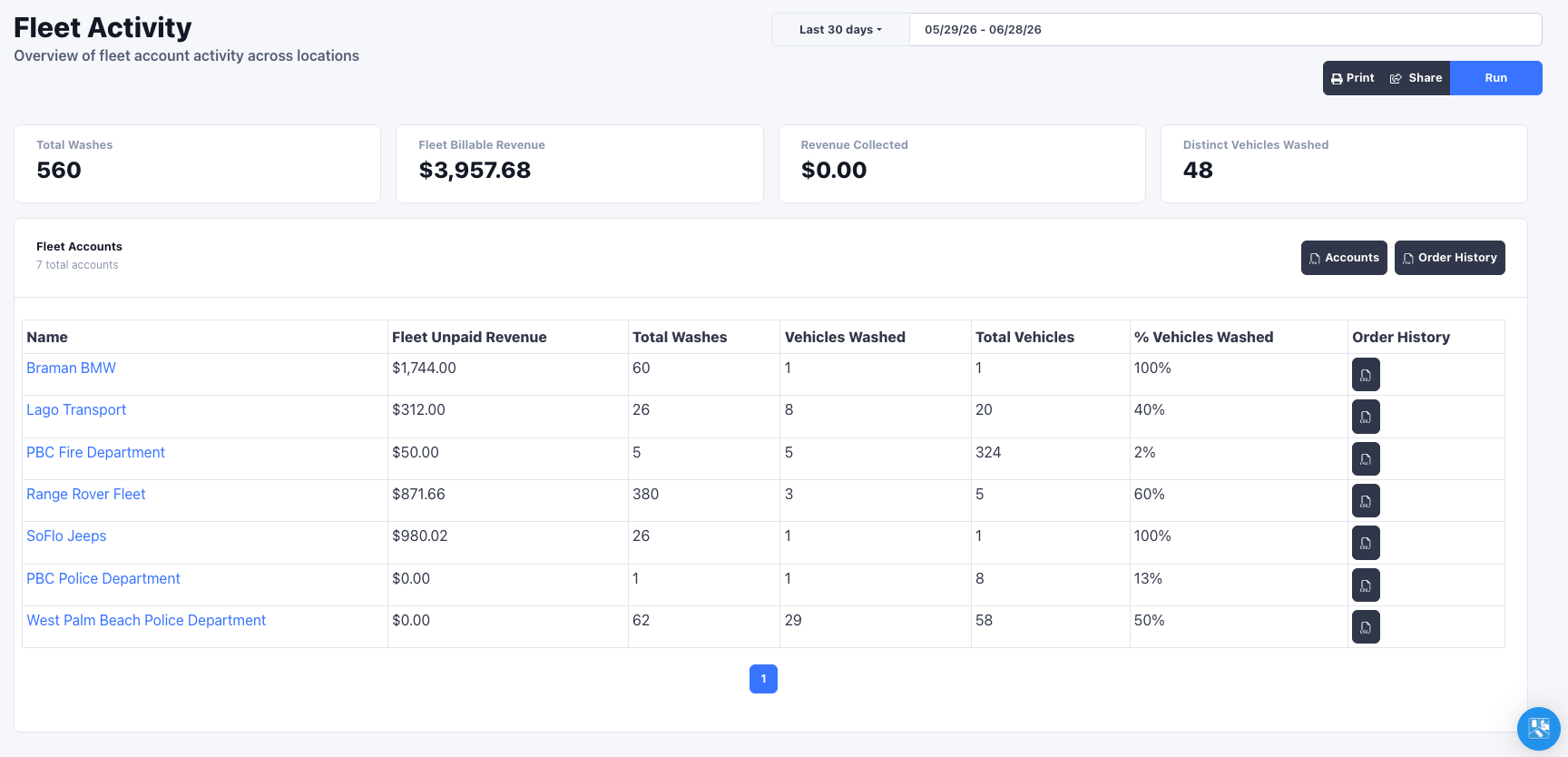
Summary
Four cards summarize the selected period across all chosen locations:- Total Washes in the period
- Fleet Billable Revenue, the full value of fleet-tendered washes
- Revenue Collected
- Distinct Vehicles Washed
Rewash filtering
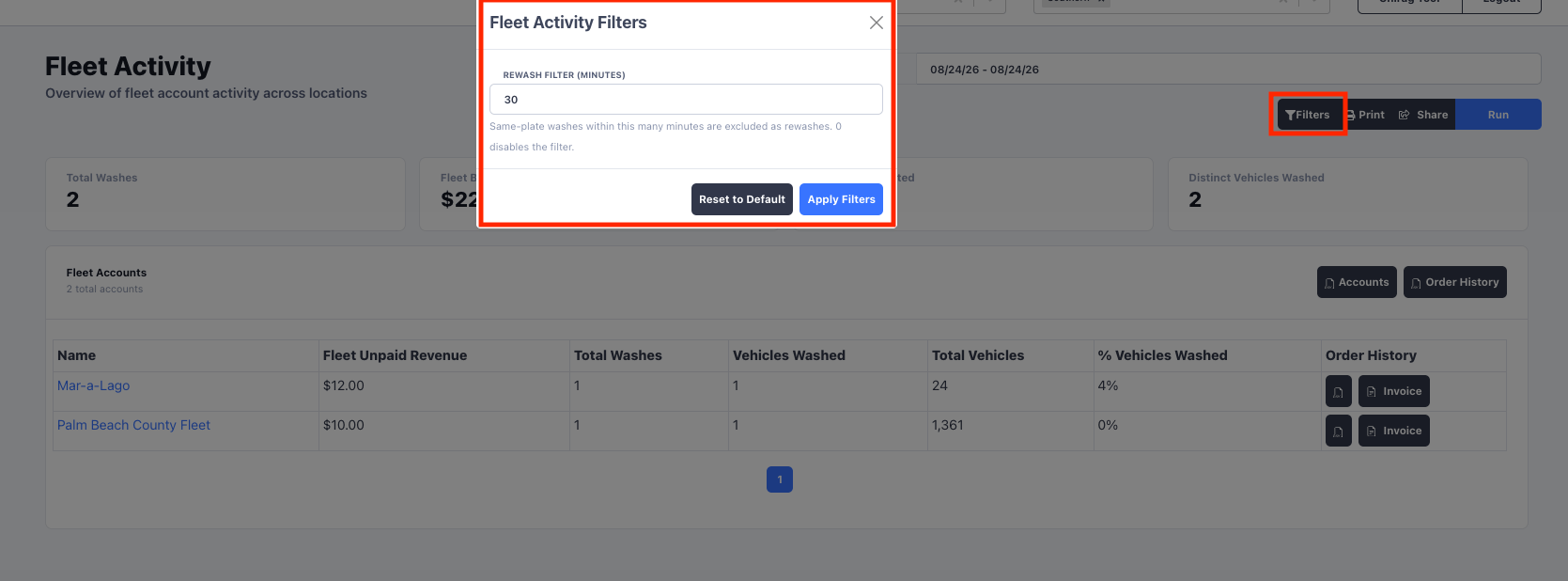
To keep counts honest, the report collapses rewashes: when the same license plate is rung up again within the rewash window, only one wash is counted. The window defaults to 30 minutes and applies everywhere in the report, including the summary cards, the accounts table, and every CSV export. To adjust the window:- Click Filters next to Run.
- Set Rewash Filter (minutes) to the window you want. Enter 0 to turn rewash filtering off.
- Click Apply Filters, then run the report again.
Rewash filtering means the wash counts here reflect distinct service visits, not
raw order rows, so a vehicle sent back through for a redo is not double-counted
against the account.
Exporting
The report exports straight to CSV so you can invoice from real numbers:- Accounts exports the full account summary table (every account, not just the current page).
- Order History exports the underlying fleet-tendered orders for all accounts, with plate, vehicle details, note, and order total.
- Each account row also has its own Order History export for a single account.