
Viewing Logs
Pick a date range and confirm the car wash selection in the top navbar, then click Run. FlexWash lists every log for that period with its date, car wash, type, and note. Each entry is tagged with color-coded badges for its weather, downtime, or operational-change flags.
Recording a Log
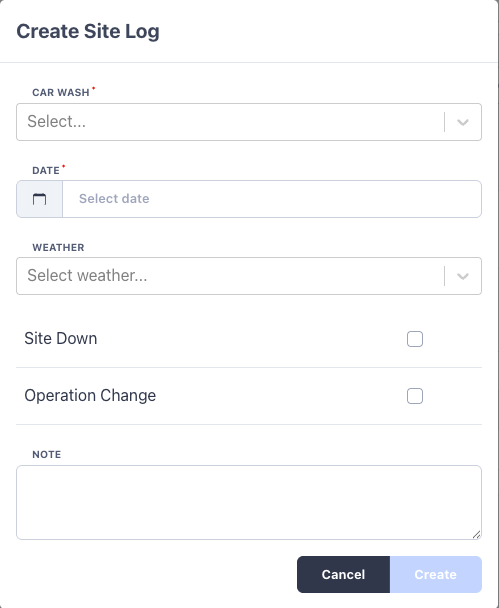
Click Add to open the log form. Fill in the details and save.Every log must have at least one of Weather, Site Down, or Operation
Change set. The Note is where the detail lives, for example “Launched $5
intro promo” or “New site manager started.”
How Logs Appear on Profitability
Site Logs are designed to be read alongside the Operating Profit report. Enable Show site logs in that report’s Inputs panel and each logged day is shaded on the profit trend chart, with the note shown in the hover tooltip. The band color reflects the log type:
When a day carries more than one flag, the band uses the highest-priority one in
the order Site Down, then Weather, then Operation Change.
The habit pays off quickly: a few seconds logging weather and operational changes
each day turns your profitability trend from a line of numbers into a clear story
of what drives your business.