
What the Report Shows
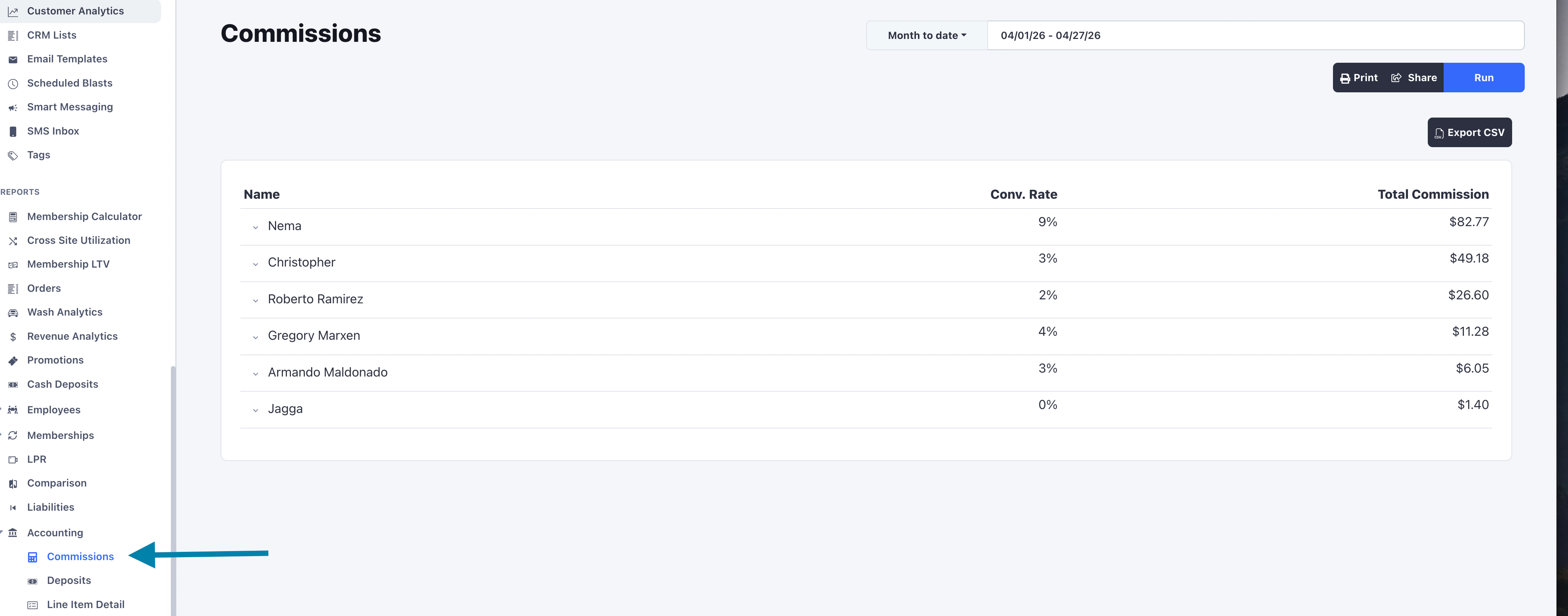
- Name
- Conv Rate
- Total Commission
(new memberships + reactivations) / (single washes + memberships).
It pairs naturally with commission: high earners are usually high converters.
Drill Down
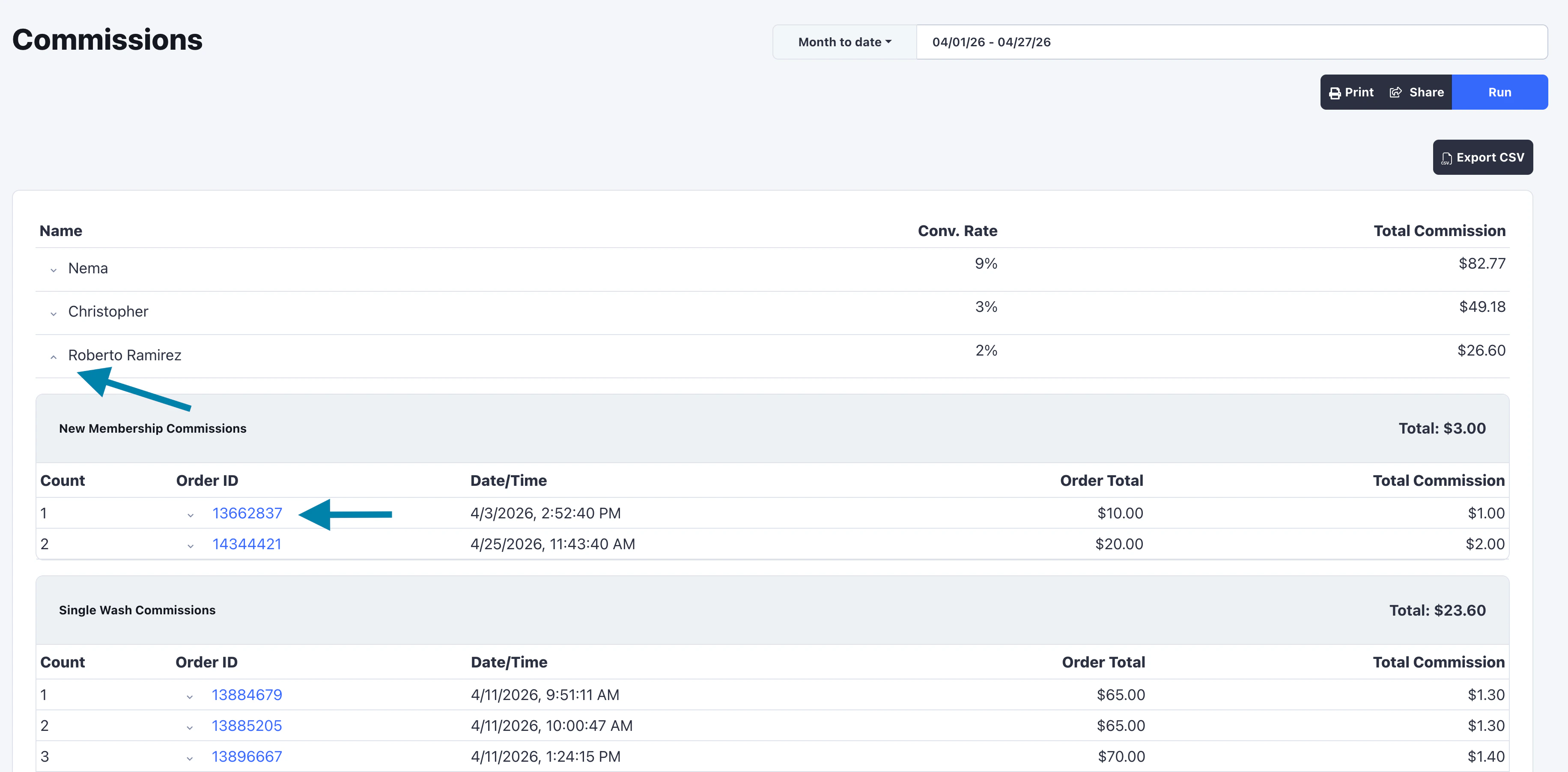
- Recurring
- New Membership
- Single Wash
How Commissions Are Calculated
Commission are configured for single wash packages, membership packages, and add-on services per car wash location. Each one can be set up in one of three ways:- Fixed - a flat dollar amount per qualifying sale.
- Percentage - a percentage of the qualifying sale’s price.
- Recurring - a flat dollar amount on every membership billing cycle.
Recurring Commissions
Pays out every time an active member is billed within the date range. If a membership renews monthly and the report covers a quarter, recurring commission is paid three times for that member.New Membership Commissions
Pays out once when a new membership is signed up, or when a previously cancelled member voluntarily reactivates. For percentage commissions, the rate applies to the order’s net total.Single Wash Commissions
Pays out on any non-membership sale where the package or add-on has commission configured.- Fixed commissions pay the full configured amount regardless of any discount on the order.
- Percentage commissions apply to the line’s net amount after discounts and membership benefits.