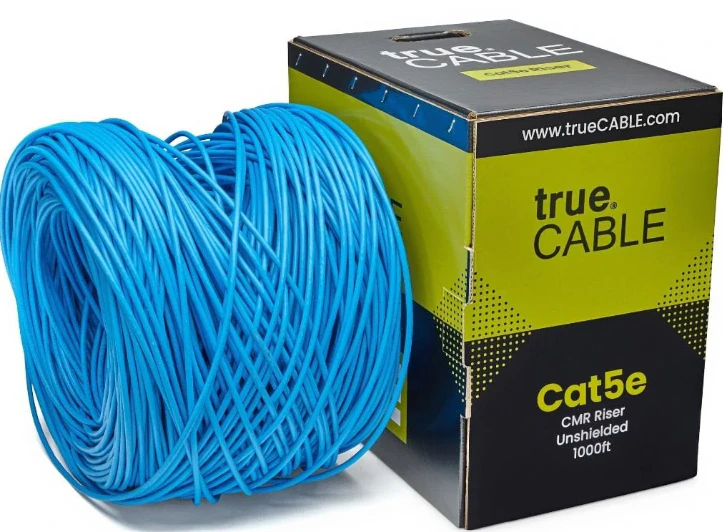
At minimum we require CAT5E cables for all our peripherals. This cable will work with both auxiliary power and PoE (Power over Ethernet) devices. Other cables like CAT6 and CAT6A will work as long as they are compatible with **CAT5E **standards.
Replacing bad cables is laborious and difficult. We strongly recommend you use a high quality cable from a reputable brand. We’ve had good experience with TrueCable. Avoid running these cables in the same conduit you have high voltage as that will cause interference.
Everything in this section is meant to all be installed in one climate controlled and dry place, typically an office. These devices are NOT outdoor or extreme temperature rated.We recommend this be done in a server rack or cupboard to prevent someone from accidentally messing with your FlexWash installation.
First setup the power supply. Make sure the battery terminals are connected before you plug in FlexWash equipment.
Make sure nothing other than the coordinator and switch is plugged into this power supply otherwise PoE devices will fail when you cross the power rating.
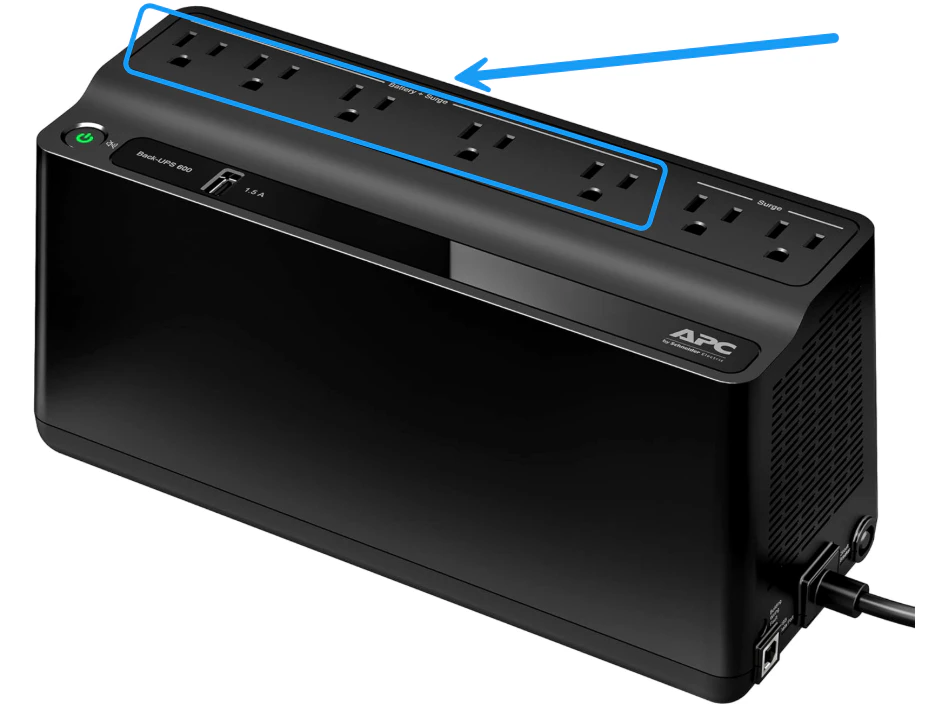
The coordinator and switch must be plugged into the ports labeled Battery + Surge as shown on the image below:Next we will power on the coordinator and switch.
The coordinator looks like this.Connect the coordinator to the power supply we setup earlier, then push the power button and wait for the power light to turn on.
FlexWash ships three coordinator models. Identify yours before you wire it:
Model A: flat lid, one built-in Ethernet port on the back.
Model B: flat lid, two built-in Ethernet ports on the back.
Model C: raised separate section on the lid, two built-in Ethernet ports on the back.
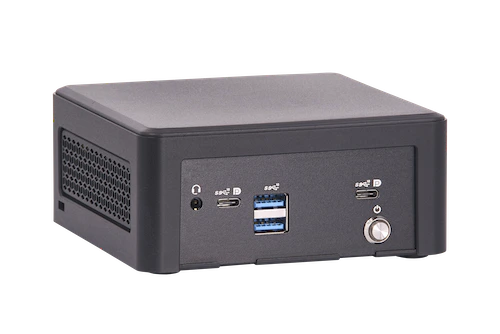
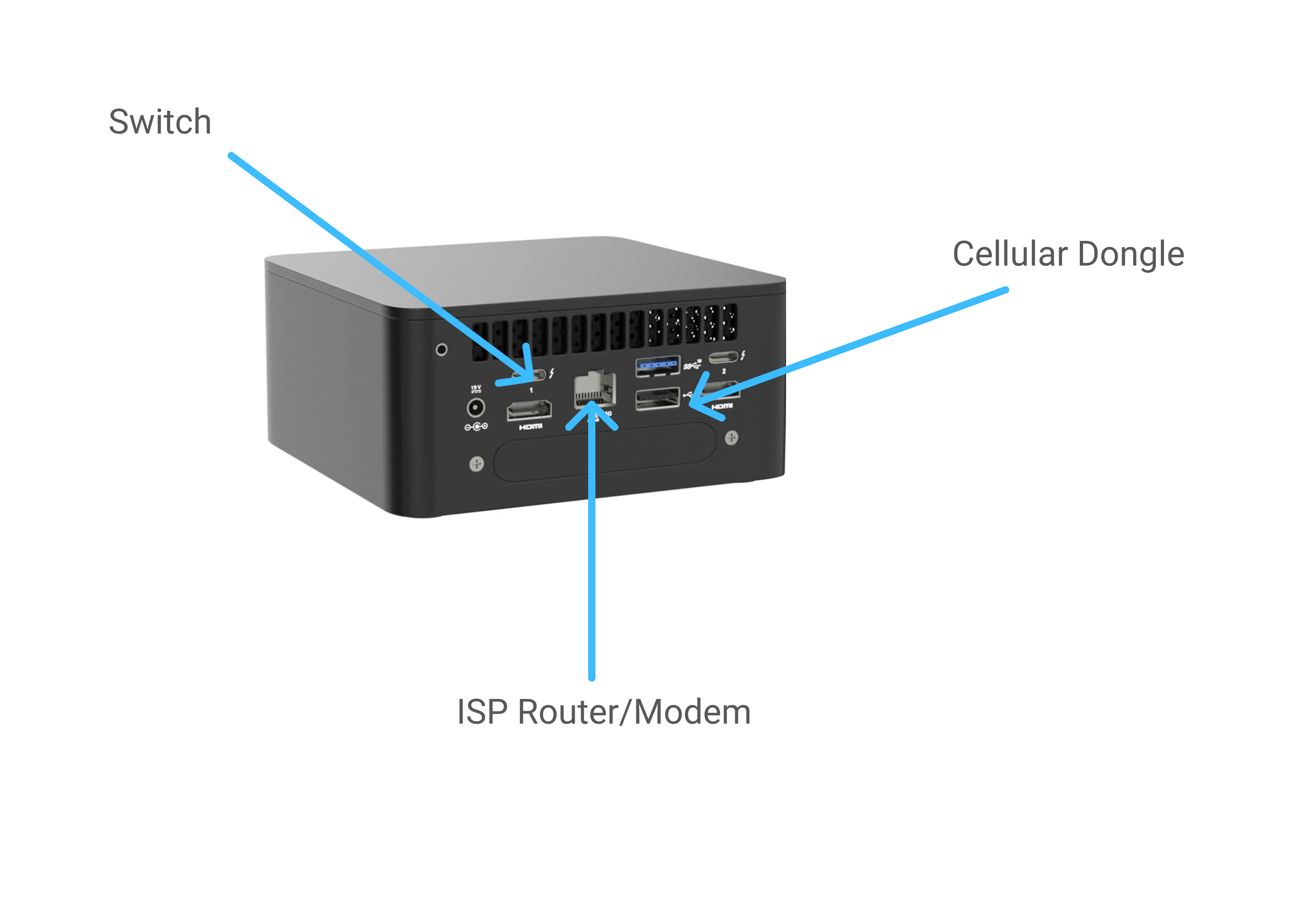
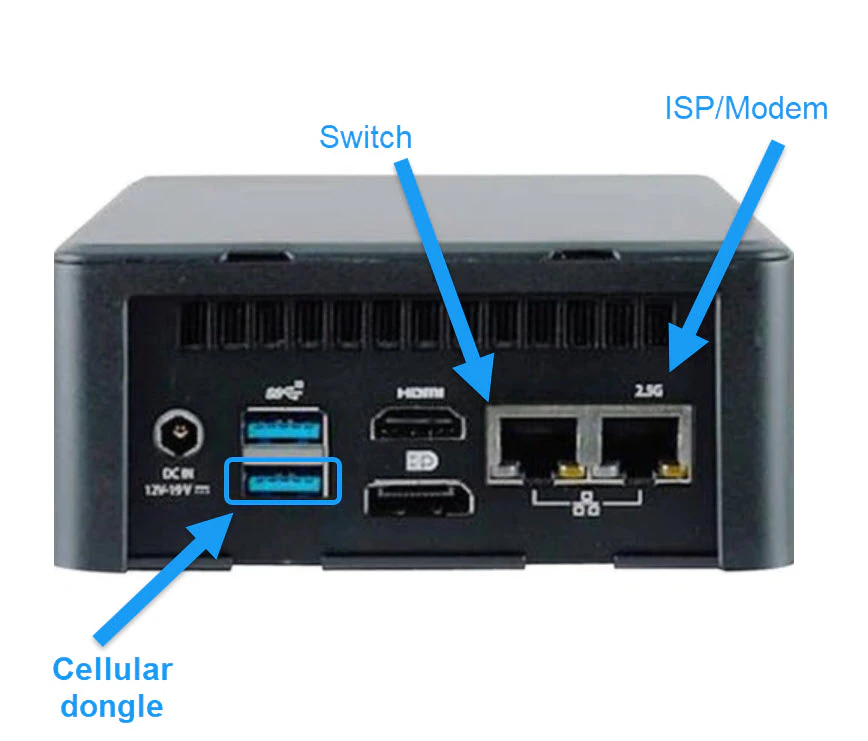
Wire the coordinator according to the spec for your model.Model A wiring:Model B wiring:Model C has a raised separate section on the lid, and an audio jack, one USB-A port, two USB-C ports, and the power button on the front:The back has the power jack, two stacked USB-A ports, two HDMI ports, and the two built-in Ethernet ports:Model C wiring differs from Models A and B:
Connect the ISP router or modem to the left-hand built-in Ethernet port on the back.
Connect the switch using the supplied USB Ethernet dongle, plugged into the left-hand USB-C port on the front.
Connect the cellular dongle to the bottom USB-A port on the back, the same location as Models A and B.
Leave the right-hand built-in Ethernet port empty. Model C does not use it.
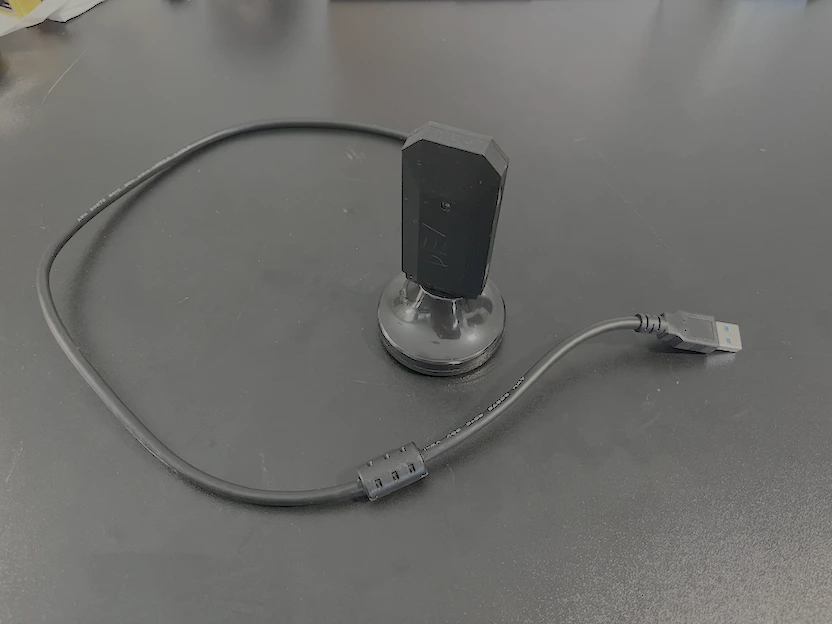
Plug the dongle into the adapter and the adapter into the coordinator. This is for limited backup internet in case of a network outage. See cellular failover
docs for more details.
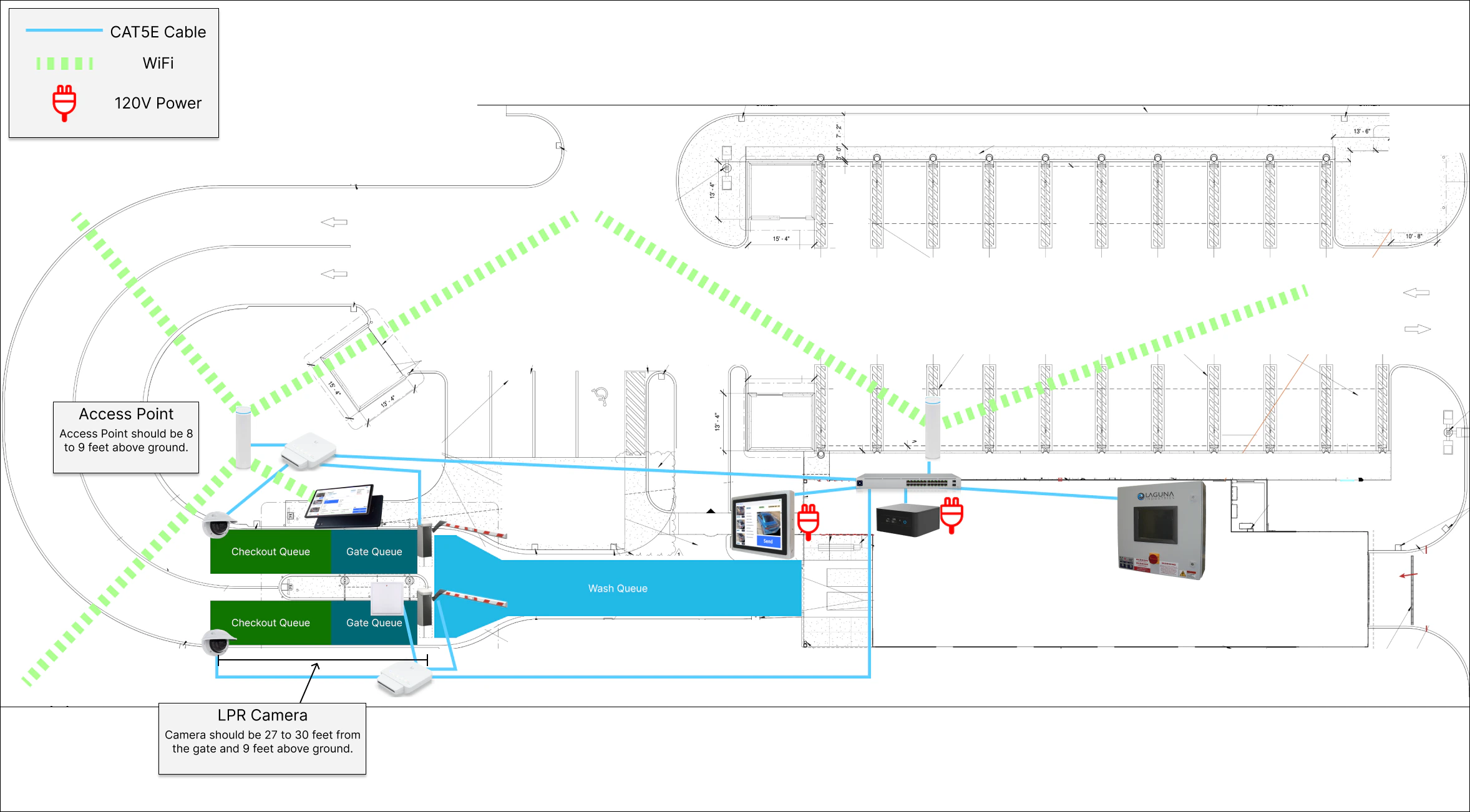
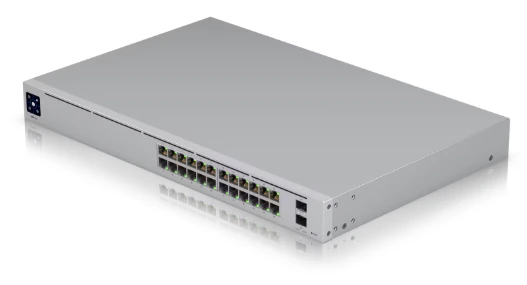
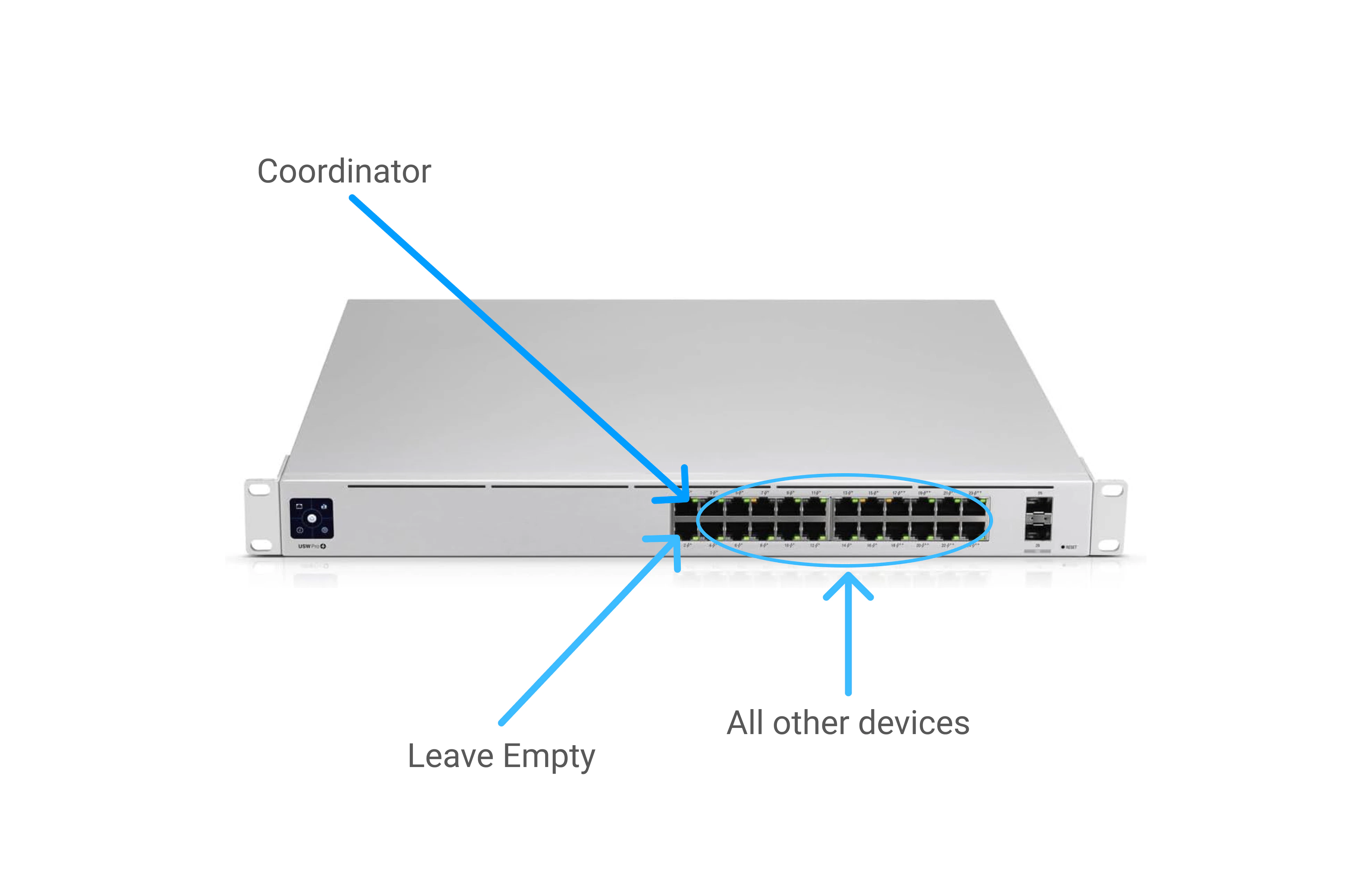
Peripherals are devices that connect to the network via CAT5E/CAT6 cable to a switch or WiFi. If wired, these devices must be connected to the switch in ports 3 to 24.
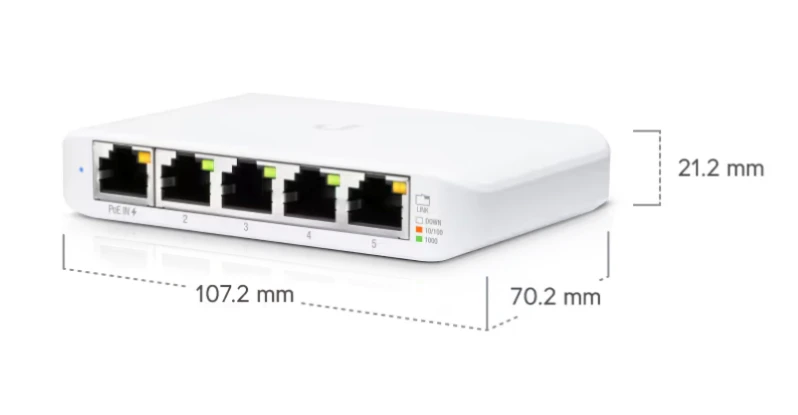
An edge switch is used to reduce the number of CAT5E/CAT6 cables you have to run to the office switch. Typically there is one edge switch per checkout lane.
Edge switches must be installed inside a weatherproof enclosure. These switches are PoE and supply power to other PoE devices on the lane, so any water intrusion can damage both the switch and every device it powers.
Any weatherproof enclosure will work. We have seen good results with these options from UniFi:
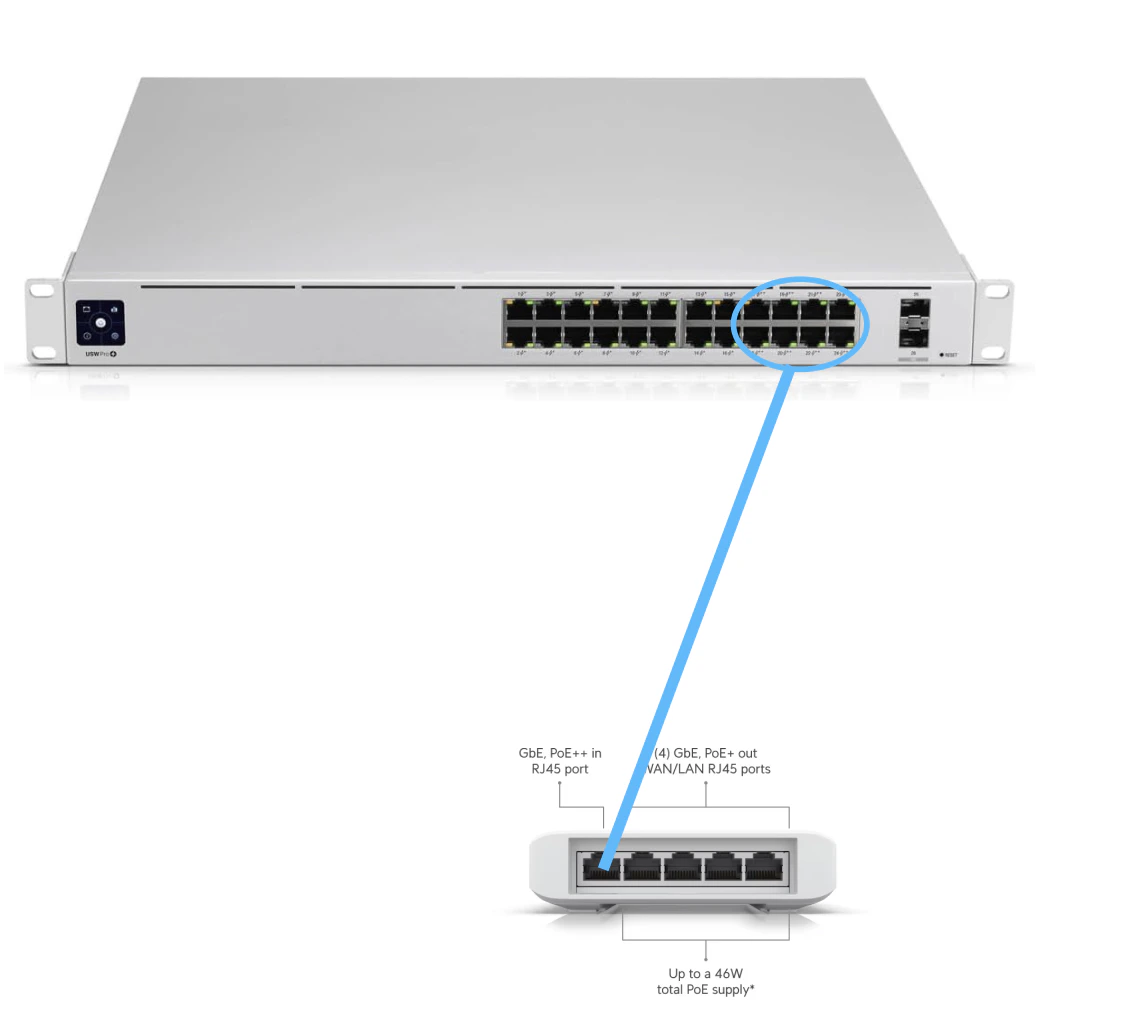
If you supply your own enclosure, it must house a 107.2 mm x 70.2 mm x 21.2 mm switch with additional room for cable runs.Connect the edge switch port 1 to port 17-24 in the office switch.Other peripherals are plugged into port 2 to 5 on the edge switch.
For best network performance, maintain direct line of sight between your POS and access point. Do not place access points behind walls or inside metal enclosures.
Connect the WiFi access point. These can be connected either
directly to the switch in the office (ports 3-24)
to an edge switch (ports 2-5)
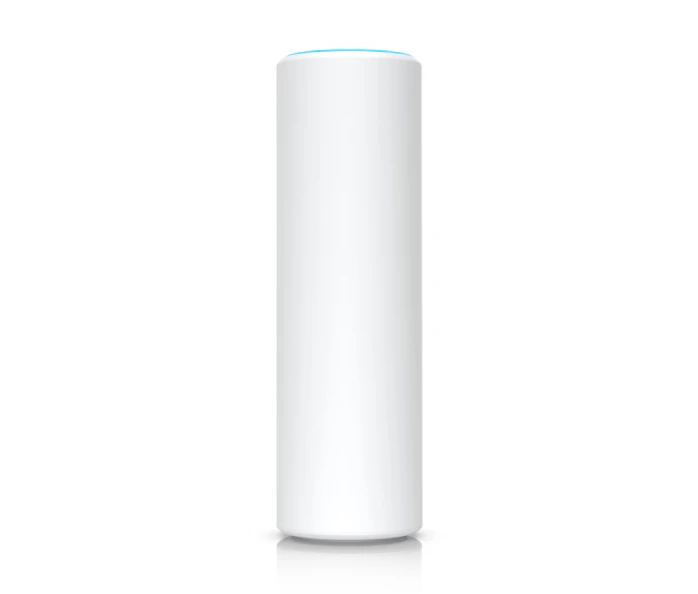
We will need access points wherever you need to work with FlexWash wirelessly. Typically there is one to cover the office/lobby area, one to cover the checkout area, and one to cover the vacuum lot if you plan on selling there.
These access points are PoE (power over ethernet) and outdoor rated as long as they are installed correctly.
Connect the RFID to the closest edge switch. Make sure to use the outdoor rated coupler correctly to prevent water damage. See RFID reader docs for more details.

.png?fit=max&auto=format&n=6hMZq2UCxwjzXtNc&q=85&s=9a77c1d5d64dccebd8c43cae5a619851)