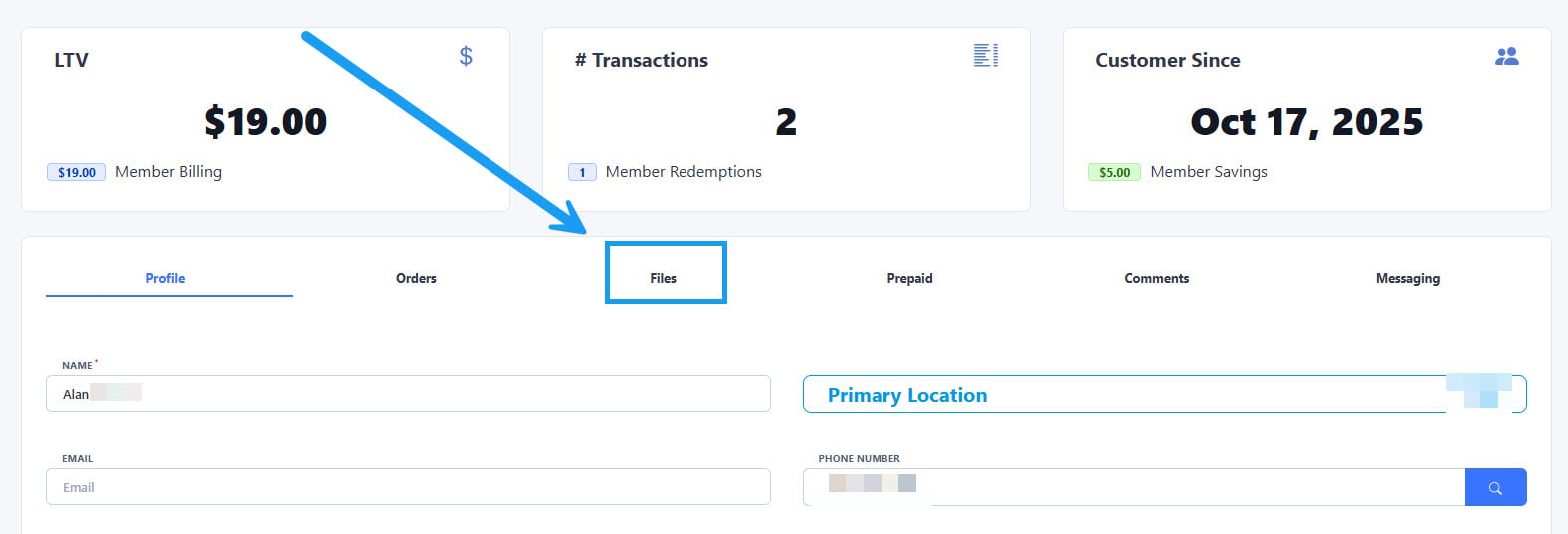
To find the file with the Terms and Conditions signed by your customers, first open the account and click on the “Files” section highlighted on the image above.
Read our “Terms and Conditions” article if you want to learn how to upload and assign a Terms and Conditions file to your wash packages.
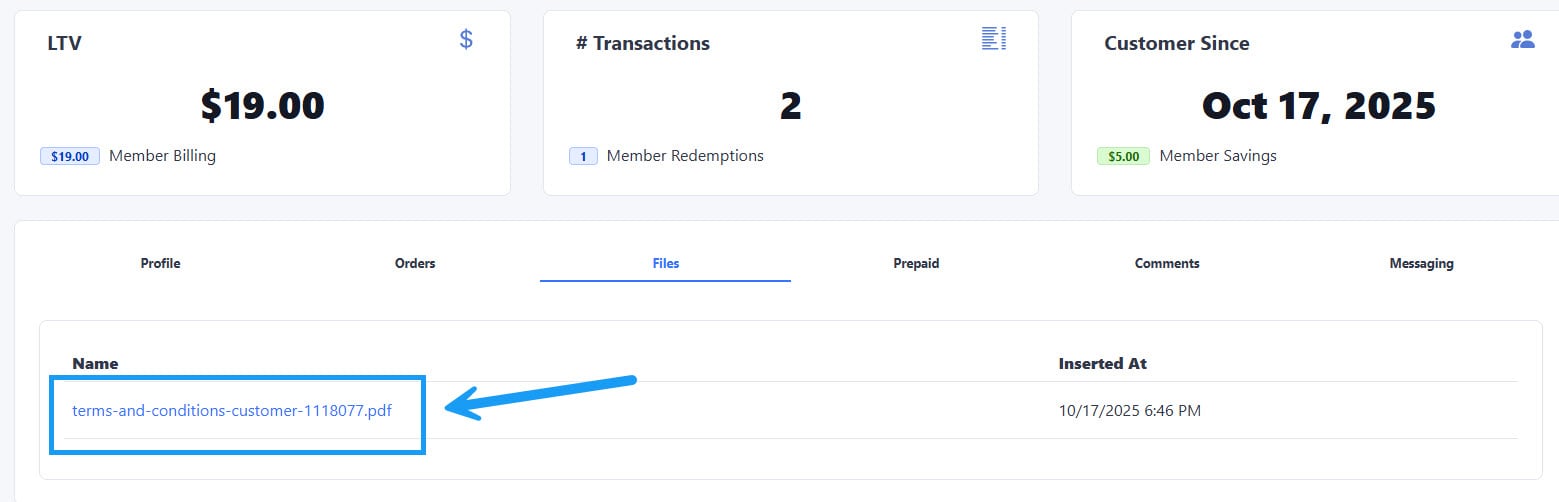
Click on the link that will appear under the “Name” column on the left side, this will open a new window with the signed Terms and Conditions in downloadable .pdf format:
Was this page helpful?
Assistant
Responses are generated using AI and may contain mistakes.