
Documentation Index
Fetch the complete documentation index at: https://docs.flexwash.com/llms.txt
Use this file to discover all available pages before exploring further.
Overview
Washbooks are prepaid, discounted bundles of car washes. They often include promotions such as “buy 5, get 1 free”, allowing customers to save compared to purchasing individual washes.Create a Washbook
Within the Wash Menu, you can create and configure a new Washbook.- Click Create Wash Package
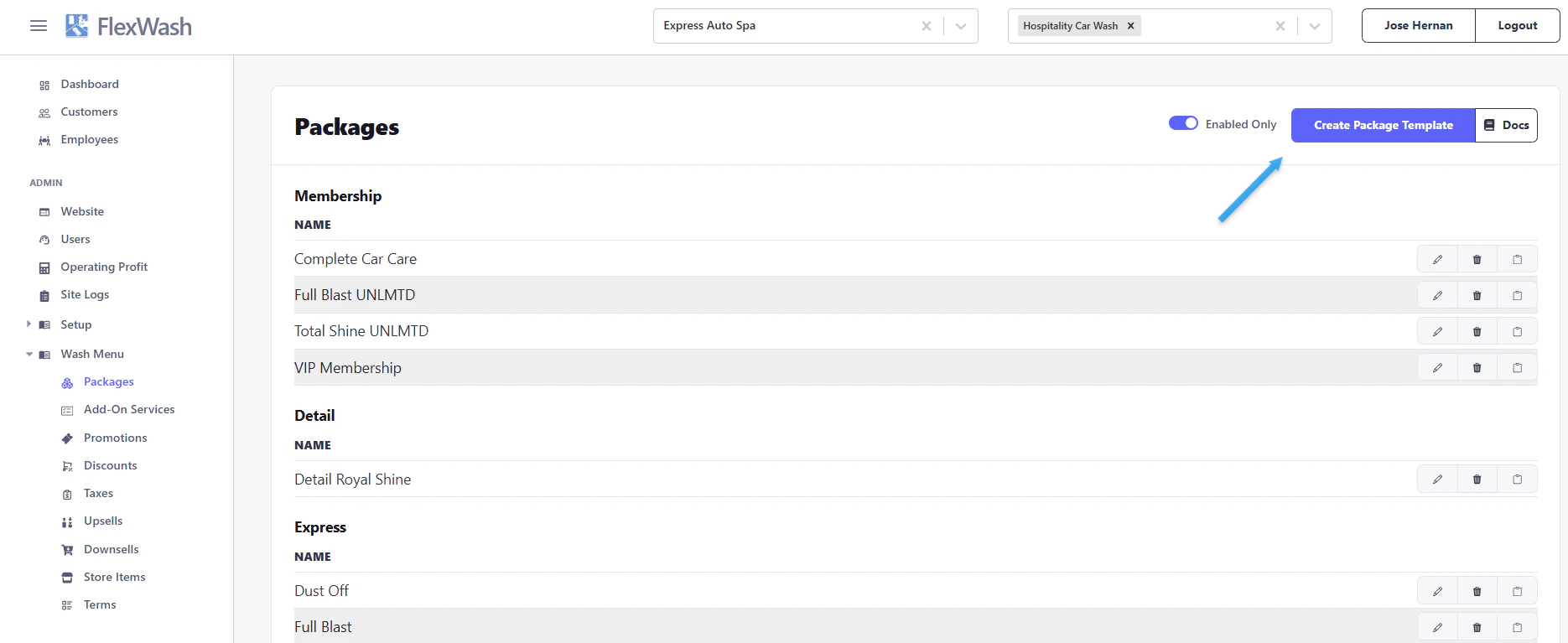
Set Up a Washbook
Follow these steps to configure your Washbook:- Select Washbook from the Package Type dropdown
- Choose a Washbook template
- Enter the number of wash applications (total washes included)
- Ensure Enabled is checked
- Select Washbook from the Revenue Type dropdown
- (Optional) Use Roles to restrict visibility
- Click Save
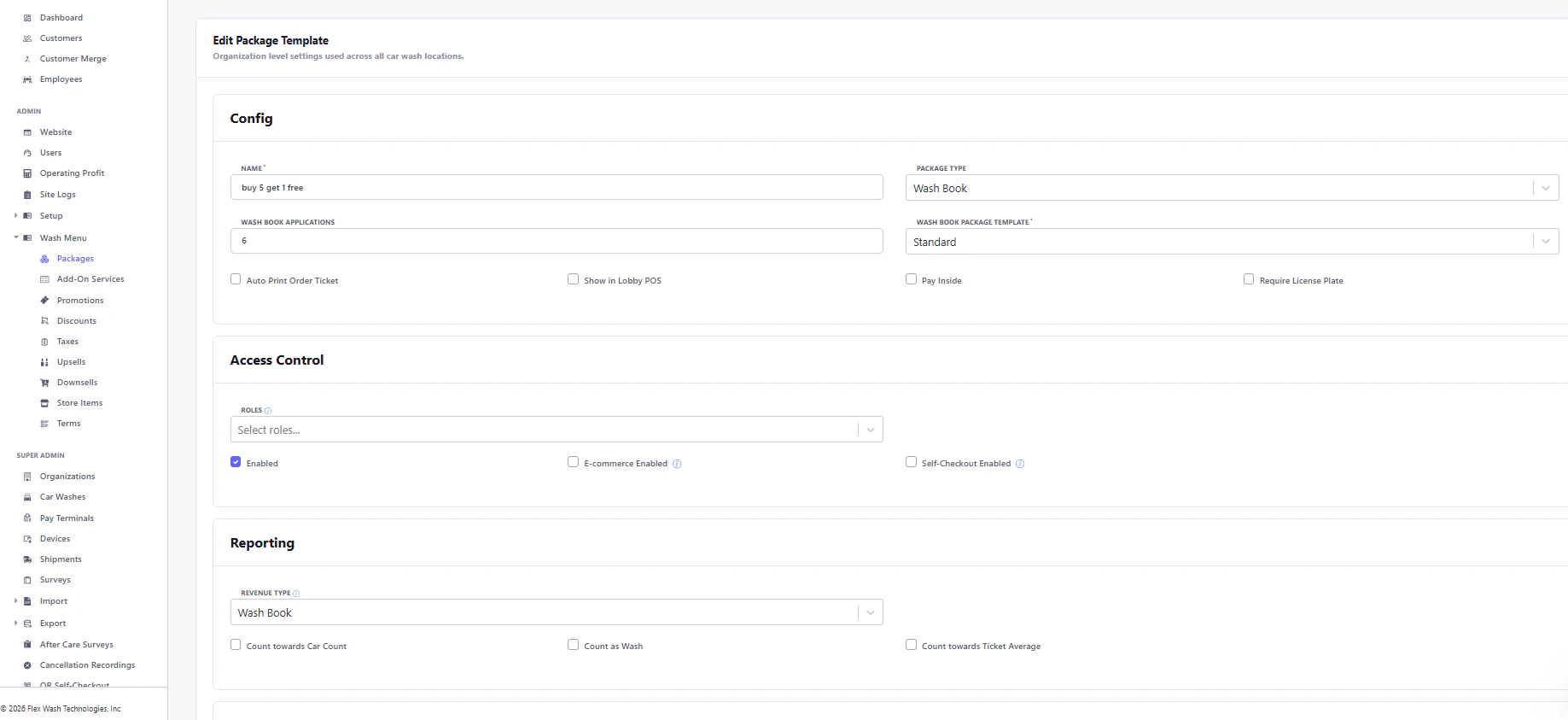
If the Enabledoption is unchecked, the Washbook will not be available on FlexWash devices.
By default, Washbooks are visible to all employees. Use Rolesto limit access by employee level.
Configure Location Settings
After creating a Washbook, a Car Wash Packages section will appear at the bottom of the settings page. This allows you to define pricing and configurations for each location.- Select the appropriate car wash location
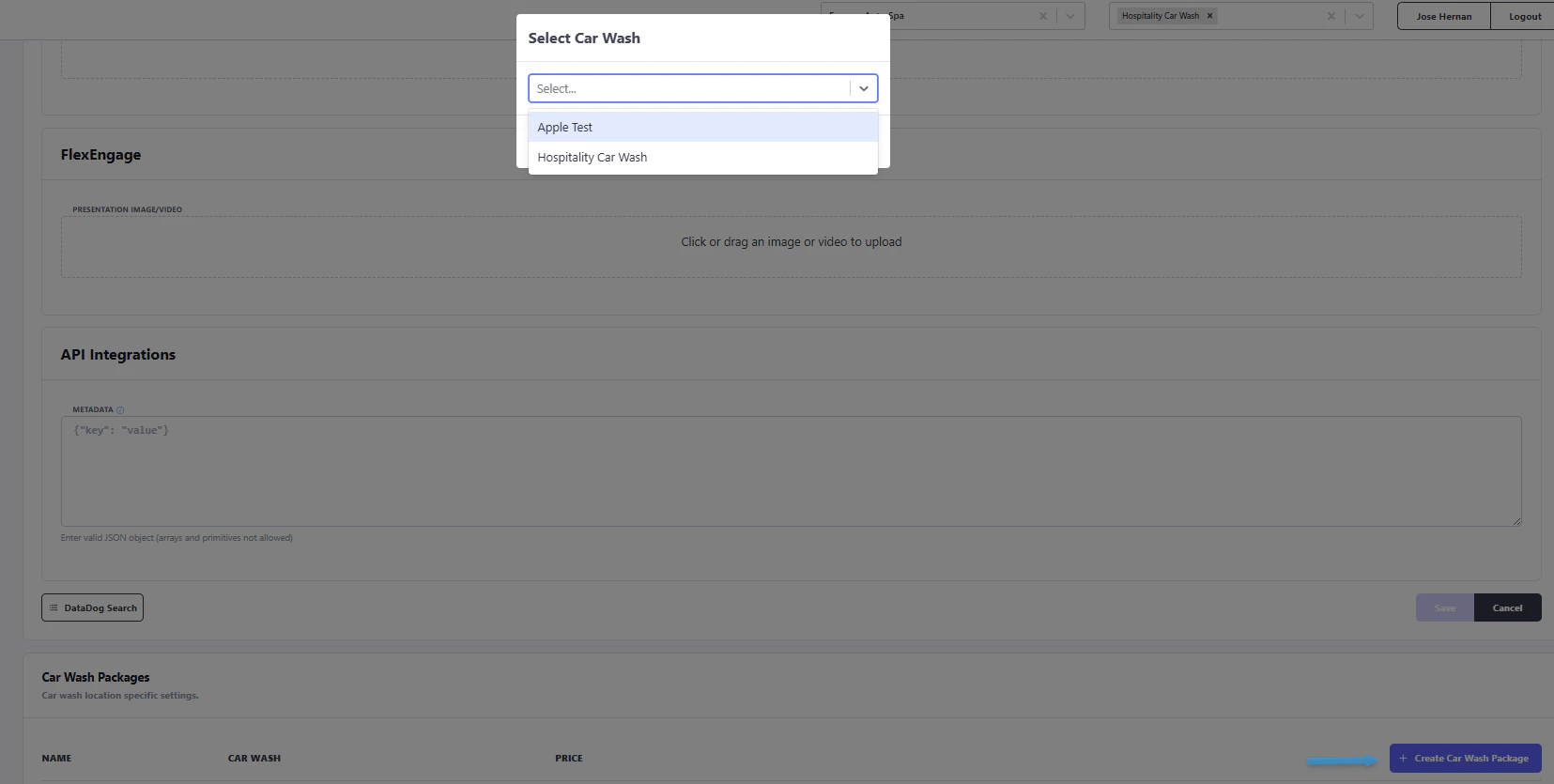
- In the configuration window:
- Enter the Name
- Set the Price
- Apply Taxes (if required)
- Ensure Enabled is checked
- Click Save
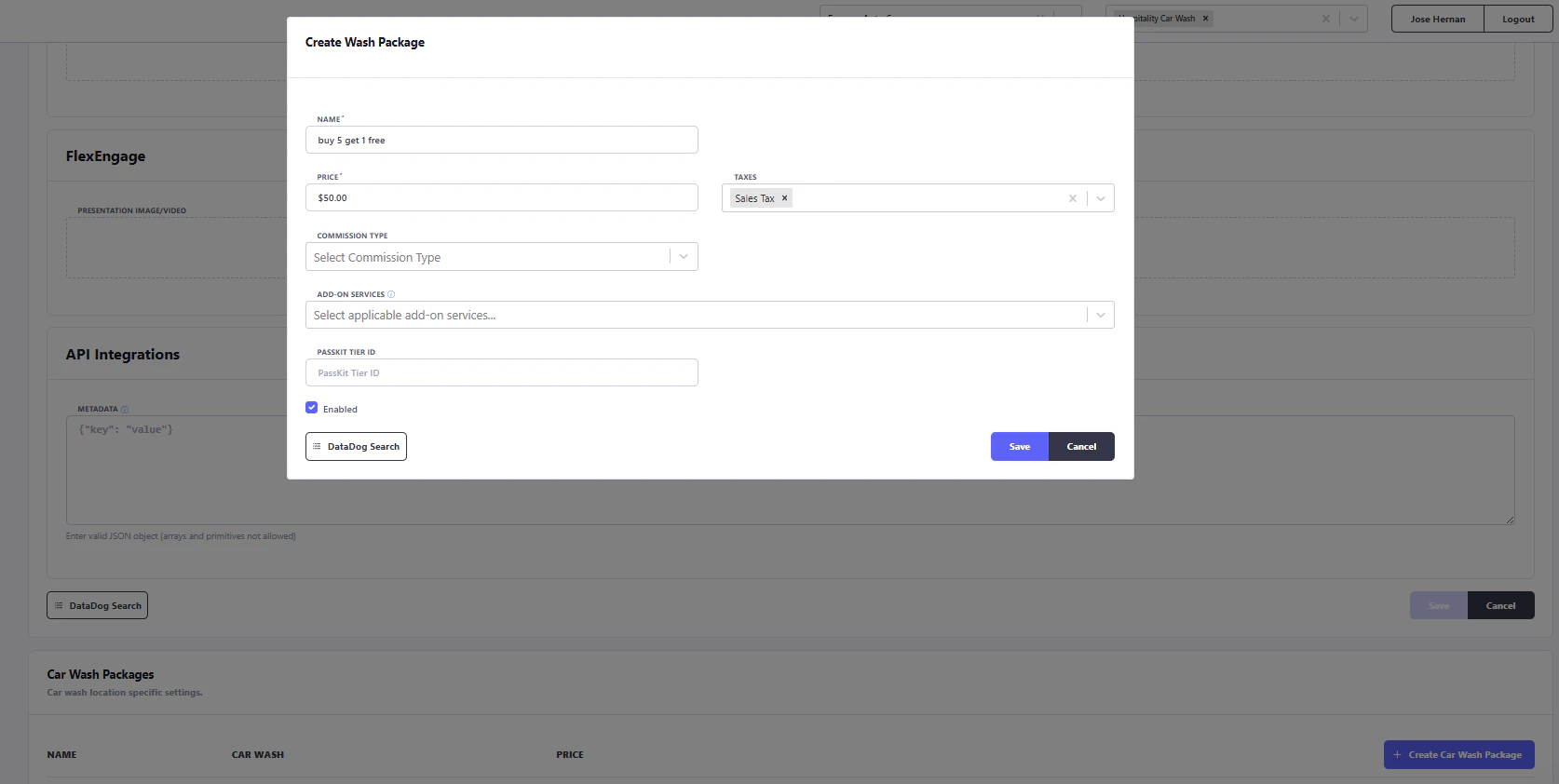
To make the wash book accessible, refresh the config on the payment tablet.
Best Practices
- Double-check pricing for each location before saving
- Ensure reporting accuracy by selecting the correct Revenue Type
- Use Roles to control employee access where needed
- Verify all settings after setup to avoid availability issues