To embed iFrames your domain has to be whitelisted. Please reach out to
support to do so. Promotional messaging also requires subscription to the
FlexWash CRM.
iFrame
After you create a Single Use promotion the bottom of the page will have an iFrame section.
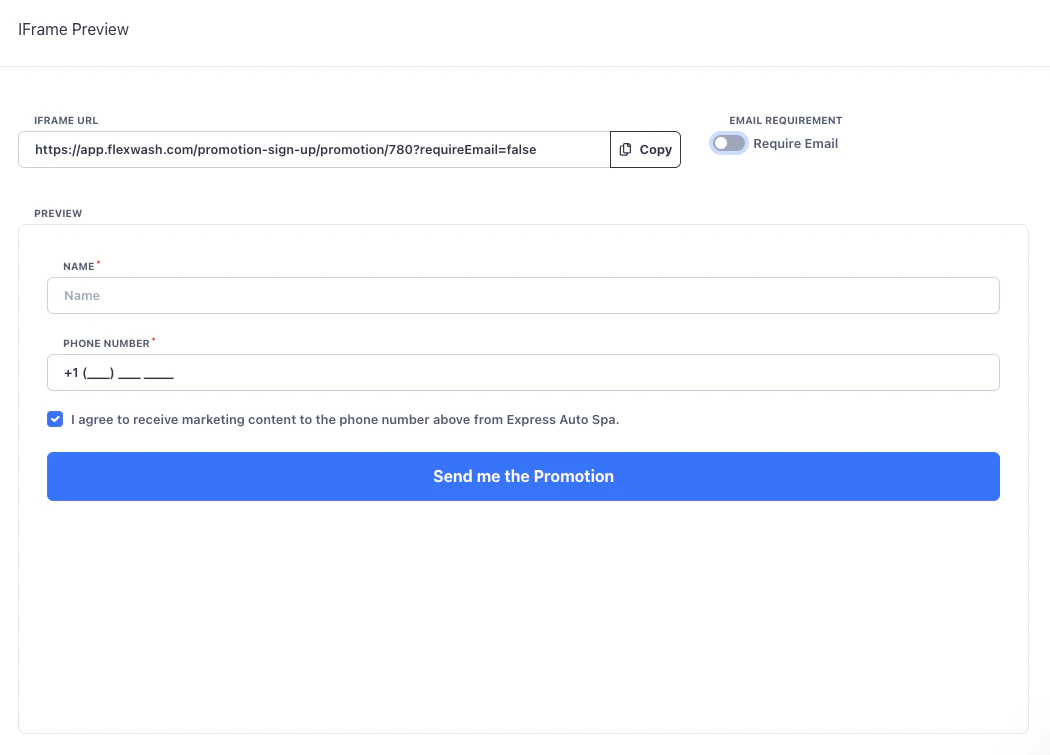
Configuration
You can toggle whether to require email or not.
Opt In
When someone fills in the iFrame they will receive a double opt-in request. They will need to reply “YES” in order to receive the promotion. This gives you a double opt-in record and now you can legally send promotional content to their phone number.
Redemption
Once the customer comes on site and uses the promotion we will automatically save the contact information (that was originally submitted online) to their profile. This will give you wash history with a opted in phone number so you can re-target customers based on behavior.
Callbacks
You can have your webpage listen for success/fail callbacks from the iFrame to respond accordingly. For example to redirect to a branded thank you page, or to feed the data into ads or 3rd party systems. There are two types of messages posted to the parent site:
- flexwash-promotion-portal-success with the name, and email of the member
- flexwash-promotion-portal-error
Below is example Javascript that can be used for sign up portal events.
<script>
  function handleMessage(event) {
    if (event.origin !== 'https://app.flexwash.com') { return; }
    const { type } = event.data;
    if (type === 'flexwash-promotion-portal-error') {
      // error case
    } if (type === 'flexwash-promotion-portal-success') {
      // success case

      // name = event.data.name
      // phoneNumber = event.data.phoneNumber
    }
  }
  window.addEventListener('message', handleMessage);
</script>
