To embed iFrames your domain has to be whitelisted. Please reach out to
support to do so.
iFrame
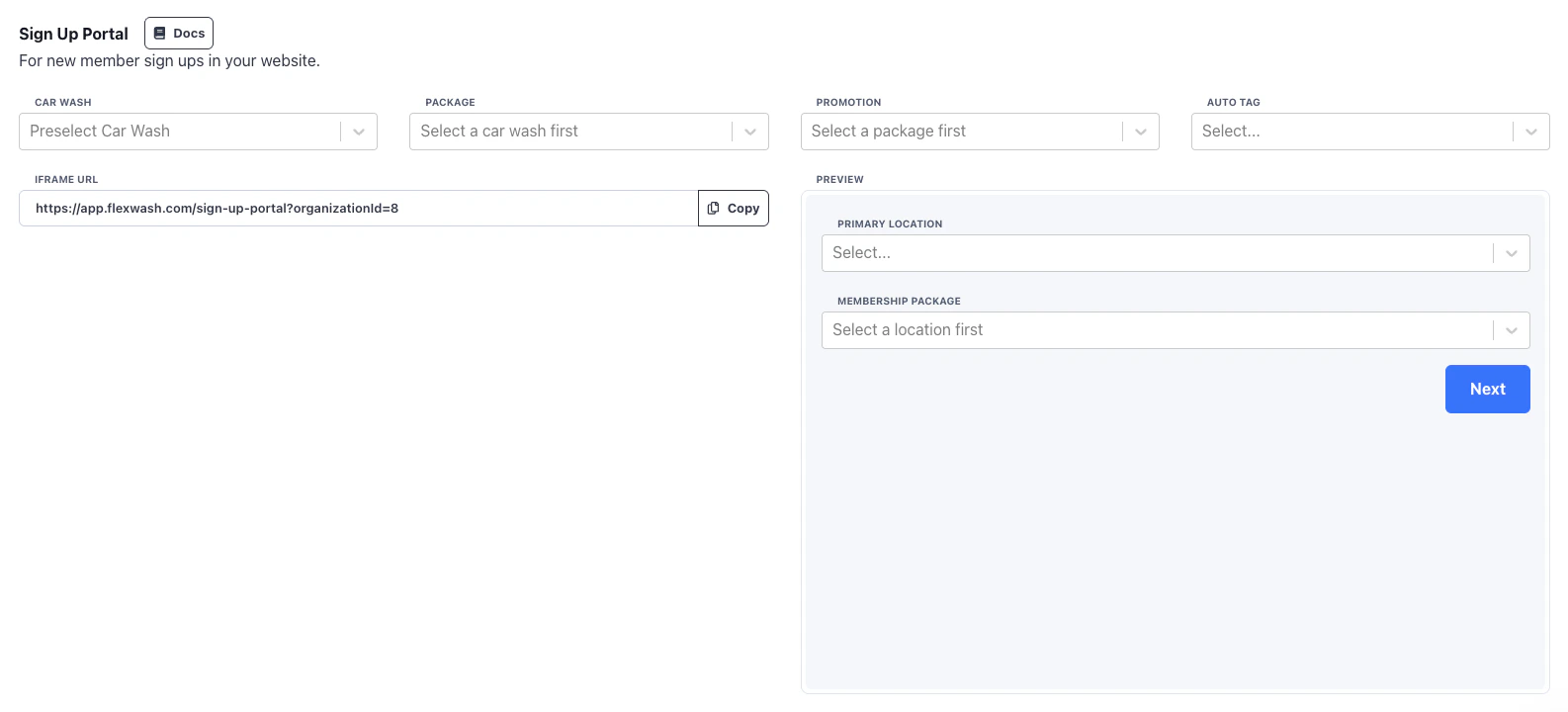
In the Website page under the Admin section you can copy the HTML for the Sign Up portal iFrame. A preview box for testing is available in the same section.
Configuration
By default the portal will have a way to select the location and package. If you pre-select these then the form will go straight to the sign up flow. For a branded experience we recommend having the selection of the site and package be built in your website and then you present the different iFrame URLs according to what was selected.
You can optionally have a promotion pre-selected if you want to run ads and allow for easy sign up.
If an Auto Tag is selected then any member who signs up through that iFrame will have that tag applied to their account. For example if you want a dedicated sign up page with a partner organization (charity, partner business, etc.) you would use the auto tag to be able to identify those members.
Callbacks
You can have your webpage listen for success/fail callbacks from the iFrame to respond accordingly. For example to redirect to a branded thank you page, or to feed the data into ads or 3rd party systems. There are two types of messages posted to the parent site:
- flexwash-sign-up-portal-success with the name, phone number, and email of the member
- flexwash-sign-up-portal-error
Below is example Javascript that can be used for sign up portal events.
<script>
  function handleMessage(event) {
    if (event.origin !== 'https://app.flexwash.com') { return; }
    const { type } = event.data;
    if (type === 'flexwash-sign-up-portal-error') {
      // error case
    } if (type === 'flexwash-sign-up-portal-success') {
      // success case

      // name = event.data.name
      // phoneNumber = event.data.phoneNumber
      // email = event.data.email
    }
  }
  window.addEventListener('message', handleMessage);
</script>
