
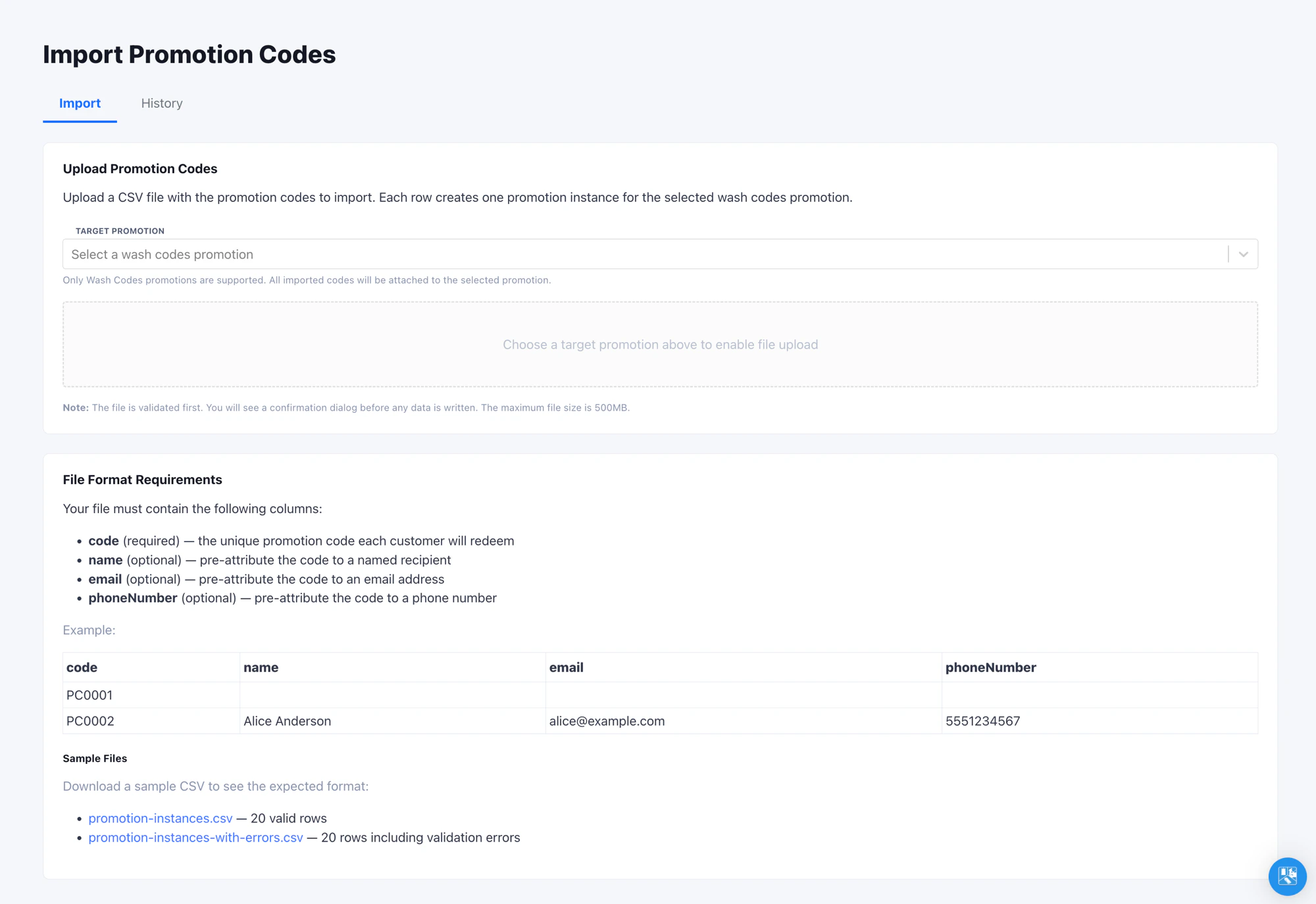
Where to Find It
Open Admin -> Import -> Promotion Instances in the left navigation. You need at least the Admin role and access to the specific promotion you plan to import codes for.Wash Codes Promotions Only
The importer only accepts promotions of type Wash Codes. Other promotion types (such as single-use or multi-use) cannot be bulk-loaded this way. A Wash Codes promotion is a promotion configured to issue unique, single-use codes per recipient. See Promotions for the full configuration. If your promotion does not appear in the Target Promotion dropdown, it is not a Wash Codes promotion - convert it or pick a different one.Customer Redemption
Imported codes redeem like any other Wash Codes instance.1
The customer presents the code
The customer arrives with a printed code, a QR code, or a code
delivered through email or SMS.
2
Staff scans or enters the code at the pay tablet
The pay tablet validates the code against the promotion and applies
the configured deduction automatically.
3
Pre-attribution attaches contact info
If the imported row included
name, email, or phoneNumber,
FlexWash attaches those values to the customer record at the moment
of redemption.Re-Importing
Run multiple imports against the same promotion as your campaign grows. Codes are matched per promotion, and the latest upload wins: a code already attached has itsname, email, and phoneNumber updated, while
new codes are added. Re-running never creates duplicate codes.
Re-importing updates the imported contact details only. It does not reset a
code that a customer has already redeemed.
Verify the Import
Run an end-to-end test before committing to a full file:- Upload a 5 to 10 row test CSV against the production target promotion.
- On the pay tablet, start a sale, tap Scan Coupon on the top row and scan or enter one of the imported codes.
- Confirm the promotion’s configured deduction is applied to the order.
Tips
- Generate codes outside FlexWash with whatever entropy your campaign
requires (e.g. 12-character alphanumeric for high-value direct mail,
short codes for in-store flyers). The importer treats
codeas an opaque string. - For campaigns split across vendors, upload each batch against the same promotion as it arrives. Re-uploading the master list after a partial vendor batch is safe: existing codes are updated and new ones are added, with no duplicates.