
Running the report
Confirm the car wash selection in the top navbar, pick a date range, and click Run.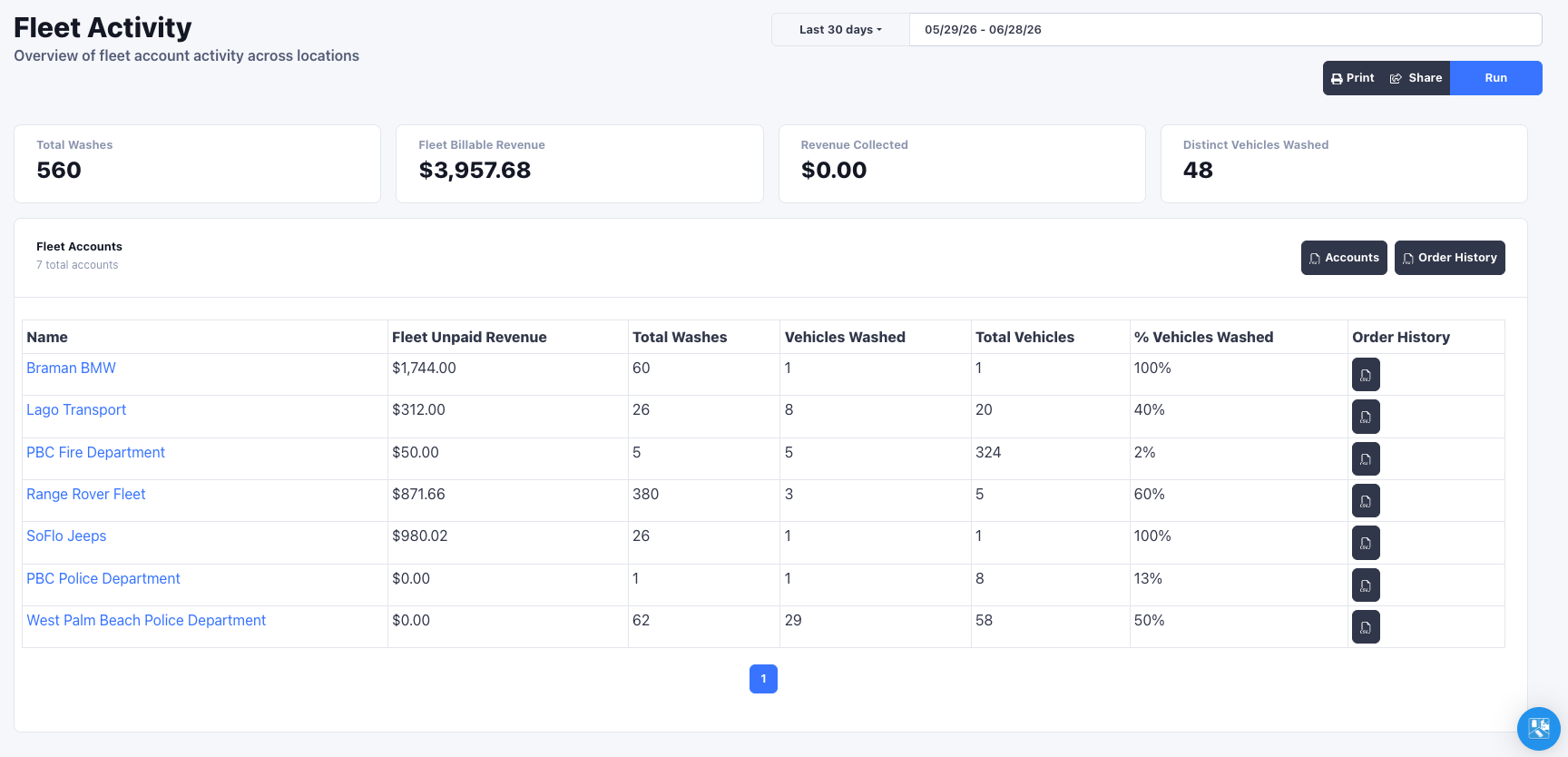
Summary
Four cards summarize the selected period across all chosen locations:- Total Washes in the period
- Fleet Billable Revenue, the full value of fleet-tendered washes
- Revenue Collected
- Distinct Vehicles Washed
Accounts table
Below the summary, each fleet account gets a row:| Column | Meaning |
|---|---|
| Name | The fleet account (links to the customer profile) |
| Fleet Unpaid Revenue | Value of fleet-tendered washes not yet collected, what you still need to invoice |
| Total Washes | Washes attributed to the account in range |
| Vehicles Washed | Distinct vehicles that washed |
| Total Vehicles | Vehicles on the account |
| % Vehicles Washed | Vehicles Washed as a share of Total Vehicles |
Rewash filtering
To keep counts honest, the report collapses rewashes: when the same license plate is rung up again within a 30 minute window only one wash is counted.Rewash filtering means the wash counts here reflect distinct service visits, not
raw order rows, so a vehicle sent back through for a redo is not double-counted
against the account.
Exporting
The report exports straight to CSV so you can invoice from real numbers:- Accounts exports the full account summary table (every account, not just the current page).
- Order History exports the underlying fleet-tendered orders for all accounts, with plate, vehicle details, note, and order total.
- Each account row also has its own Order History export for a single account.