Recognize a member at a site that has not converted yet, from any phone, using nothing but their license plate.
When you convert sites to FlexWash one at a time, there is a stretch where some
of your locations are live and others are not. A member who normally washes at a
converted site pulls into one that has not converted yet, and the staff there
have no way to see that the customer exists.Interim Lookup closes that gap. An admin generates a link, staff open it on a
phone, and a license plate returns the customer’s membership status and package.For example, sites A and B are on FlexWash and site C is not yet. Staff at site
C can look up a plate and see the membership that customer holds at A or B, and
treat them accordingly until C converts.Use it when someone at the pay station or in the lane needs to answer one
question fast: is this car a member, and what did they pay for?
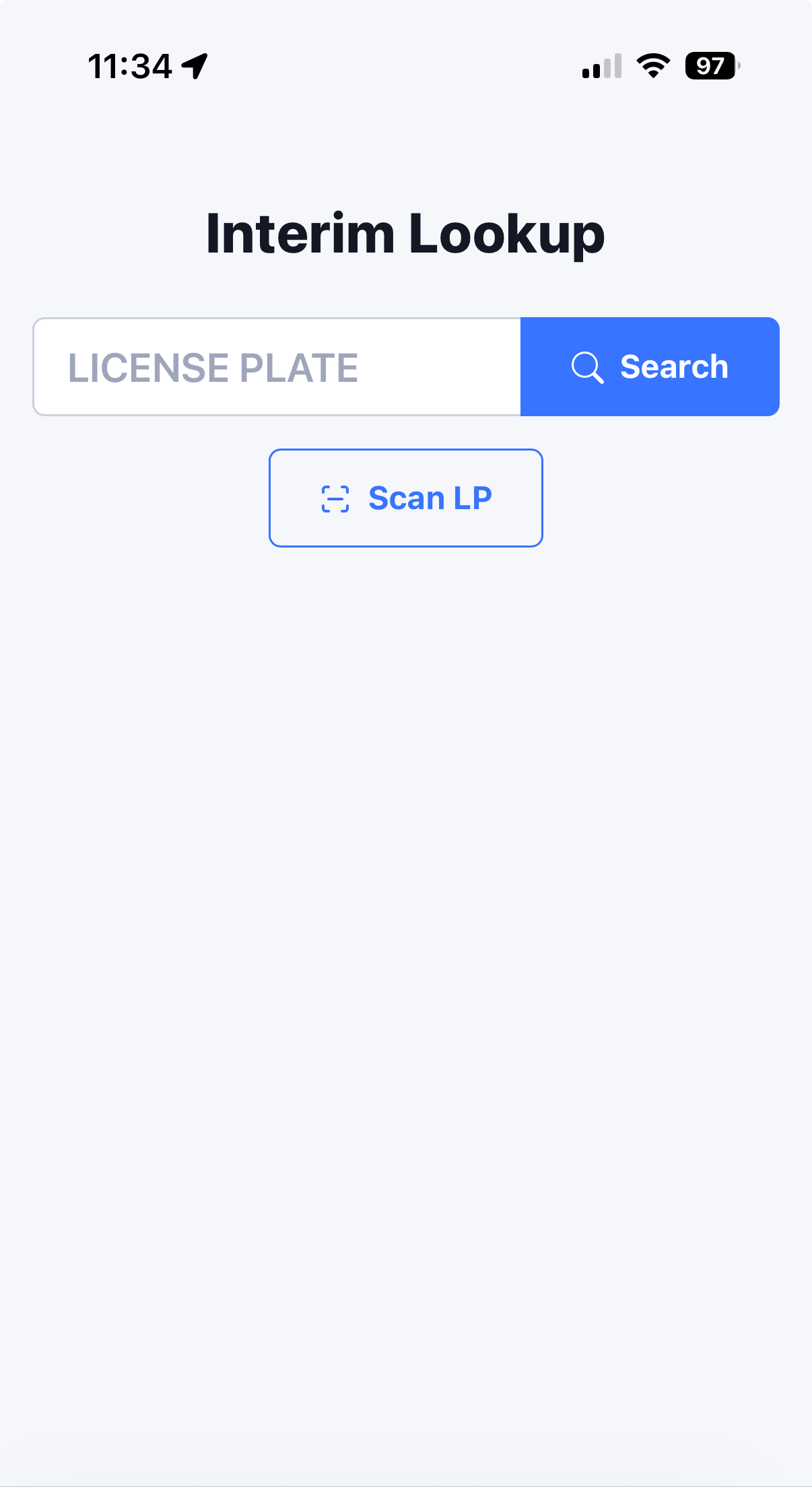
The lookup page opens with a license plate field and a Scan LP button.
Manually enter a plate or scan it with the camera.
Type the plate
Scan the plate
Enter the license plate and tap Search.
1
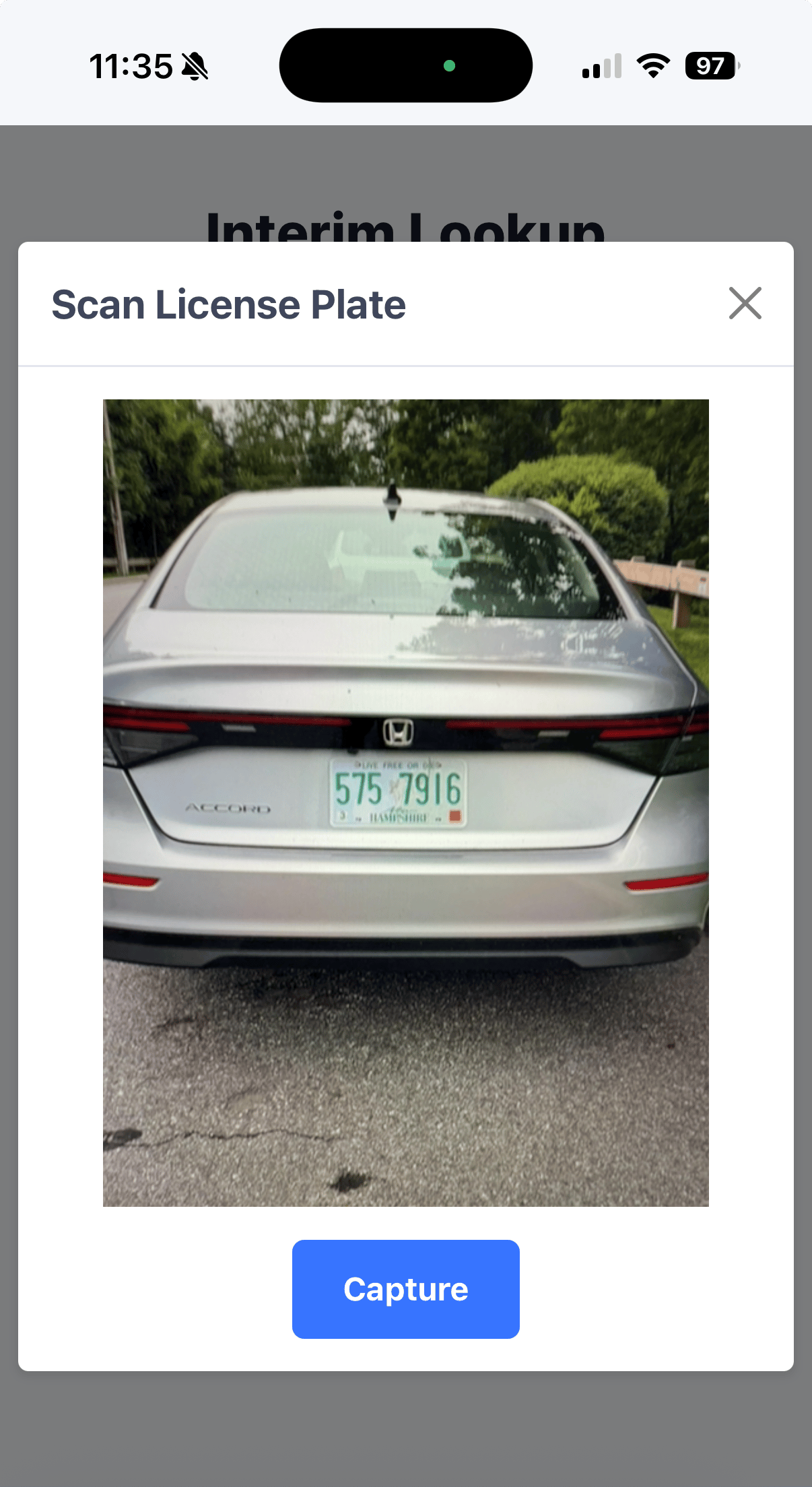
Tap Scan LP
The camera opens in a Scan License Plate window.
2
Frame the plate and capture
Fill the frame with the rear of the vehicle so the plate is readable,
then tap Capture.
Frame the plate within the viewfinder.
3
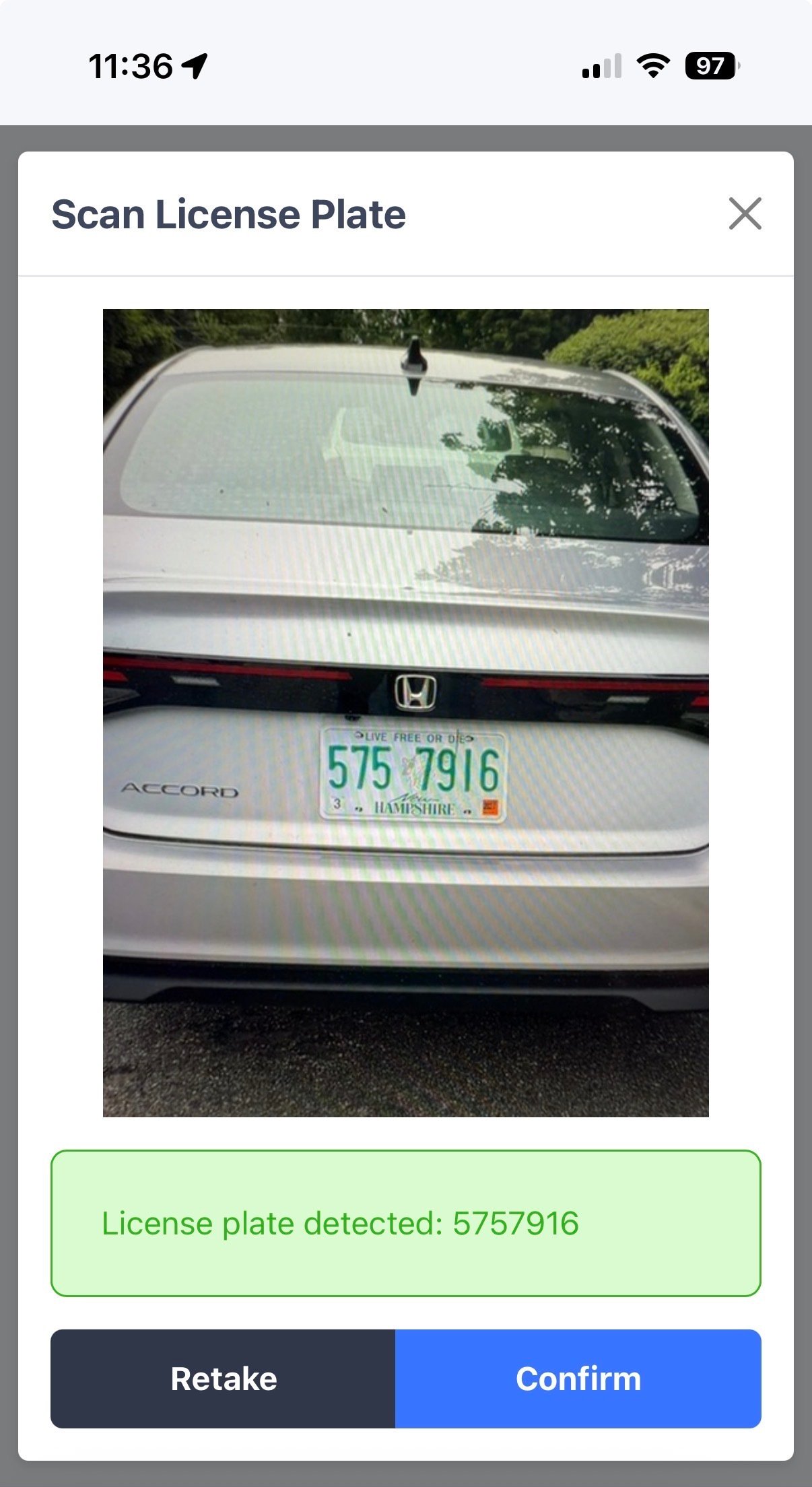
Check the read, then confirm
FlexWash shows the characters it detected. Compare them against the
plate before tapping Confirm. Tap Retake if the read is wrong or
the image is blurry.
Plate detected. Confirm or retake.
Characters like 0 and O, 1 and I, and 8 and B are easy to confuse, and
dirt, snow, and plate covers make it worse. See
LPR and RFID limitations
for what affects a read.
Member Details returns the customer’s subscription status and package.Subscription Status tells you how FlexWash knows about this customer.
Package is the plan they hold, which is what determines the wash they can
redeem.A status of Interim import means the membership came in through an
Interim Import rather than being created in
FlexWash directly. For those customers, the package shown is the FlexWash
package their legacy plan was mapped to under Plan Mappings. If it looks
wrong, the plan mapping is the place to check.
Was this page helpful?
Assistant
Responses are generated using AI and may contain mistakes.