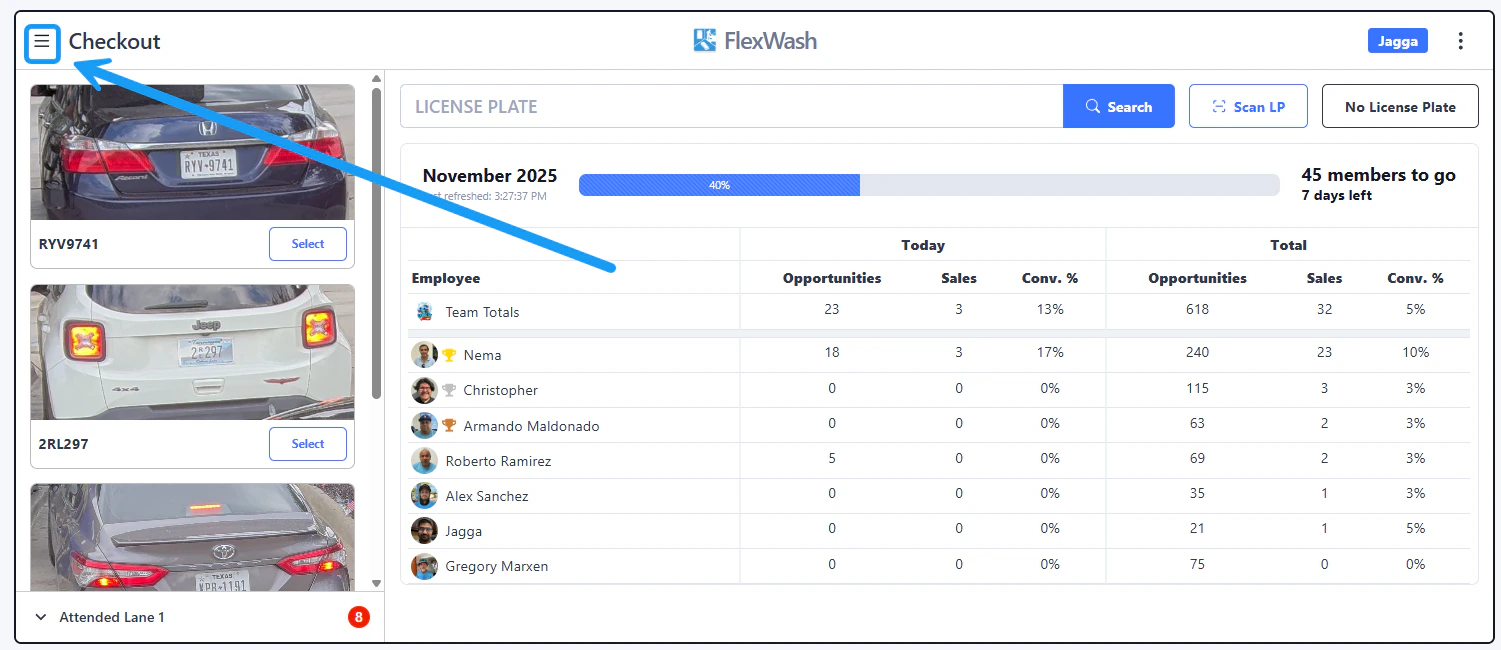
Mngrfndmembr1 Pn Tap on the upper left corner to open the menu.

Search Customers

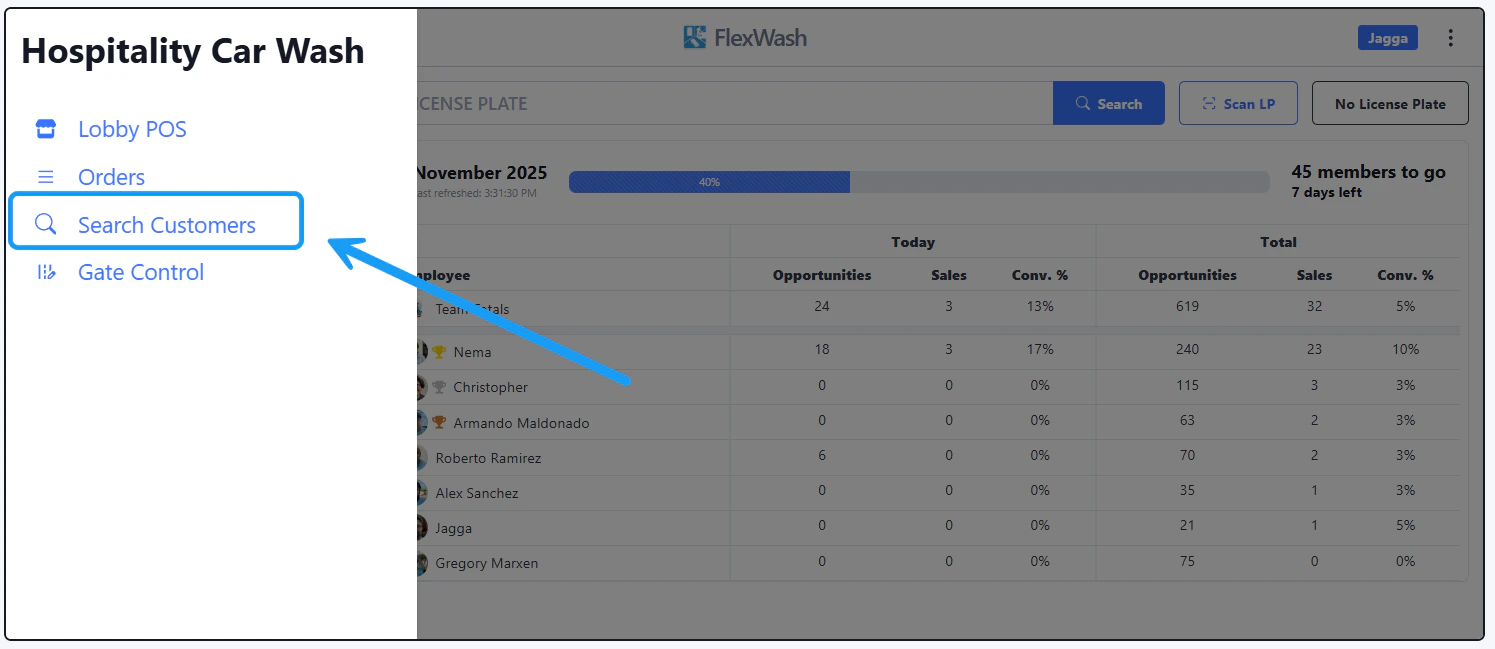
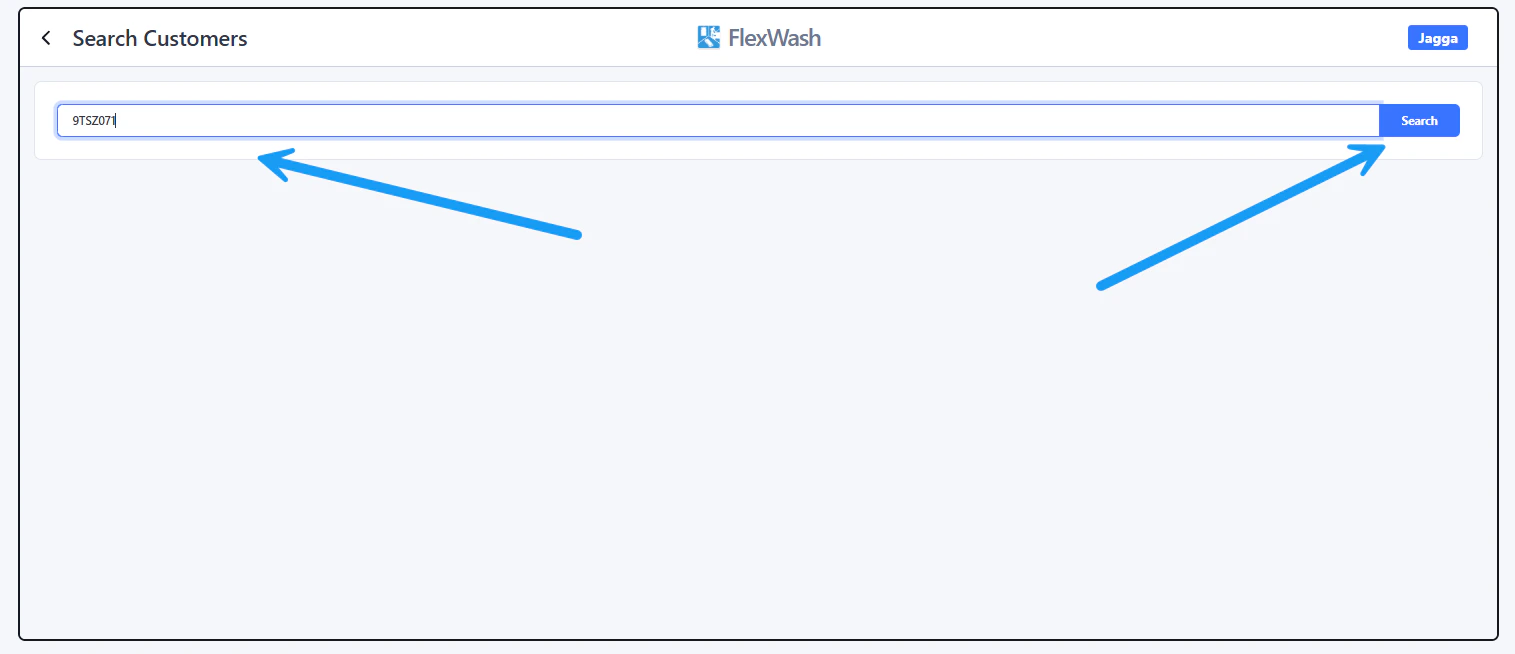
Hstgryrfndordr2 Pn Select the “Search Customers” option. You can search by customer’s name, phone number, email, License Plate or the last four digits of the credit card: Mdngrrnfd3 Pn

Orders

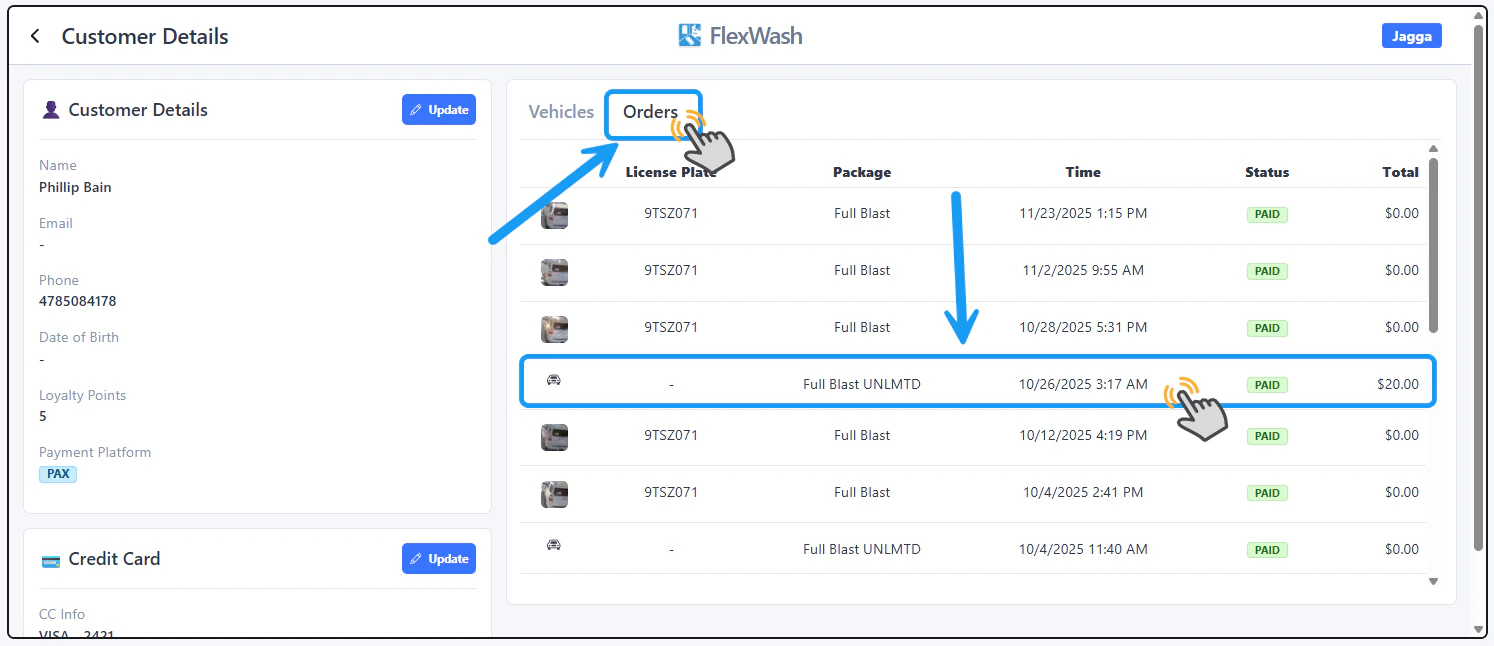
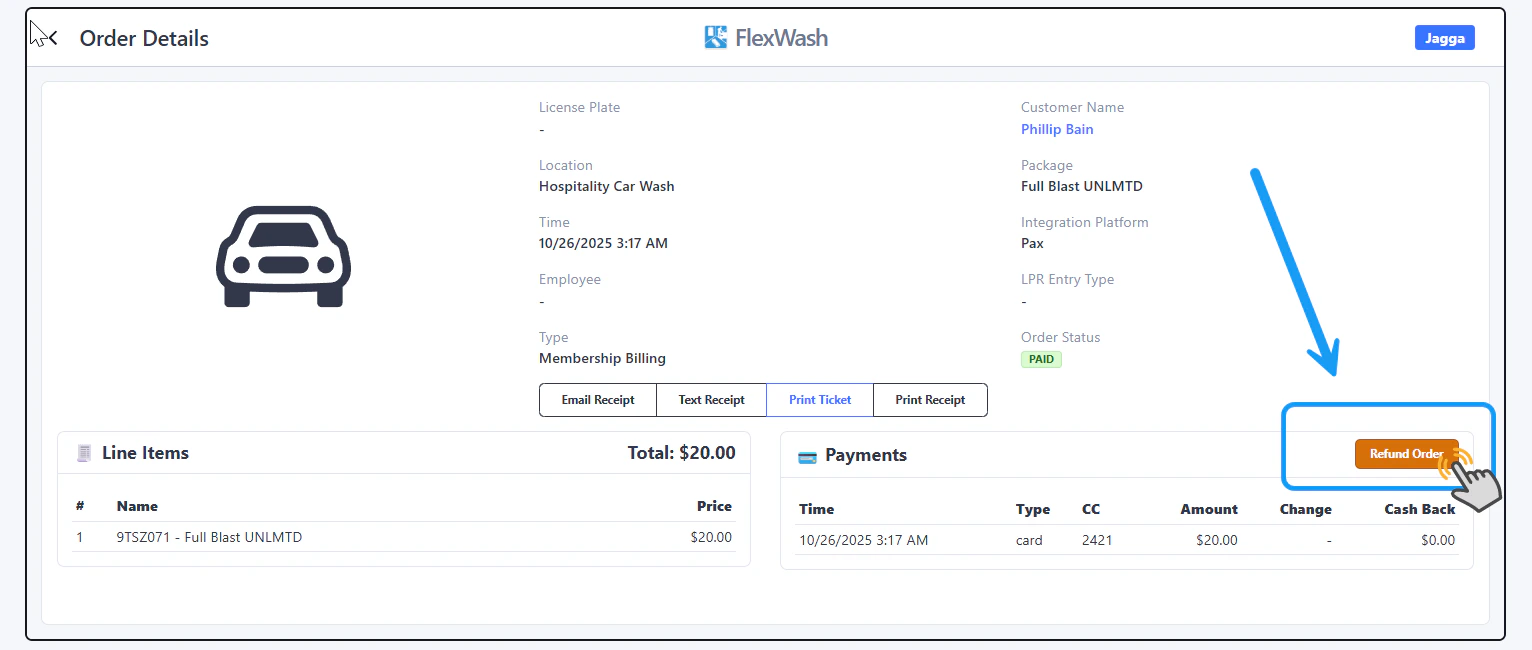
Ordrfnd4 Pn To view the Billing History of the customer, tap on the Orders tab. The list of orders will appear as shown on the image above. If you wish to refund one of the orders, tap on it for a more detailed view of it. In this example, we are selecting the membership monthly charge that happened on 10/26/2025.

Refund Order

Rfndorder5 Pn
If the Refund button does not appear, contact your organization’s administrators so they can grant your user the required permission.

Finally, tap on the “Refund Order” button.
For Partial Refunds, please check our Full Refunds and Partial Refunds article.