Pay Tablets

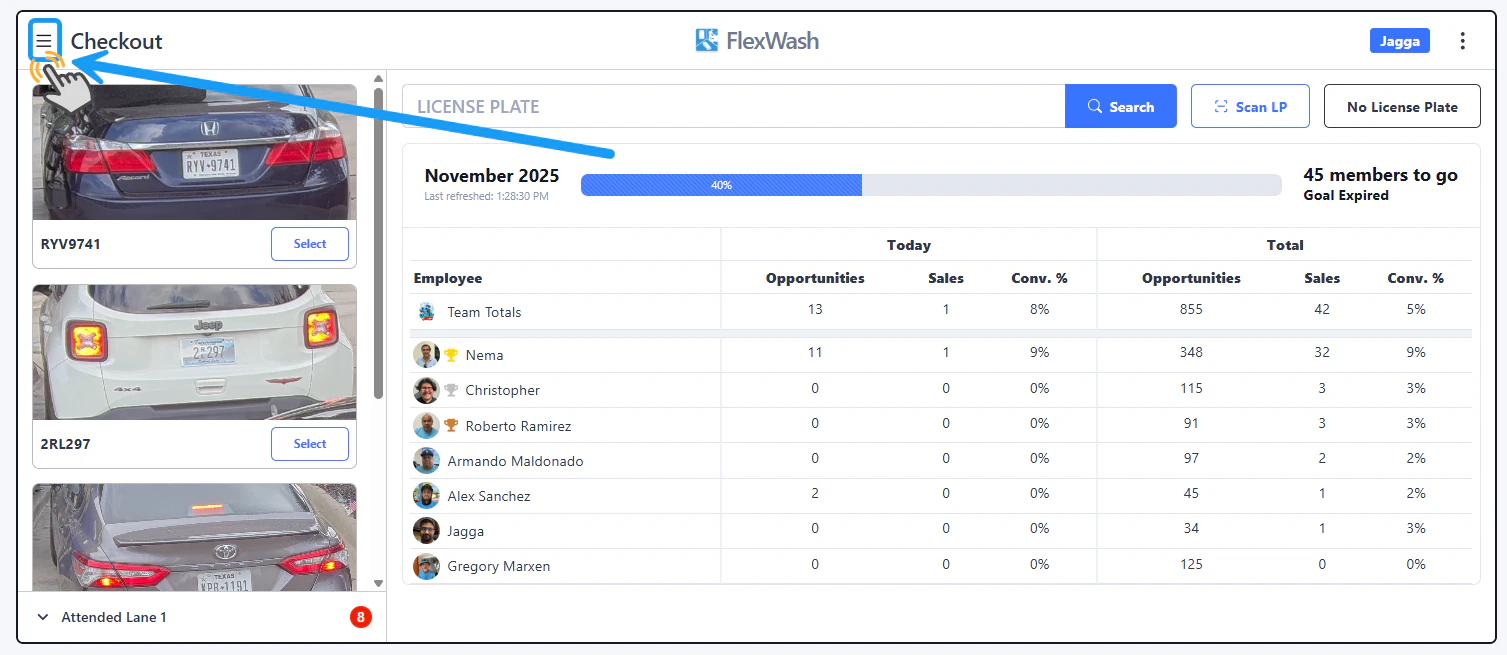
Prntrcpt1 Pn Tap on the Menu button located on the upper left corner.

Search by orders

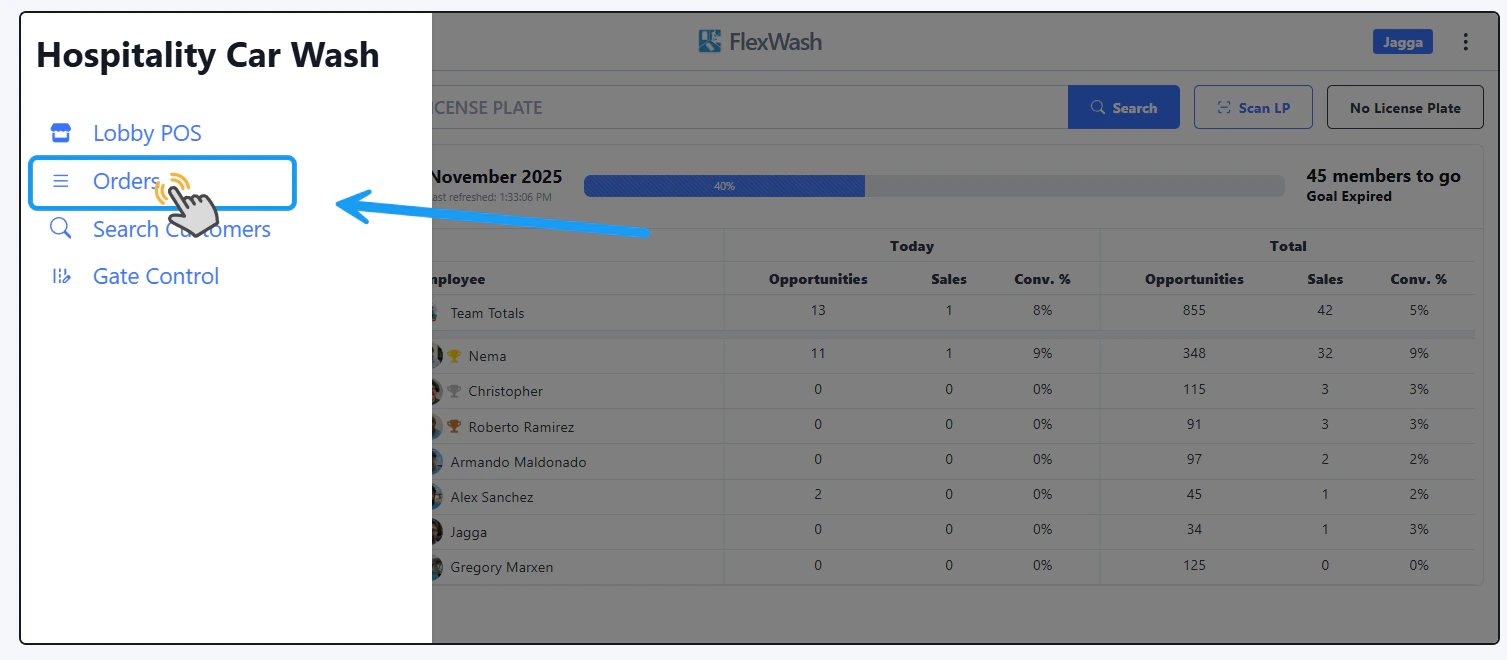
Prntrcpt2 Pn Tap on the “Orders” option to go through the recent orders.

Select Order

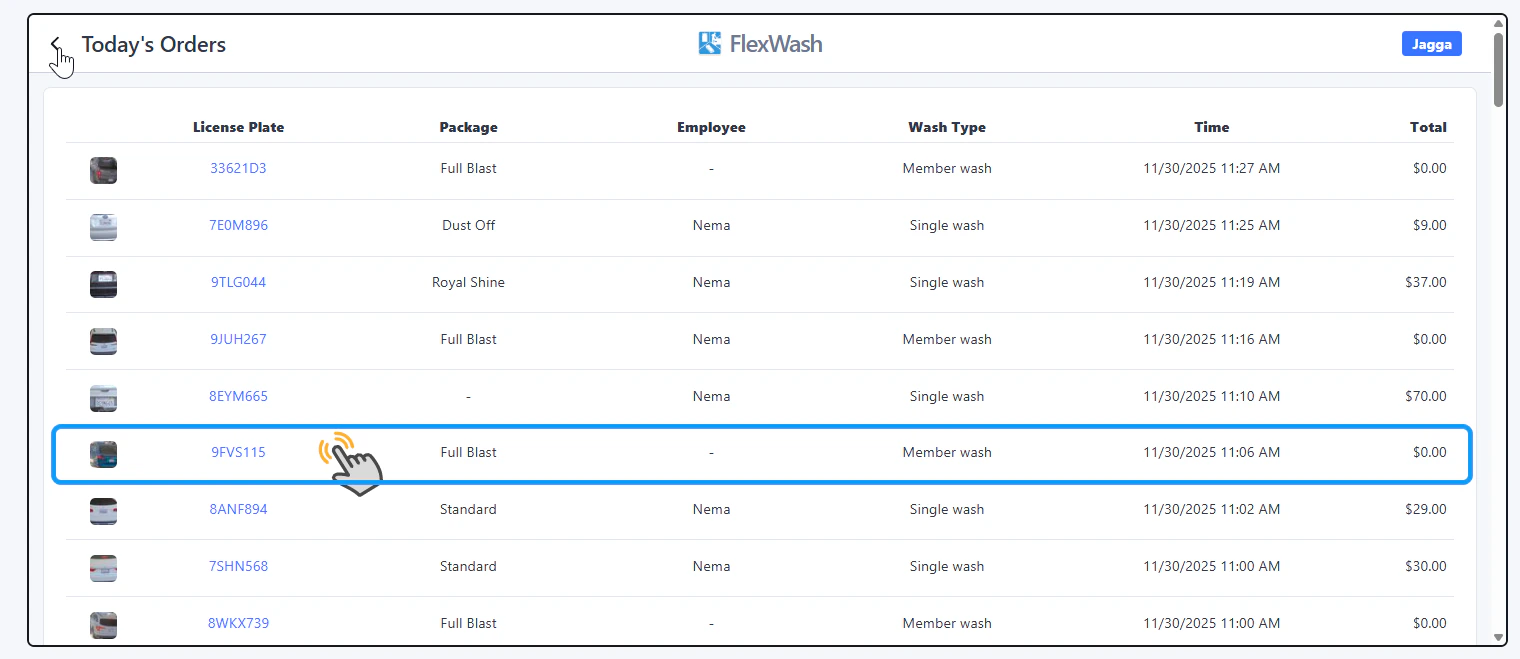
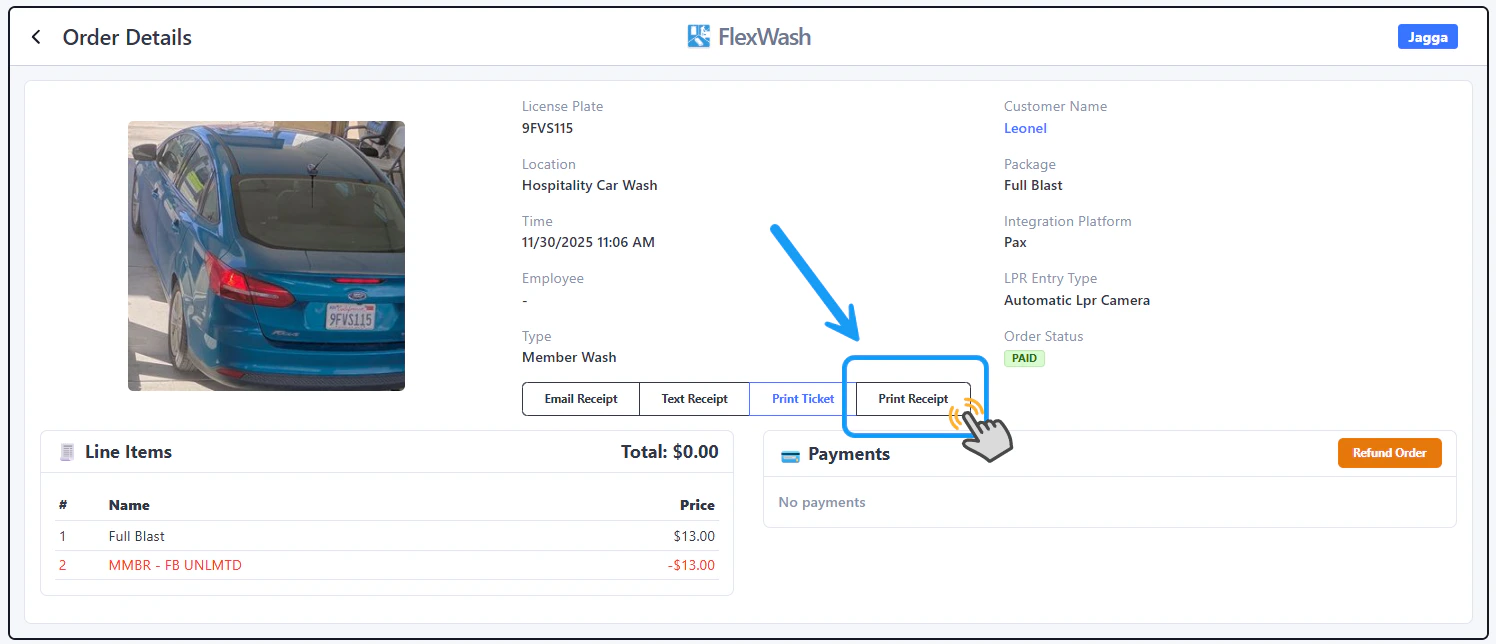
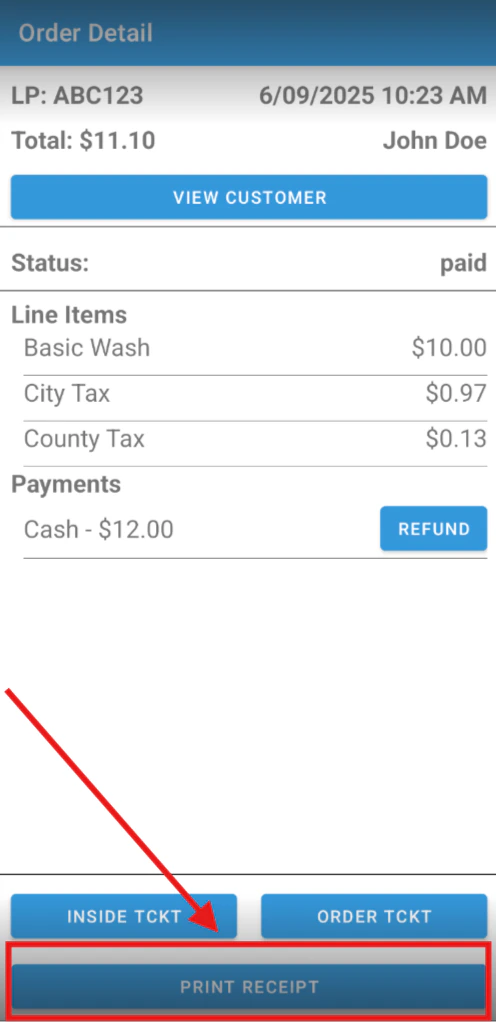
Prntrcpt3 Pn Select any Order from the list. Prntrcpt4 Pn The full Order Details will appear, including the option to Print Receipt.

Search By Customer

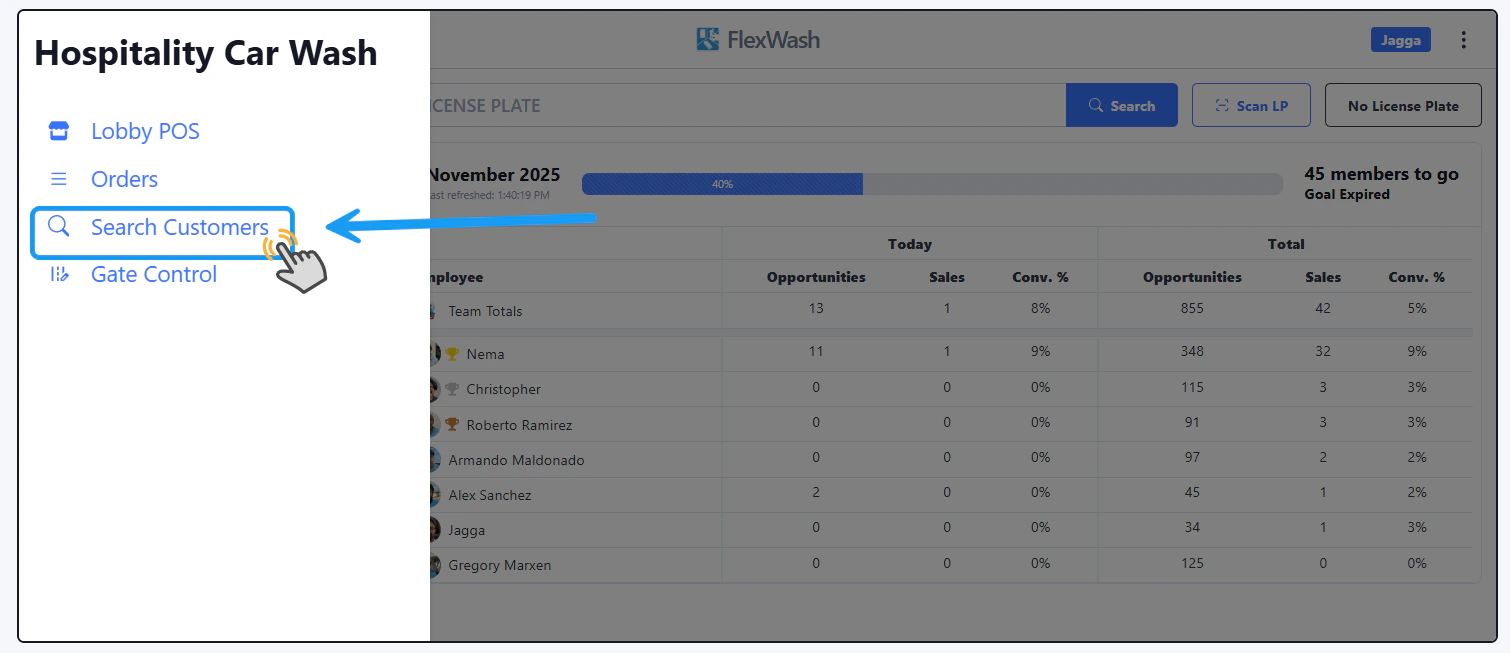
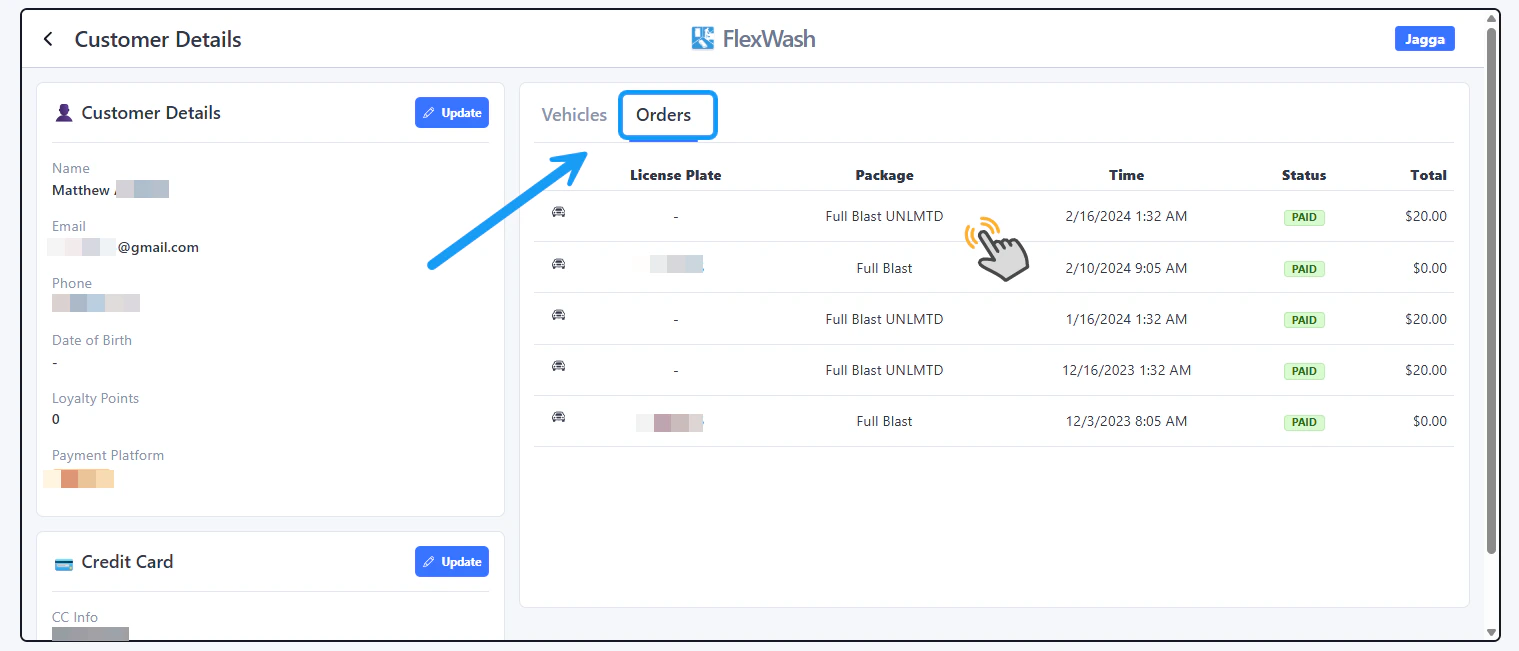
Printrcot555 Pn Select the “Search Customers” option. And, on the next window, enter the customer’s name, email, phone number, License Plate or last 4 digits of the Credit Card. Prtinctrecpt666 Pn After you have found and opened the account, go to the Orders tab, select the Order you want to print a receipt for and on the next window you will see the Print Receipt option.

PAX Handhelds

Open account

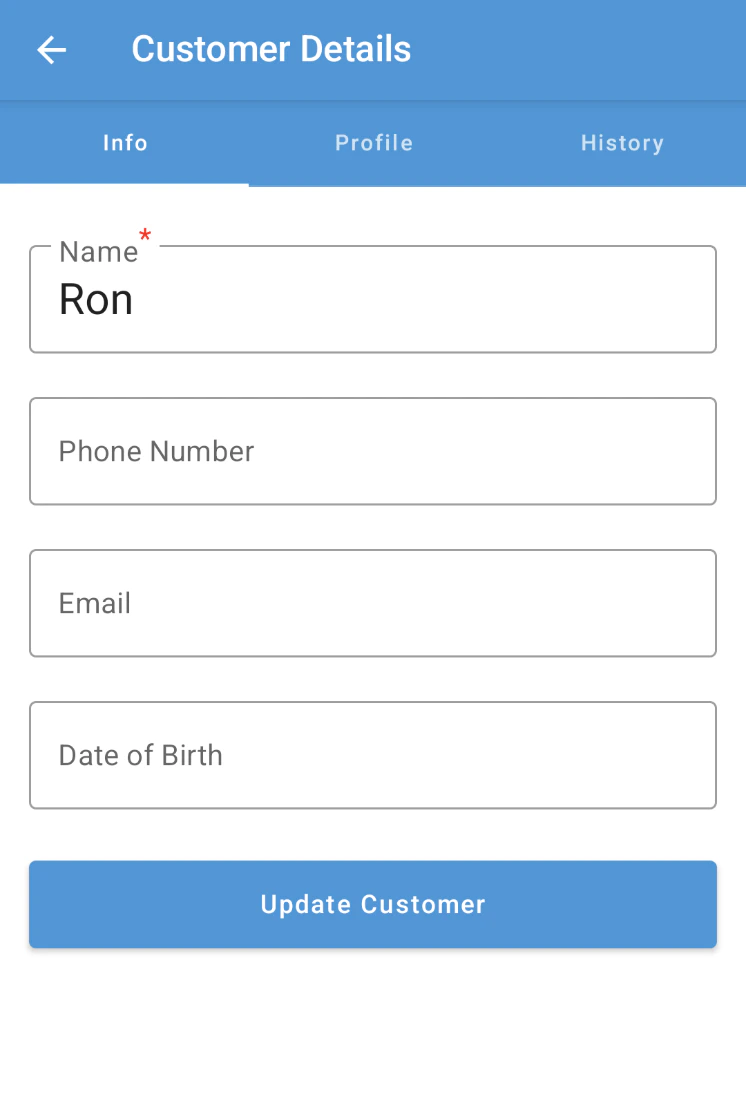
Handheldsearchcust Pn Search for the customer’s account on the handheld device.

History

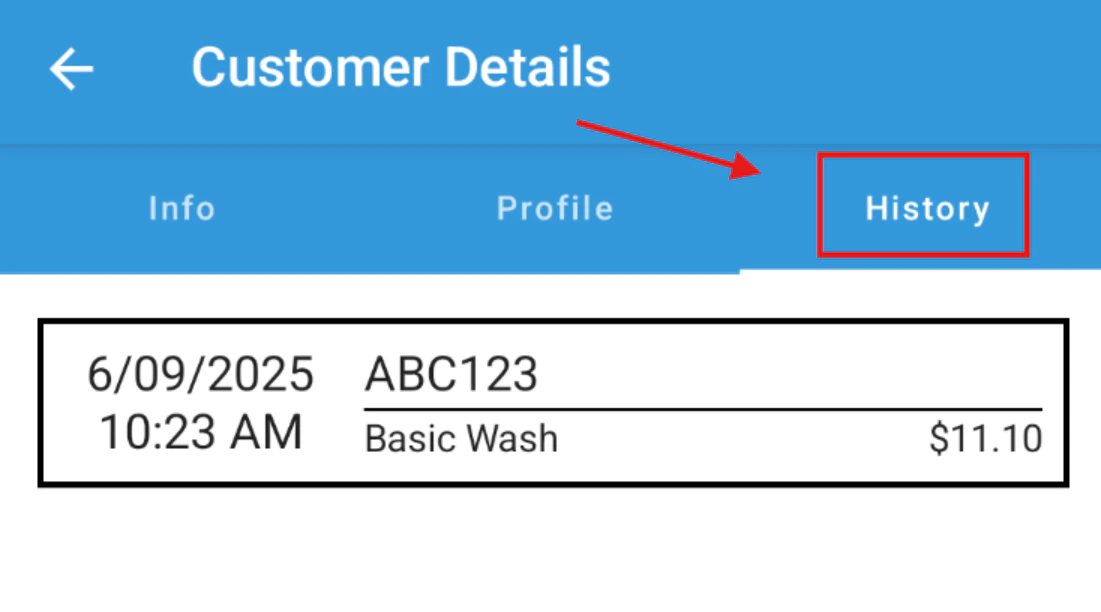
Screenshot2025 06 14142938 Pn Once you open the account, tap on the “History” tab and the list of orders will appear. Select the order that you want to print a receipt for. Screenshot2025 06 14143136 Pn Tap on the “Print Receipt” option.