
Documentation Index
Fetch the complete documentation index at: https://docs.flexwash.com/llms.txt
Use this file to discover all available pages before exploring further.
Flexwash WiFi
Link
Copy and paste the following link on any browser:QR code
You can also scan the QR code below to access the site:
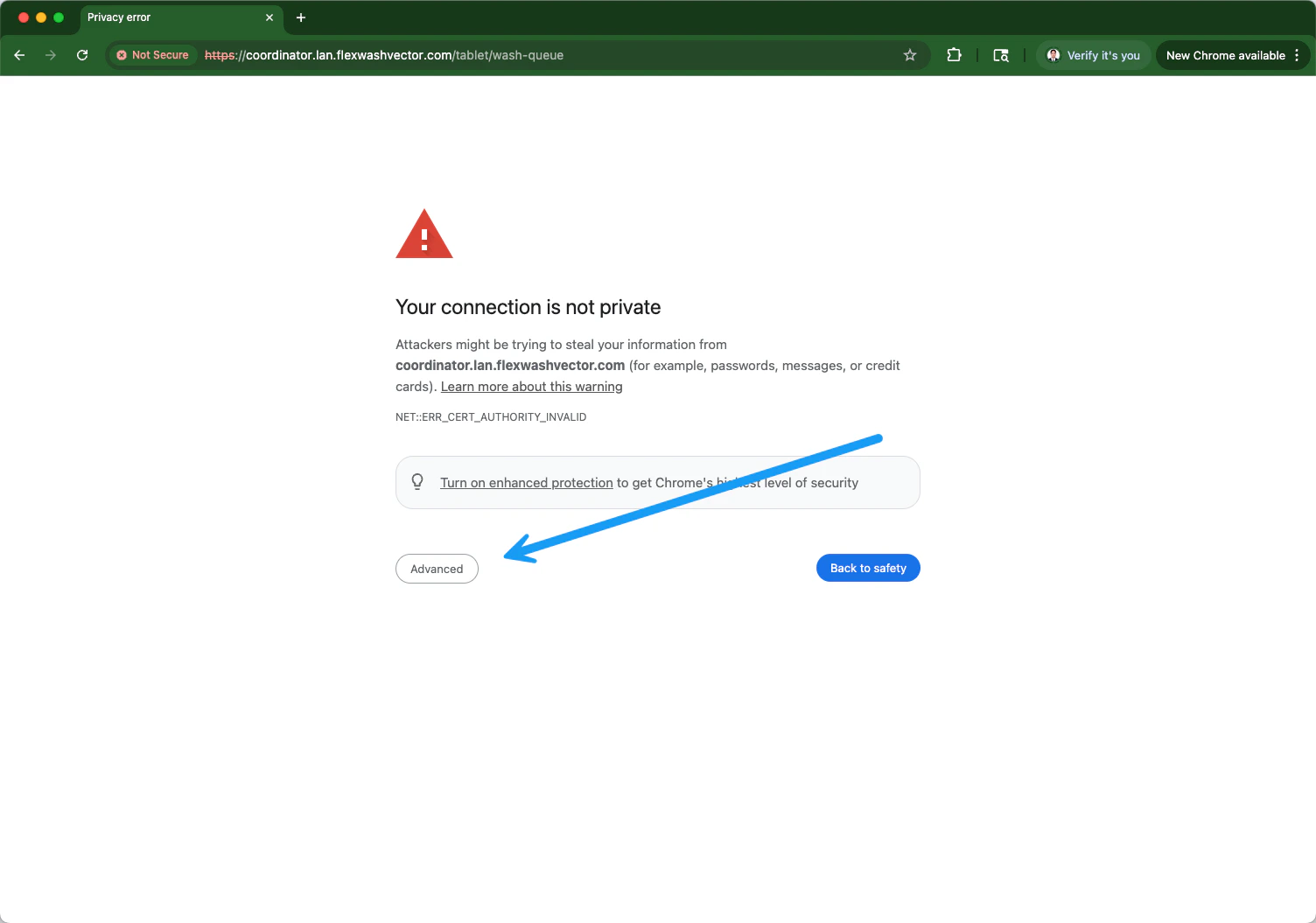
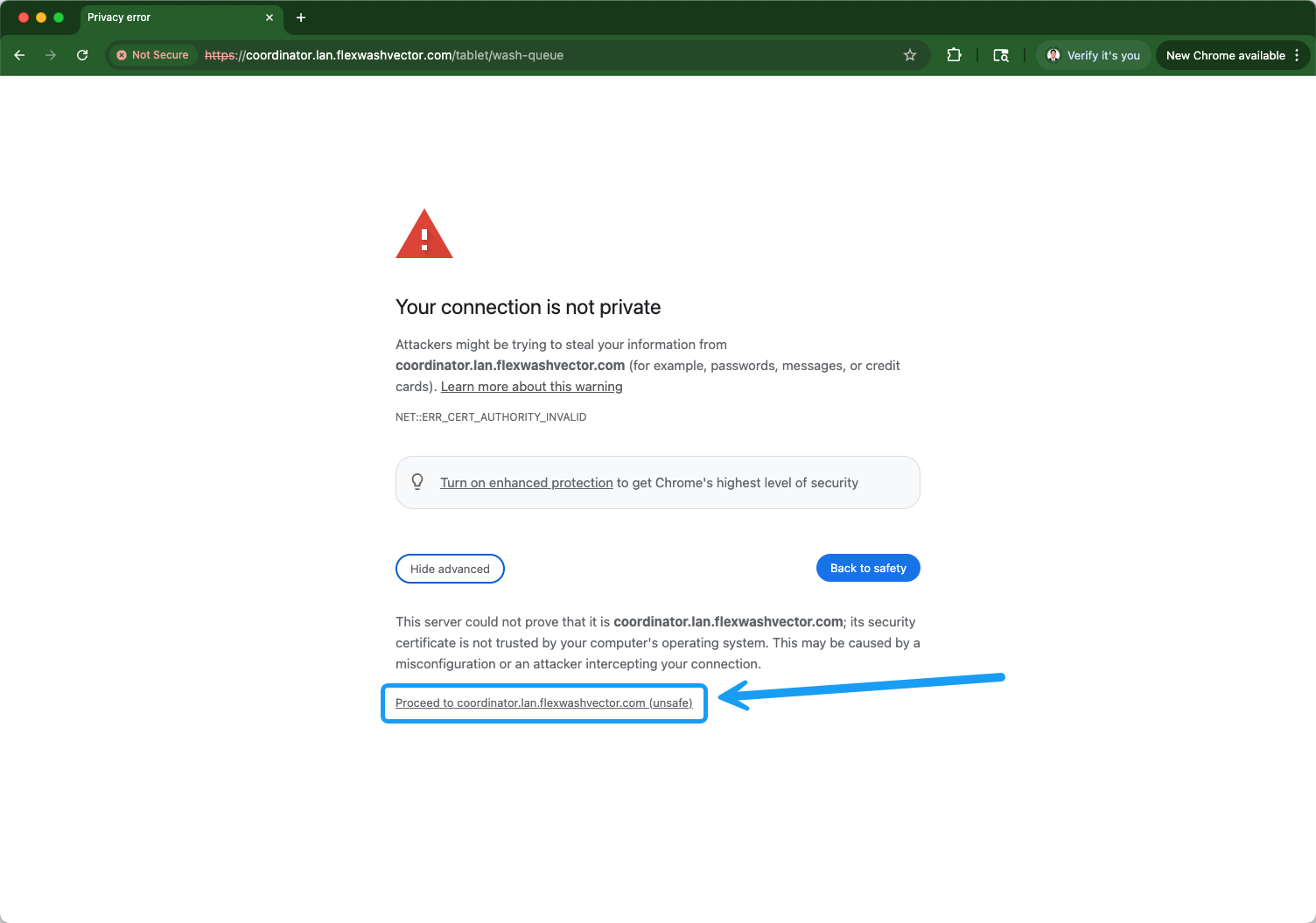
If your site has Auto-Queue enabled, the wash queue tablet automatically
switches to a hands-free layout for unattended lanes. See
Auto-Queue.
Wash Queue
The wash queue will now appear as shown on the screenshot below: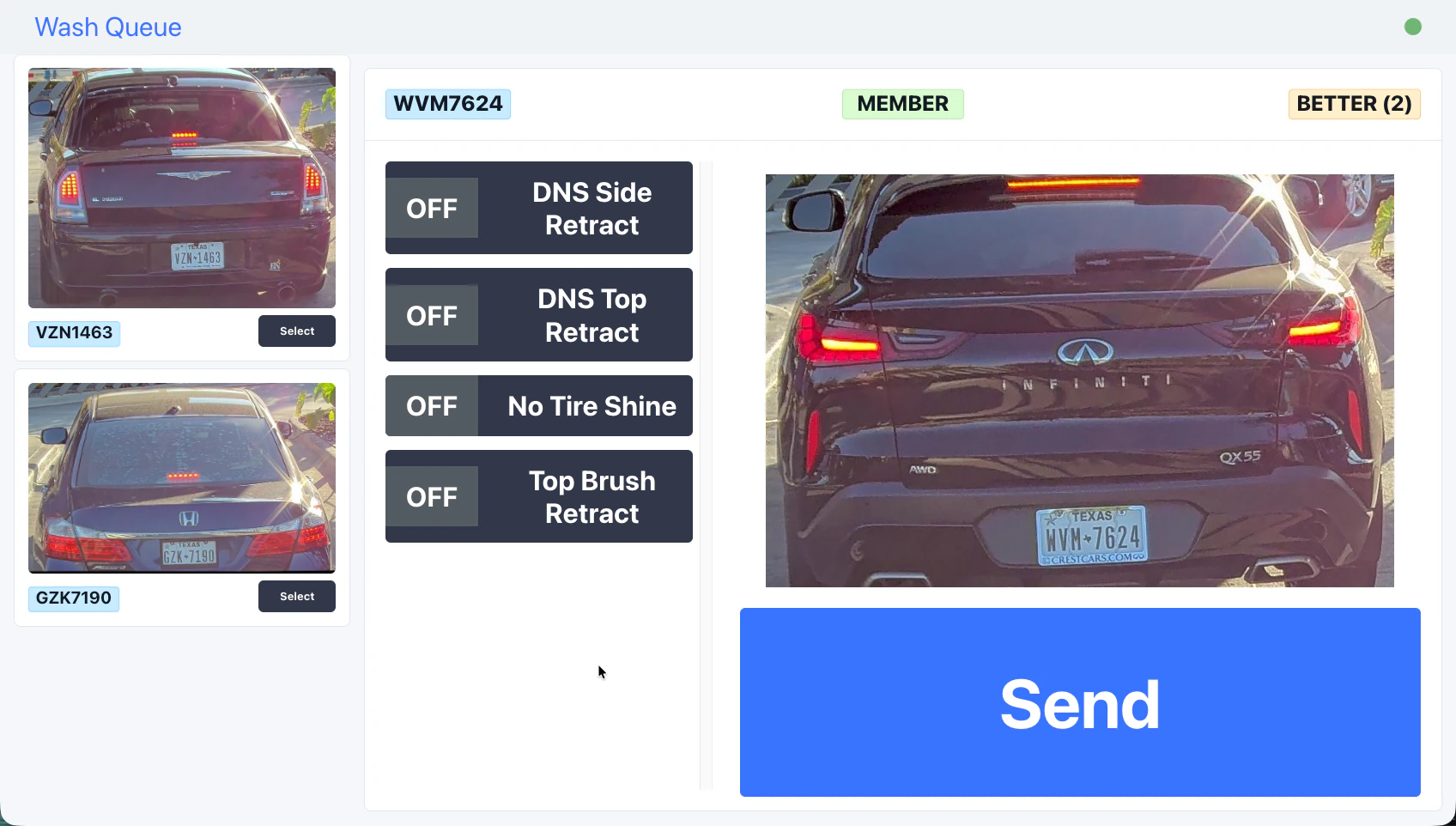
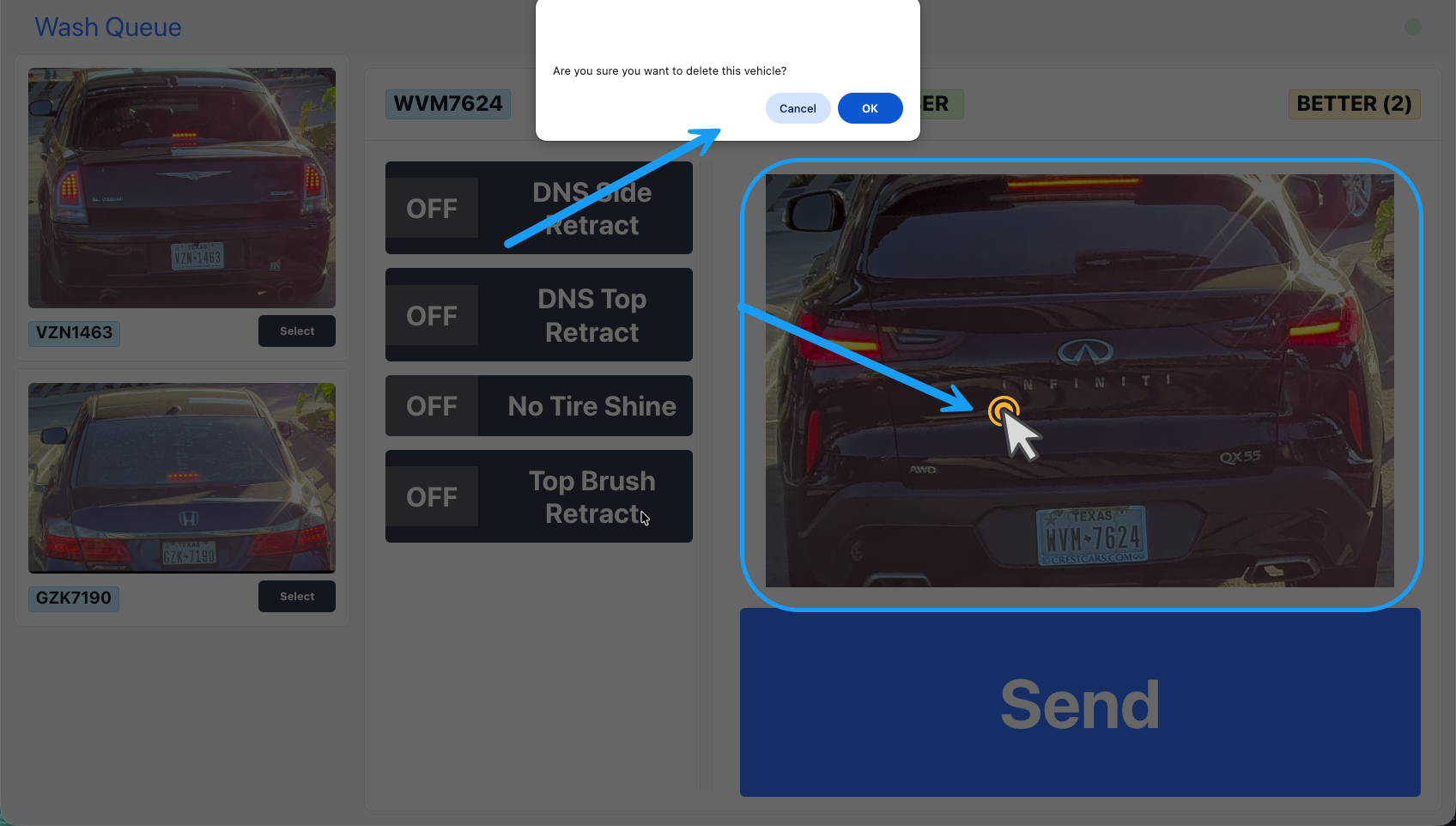
Delete Vehicle from Wash Queue
Tunnel Tablet Hardware
This is sometimes referred to as the “Loader Screen.” We recommend using an iPad with a waterproof case. However, any touchscreen device will work as long as it can connect to your network (via ethernet or WiFi) and open the link described above. You will need to run an ethernet cable or have WiFi coverage in the tunnel. Depending on the structure of your building, it may be necessary to mount an access point inside the tunnel in a waterproof, non-metal enclosure. You can have multiple tunnel tablets at a single car wash. Mounting options- VESA mount - Fixed installation on a wall or podium.
- Shoulder strap - Your loader carries the tablet on their person.