
Set up the QR code
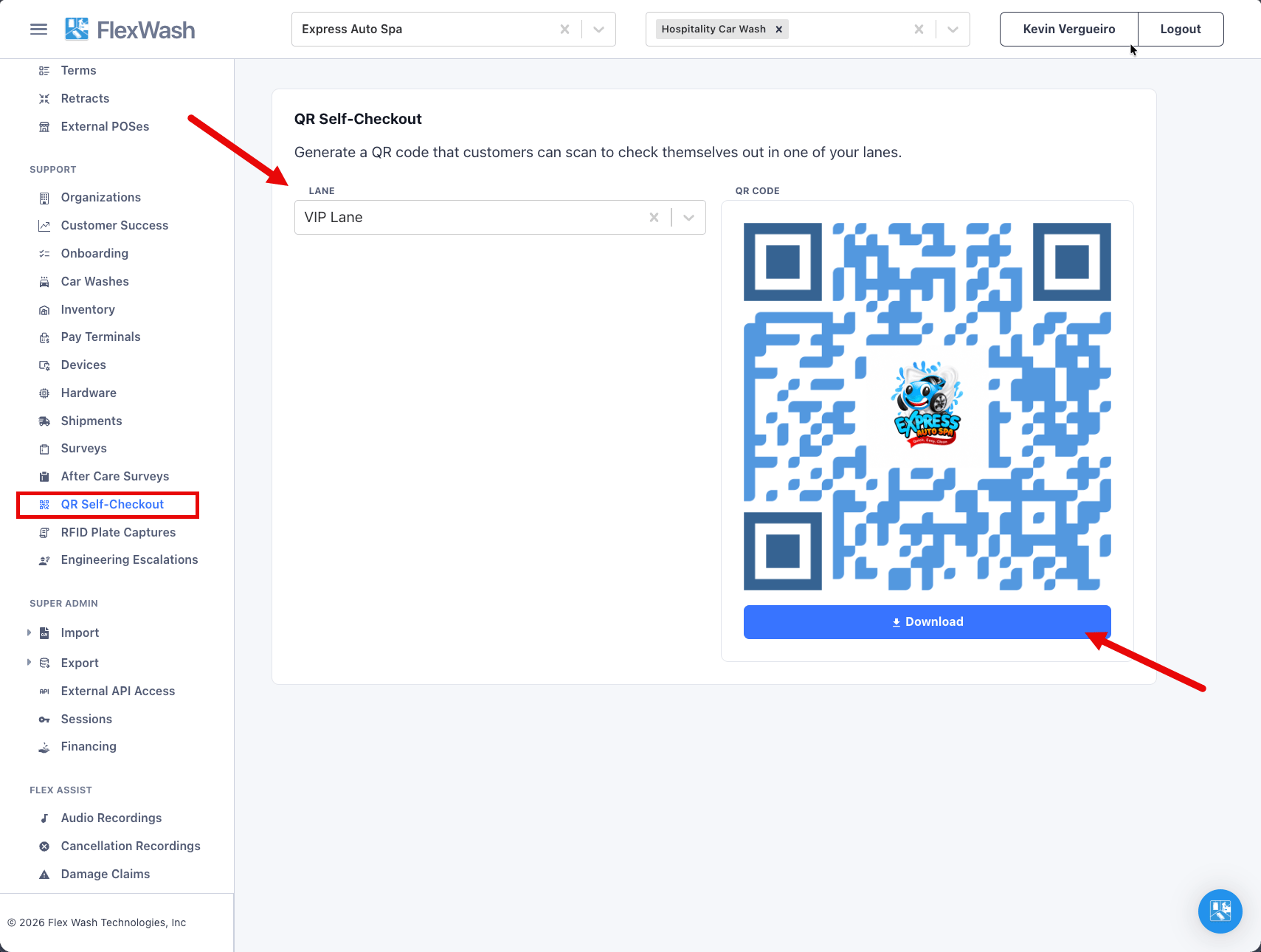
- Select a single car wash in the top bar. The page needs exactly one car wash selected.
- Go to Admin, then QR Self-Checkout.
- Pick the lane from the Lane dropdown. The QR code appears immediately, in FlexWash blue with your organization’s logo in the middle.
- Download the code as a PNG to send to your sign printer, or click the code to open the customer page and try it yourself.
Choose what appears on the menu
The self-checkout page only lists packages you have flagged for it. This applies to single washes and to memberships. A package template that is not flagged never appears, even if it is active everywhere else.1
Open the package template
Go to Wash Menu, then Packages, and open the package template.
2
Enable Self-Checkout
Open the Access Control tab and check Self-Checkout Enabled. Then
click Save.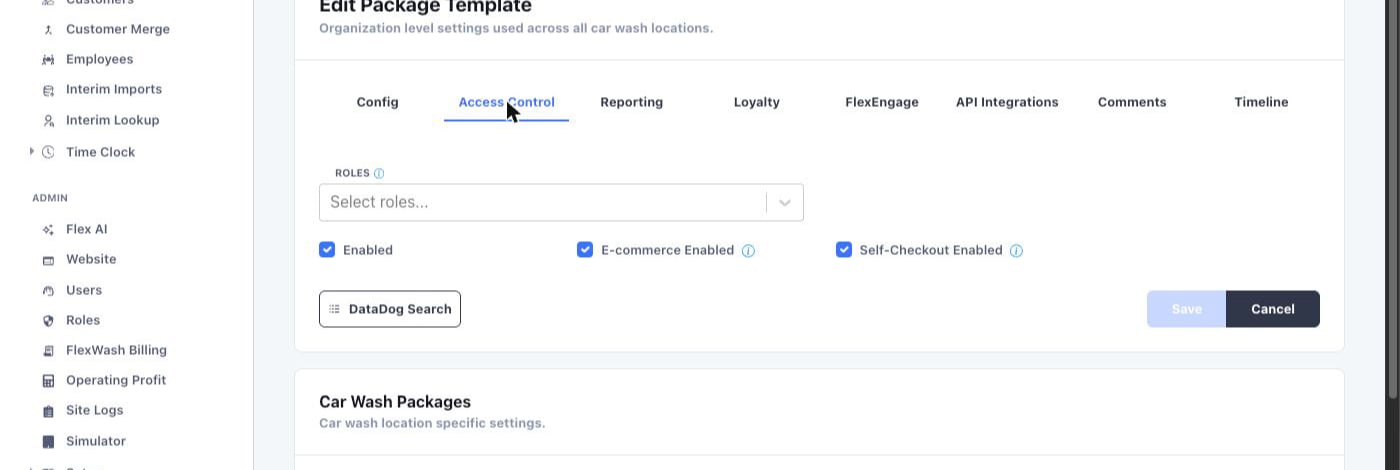
3
Repeat for each package
Flag every single wash and every membership package you want to sell at
the lane. Membership packages appear under their own Monthly
Memberships heading on the customer page.
The package must also have Enabled checked on the same tab. Disabled
packages stay hidden from self-checkout regardless of the Self-Checkout
Enabled flag. Packages appear in the same order as your package list.
What the customer sees
The page opens with your logo and the site address, and a lane dropdown set to the lane they scanned. The page then shows the live checkout queue for that lane and refreshes every few seconds. The customer taps their vehicle. The vehicle has to be in the queue already, so the site needs to be operational.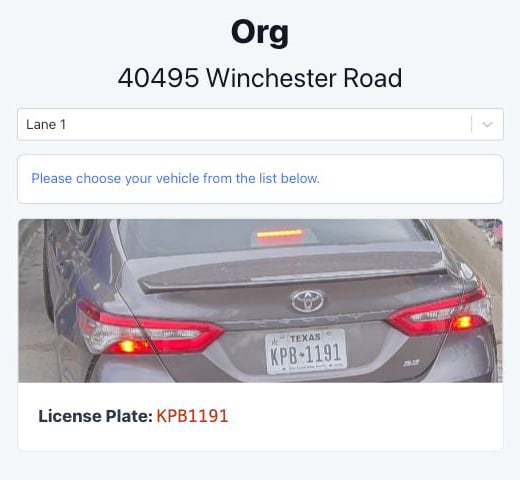
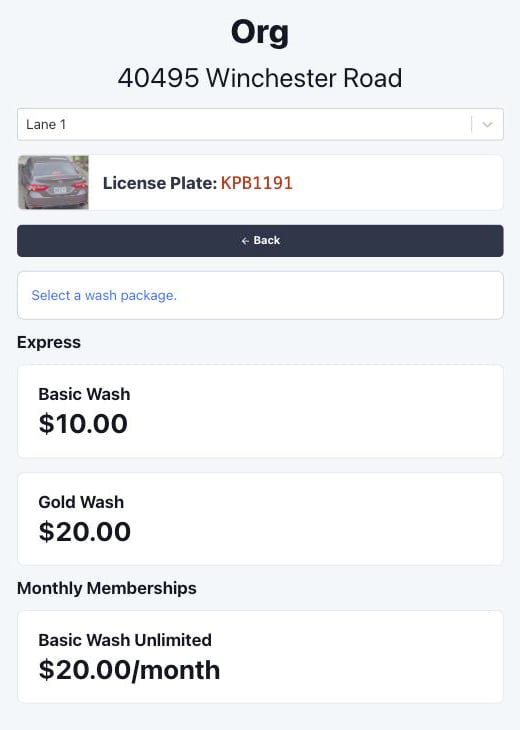
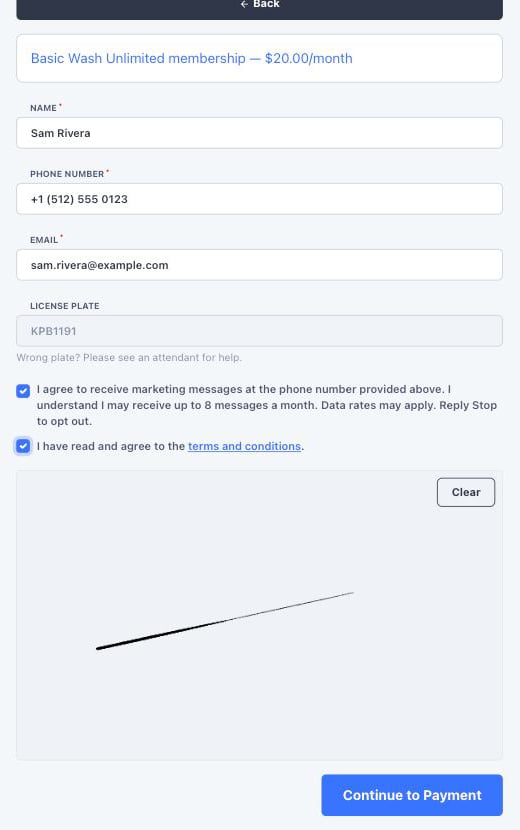
- Single wash
- Membership signup
1
Pick a wash
The customer taps a wash package. Only packages flagged for
self-checkout appear.
2
Pay
The page shows an Order Summary with the wash and any taxes, then
the payment form. The customer pays by card, Apple Pay, or Google Pay.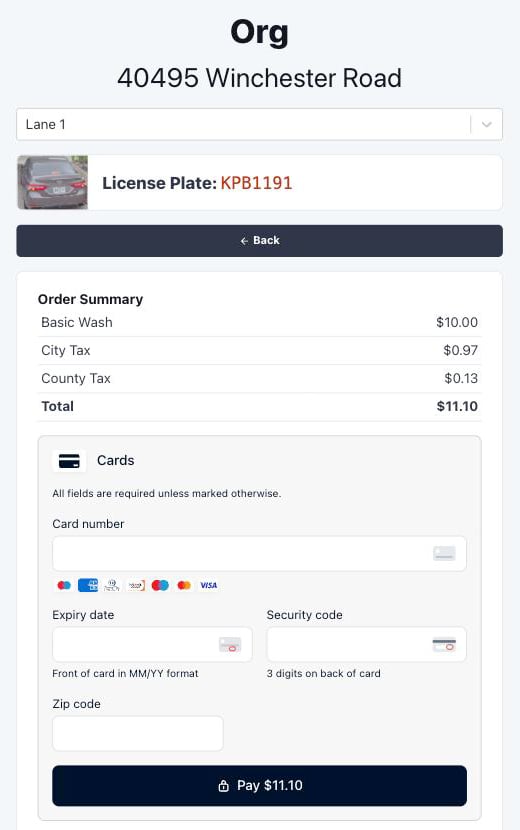
3
Done
The page shows Payment Success with a View Receipt button
that opens the web receipt. Under it, a status card tracks the wash:
Queuing Your Wash while FlexWash contacts the on-site system,
then Wash Queued once the vehicle is in the wash queue and the
gate, if there is one, lets the customer through.
Self-checkout does not collect an email address for a single wash, so
the receipt is available from the View Receipt button only. No
receipt email is sent.
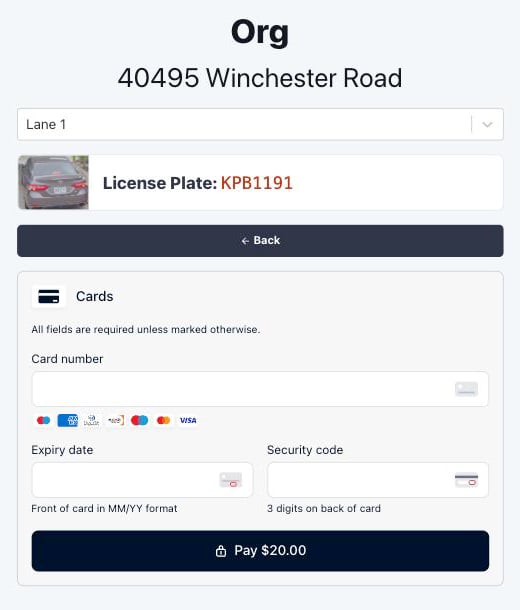
Recover a failed membership payment
When a member’s card stops working, the lane is the best place to fix it. The member is already there, and they want to wash. If the chosen vehicle’s membership is in Payment Failed or Invalid Card status, the page shows Payment Method Failed instead of the menu. The card names the membership package and the card on file, and offers three choices.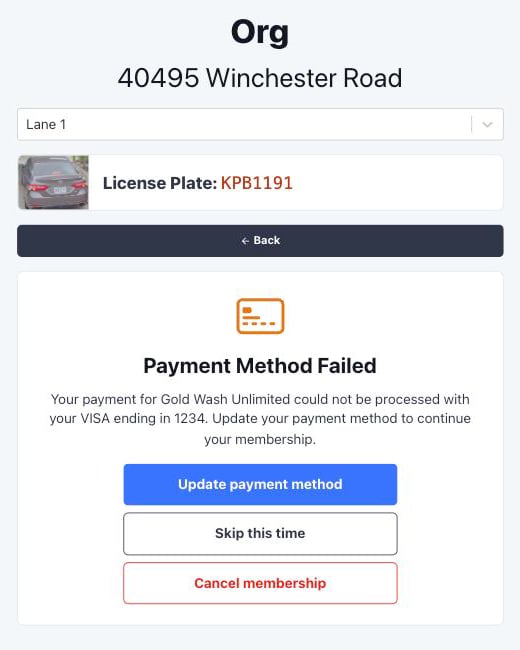
Update payment method
Update payment method
The customer enters a new card and taps Save details. FlexWash saves
the card to the member’s profile and immediately retries the failed
charge.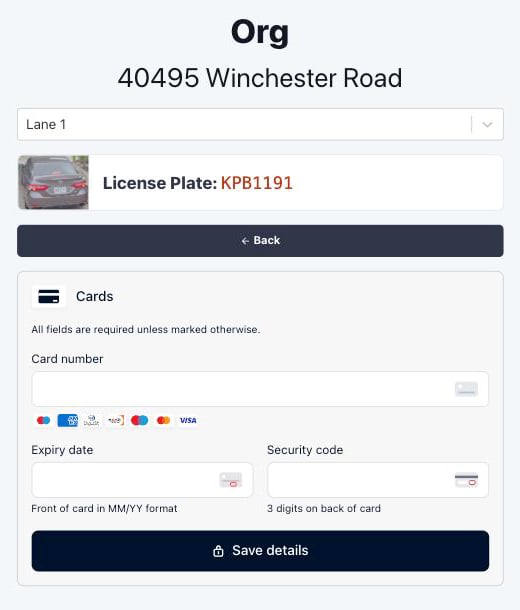
- Charge approved. The page shows Membership Reactivated with a View Receipt button for the recharge. The membership returns to active. If the package has an Unattended Default benefit, FlexWash queues that wash and the gate opens. Without one, an attendant has to send the wash.
- Charge declined. The page tells the customer their card was declined and to try a different card or contact their card issuer. The new card stays on file, so the next scheduled billing run uses it. The membership status does not change, the decline does not count as a billing attempt, and FlexWash does not send a payment failed message. The Back button returns to the prompt so the customer can try another card or skip.
Skip this time
Skip this time
The customer keeps their membership as is and buys a single wash instead.
The menu shows single washes only, since the vehicle already has a
membership.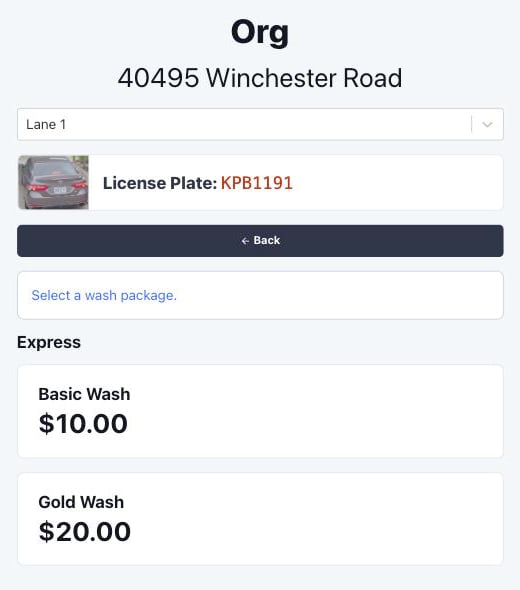
Cancel membership
Cancel membership
The page asks the customer to confirm and reminds them that updating
their payment method takes only a minute. Keep membership returns to
the prompt.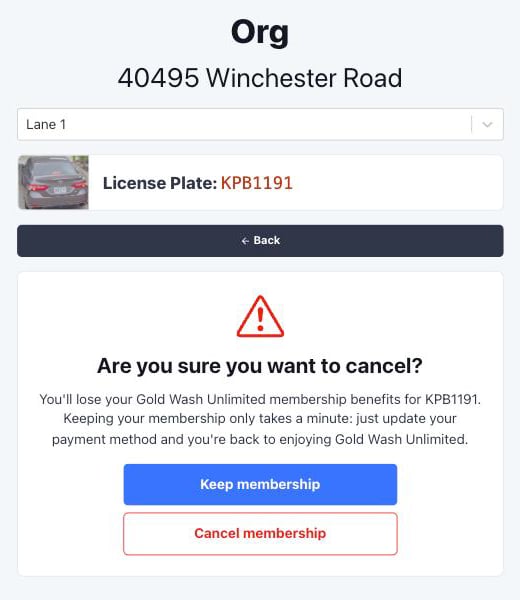
Payment Failed means a recharge was declined and FlexWash is still
retrying it. The membership is still treated as active. Invalid Card
means FlexWash has exhausted its retries and the membership has lapsed.
Both statuses get the same prompt at the lane.
Troubleshooting
- The vehicle is not in the list. The list is the lane’s live checkout queue, fed by the on-site system. Check that the site is online and that the camera read the plate. The customer can switch lanes in the dropdown if they scanned the wrong code.
- A package is missing from the menu. Open the package template and confirm that both Enabled and Self-Checkout Enabled are checked on the Access Control tab.
- A new member paid but the gate did not open. The membership package has no Unattended Default benefit, or the on-site system could not be reached. The page shows Wash Queue Error in the second case. The membership is active either way; an attendant can send the wash.