
Overview
Use Customer Merge to combine duplicate customer profiles into a single account. This ensures accurate reporting, avoids fragmented histories, and keeps your CRM clean.Permissions
To access this feature, your user must have the Merge Customers permission enabled.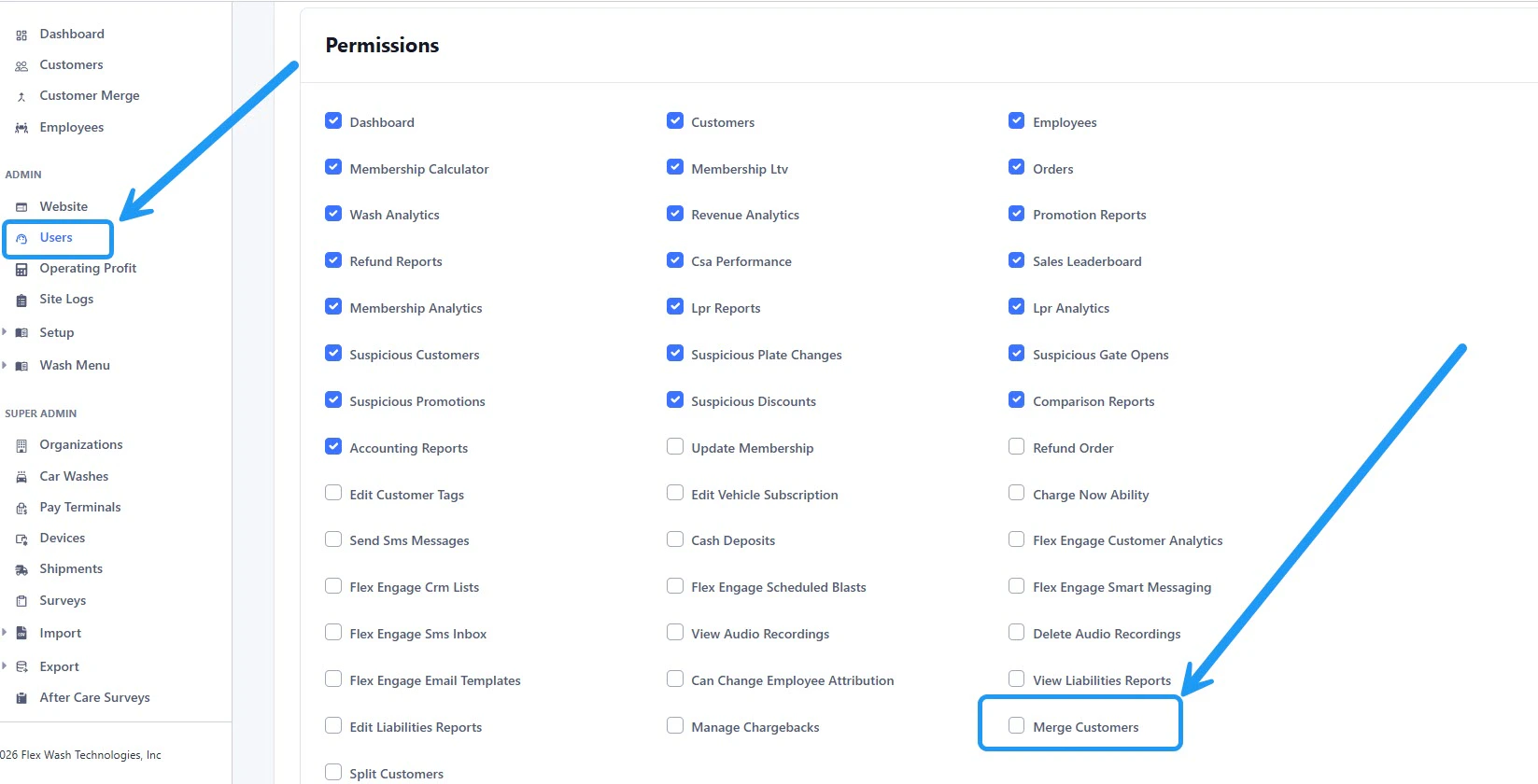
Access
Navigate to Customer Merge from the left sidebar menu.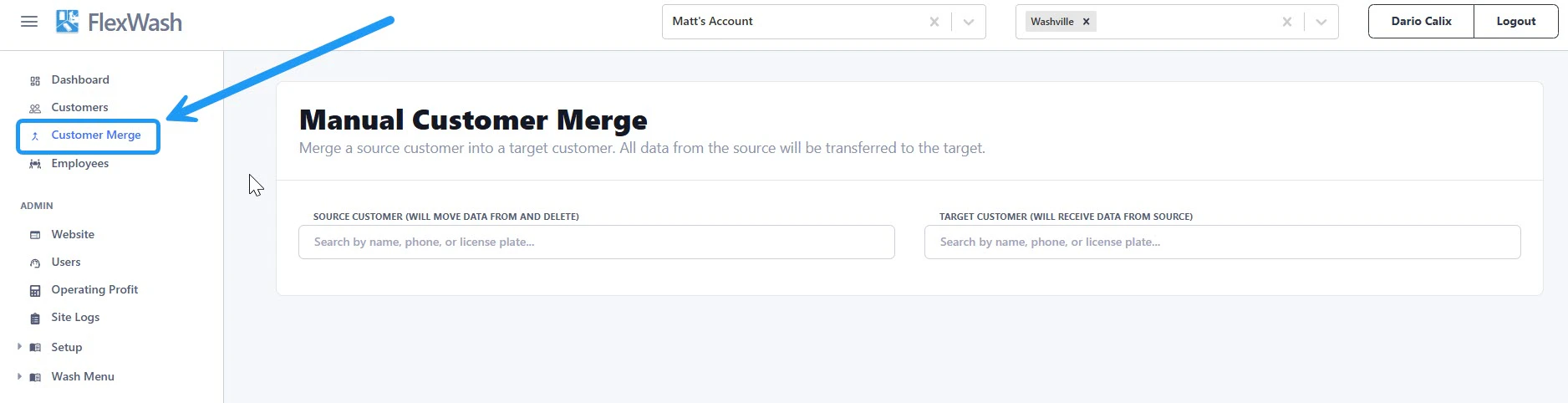
Merge Customers
1. Select Source and Target
- Source Customer
The account that will be merged and removed. - Target Customer
The account that is kept. Its membership and billing date are preserved.
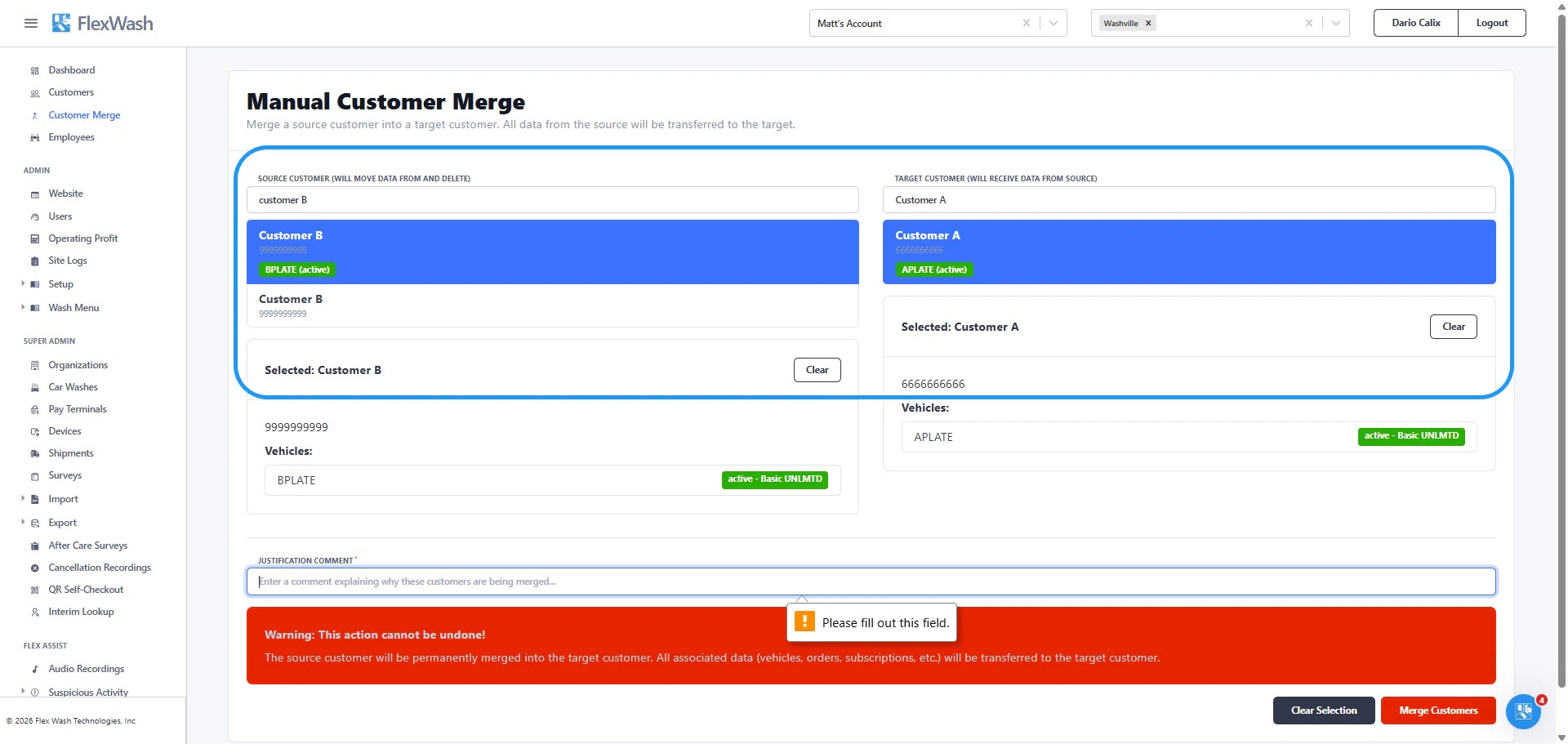
Choose the target deliberately. The target’s membership survives and the
source’s is deleted, so the direction of the merge decides which billing date
the customer keeps. See Billing after a merge.
2. Add Justification
Enter a brief explanation for the merge. This creates an audit trail for your team.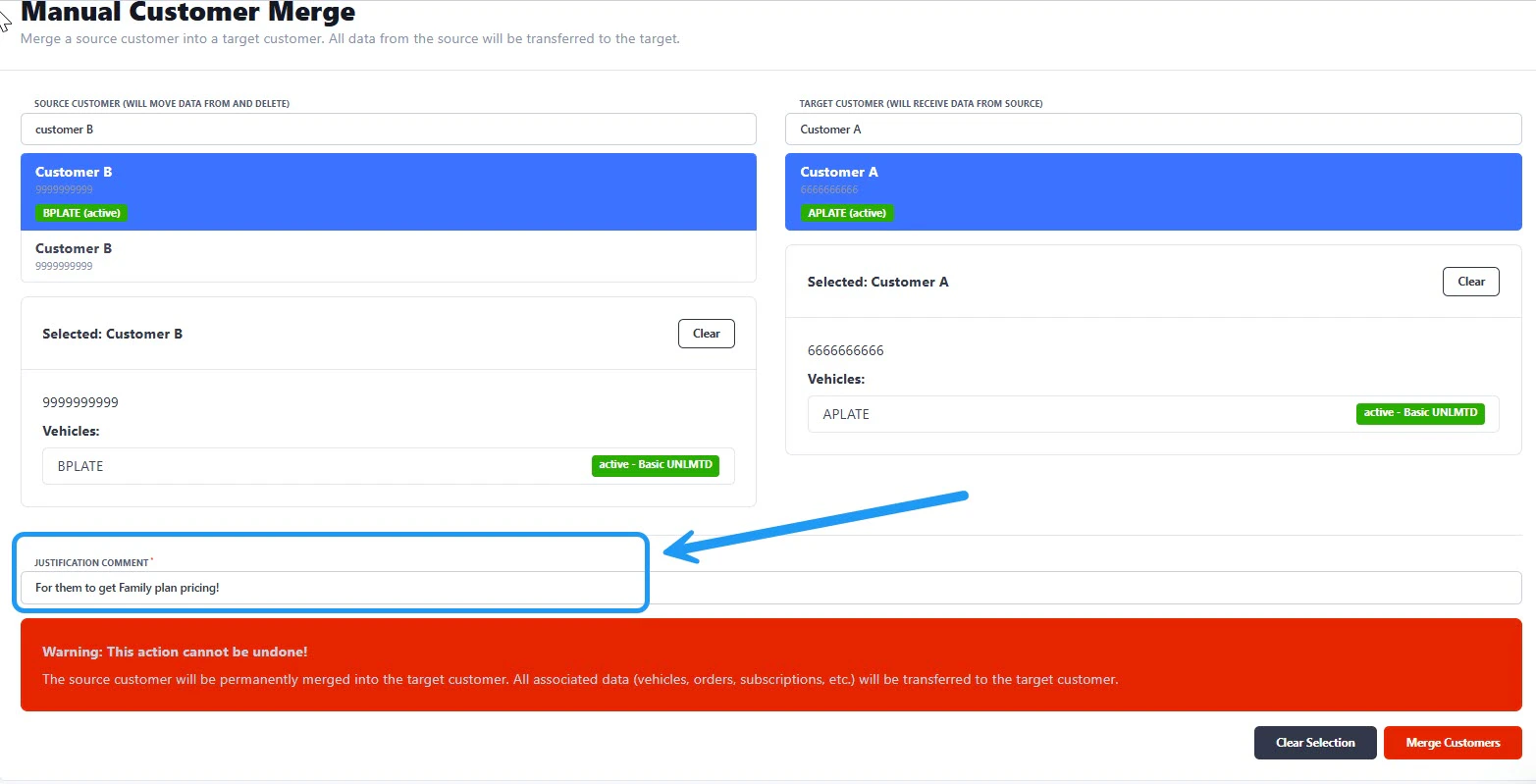
3. Confirm Merge
Once completed:- A confirmation message will appear
- Click View Merged Customer to review the updated account

Billing after a merge
The target customer’s membership is the one that survives. The source customer’s membership is deleted, and its vehicle subscriptions move onto the target customer’s membership.- Transferred subscriptions bill on the target customer’s billing date. The source customer’s billing date is not carried over.
- The first cycle after a merge can be shorter or longer than usual. Transferred subscriptions keep their existing paid-through date, which may not line up with the target’s billing date.
- If the target customer has no membership, the merge creates one with a billing date of the 1st of the month. The source customer’s billing date is replaced rather than preserved.
Account state that does not carry over
Some membership state belongs to the source customer’s membership and is lost when it is deleted:- Collections progress. A source customer who was behind on payment comes out of the merge with a clean slate.
- House account status. A source house account becomes a normally billed account.
- Any discount queued for the source customer’s next bill.
Important Notes
- Vehicles, orders, and vehicle subscriptions from the source customer move to the target customer.
- The source customer is permanently deleted after the merge.
- This action cannot be undone.