One account, one card
Every subscription on the plan bills to the same card on file on one shared
date, so the customer is billed once each cycle, not once per vehicle.
Fair, prorated billing
The new vehicle joins the member’s current cycle, so the first charge
covers only the days remaining until their next billing date.
When a bulk membership discount applies, FlexWash bills the member’s most
expensive vehicle at its package’s regular price and every cheaper vehicle at
the bulk price of its own package. Vehicles on different packages each keep
their own package’s bulk price, not the cheapest package’s.
Adding a Vehicle to a Family Plan
1
Select a membership for the new vehicle
At Checkout, an unrecognized license plate shows as a New Customer.
Under Membership, select the package for the new vehicle, then tap
Sign Up.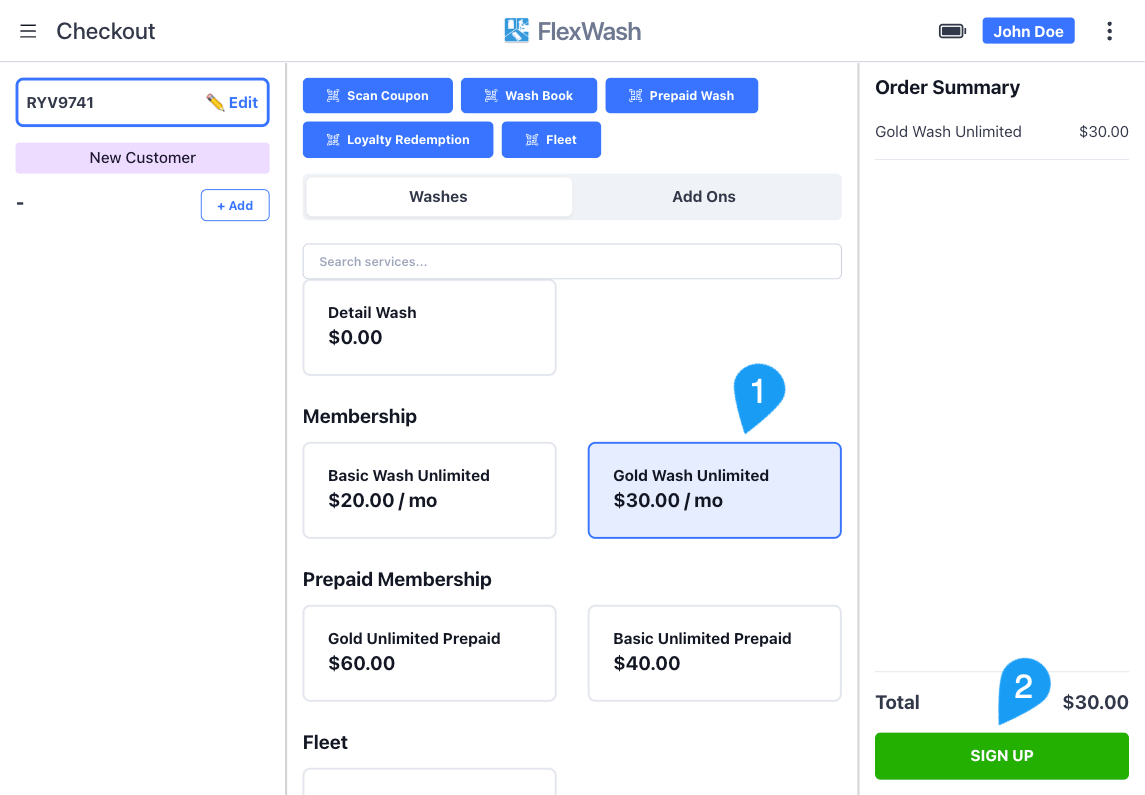
2
Enter the member's details
Enter the customer’s Name and Phone Number, and opt them into
marketing if they agree. When the package has terms configured, the member
also reviews the Terms and Conditions and signs. Tap Sign Up.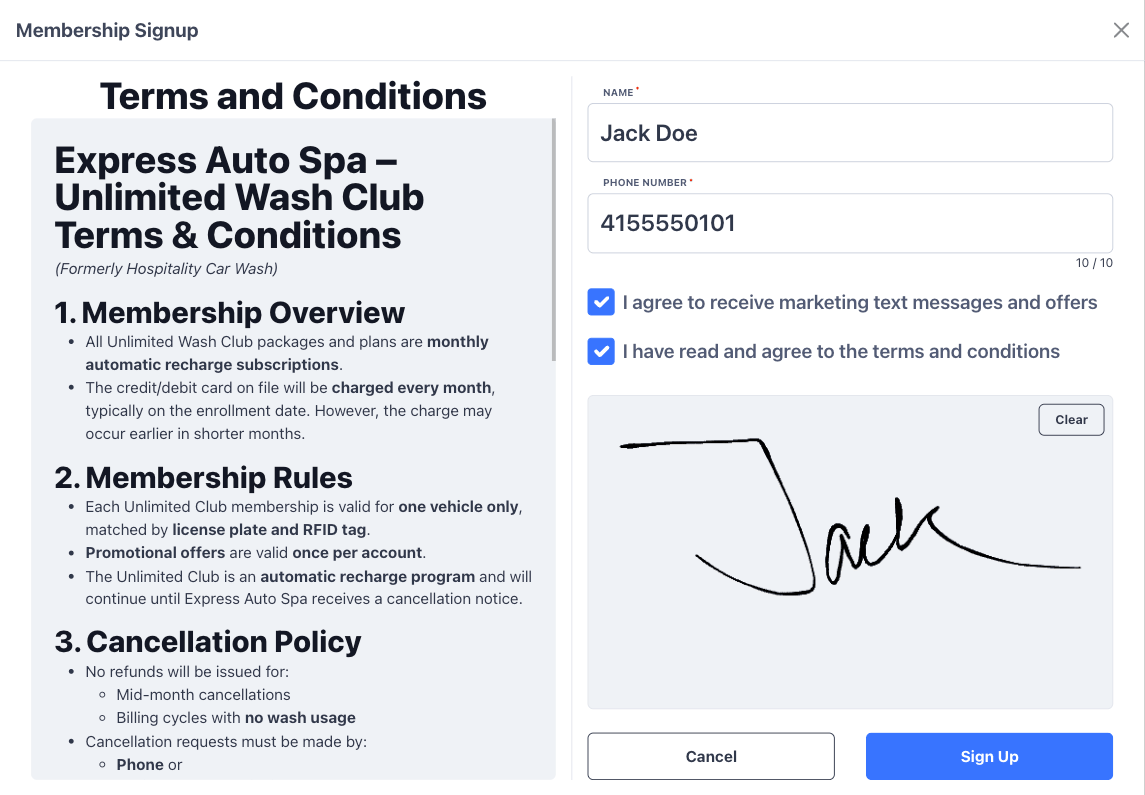
3
Select the existing member
FlexWash lists the accounts that match the phone number you entered. Each
card shows the member’s name, the card on file, and the vehicles already on
the account. Tap the member you want to add this vehicle to.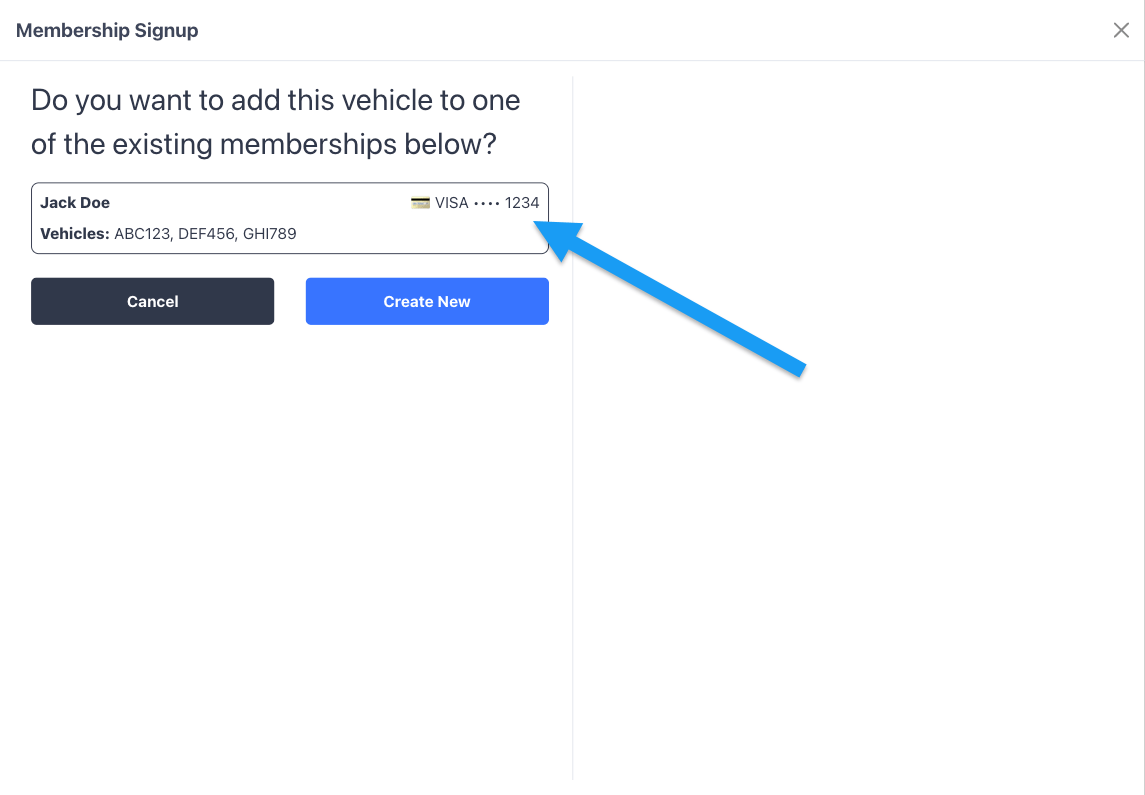
4
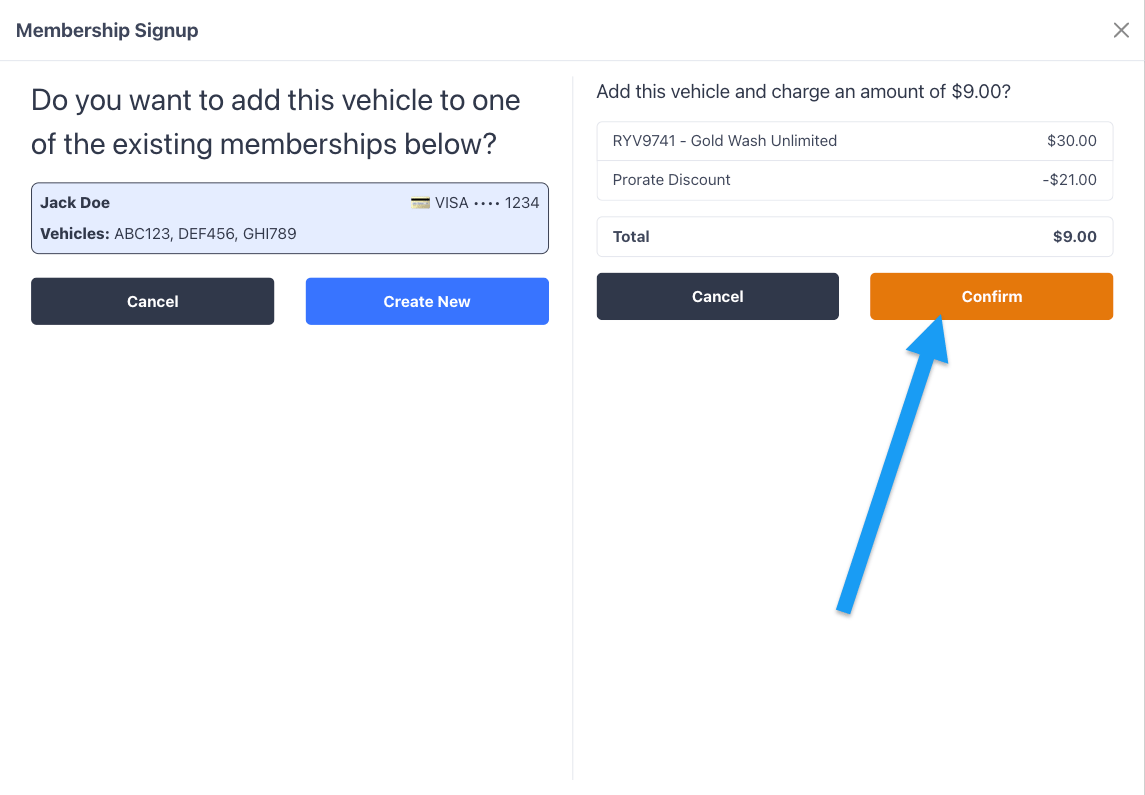
Review the prorated charge and confirm
The prorated amount appears on the right, itemized as the package price
less a Prorate Discount. Tap Confirm to charge the member’s card on
file and add the vehicle to their account. For how this amount is
calculated, see Prorated Charges.