How Proration Works
The prorated amount uses actual day counts for accuracy: Example:- Package: $30/month
- Billing date: 20th
- Vehicle added: March 5th (15 days remaining)
- Billing cycle: 28 days (Feb 20 to Mar 20)
When Proration Applies
Adding a Vehicle to an Existing Membership
A member with an active membership adds a second vehicle. They pay a prorated amount for the new vehicle covering the remaining days in the current cycle.
If the member qualifies for a bulk membership discount
with the new vehicle included, the prorated charge uses the new vehicle’s bulk
price.
Upgrading to a Higher Package
When upgrading mid-cycle, the member pays the new package prorated for the days remaining, minus a credit for the unused days of what they paid for (the current package this billing cycle). On a family plan, what they paid is the vehicle’s own price after the bulk discount it received. The days that payment covered are the whole billing cycle for a renewal, and the days from the order date to the billing date for a vehicle that was itself added mid-cycle.
Every prorated order shows its calculation in the CRM: go to Reports > Orders,
open the order, and read its Description card.
Known limitations of the upgrade credit:
- The credit comes only from the latest paid order for the vehicle in the current billing cycle.
- No paid order this cycle (imported vehicle in its first cycle, added without a charge, or refunded) means no credit.
- A downgrade or same-price change records a $0 order, so a later upgrade in the same cycle gets no credit.
Upgrade examples
These examples use a car wash that bills on the 1st, Basic Wash Unlimited at $20 and Gold Wash Unlimited at $30, and no tax. Each upgrade happens on Nov 10, with 21 of the cycle’s 30 days remaining.Upgrade after a renewal
The vehicle renewed on Basic this cycle, then upgrades to Gold.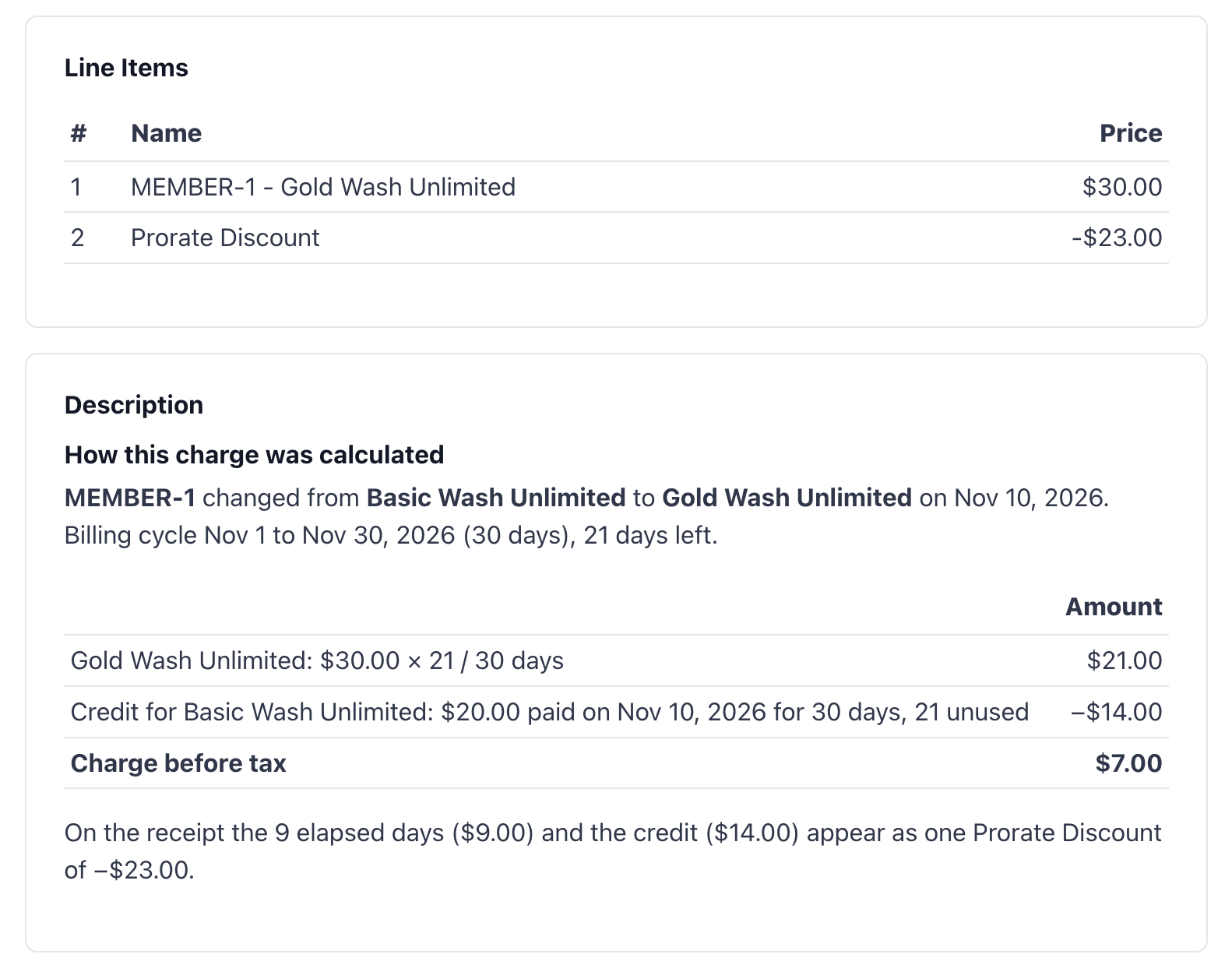
The CRM Description card shows the $14.00 credit.
Vehicle added mid-cycle, then upgraded
The member adds a vehicle on Basic, then upgrades it to Gold the same day. The Basic payment covered only the 21 remaining days, so all of it comes back as credit.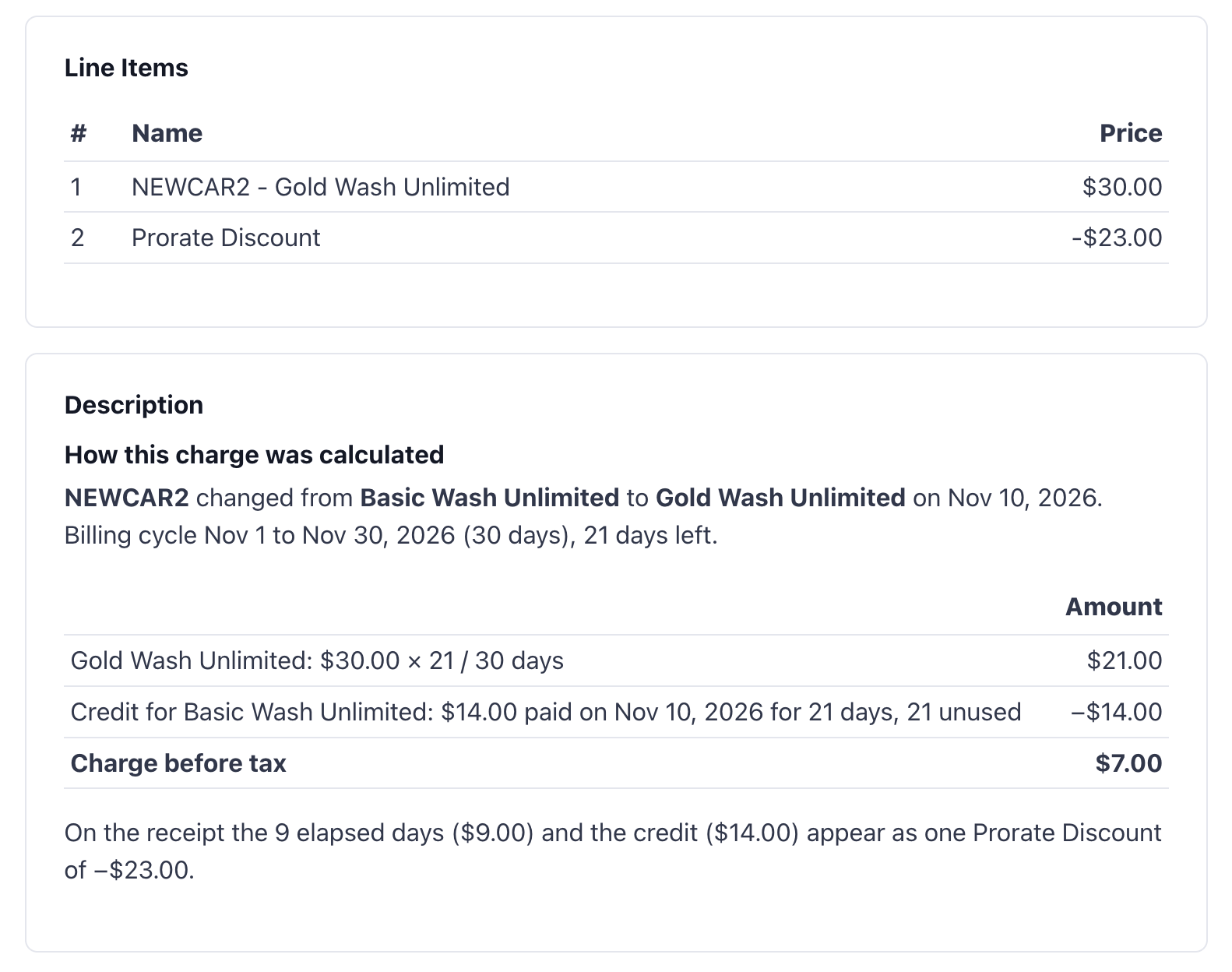
The CRM Description card credits the full $14.00 Basic payment.
No paid order this cycle
An admin adds the vehicle on Basic in the CRM with Add vehicle subscription without charging the customer, then the member upgrades it to Gold.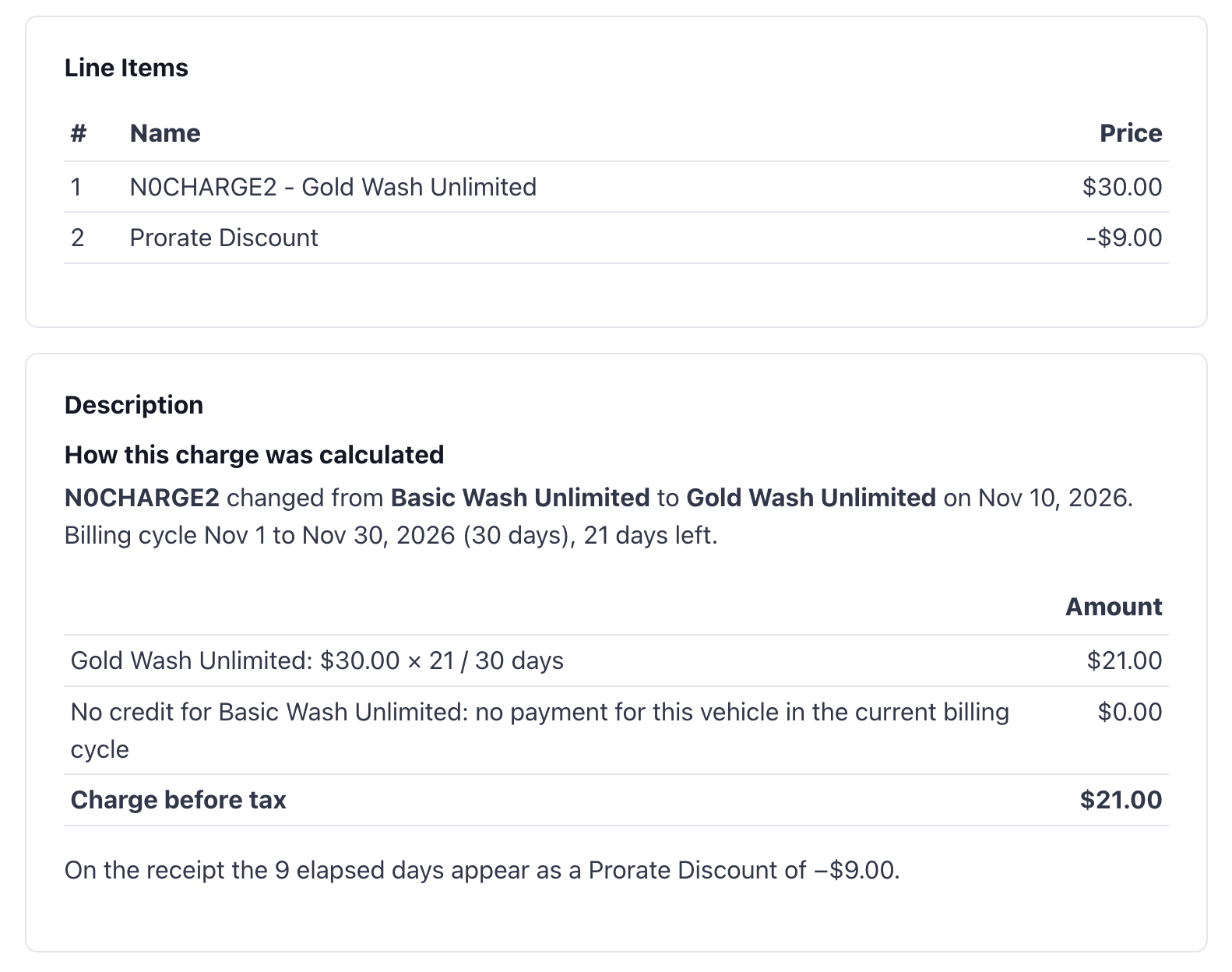
The CRM Description card shows no credit because the vehicle has no payment this cycle.
Downgrade, then upgrade
A vehicle on Gold downgrades to Basic, then upgrades back to Gold the same day. The downgrade’s $0 order is now the latest paid order, so there is no credit.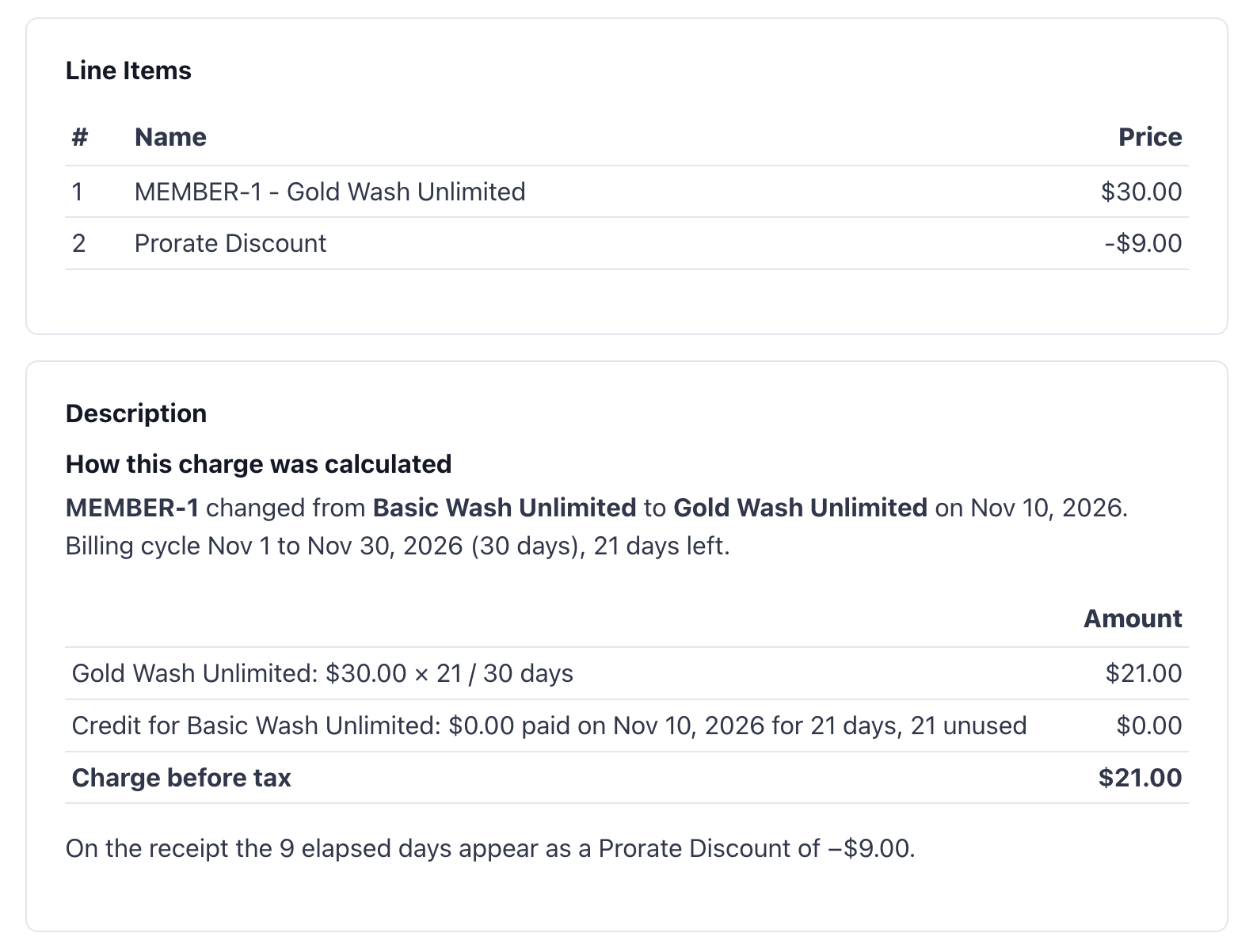
The CRM Description card credits the $0.00 the downgrade paid.
Family plan
The member has two vehicles and a bulk discount minimum of 2. The renewal bills the Gold vehicle at $25 after a $5 promotion and the Basic vehicle at its $10 bulk price, for $35. The Basic vehicle then upgrades to Gold. Its credit uses the $10 it paid, and the Gold bulk discount applies as usual.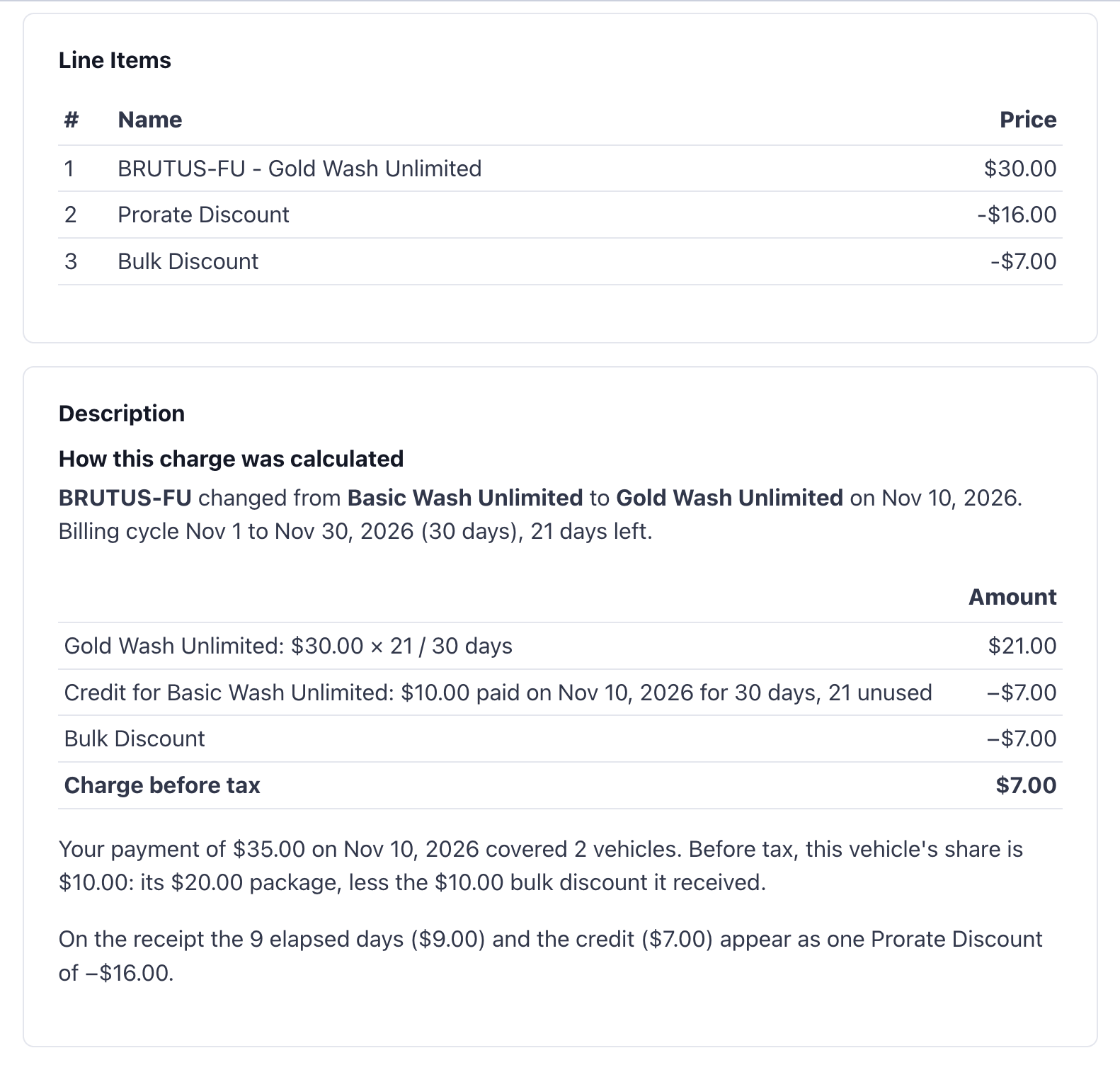
The CRM Description card shows the vehicle's $10.00 share of the $35.00 renewal.