Overview
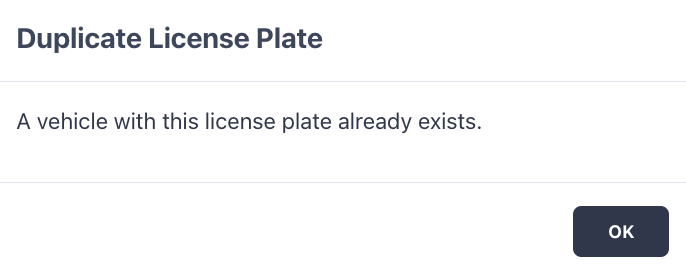
FlexWash allows each license plate to belong to one vehicle in your organization. When you add a plate that another customer already holds, FlexWash stops and shows a Duplicate License Plate error. FlexWash ignores case and spaces in plates and stores the letter O as a zero.ABC 1O3 and abc103 are the same plate.
This page explains why duplicates happen, how to fix them, and which customer data you can remove yourself.
Why Duplicates Happen
When a driver buys a wash under a plate FlexWash does not recognize, FlexWash creates a new customer for that plate. This keeps the wash history attached to the vehicle from its first visit. If that driver later signs up for a membership, joins a fleet, or comes over from another system, their plate already belongs to the customer FlexWash created for those earlier washes.Error Messages
Fix a Duplicate
Search for the plate on the Customers page to find the customer that holds it, then pick the fix that matches the situation.Merge the customers
Use this when both records belong to the same person. Customer Merge moves the vehicles, orders, and vehicle subscriptions from the source customer to the target customer, then deletes the source. Select the customer FlexWash created as the Source Customer and the member account as the Target Customer.Add the vehicle with its membership
When you add a vehicle to a customer and charge for its membership, FlexWash checks who holds the plate. If the plate belongs to another customer without an active membership, FlexWash moves the vehicle and its order history for that plate to this customer automatically. No merge is needed. This works on the customer profile and when you add a vehicle to a membership on the pay tablet. It does not apply when you check Add vehicle subscription without charging the customer, or when the customer has no card on file or is a house or fleet account. In those cases FlexWash shows A vehicle with this license plate already exists. Merge the customers instead.Add a car to an existing membership on the pay tablet
Use this when a driver wants their car on another customer’s membership, such as a family member’s account, and the car already has its own profile.- Look up the car’s plate on the pay tablet.
-
Select the membership package and tap SIGN UP.
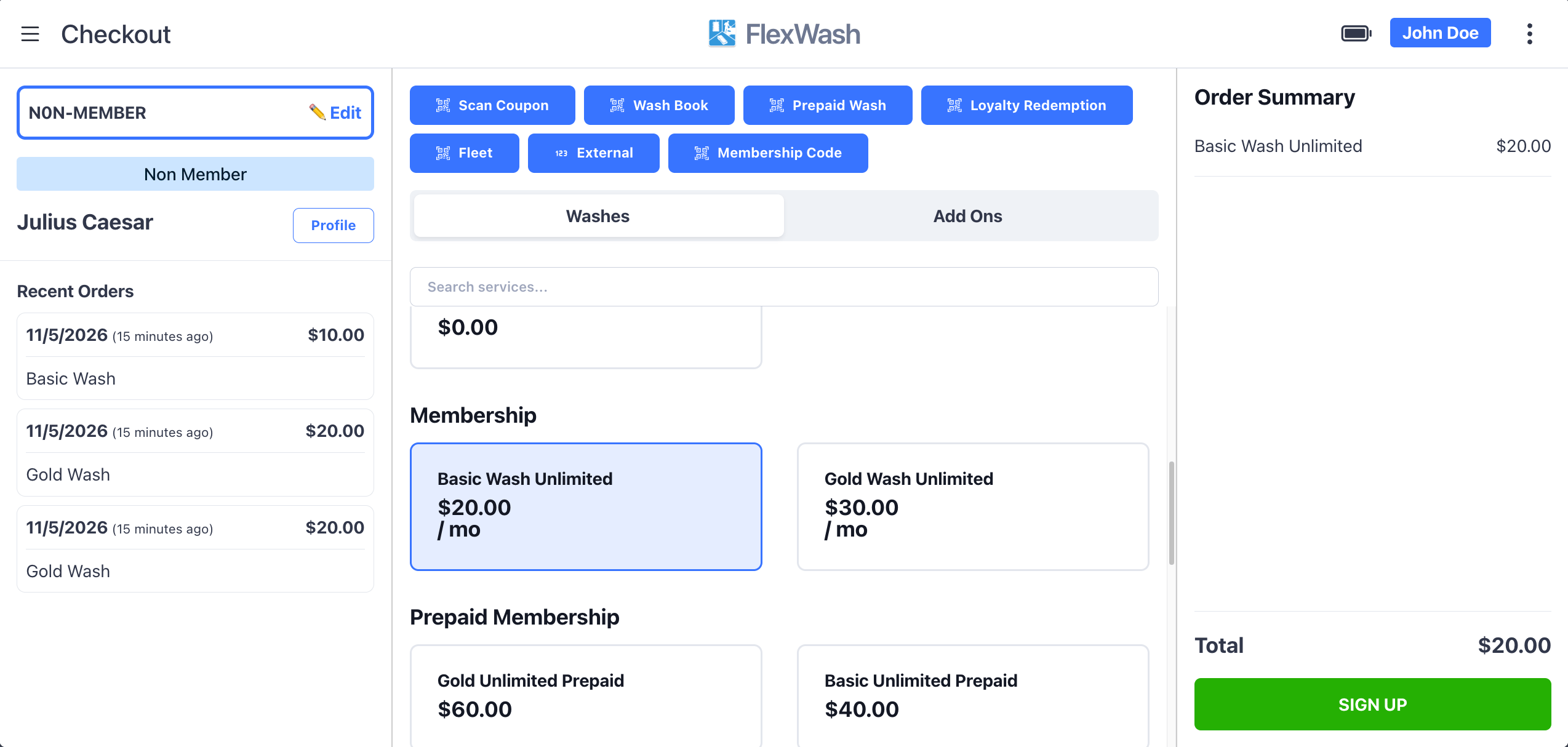
- In Membership Signup, enter the phone number on the member’s account, complete the form, and tap Sign Up.
-
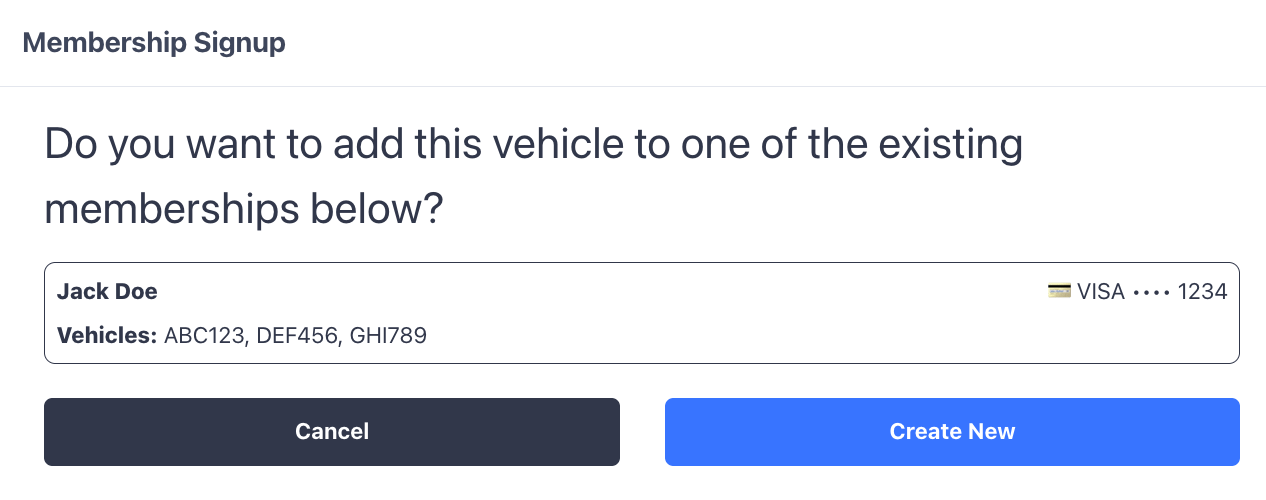
FlexWash lists the members with that phone number and a card on file, and asks whether to add the vehicle to one of their memberships. Tap the member’s account. To start a separate membership instead, tap Create New.
-
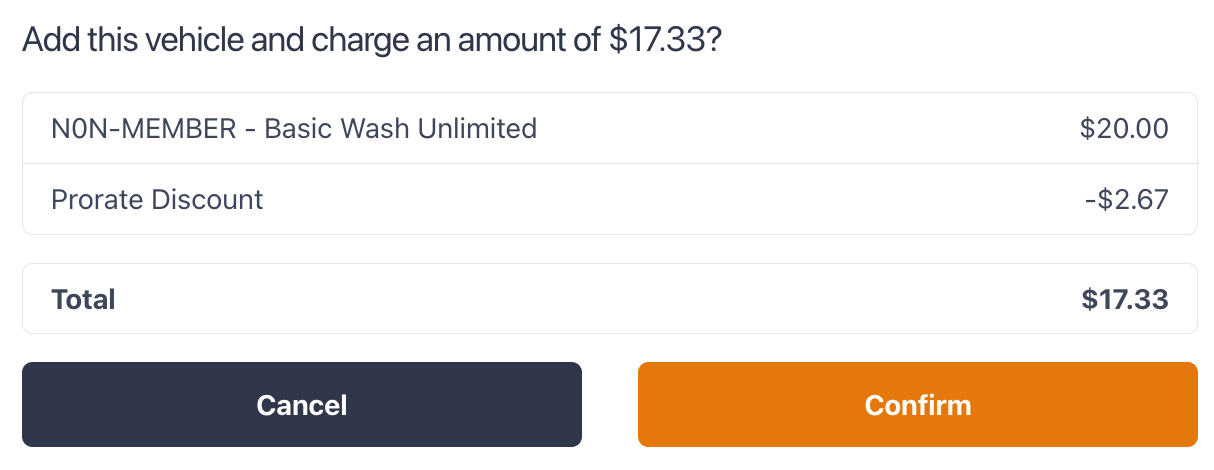
Review the charge shown next to the list and tap Confirm. FlexWash charges the card on file on the member’s account.
Change the plate on a vehicle
When you edit a vehicle and enter a plate that another vehicle holds, FlexWash keeps your edit and renames the other vehicle’s plate. The renamed plate ends in-0LD- followed by the car wash’s local date and time, for example ABC123-0LD-2026-11-04-1530. The suffix starts with a zero because FlexWash stores the letter O as a zero. Search for 0LD to find renamed plates.
The other vehicle stays on its original customer with its wash history. Merge the customers afterward if you want that history on one account.
FlexWash does not move or rename a plate that belongs to an active member. Merge the customers if they are the same person, or contact Support.
Remove Customer Data
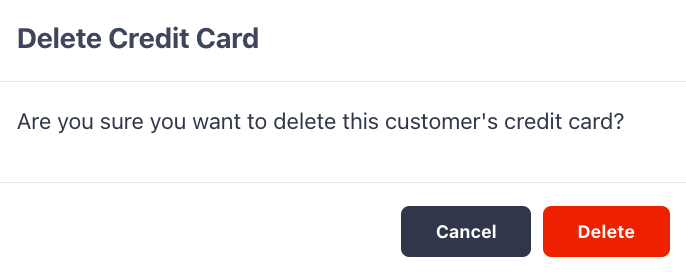
Delete a saved credit card
Users with the Delete Customer Credit Cards permission can remove a customer’s saved card.- Turn on Delete Customer Credit Cards under Customer Management in the user’s role. The permission is off by default.
- Open the customer profile.
-
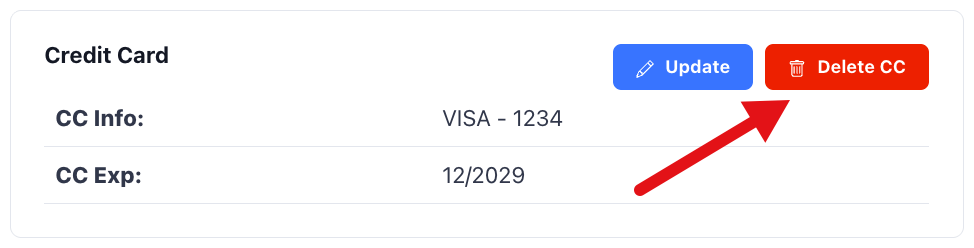
In the Credit Card section, click Delete CC. The button appears only when the customer has a saved card with an expiration date.
-
Click Delete to confirm.