
- “How many memberships did we sell at each site last week?”
- “Which site had the highest churn last month, and why?”
- “Compare wash counts and revenue this month to the same month last year.”
- “Which employees gave the most no-charge washes this week?”
Requirements
- A FlexWash admin account. Only admin users can connect. ChatGPT sees the same car washes and data you can see in FlexWash.
- A ChatGPT plan that allows custom MCP servers. On a ChatGPT Business or Enterprise workspace, your workspace admin must allow plugins with custom MCP servers. Otherwise ChatGPT reports that your workspace doesn’t permit them.
The FlexWash MCP server is read-only. ChatGPT can run FlexWash reports, but
it cannot change memberships, customers, prices, or any other data.
Connect FlexWash
1
Add a custom MCP server
Go to chatgpt.com/plugins. Click Add,
then Add custom MCP server.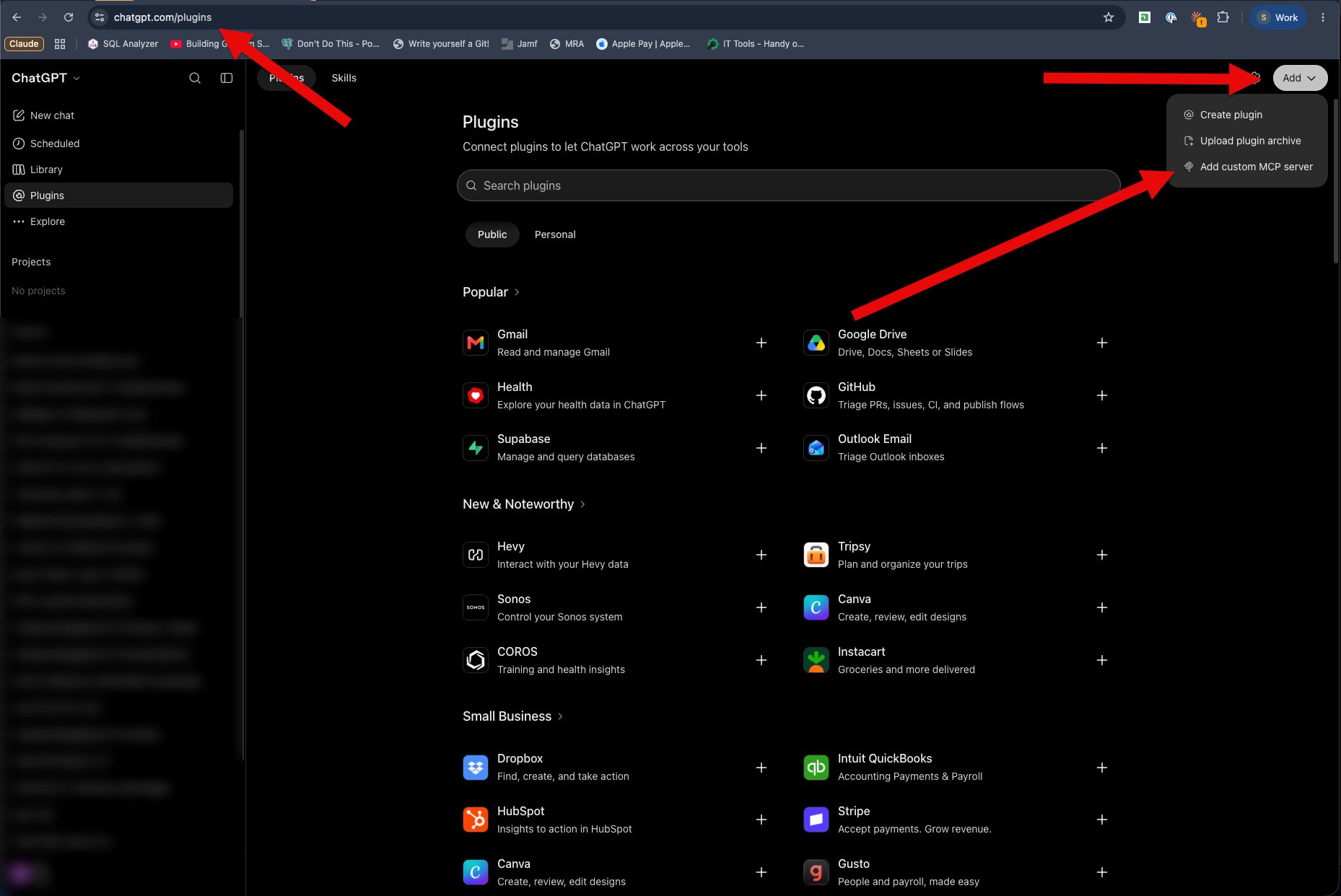
2
Enter the FlexWash server
Enter the following: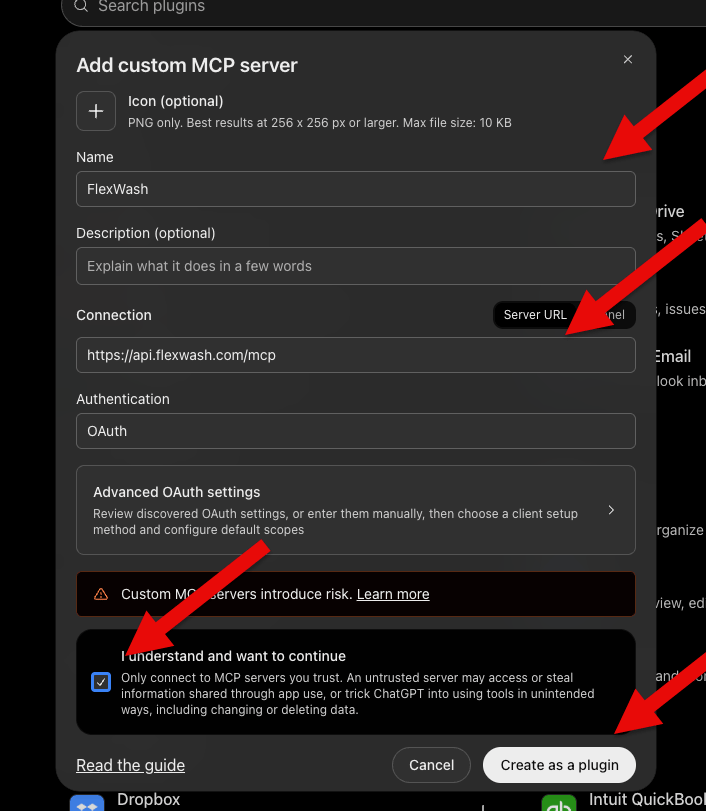
- Name:
FlexWash - Connection: Server URL,
https://api.flexwash.com/mcp - Authentication: OAuth
3
Sign in with FlexWash
Click Connect FlexWash. Your browser opens the FlexWash sign-in page.
Sign in with your FlexWash email and password, then allow ChatGPT to access
your FlexWash account.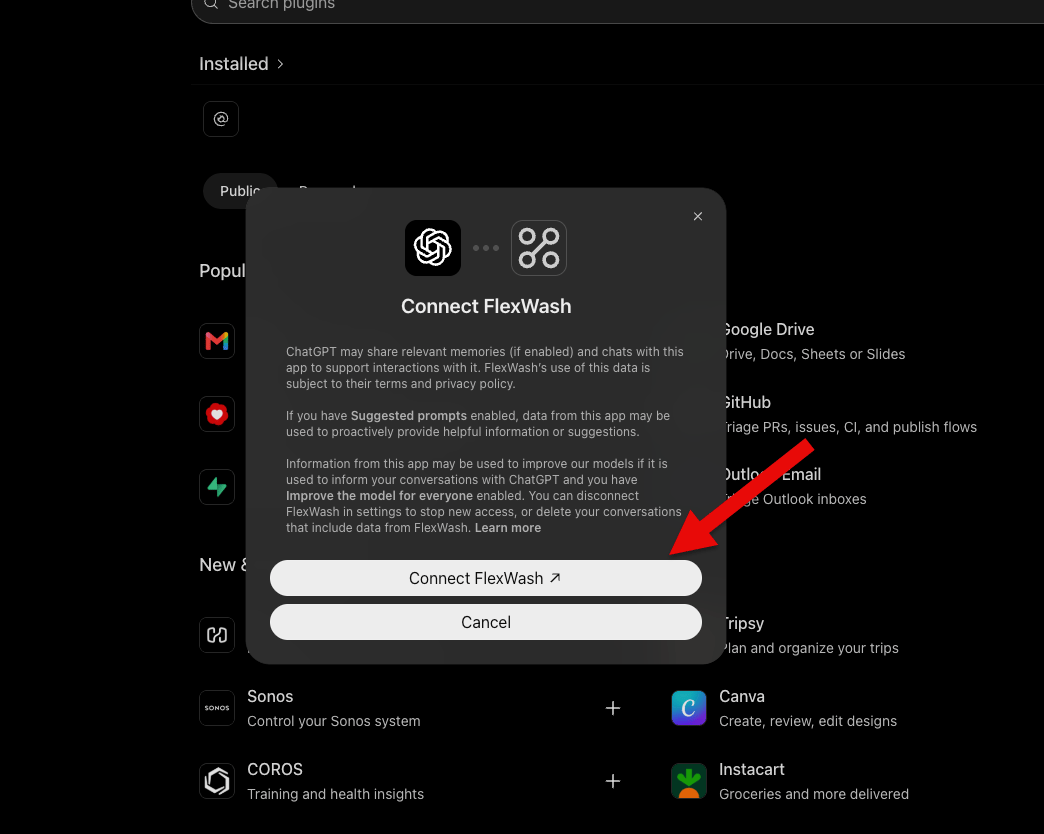
Ask a Question
Start a new chat, type@, and select FlexWash. Then ask about your car
wash.
Usage Limits
Each question can run several FlexWash reports. To protect performance, each user can run up to 30 reports per minute and 1,000 reports per day. If you reach a limit, ChatGPT tells you how long to wait.Disconnect
Open chatgpt.com/plugins, select FlexWash under Installed, and disconnect it. To stop all access immediately, ask your FlexWash administrator to remove or downgrade your FlexWash user.Troubleshooting
ChatGPT processes the report results you ask about under your OpenAI
account’s terms. If Improve the model for everyone is on in your ChatGPT
data controls, OpenAI may use that information to train its models. Review
your data controls before connecting.