Set Up an External POS
FlexWash connects your gas pump or oil change POS during onboarding. Contact FlexWash Support to add one. After it is connected, go to Wash Menu > External POSes to manage it. Editing external POSes needs the Access Menu permission.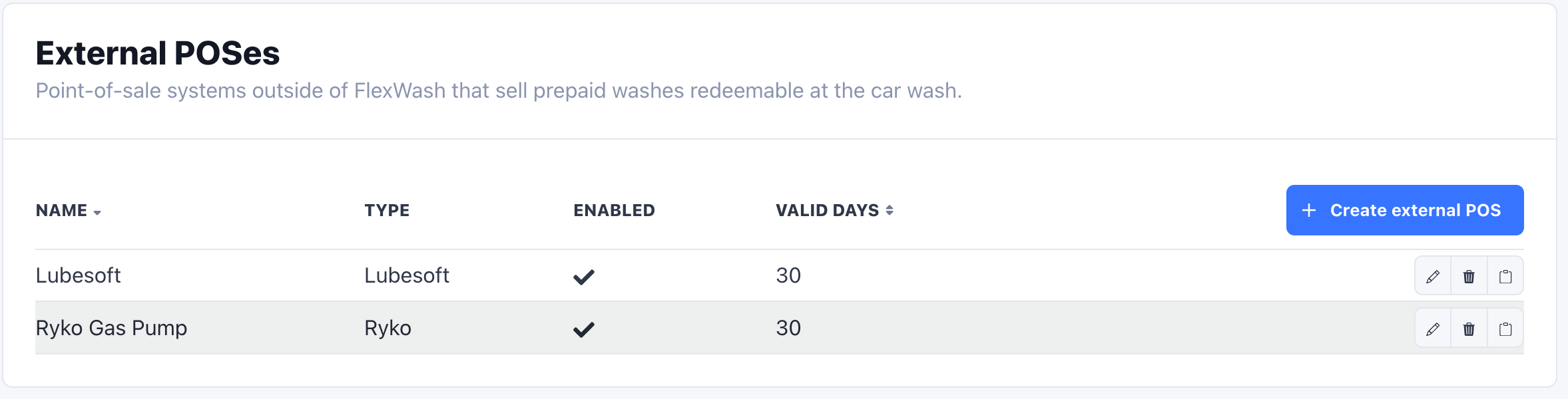
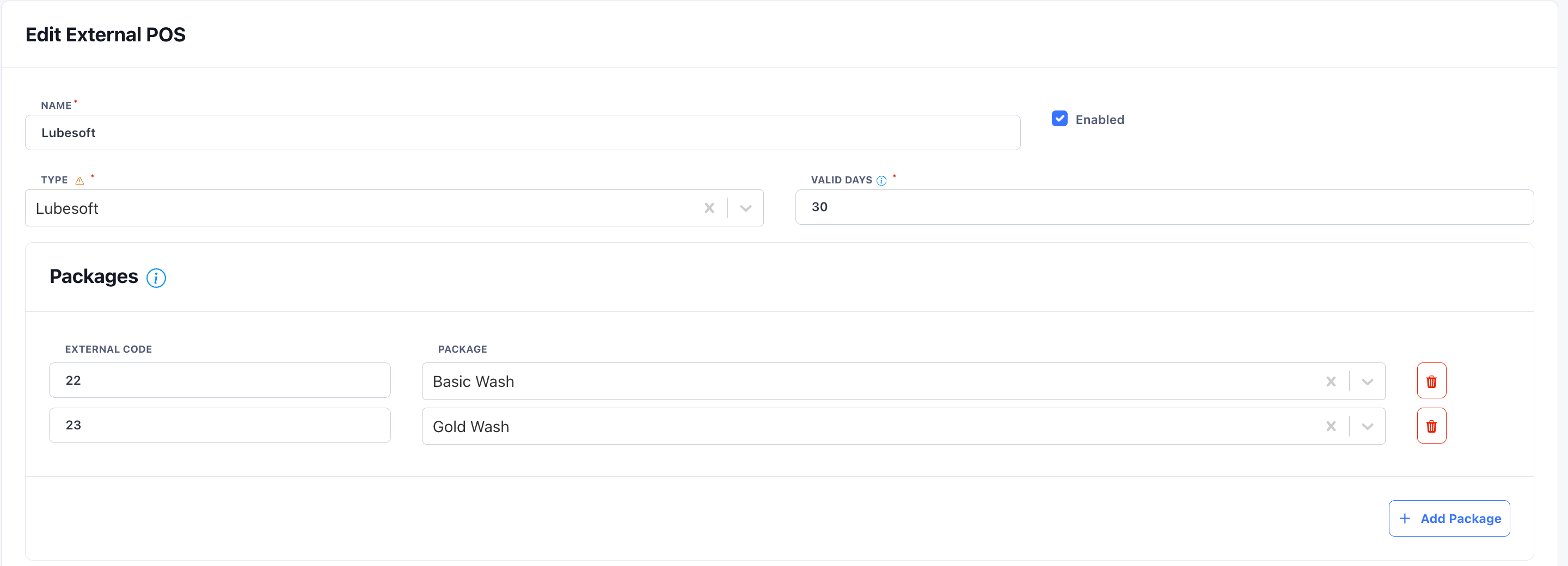
- Name. A name for the POS, for example “Gas Pump”.
- Valid Days. How many days a code can be redeemed after purchase. The code still works on the last day.
- Packages. Map each code from the external POS to a FlexWash wash package. For Ryko, the code is the package’s position in the pump’s configuration screen: 1 for the first package, 2 for the second, and so on. Each code can be mapped once.
Redeem a Code on the Pay Tablet
- Load the customer’s vehicle at checkout.
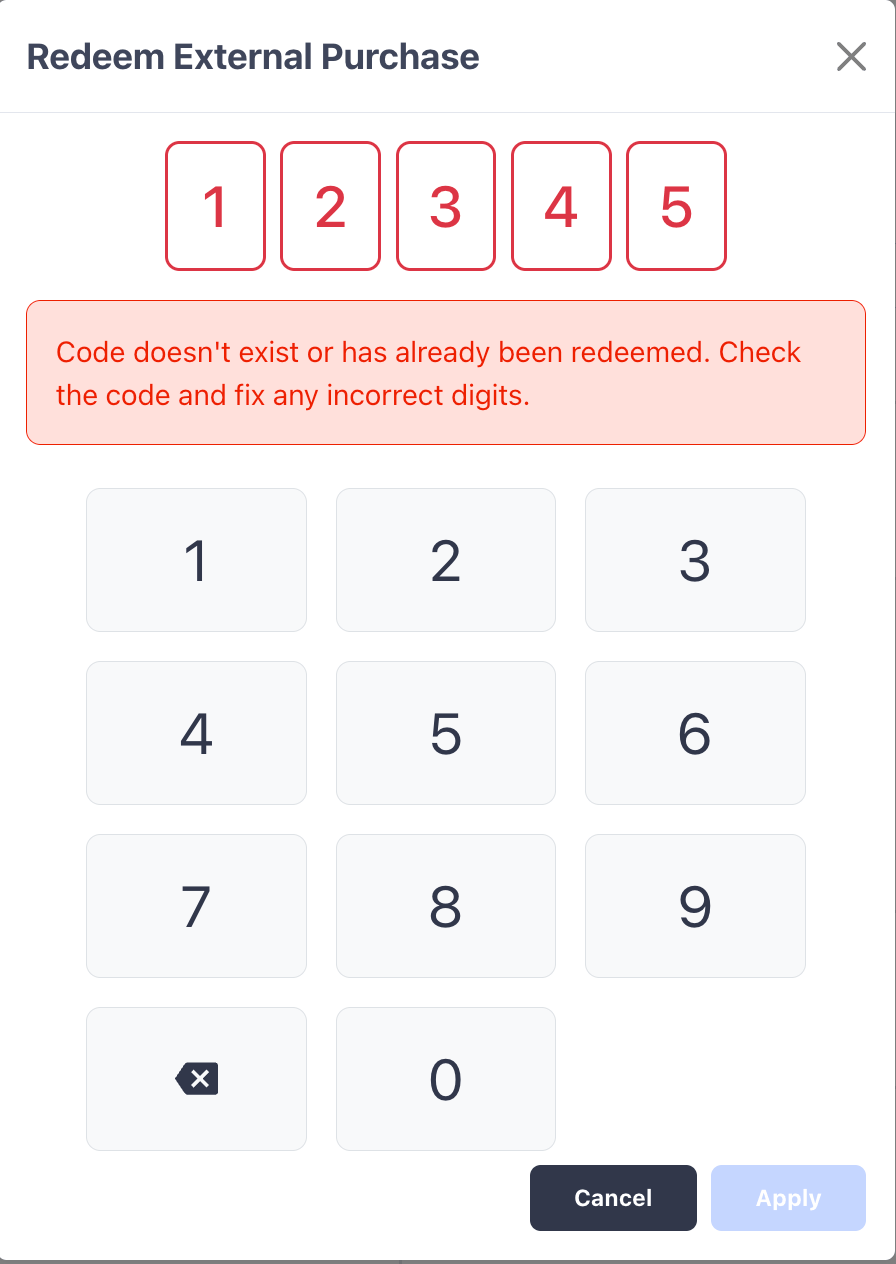
- Tap External and enter the 5-digit code. The screen shows the wash the code was bought for and its price.
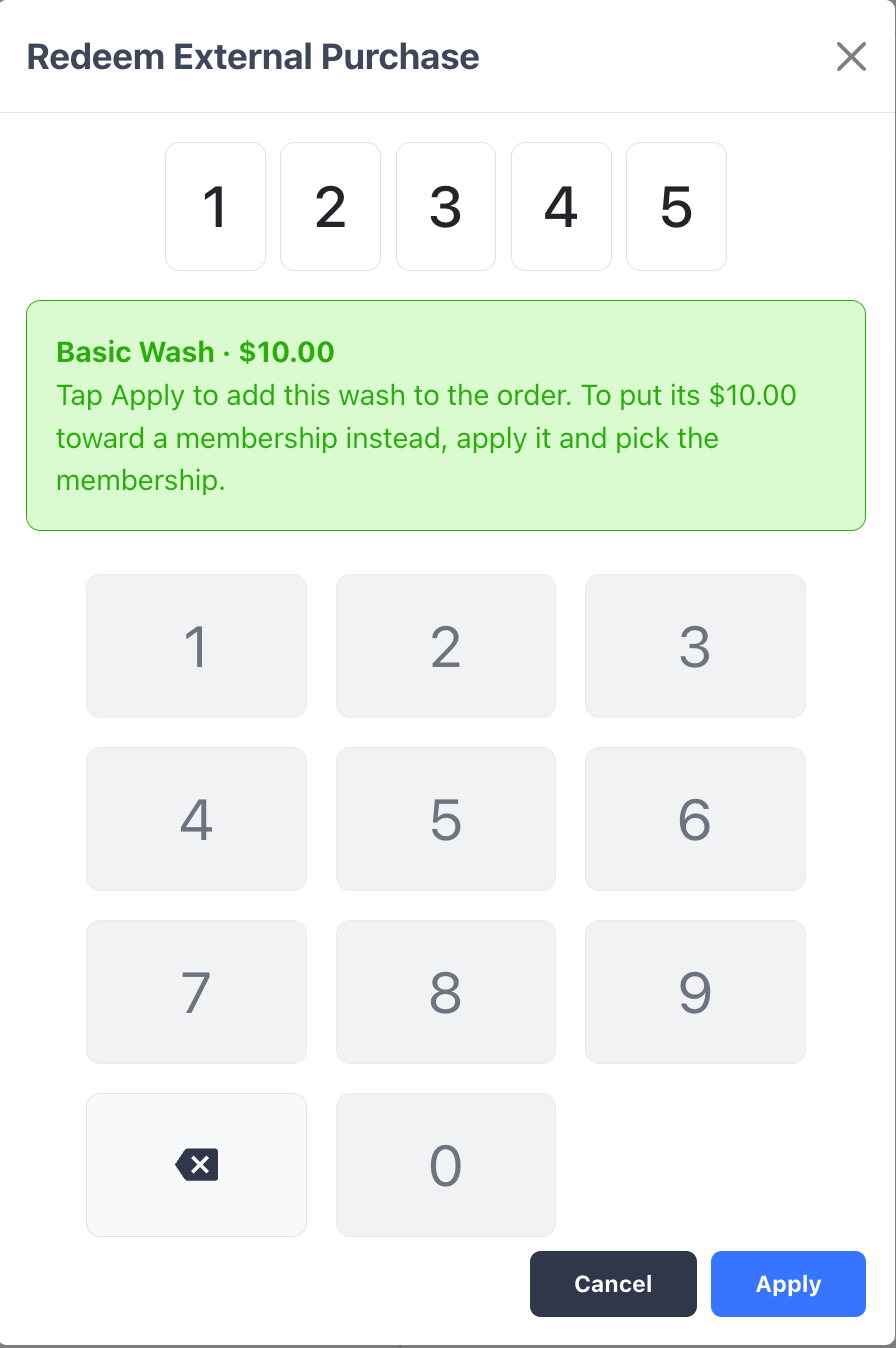
- Tap Apply. FlexWash adds the wash to the order, with an External line that takes its price off.
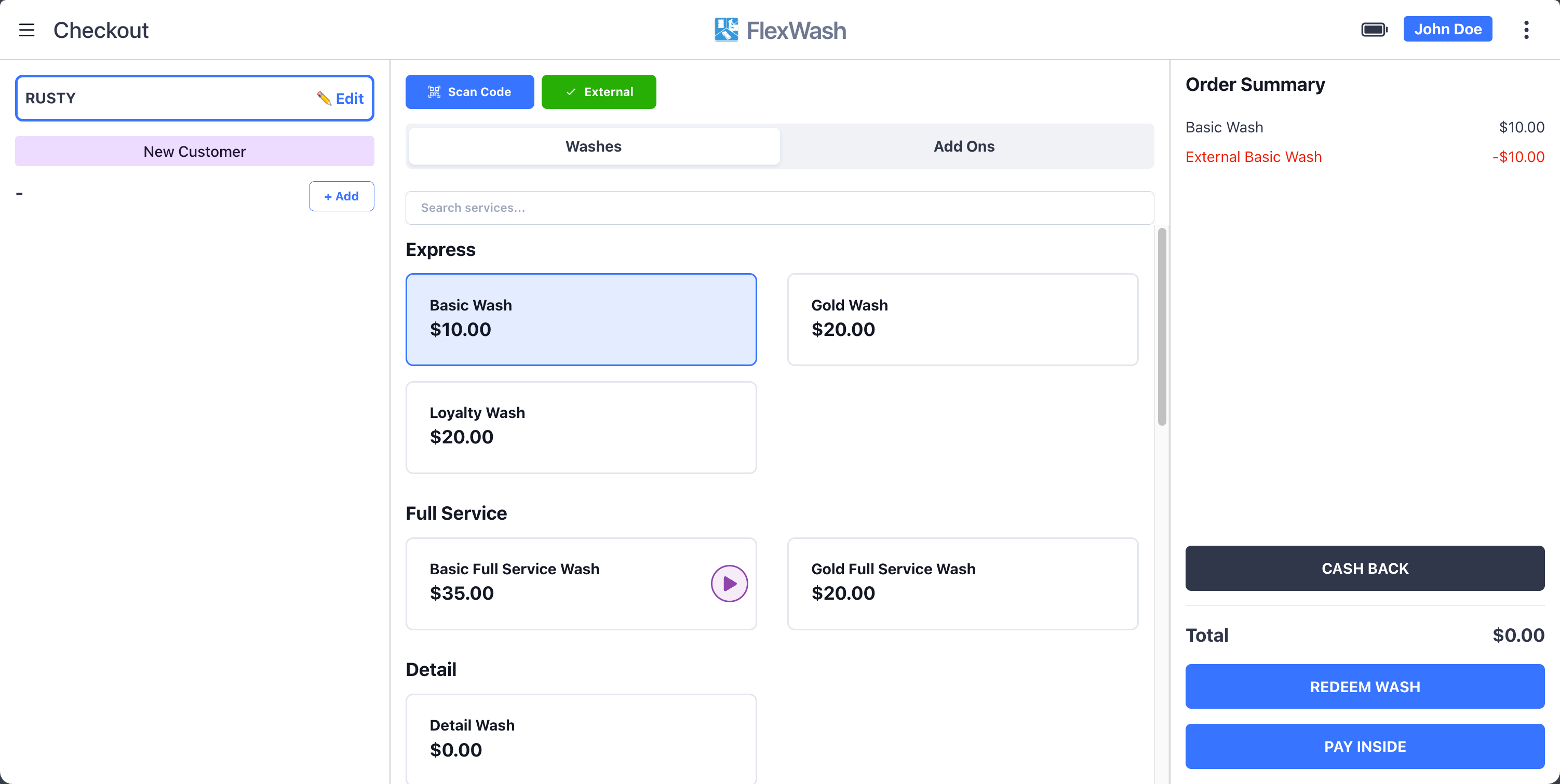
- Tap Redeem Wash.
Put a Code Toward a Membership
A code can also be used as credit on any membership package, for a new sign up or for a vehicle added to an existing member.- Tap External, enter the code, and tap Apply.
- Select the membership package. The External line now comes off the membership price.
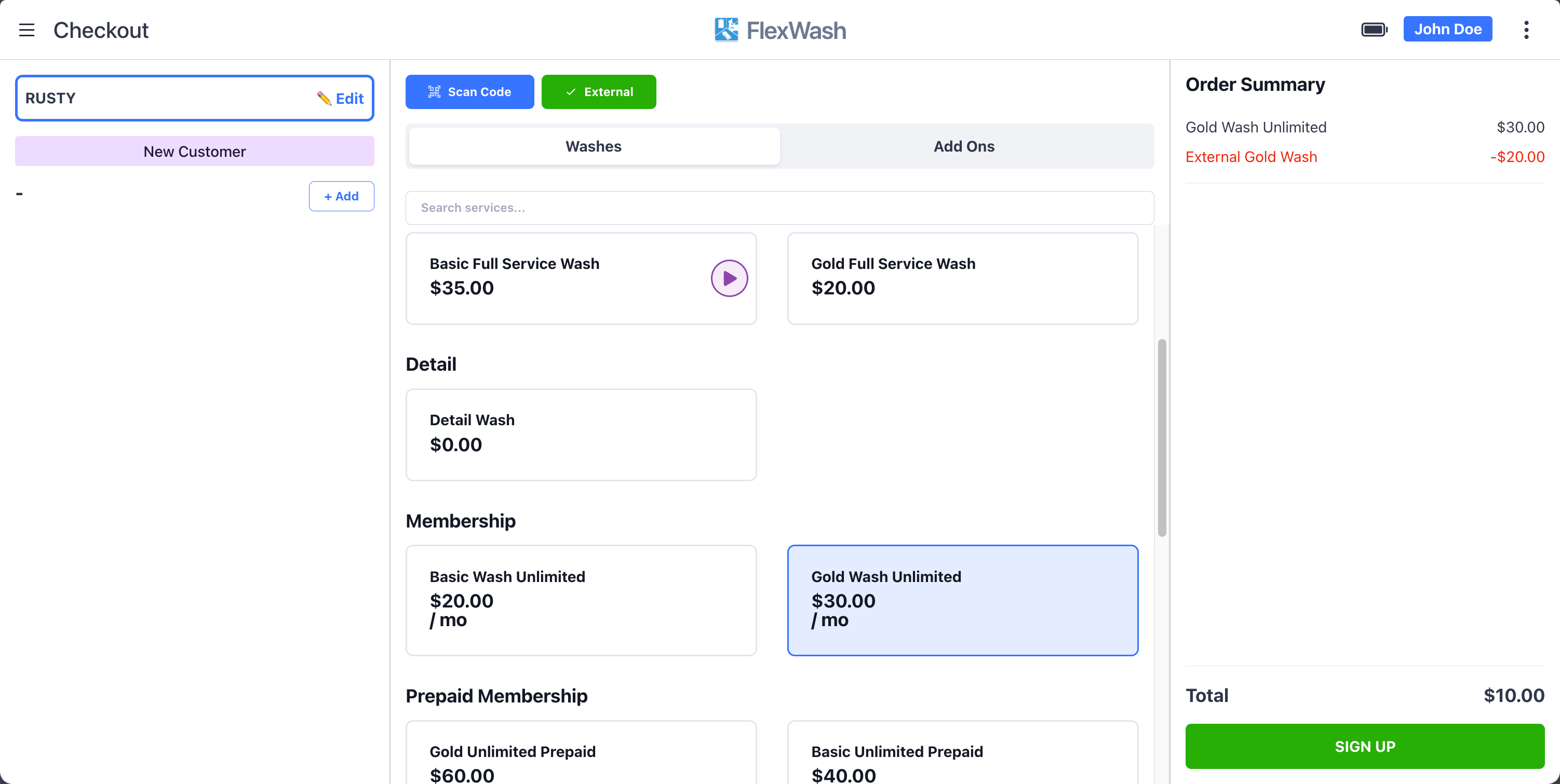
- Complete the sign up as usual.
- Credit value. The price of the FlexWash package the code is mapped to, when the code was issued.
- Added vehicle. The credit comes off the prorated charge.
- Leftover value. If the credit is more than the charge, the charge is $0 and the rest is lost.
- No other discounts. A code cannot be combined with a promotion, coupon, upsell, or manual discount. To use one of those instead, deselect the package to remove the code.
- Prepaid memberships. Not eligible for the credit.
Error Messages