
Net Revenue
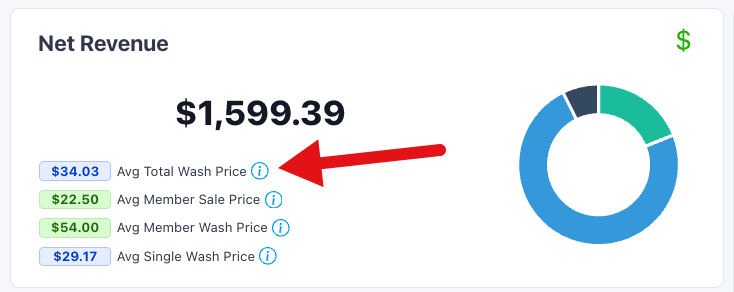
The Net Revenue card shows net revenue for the date range and four averages.
Avg Total Wash Price tells you how much you make per wash, regardless of
customer type.
Memberships
Conv Rate on the Memberships card divides memberships sold by single washes plus memberships sold. Memberships sold includes new memberships, re-ups, and prepaid memberships. If two membership numbers do not match, see Membership Counts for what each report counts.Labor
The Labor card shows total labor cost for the date range, with a chart that splits net revenue into labor and non labor. Users need the Revenue Analytics permission to see it.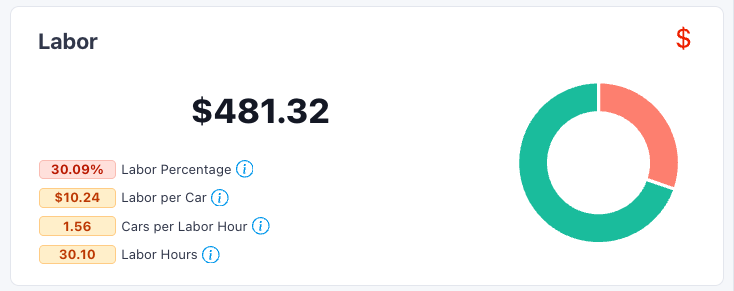
Where labor data comes from
FlexWash uses one labor source for each car wash, set by Time Clock Integration on the car wash’s Integrations tab.- Homebase, ConnecTeam, or NetChex. FlexWash pulls labor hours and cost from that system. Wages and salaries must be set up there. If a wage or salary is missing there, it is missing on the Dashboard. If the integration’s API key or IDs are incomplete, FlexWash records no labor for the car wash.
- None. The car wash uses the FlexWash time clock. FlexWash calculates labor from employee time cards and each employee’s Hourly Wage, with overtime at 1.5x after 8 hours and 2x after 12 hours in a day. It then adds the Daily Salary Cost to each day.
Daily Salary Cost
Daily Salary Cost is what the car wash pays salaried staff per day. To set it, go to Setup > Car Washes, open the car wash, and select the Integrations tab.
- It applies only when Time Clock Integration is None. FlexWash ignores it when Homebase, ConnecTeam, or Netchex supplies labor costs.
- FlexWash adds the full amount at the first update of the day, even on days with no time cards. Early in the day, Labor Percentage can look high.
- It adds cost but no hours. It raises Labor Percentage and Labor per Car, but does not change Labor Hours or Cars per Labor Hour.
- A change applies to today’s labor cost on the next update. Days already recorded do not change.