
Documentation Index
Fetch the complete documentation index at: https://docs.flexwash.com/llms.txt
Use this file to discover all available pages before exploring further.
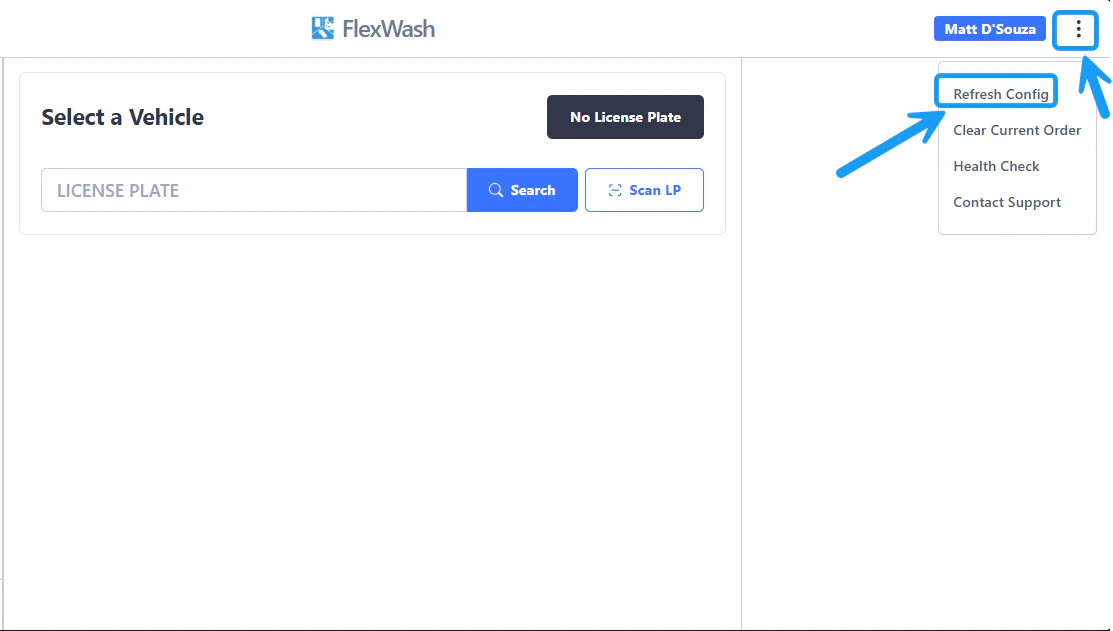
This will update the wash options, prices, or any other changes made to the wash packages that appear on the Pay Tablet.
PAX handhelds
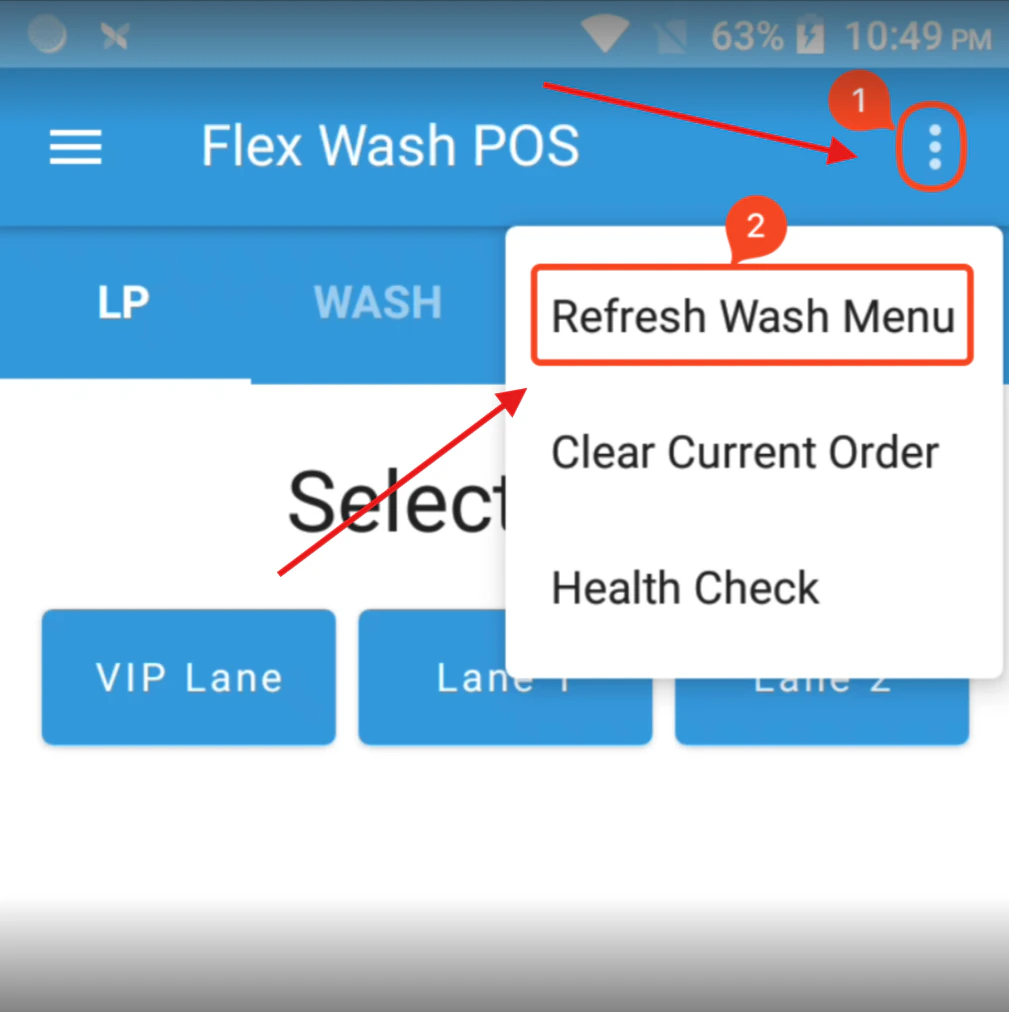
This will update the wash options, prices, or any other changes made to the wash packages that appear on the handheld device.