
Overview
This feature provides operators with the flexibility to dynamically transition self-checkout lanes between attended and unattended operational modes.- Attended mode: An attendant actively monitors the lane and provides assistance to customers.
- Unattended mode: The self-checkout lane operates autonomously, without dedicated, continuous supervision.
Enable Unattended Mode
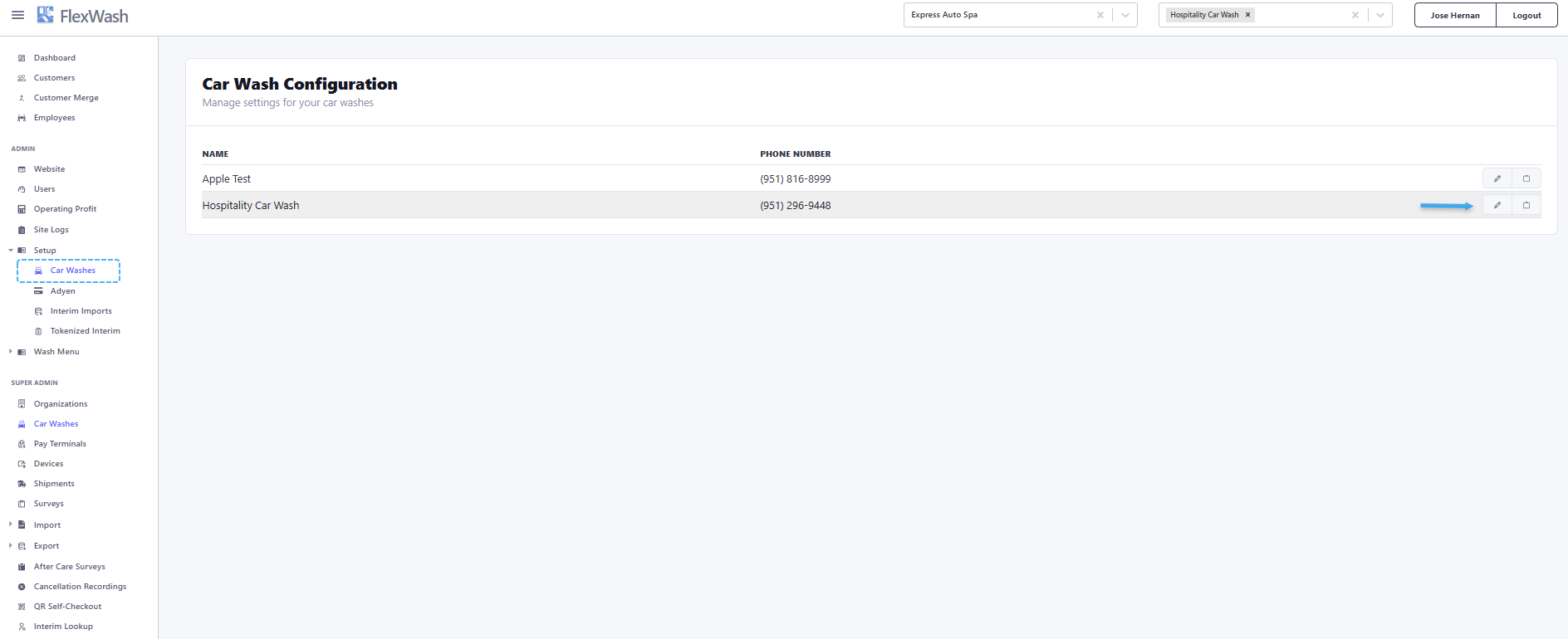
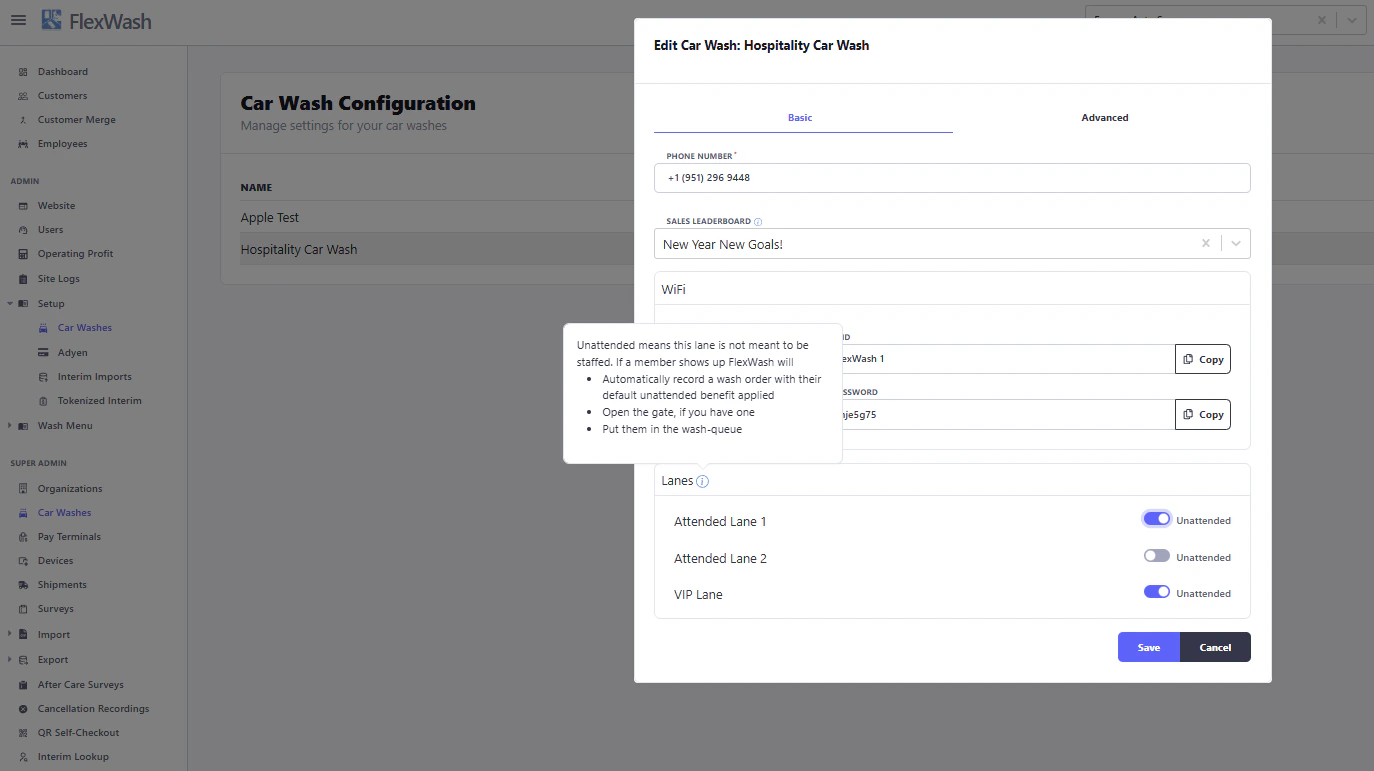
Changes take effect immediately. No system restart is required.