How Chaining Works
Every message in FlexEngage can reference other messages and promotions as filter conditions. This is the mechanism that connects one step to the next. Three filters make chaining possible:- Redeemed Promotion: Did the customer use a specific offer? Use this to trigger the next step after a customer takes action on a promotion.
- Received Scheduled Blast: Did the customer receive a specific blast? Use this to send follow-ups only to customers who were part of a previous campaign.
- Received Smart Messaging: Did the customer receive a specific automated message? Use this the same way as Received Scheduled Blast, but for event-triggered messages.
Building a Journey: Marketing Campaign to Member
The most valuable journey for most car washes is converting a first-time promotional customer into a recurring member. Here is a example four-step journey that does exactly that.Step 1: The Initial Promotion
Goal: Get a new customer to come on site. Create a promotion with a compelling first-wash offer (e.g., 50% off a single wash). The best way to distribute the promotion is to use the Promotion Portal and embed an iFrame on your website that delivers a unique QR code. Doing so automatically associates the contact information with the vehicle so you can use wash history in the rest of the journey.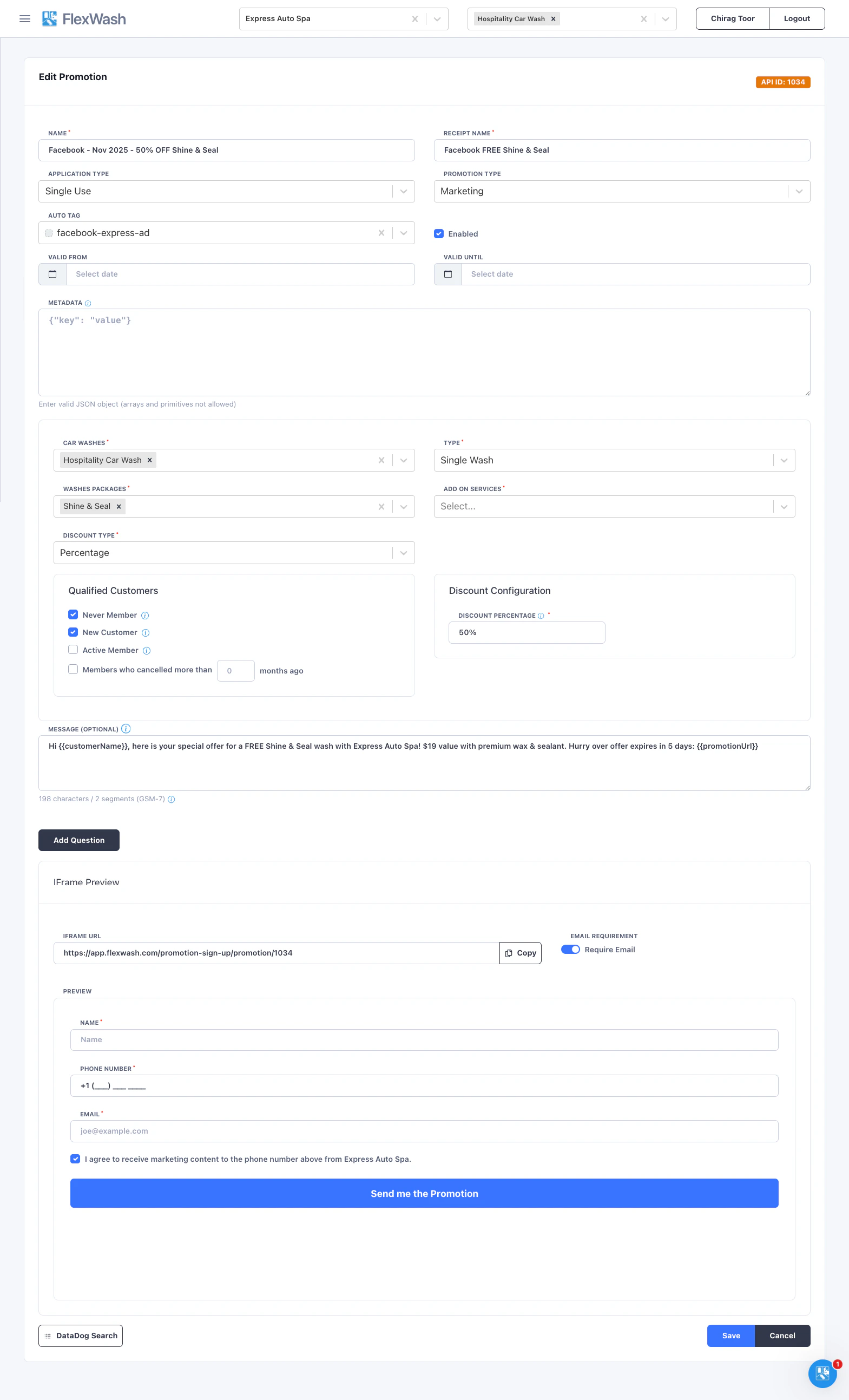
Step 2: Follow-Up Wash Offer
Goal: Get the customer back on-site within 7 days to build a wash habit. Create a Smart Message to deliver right after the initial promotion usage: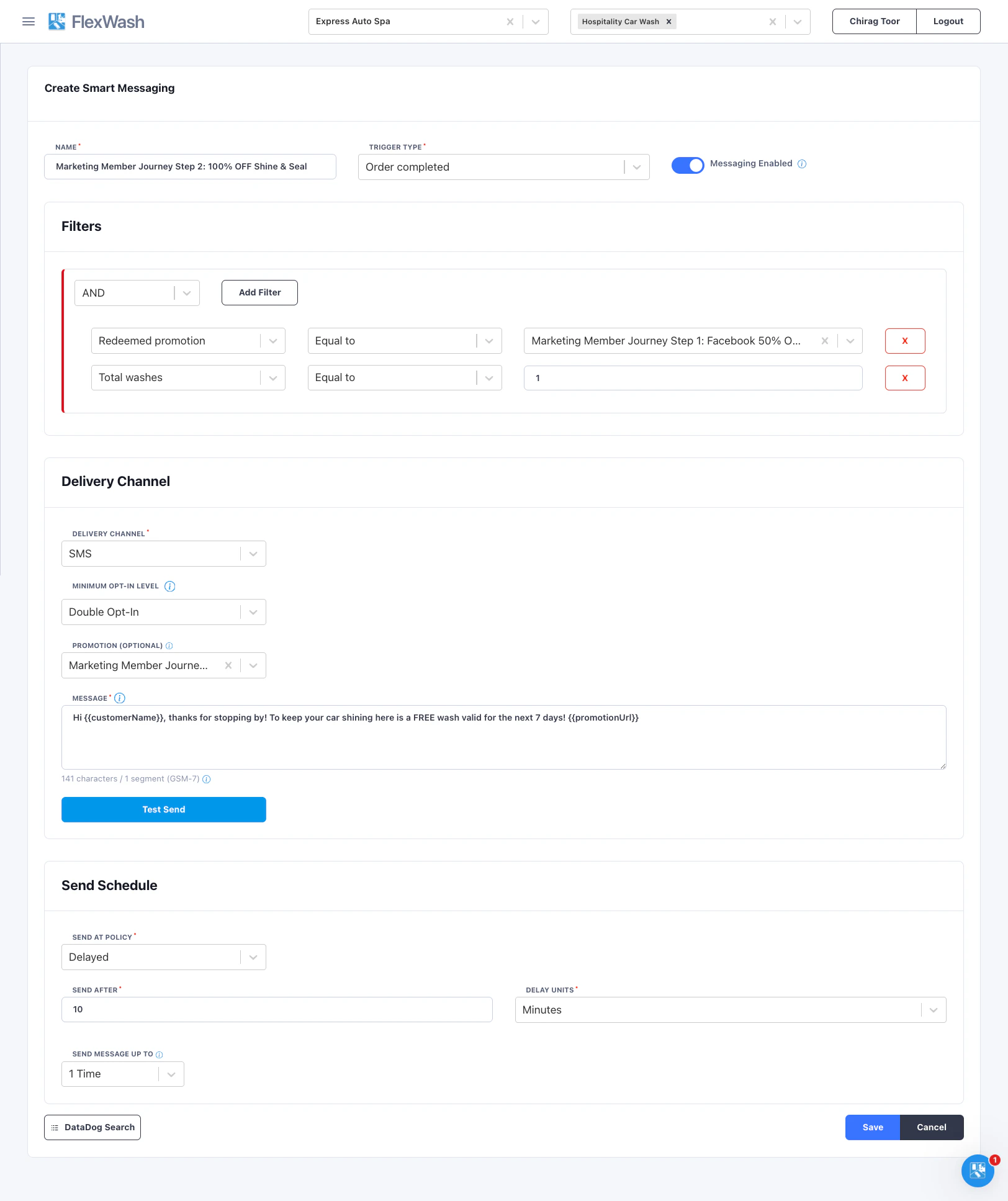
Step 3: Membership Offer
Goal: After the 2nd visit offer the membership before the customer leaves the site Create a Smart Message with these filters:Step 4: Membership Follow Up
Goal: Ensure the habit is maintained. Members who use the wash will have a longer LTV. Create a Scheduled Blast with these filters: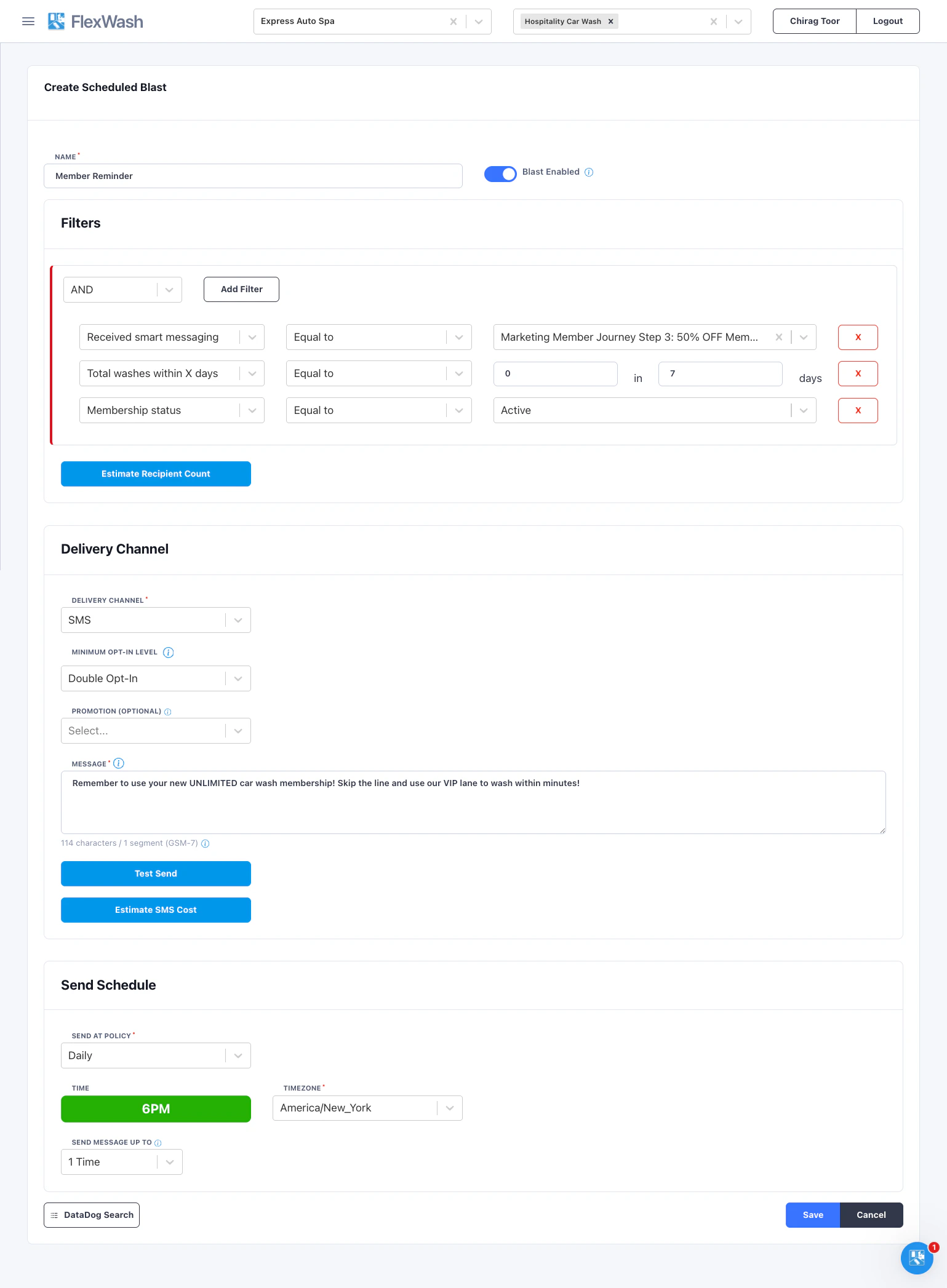
Branching a Journey
Not every customer completes every step. Branching lets you create alternate paths for customers who stall at a particular point in the journey. This is what separates a basic drip campaign from an intelligent engagement strategy.How Branching Works
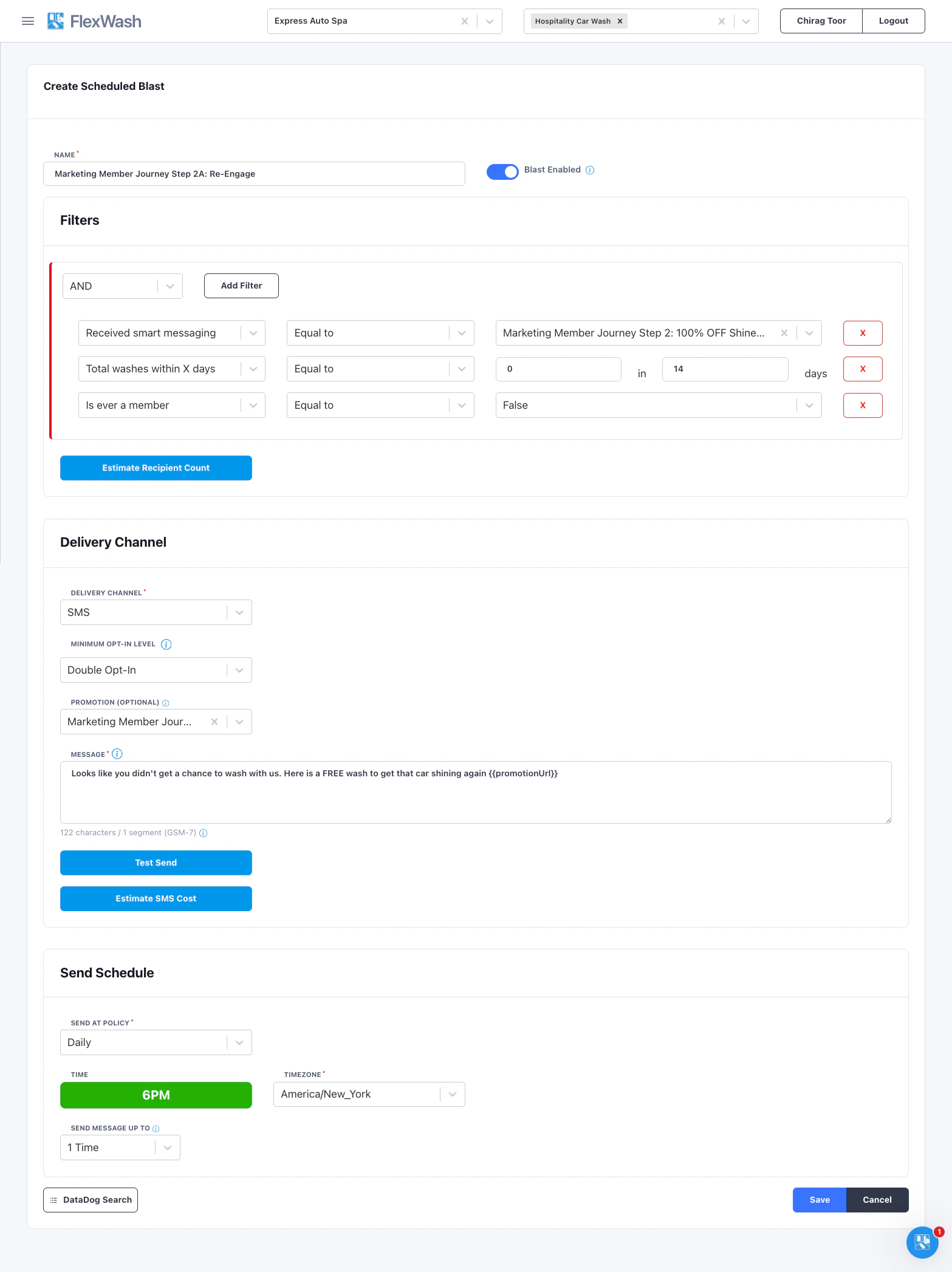
A branch is simply another message that targets customers who received an earlier step but did not complete a later one. You use the same Campaign History Filters with inverted logic. For example, to create a branch for customers who received Step 2 (the free wash offer) but never made it to Step 3 (based on wash history), create a scheduled blast with these filters: