> ## Documentation Index
> Fetch the complete documentation index at: https://docs.flexwash.com/llms.txt
> Use this file to discover all available pages before exploring further.
# Network Issues
> Diagnose a network problem at your site, and factory reset an access point or switch when that is the fix.
A factory reset clears a device's configuration and takes it offline until it is brought back onto the network. It fixes a narrow set of problems. Work the table below first, because most issues are power, cabling, or a recent change.
## Check these first
| Symptom | Likely cause | What to do |
| ------------------------------------ | ----------------------------------------- | ------------------------------------------------------------------------------------------------------------------------- |
| No lights on the device | No power or a bad cable | Reseat the cable at both ends, then try another port or power adapter |
| Lights on, nothing works | Cable damage or a bad port | Swap the cable, recrimp cable ends, change ports |
| One area lost Wi-Fi | That access point is offline | Check its lights and cable |
| Whole site offline | Upstream switch, internet, or power event | Do not reset anything. Contact ISP first, then FlexWash |
| Slow or dropping Wi-Fi | Placement, interference, bad cable | Does not require a reset, attempt steps above. Did placement change, move it back to recommended area near check out area |
| Stopped working right after a change | Document the change | Revert it to knwon good state |
| Offline after a reboot | Normal reconnect delay | Wait 5 minutes |
A reset never fixes power, cabling or interference. It also does not update firmware.
## When to reset
* **Equipment from another deployment.** A device previously set up at another site or by a previous owner still belongs to that deployment and will not join yours until it is cleared.
* **Stuck adopting.** The device cycles between adopting and failed after cabling, power, and firmware have been ruled out.
* **Corrupted configuration.** The device will not finish starting up after a power loss during an update.
## Before you reset
* **Identify the device.** Read the model line on its label: `U6-Mesh`, `U7-Pro-Outdoor`, `USW-Pro-24-PoE`, or `USW-Flex`. Steps differ between them.
* **Close the lane.** Do this before opening or after close, never with cars in the tunnel.
* **Reset one device at a time,** then confirm it came back before touching another.
## Reset the device
Every one of these devices resets the same way: hold the recessed "reset" button until the indicator changes, release, and wait for steady white.
It must stay powered for the whole reset. Never hold the button while plugging it in, which starts recovery mode instead of a reset.
Use a paperclip or SIM tool if the button is recessed. Hold until the indicator changes, then release immediately. About five seconds. Do not exceed ten.
The device powers down its indicator, boots, then settles on steady white. Steady white means it is cleared and ready to be brought back onto the network.
### Where the button is, and what to watch
| Device | Button location | Hold for | Confirms success |
| ---------------- | --------------------------------------------------------- | ------------------- | -------------------------------- |
| `U6-Mesh` | Recessed pinhole in the cable recess at the base | About 5 seconds | Steady white light |
| `U7-Pro-Outdoor` | Inside the port compartment, behind the weatherproof door | About 5 seconds | Steady white on the power light |
| `USW-Pro-24-PoE` | Rear panel, beside the power connections | More than 5 seconds | Steady white on the front screen |
### Device Layout
**`U6-Mesh`.**
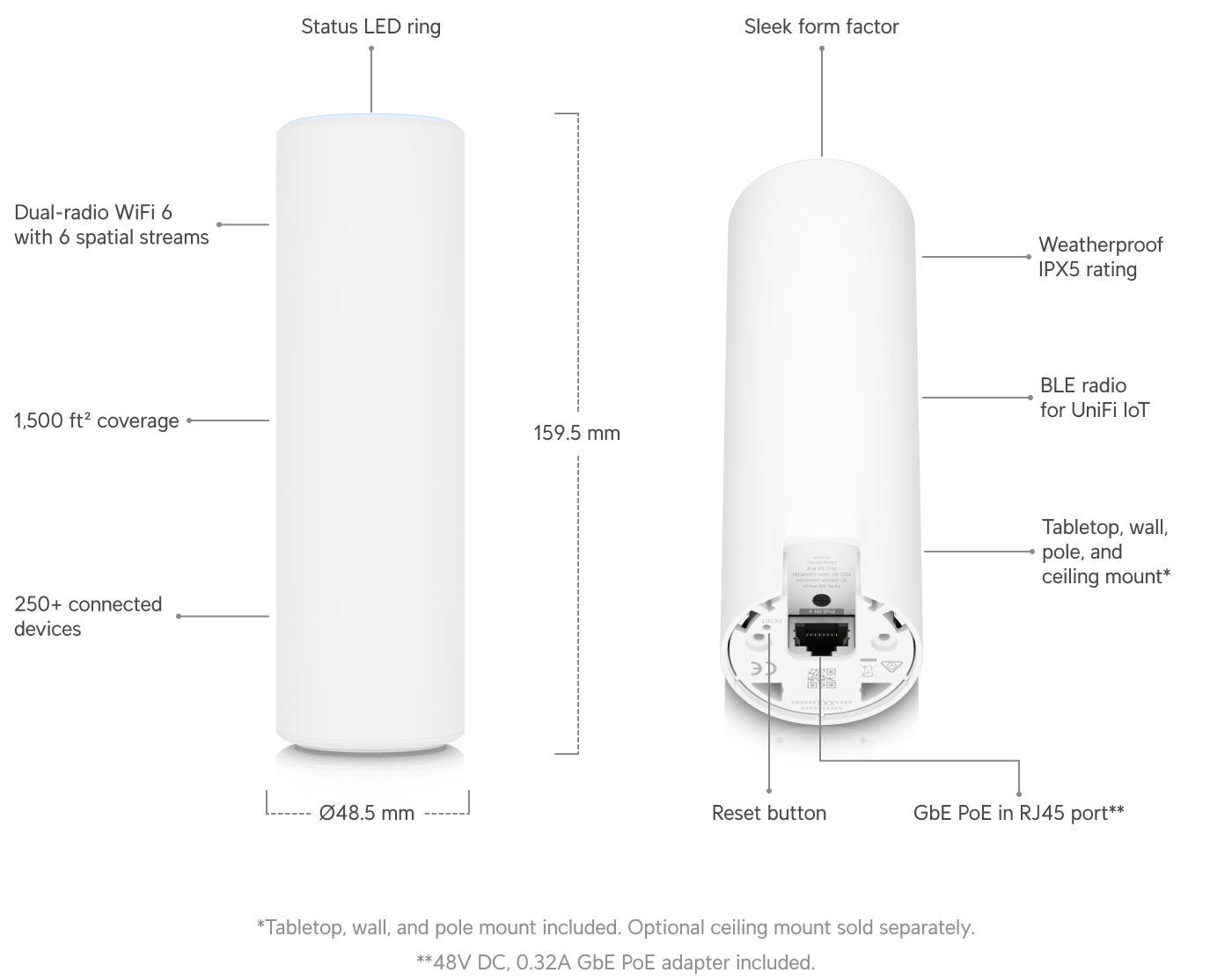 **`U7-Pro-Outdoor`.**
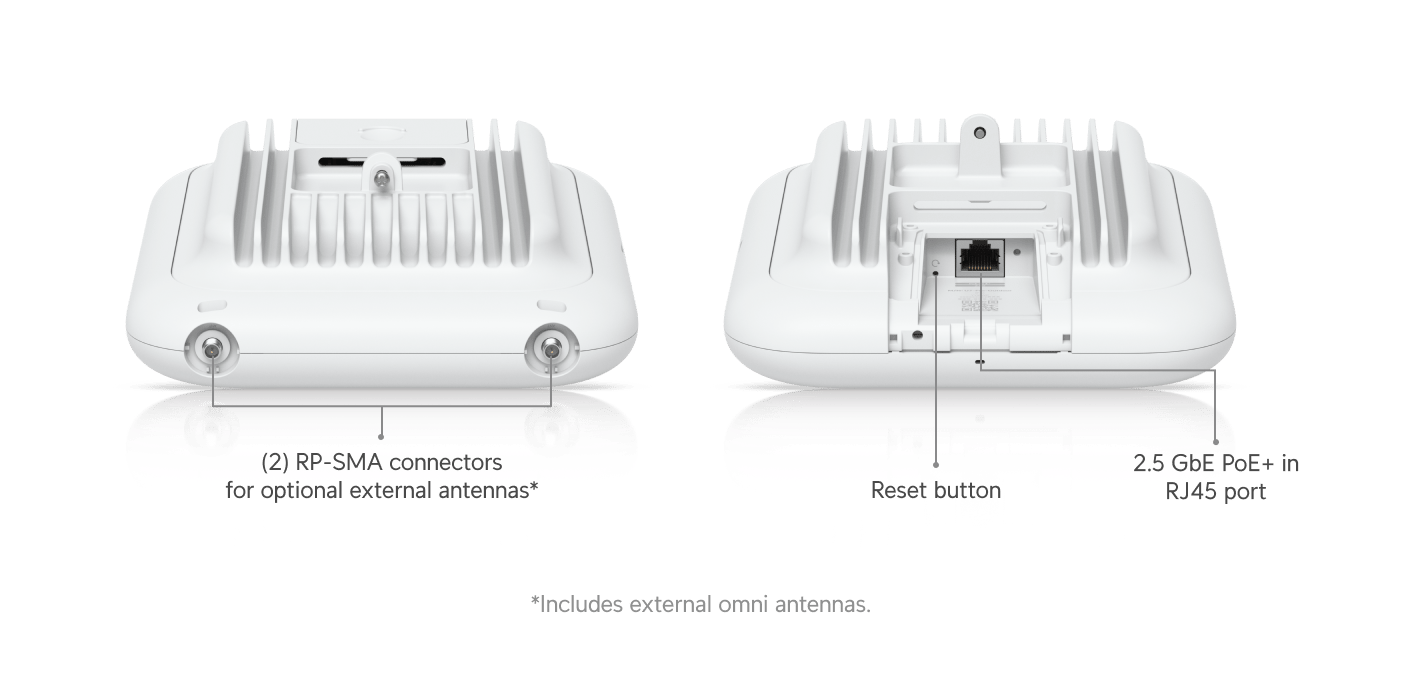 **`USW-Pro-24-PoE`.**
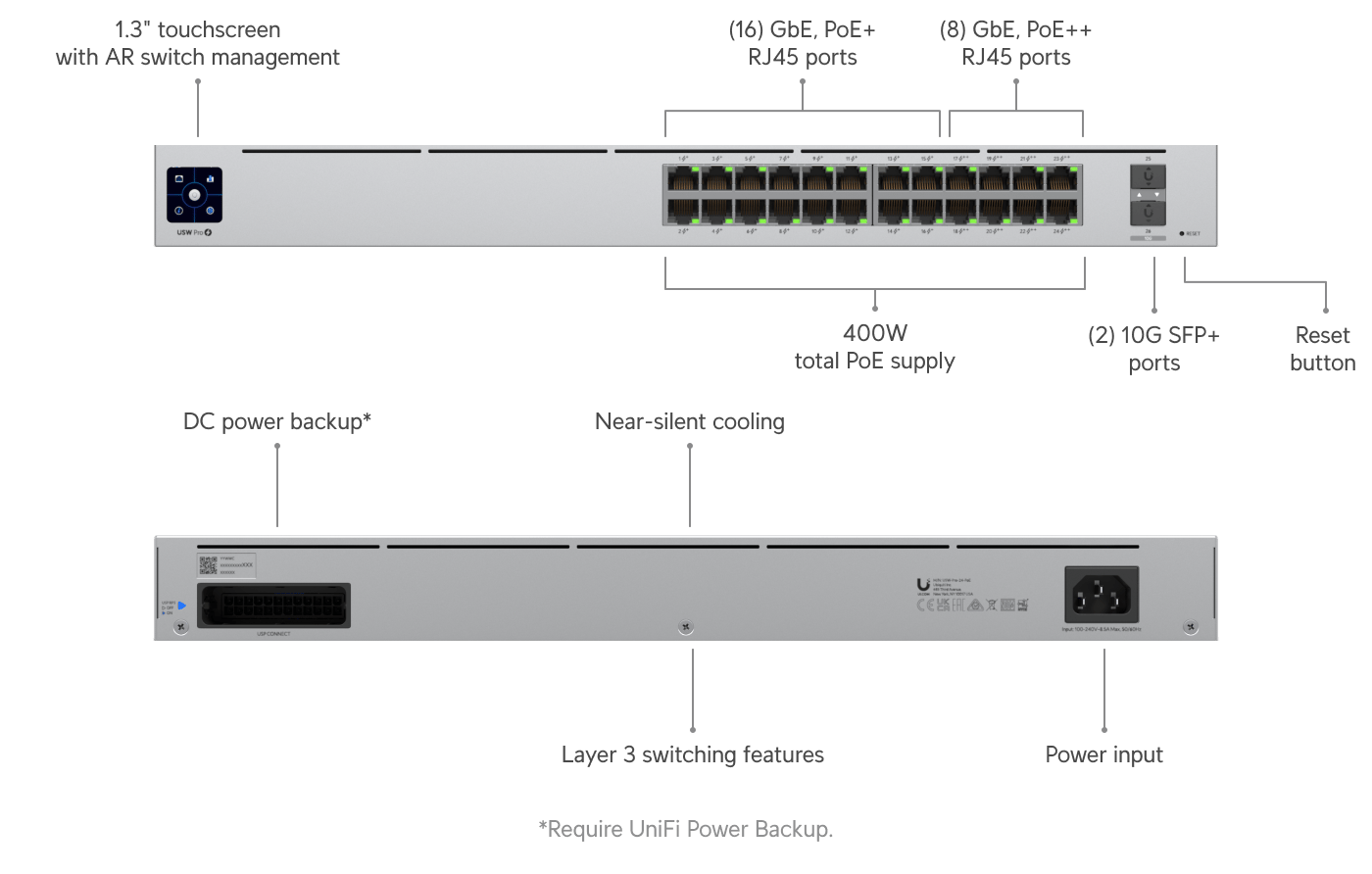 Resetting either switch drops network settings and power to everything connected to it at once, which can include tunnel controllers, terminals, gates, cameras, and readers. Photograph the front of the switch with all cables in place before you start.
## Confirm it worked
Watch for the restart, not just the light. A device that was never set up also sits at steady white, so the proof is seeing the lights go out, the device boot, and then settle.
## After the reset
The device is cleared but not yet on your network. Contact support to finish it. We clear it from the deployment that previously managed it, bring it onto your site, re-apply port and wireless settings, and update firmware if that was the original problem.
Resetting either switch drops network settings and power to everything connected to it at once, which can include tunnel controllers, terminals, gates, cameras, and readers. Photograph the front of the switch with all cables in place before you start.
## Confirm it worked
Watch for the restart, not just the light. A device that was never set up also sits at steady white, so the proof is seeing the lights go out, the device boot, and then settle.
## After the reset
The device is cleared but not yet on your network. Contact support to finish it. We clear it from the deployment that previously managed it, bring it onto your site, re-apply port and wireless settings, and update firmware if that was the original problem.