> ## Documentation Index
> Fetch the complete documentation index at: https://docs.flexwash.com/llms.txt
> Use this file to discover all available pages before exploring further.
# Switch and Access Point Indicator Lights
> This article shows you how to read the indicator lights on the Switch and Access Point.
## Switch
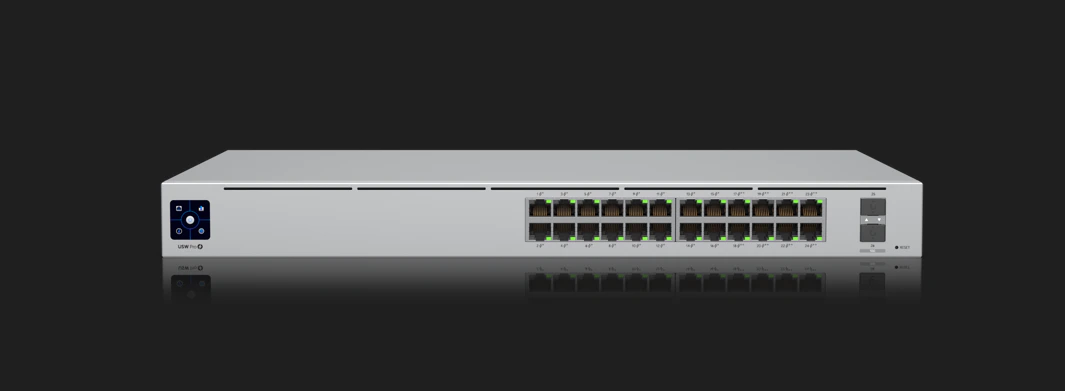 Each port on the Switch will have two led lights as shown below. The one on the left side indicates there is a Power over the Ethernet connection established; while the one on the right indicates the speed of that connection.
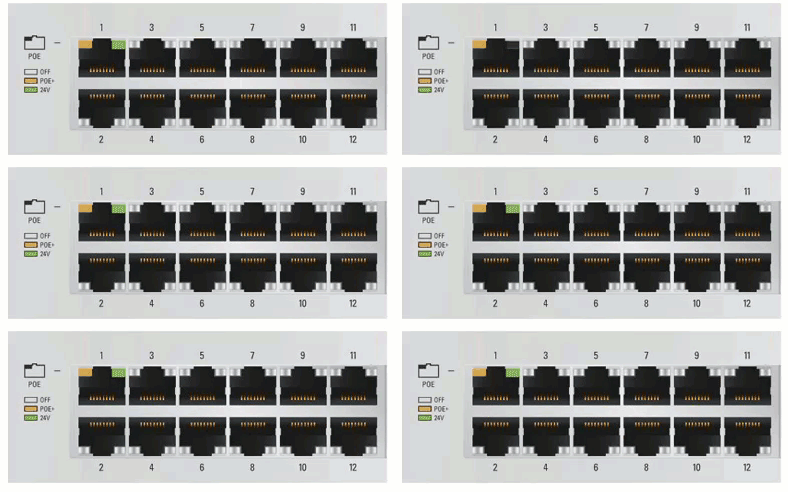 ### Left LED Light
| Light | Meaning |
| ----- | ------------------------------- |
| Off | No connection established. |
| Amber | Power Over Ethernet connection. |
| Green | 24V Passive Connection. |
### Right LED Light
| Light | Meaning |
| ----- | -------------------------------------- |
| Off | No connection established. |
| Amber | Connection established at 10/100 Mbps. |
| Green | Connection established at 1000 Mbps. |
## Access Point
### Left LED Light
| Light | Meaning |
| ----- | ------------------------------- |
| Off | No connection established. |
| Amber | Power Over Ethernet connection. |
| Green | 24V Passive Connection. |
### Right LED Light
| Light | Meaning |
| ----- | -------------------------------------- |
| Off | No connection established. |
| Amber | Connection established at 10/100 Mbps. |
| Green | Connection established at 1000 Mbps. |
## Access Point
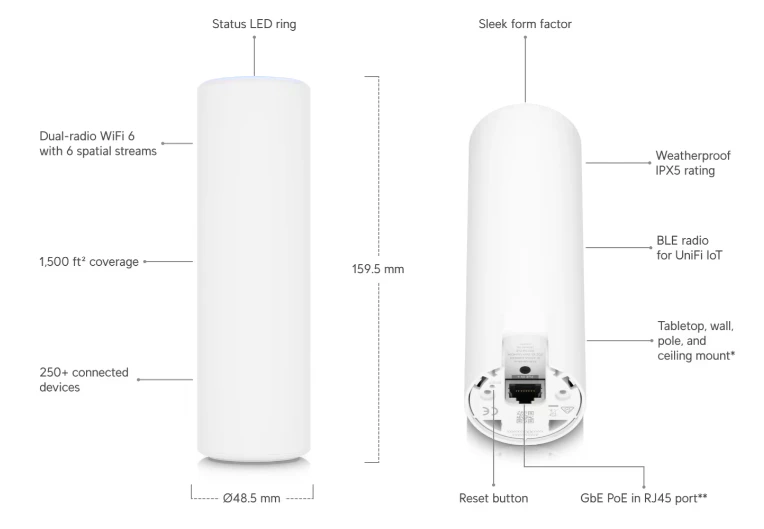 As indicated on the image above, the indicator lights for the Access Points are located on the top.
| Light | Meaning |
| ----- | ------------- |
| Blue | Provisioning. |
| Green | Live. |
As indicated on the image above, the indicator lights for the Access Points are located on the top.
| Light | Meaning |
| ----- | ------------- |
| Blue | Provisioning. |
| Green | Live. |