> ## Documentation Index
> Fetch the complete documentation index at: https://docs.flexwash.com/llms.txt
> Use this file to discover all available pages before exploring further.
# Membership Calculator
> This tool allows you to project your membership growth based on different parameters such as average member sale price, amount of single washes sold, etc.
## Membership Calculator
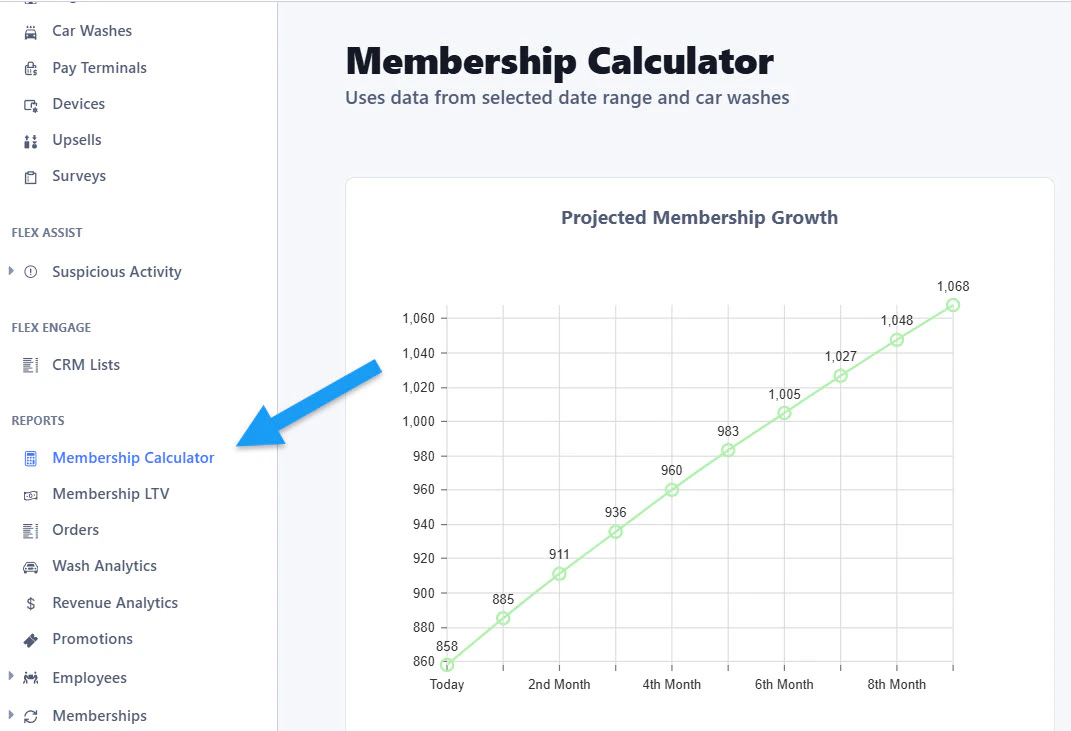 You can find the Membership Calculator tool under the Reports section on the sidebar menu.
## Date Range
You can find the Membership Calculator tool under the Reports section on the sidebar menu.
## Date Range
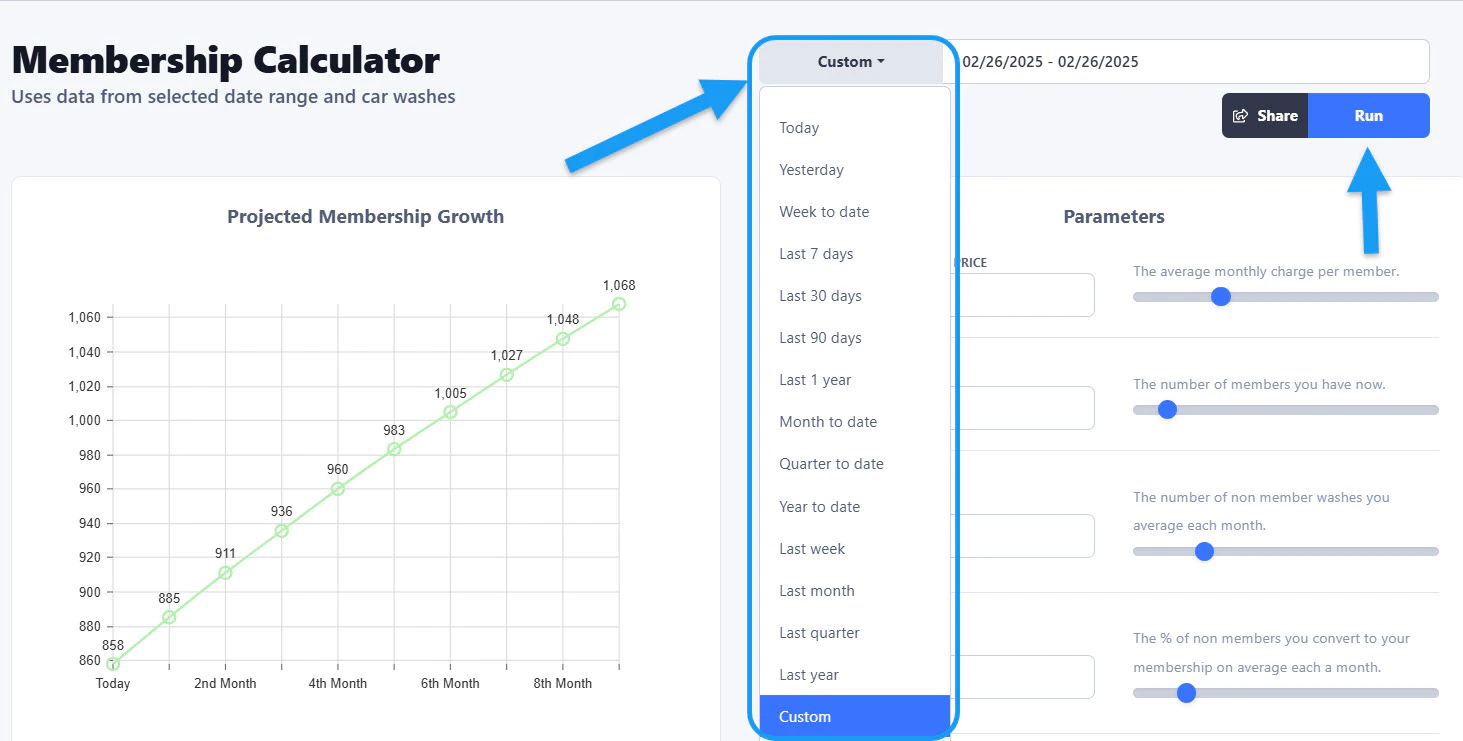 Once you open the tool, you can enter the date range you want to base your calculations from. The drop down menu gives you several predetermined options and you can also input a customized range. \
\
After you select the date range, click on the "Run" button on the right side.
## Projected Membership Growth
Once you open the tool, you can enter the date range you want to base your calculations from. The drop down menu gives you several predetermined options and you can also input a customized range. \
\
After you select the date range, click on the "Run" button on the right side.
## Projected Membership Growth
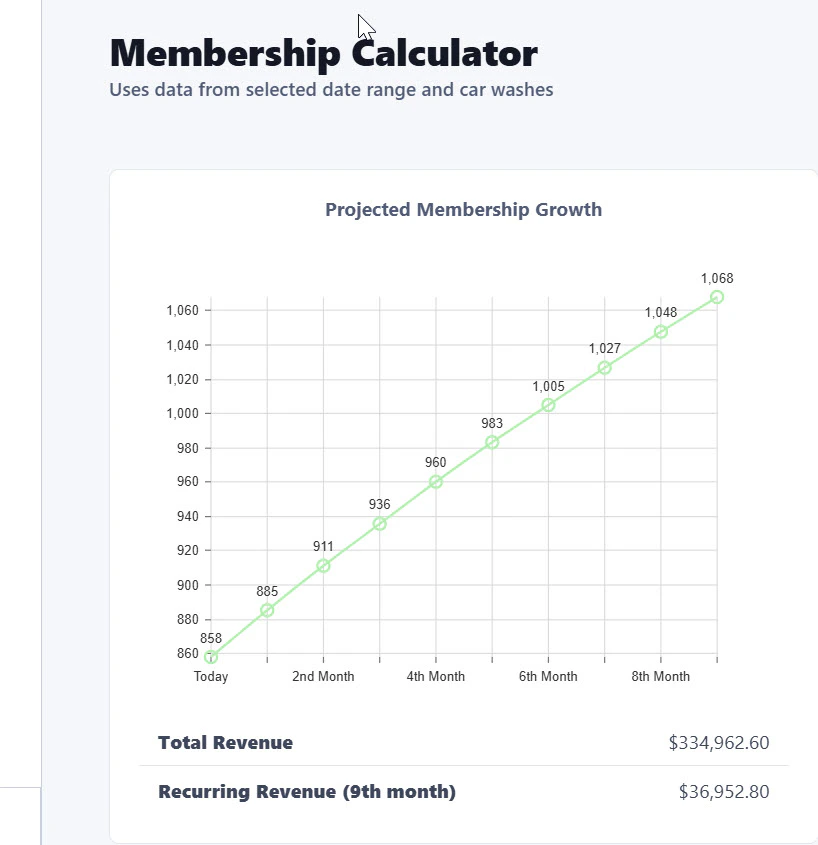 On the left side, a graph will appear showing the projected membership growth based on the Parameters that you can set on the right side. The graph details the Total Revenue and the Recurring Revenue.
## Parameters
On the left side, a graph will appear showing the projected membership growth based on the Parameters that you can set on the right side. The graph details the Total Revenue and the Recurring Revenue.
## Parameters
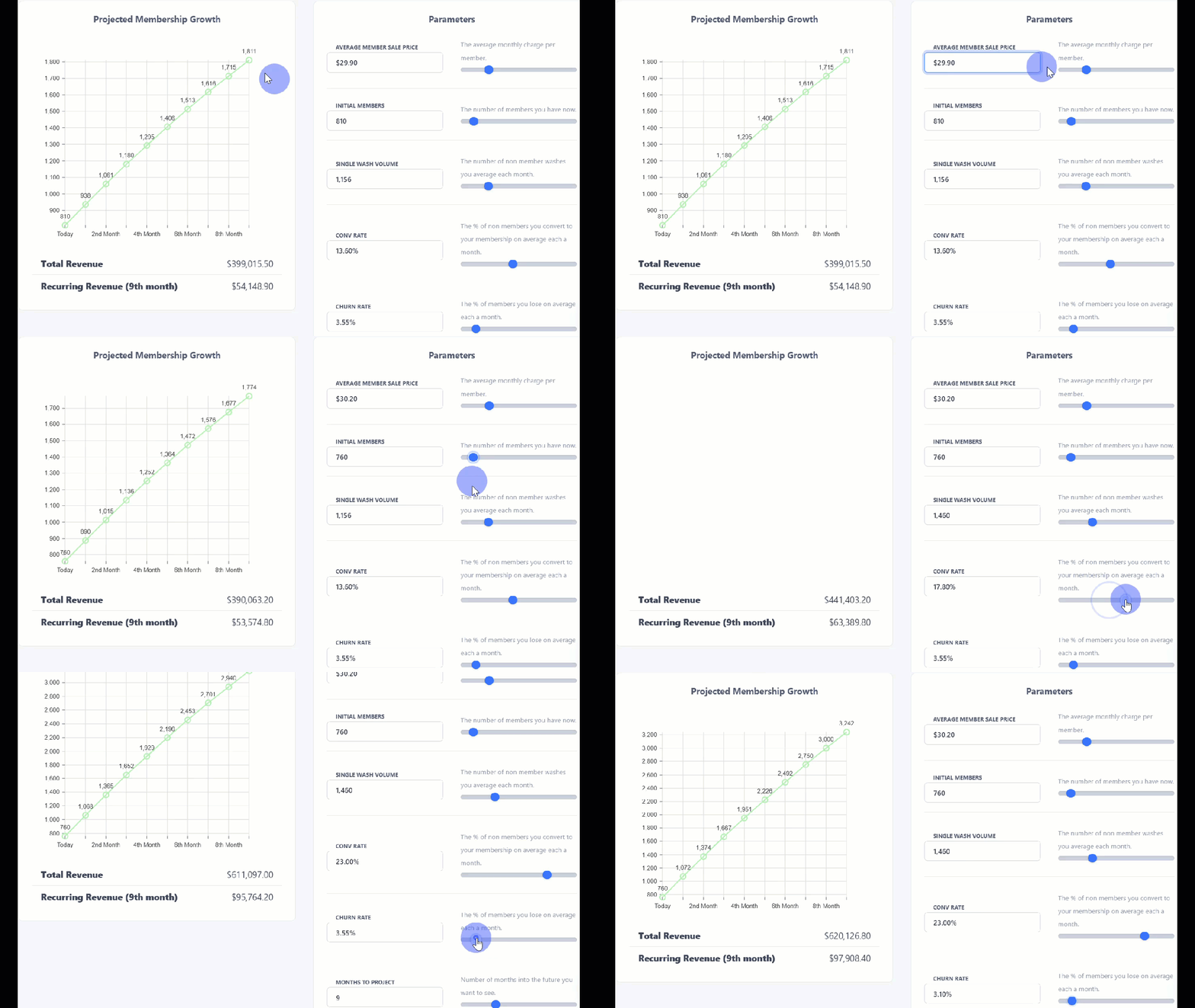 The Parameters section allows you to edit the projections by changing any of the variables shown on the image above. On the right side you can see the definition of each option. For example, the first one is Average Member Sale Price = the average monthly charge per member.
You can increase the amount by entering the numbers on the left side or by moving the toggle bar on the right. Each change that you make will automatically change the Projected Membership Growth on the left.
## Reset
The Parameters section allows you to edit the projections by changing any of the variables shown on the image above. On the right side you can see the definition of each option. For example, the first one is Average Member Sale Price = the average monthly charge per member.
You can increase the amount by entering the numbers on the left side or by moving the toggle bar on the right. Each change that you make will automatically change the Projected Membership Growth on the left.
## Reset
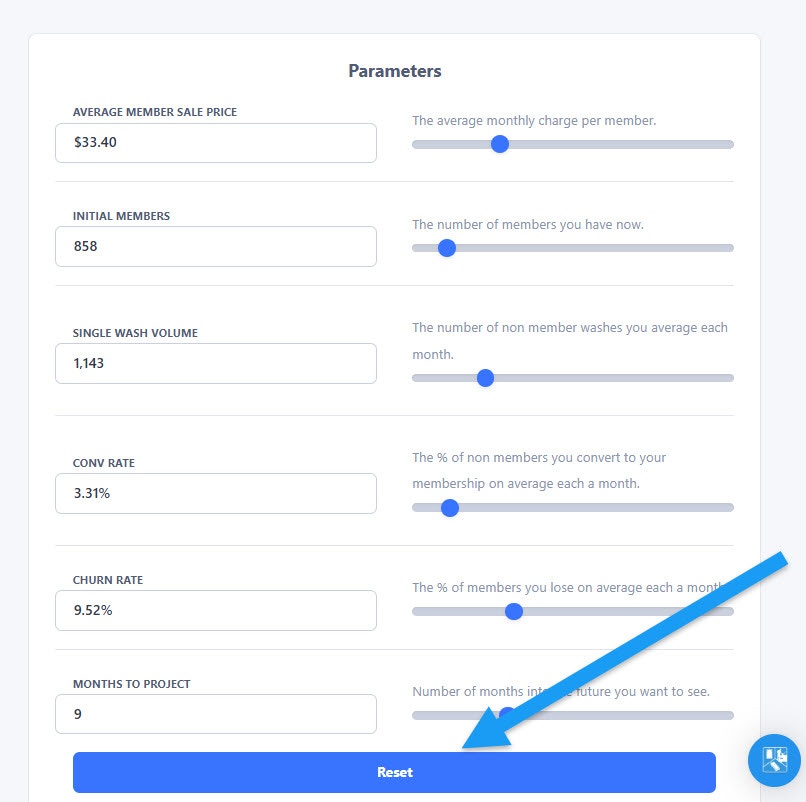 The Reset button at the bottom allows you to erase any changes and reverse to the data that was generated originally after you selected the date range and ran the report.