> ## Documentation Index
> Fetch the complete documentation index at: https://docs.flexwash.com/llms.txt
> Use this file to discover all available pages before exploring further.
# QR Self-Checkout
> Turn any lane into a self-serve lane with a QR code, no kiosk required.
Every lane has its own QR code. A customer scans it with their phone, picks
their vehicle out of the lane's live queue, buys a wash, and pays, with no
attendant and no pay station.
A printed sign is the whole install, so a lane can run self-serve without the
cost of a pay station or the power and network runs to support one.
Print the code once and mount it at the lane. There is nothing to enable and
nothing to save.
## Set up the QR code
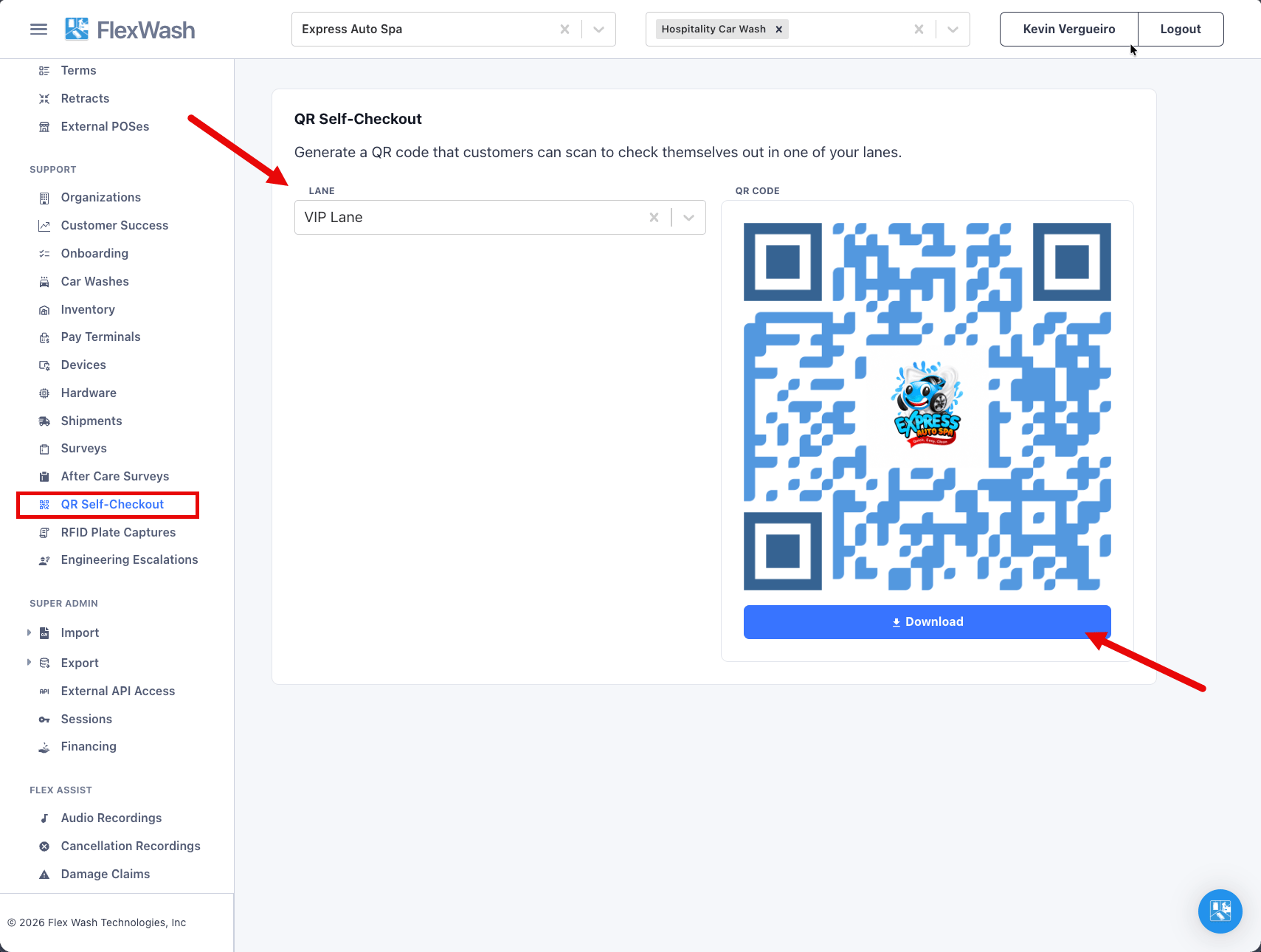
1. Select a single car wash in the top bar. The page needs exactly one car
wash selected.
2. Go to **Support**, then **QR Self-Checkout**.
3. Pick the lane from the **Lane** dropdown. The QR code appears immediately,
in FlexWash blue with your organization's logo in the middle.
4. Download the code as a PNG to send to your sign printer, or click the code
to open the customer page and try it yourself.
 Lane names come from your site configuration. See [Car Wash
Config](/configuration/users-and-admin/car-wash-config) to rename a lane or
switch it between attended and unattended.
The QR code is a lane credential. Anyone who scans it can open that
lane's checkout page. The code does not rotate and cannot be regenerated, so
a printed code stays valid for as long as the lane exists.
## What the customer sees
The page opens with your logo and the site address, and a lane dropdown set to
the lane they scanned. From there:
1. **Pick your vehicle.** The page shows the live checkout queue for that lane
and refreshes every few seconds. The vehicle has to be in the queue
already, so the site needs to be operational.
2. **Choose a wash.** Only wash packages you have flagged for self-checkout
appear.
3. **Pay.** Card, Apple Pay, or Google Pay.
4. **Done.** The customer gets a receipt link, and FlexWash sends the wash.
Lane names come from your site configuration. See [Car Wash
Config](/configuration/users-and-admin/car-wash-config) to rename a lane or
switch it between attended and unattended.
The QR code is a lane credential. Anyone who scans it can open that
lane's checkout page. The code does not rotate and cannot be regenerated, so
a printed code stays valid for as long as the lane exists.
## What the customer sees
The page opens with your logo and the site address, and a lane dropdown set to
the lane they scanned. From there:
1. **Pick your vehicle.** The page shows the live checkout queue for that lane
and refreshes every few seconds. The vehicle has to be in the queue
already, so the site needs to be operational.
2. **Choose a wash.** Only wash packages you have flagged for self-checkout
appear.
3. **Pay.** Card, Apple Pay, or Google Pay.
4. **Done.** The customer gets a receipt link, and FlexWash sends the wash.