> ## Documentation Index
> Fetch the complete documentation index at: https://docs.flexwash.com/llms.txt
> Use this file to discover all available pages before exploring further.
# Gift Card & Washbook Balance
> Use this report to check on the balance of existing Gift Cards and Washbooks.
## Liabilites search
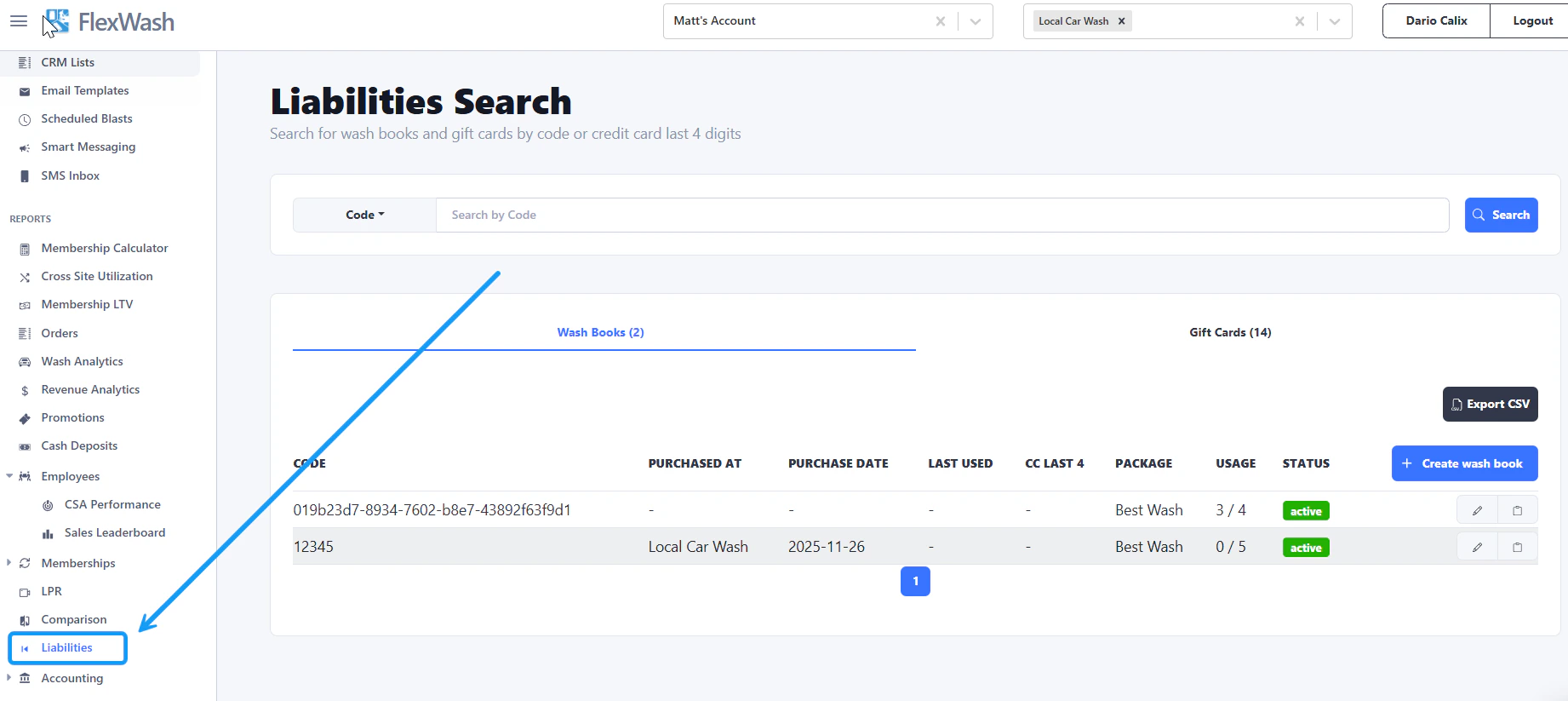 Under the Reports section of the left sidebar menu, select Liabilites.
## Enter code
Under the Reports section of the left sidebar menu, select Liabilites.
## Enter code
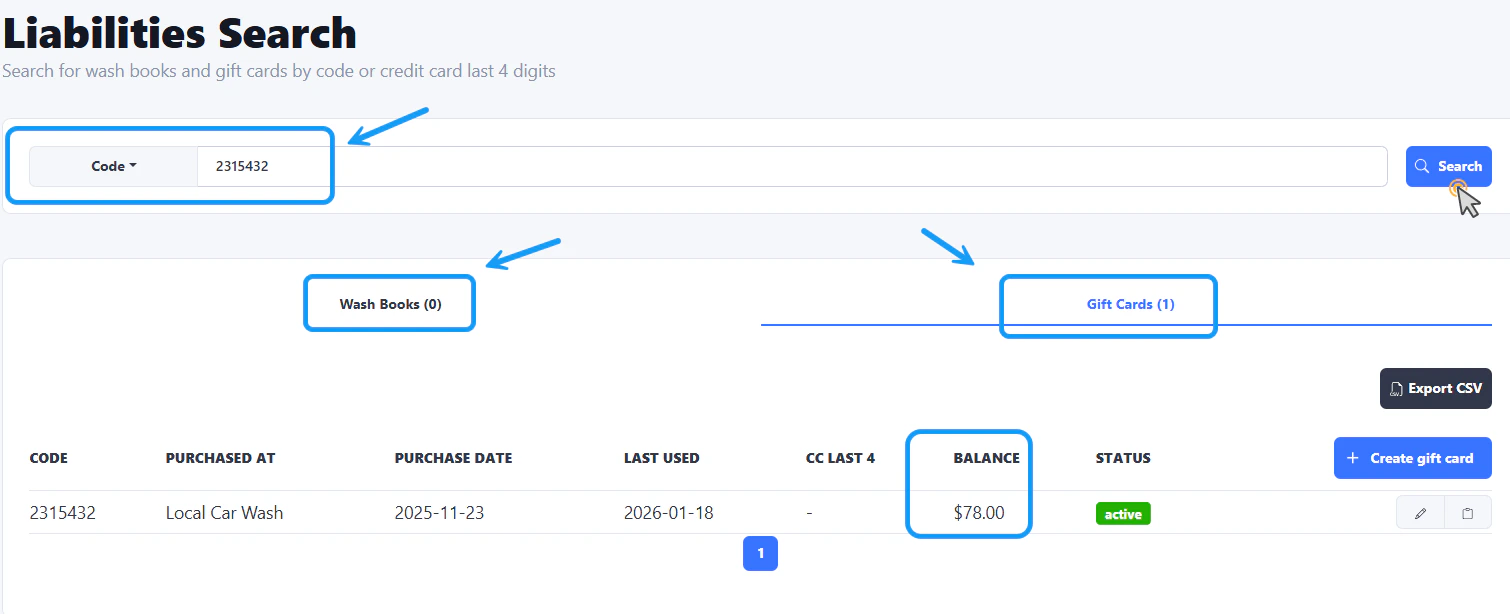 Depending on the code you want to check, select either Wash Books or Gift Cards. Enter the code and click on the Search button.
The balance will appear below.
Depending on the code you want to check, select either Wash Books or Gift Cards. Enter the code and click on the Search button.
The balance will appear below.