> ## Documentation Index
> Fetch the complete documentation index at: https://docs.flexwash.com/llms.txt
> Use this file to discover all available pages before exploring further.
# Print receipts
> This article shows you how to print receipts from old orders directly from your Pay Tablets.
# Pay Tablets
### Menu
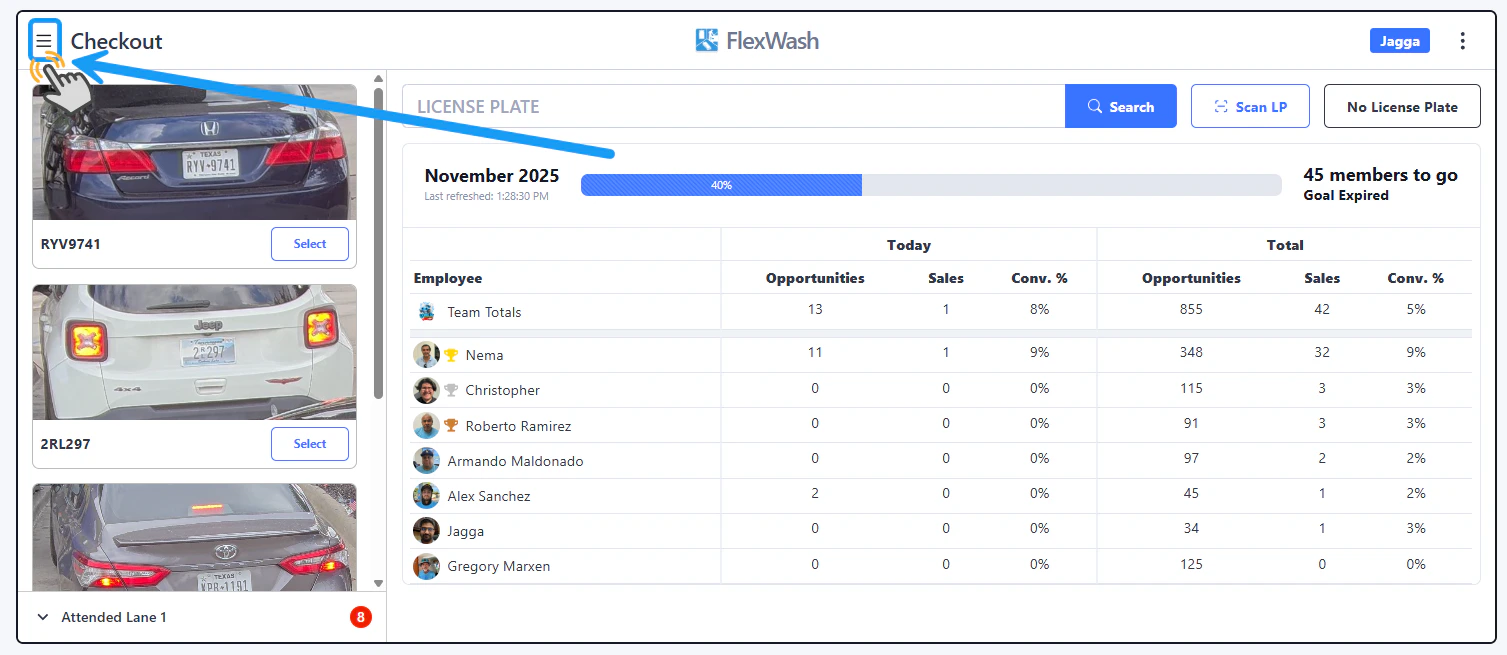 Tap on the Menu button located on the upper left corner.
## Search by orders
Tap on the Menu button located on the upper left corner.
## Search by orders
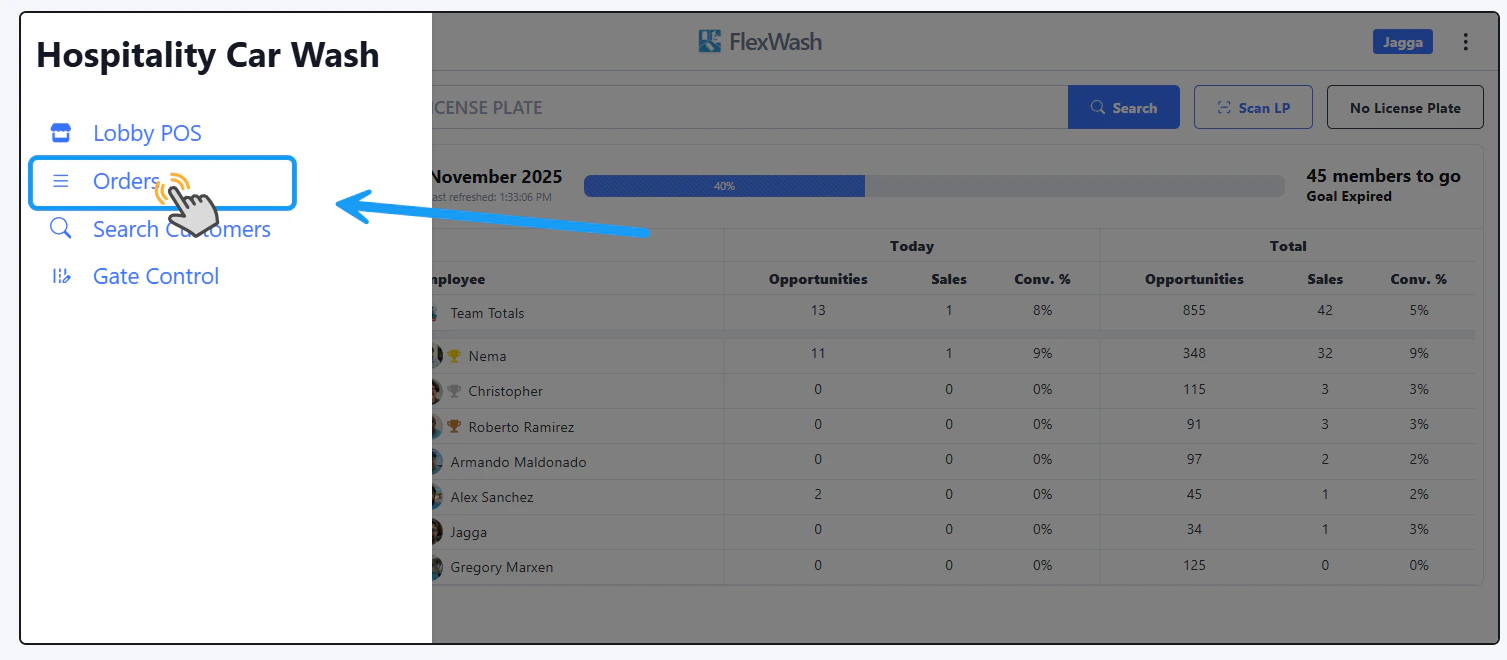 Tap on the "Orders" option to go through the recent orders.
### Select Order
Tap on the "Orders" option to go through the recent orders.
### Select Order
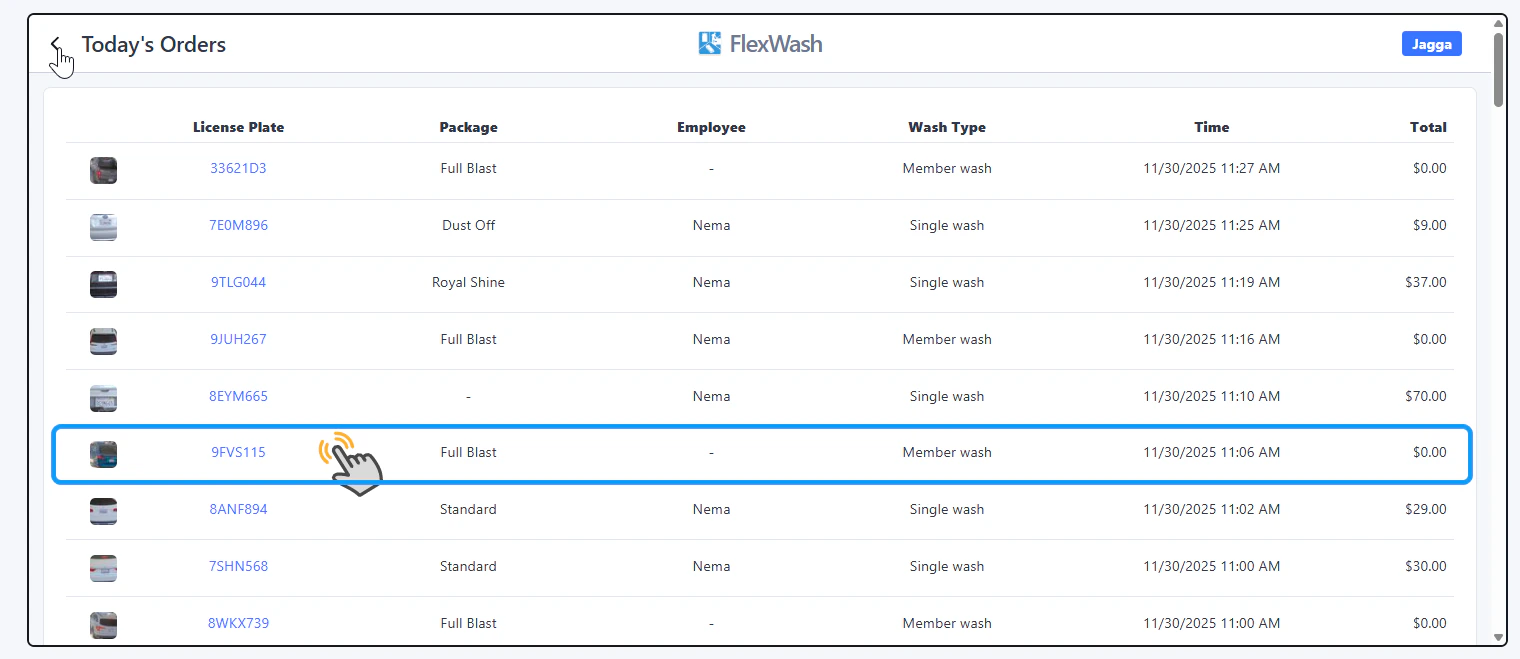 Select any Order from the list.
### Print Receipt
Select any Order from the list.
### Print Receipt
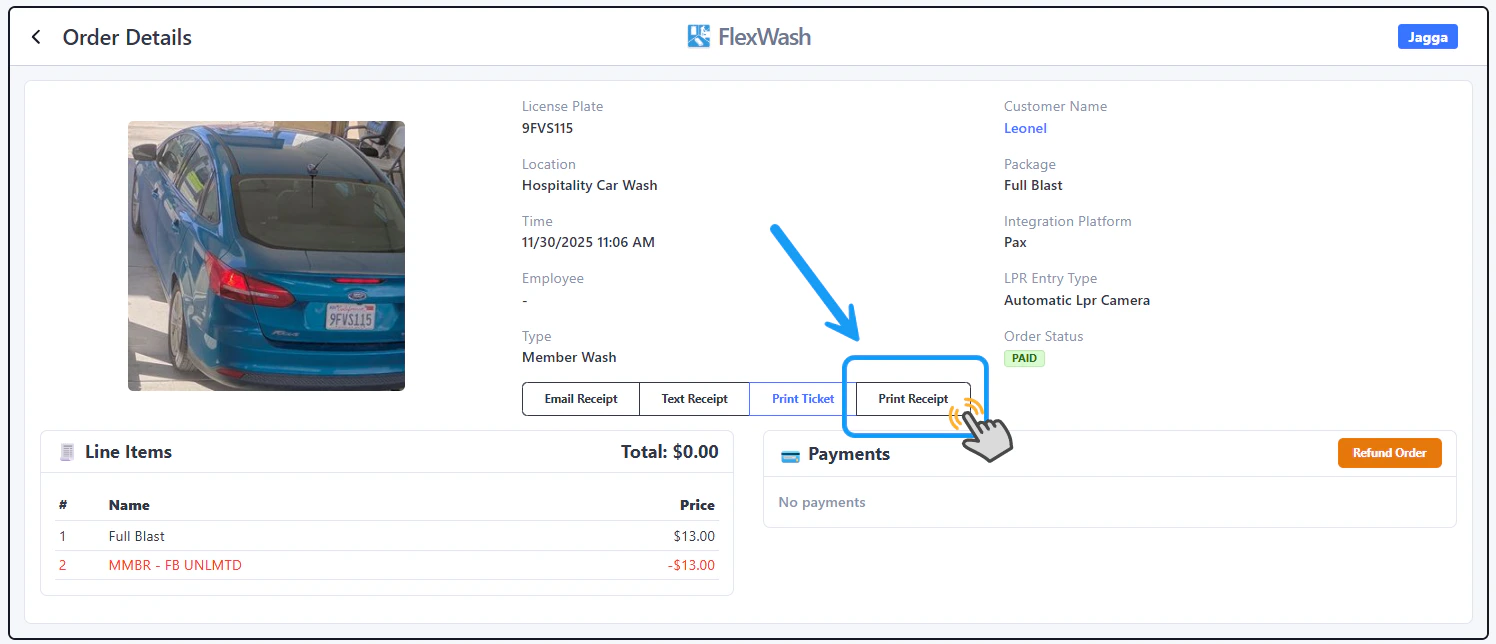 The full Order Details will appear, including the option to **Print Receipt**.
## Search By Customer
The full Order Details will appear, including the option to **Print Receipt**.
## Search By Customer
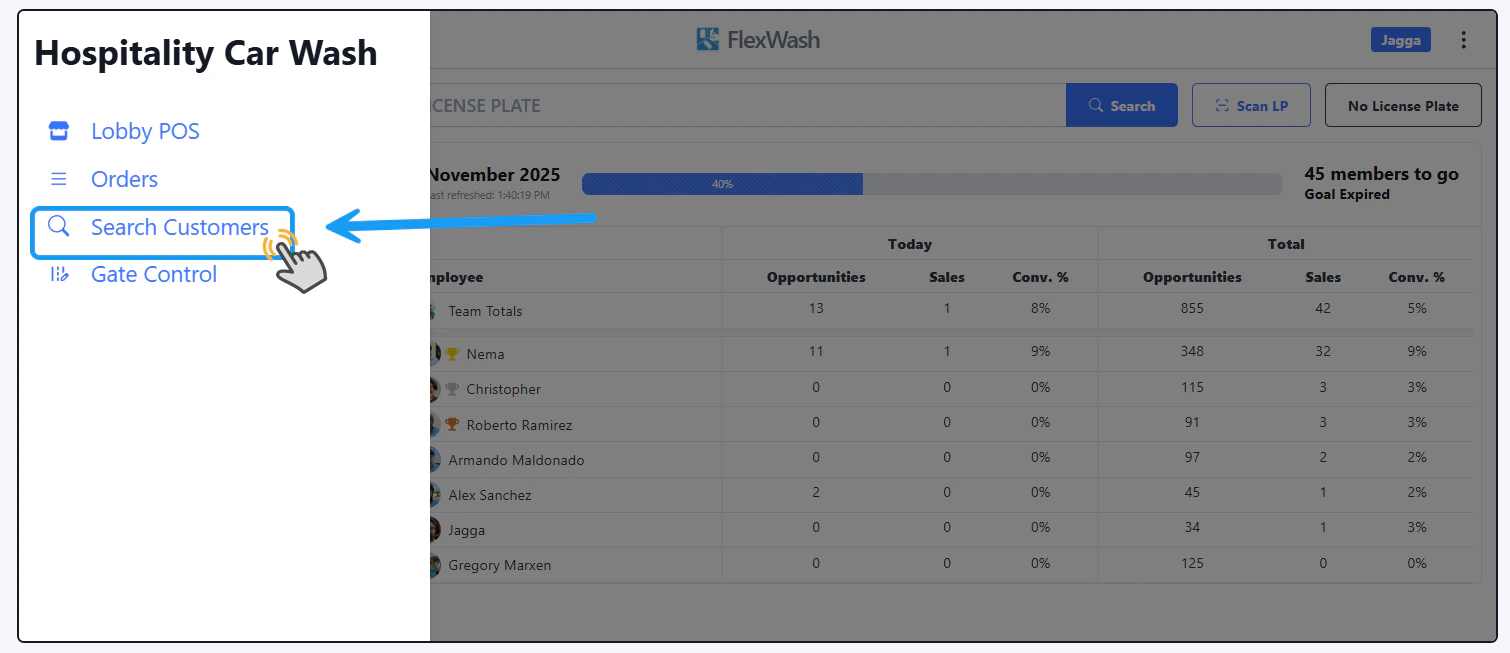 Select the "Search Customers" option. And, on the next window, enter the customer's name, email, phone number, License Plate or last 4 digits of the Credit Card.
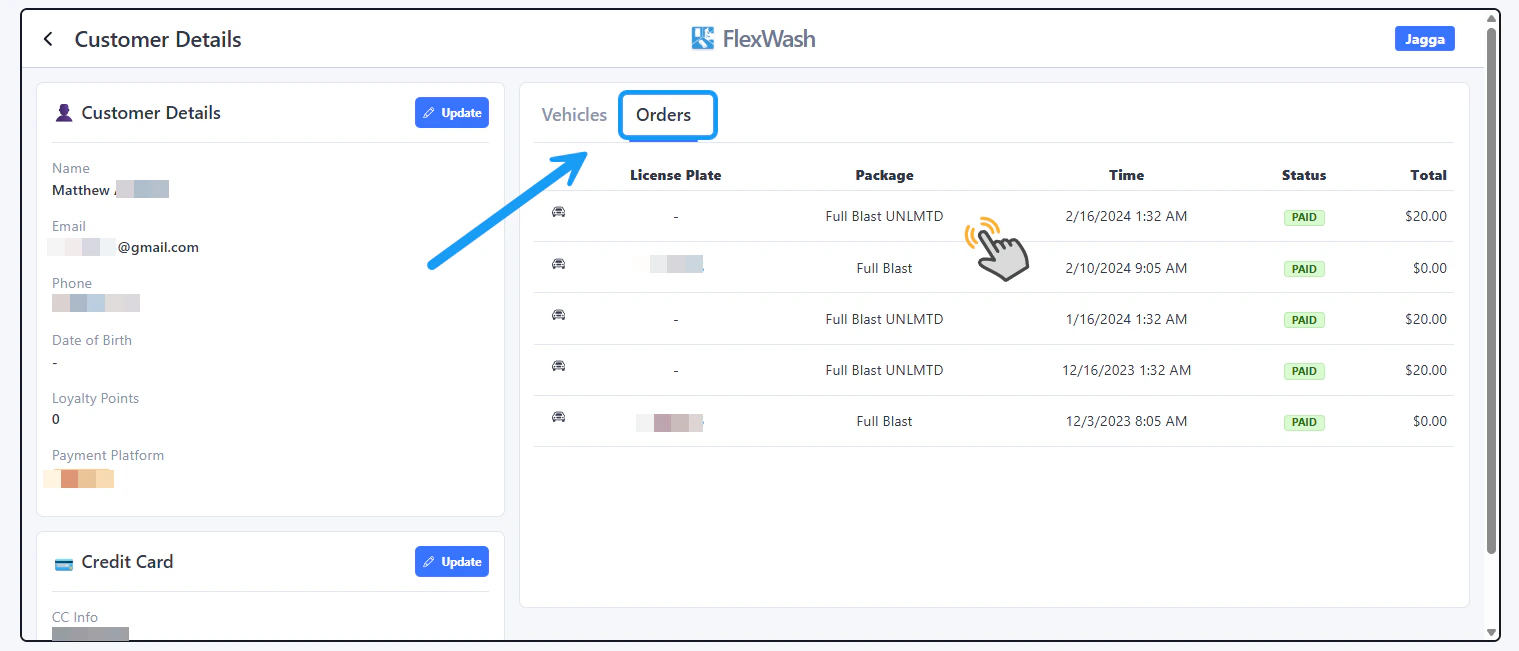 After you have found and opened the account, go to the Orders tab, select the Order you want to print a receipt for and on the next window you will see the **Print Receipt** option.
# PAX Handhelds
### Open account
After you have found and opened the account, go to the Orders tab, select the Order you want to print a receipt for and on the next window you will see the **Print Receipt** option.
# PAX Handhelds
### Open account
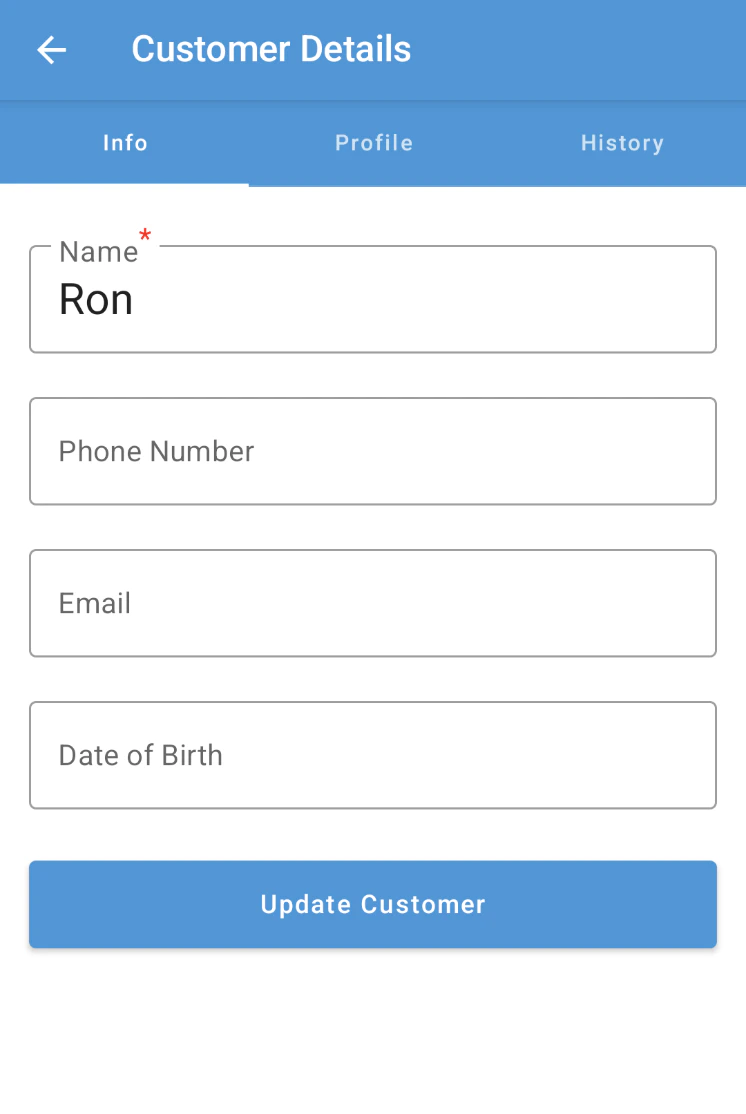 Search for the customer's account on the handheld device.
### History
Search for the customer's account on the handheld device.
### History
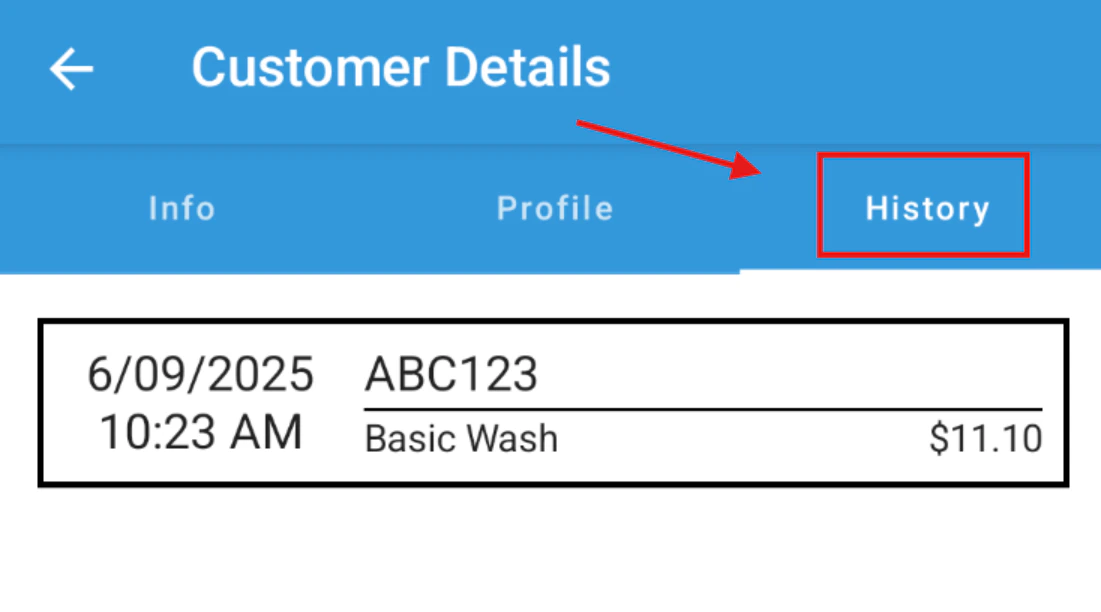 Once you open the account, tap on the "History" tab and the list of orders will appear. Select the order that you want to print a receipt for.
### Print Receipt
Once you open the account, tap on the "History" tab and the list of orders will appear. Select the order that you want to print a receipt for.
### Print Receipt
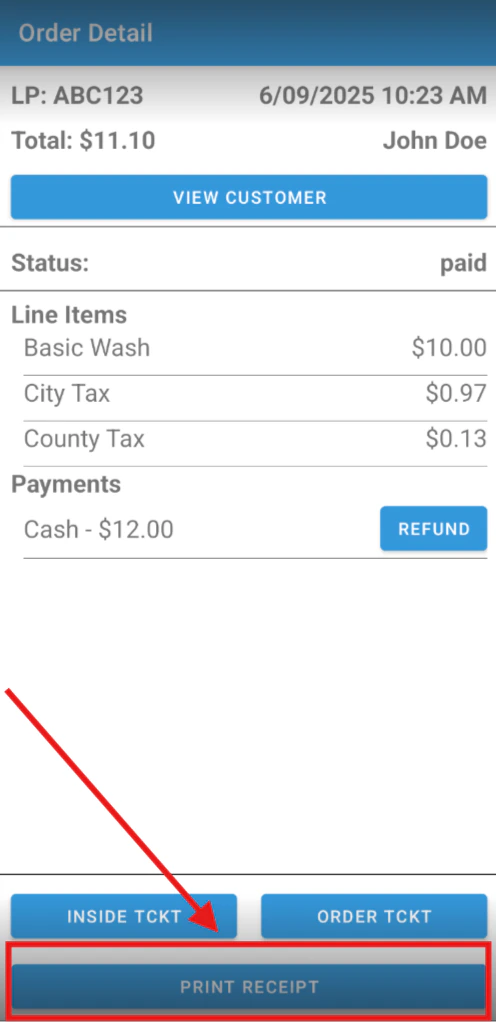 Tap on the "Print Receipt" option.