> ## Documentation Index
> Fetch the complete documentation index at: https://docs.flexwash.com/llms.txt
> Use this file to discover all available pages before exploring further.
# Memberships and Single Washes
> Learn how to sell membership and single wash using the payment tablet with this guide.
### Selling memberships
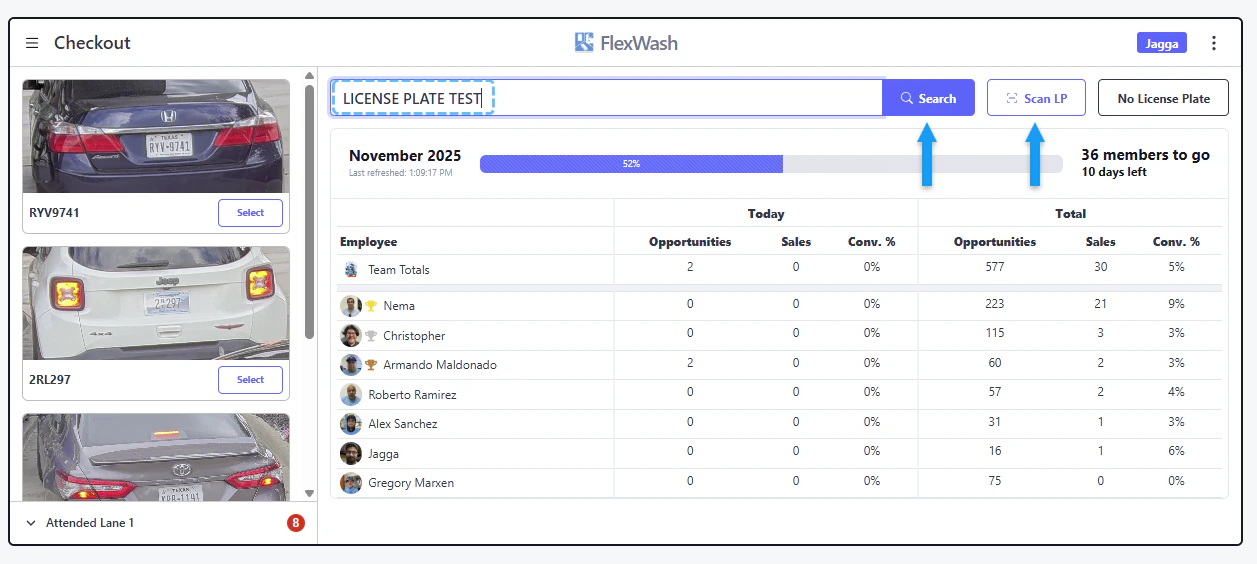
1. Enter or scan the license plate.
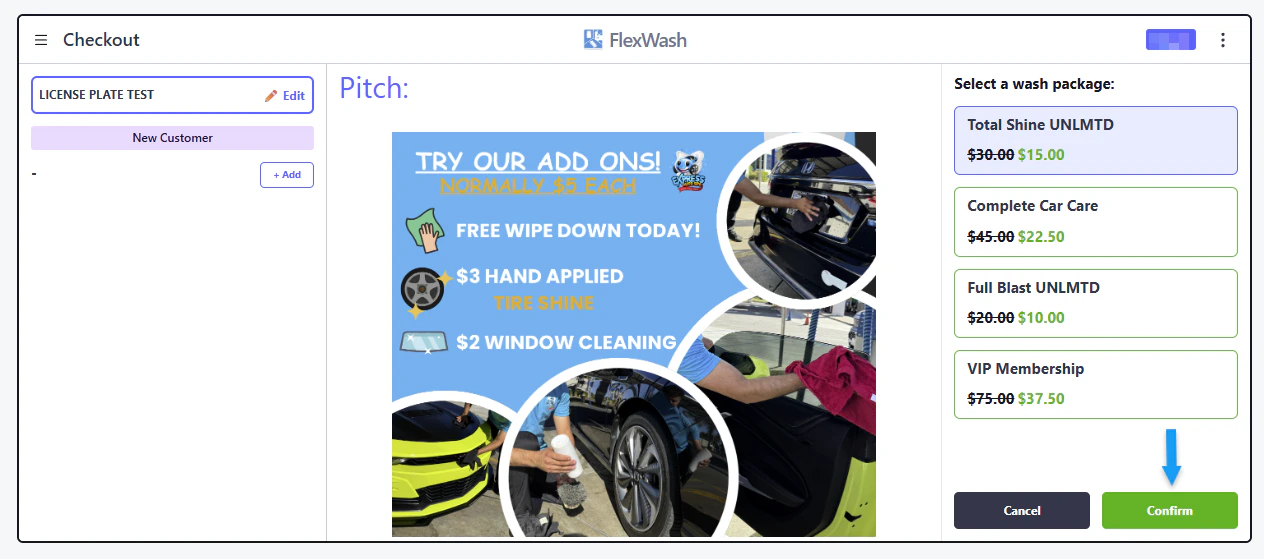
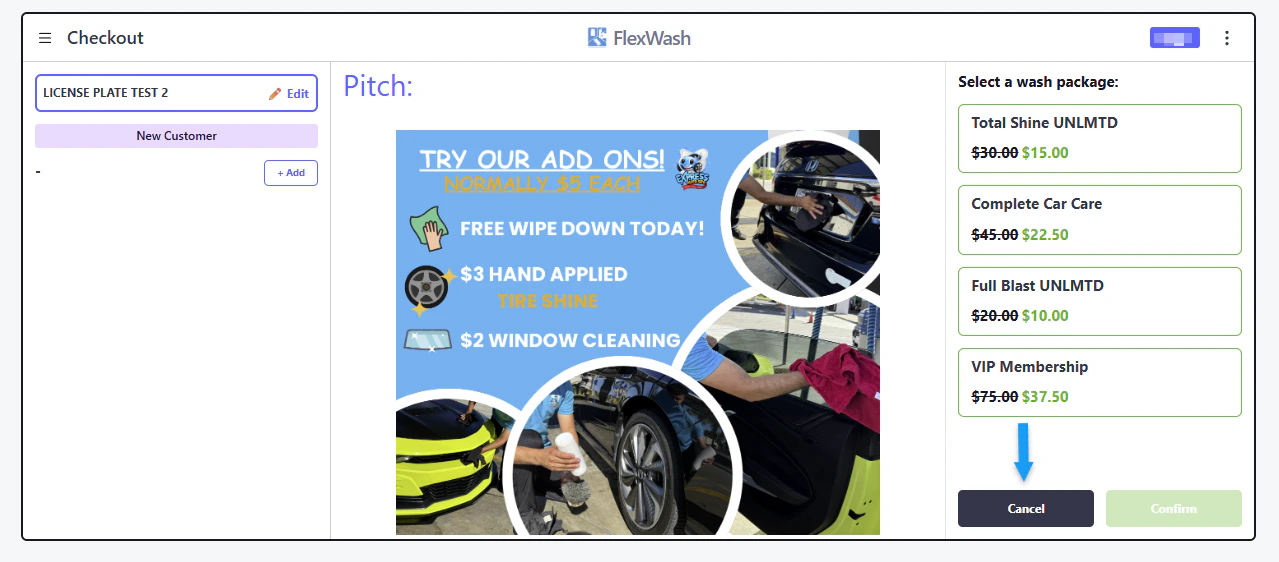
 2. Select the wash package, then confirm.
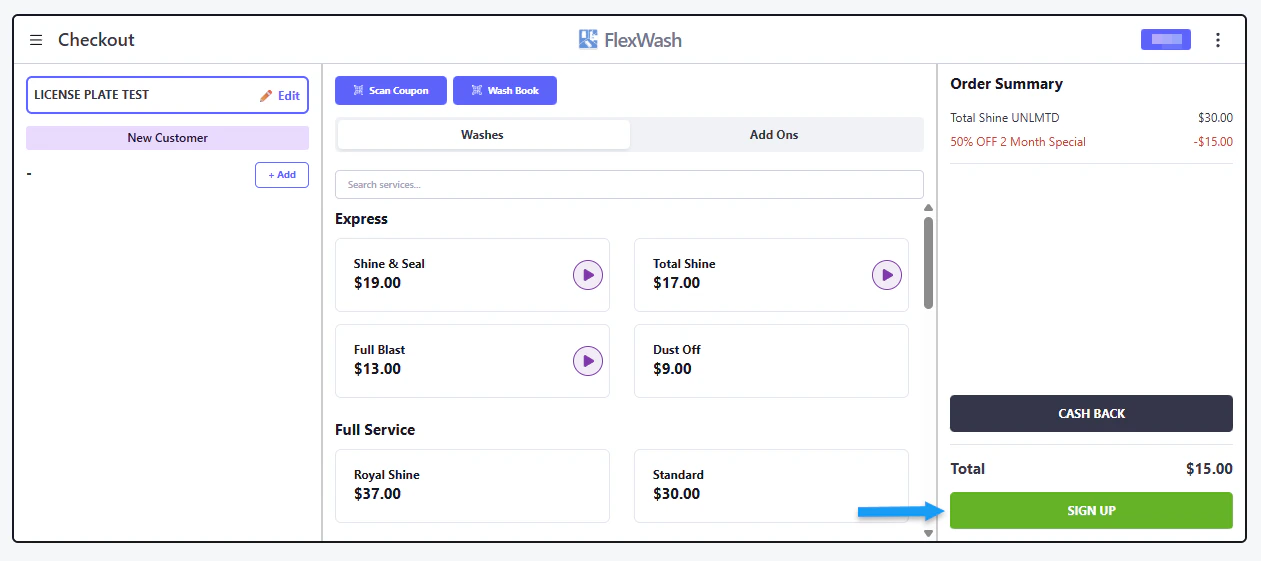
 3. Sign up.
Additional services such as Add ons are available for purchase when signing up for a membership.
3. Sign up.
Additional services such as Add ons are available for purchase when signing up for a membership.
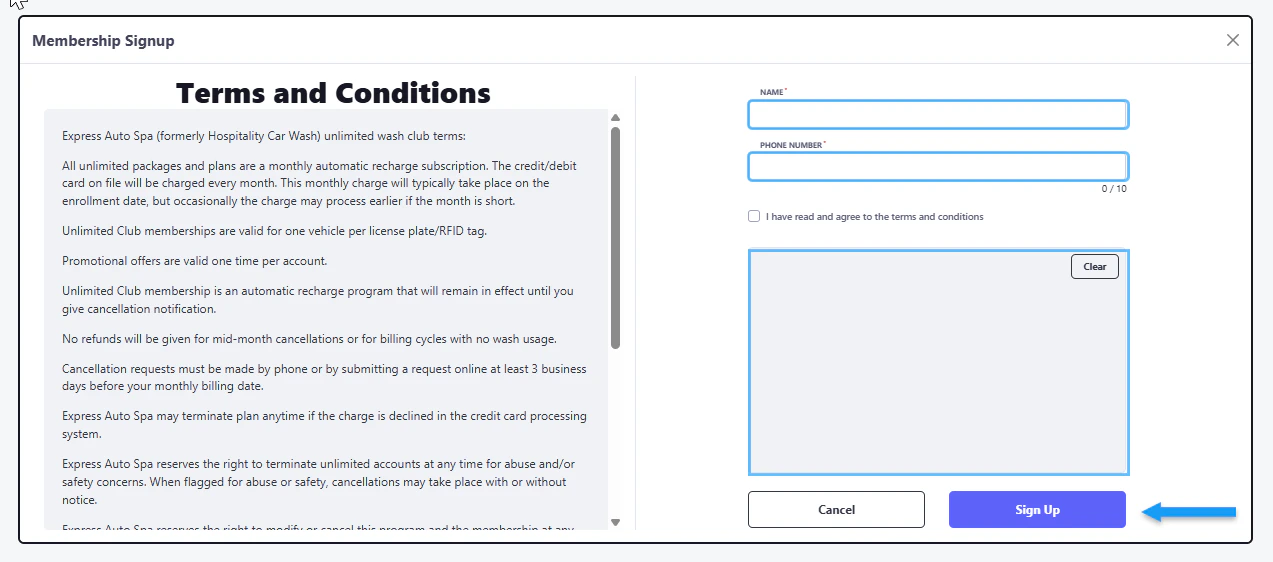
 4. Enter the following customer information:
* Name
* Phone Number
Additionally, you must check the box to agree to the terms and conditions and provide a signature to complete the sign-up process.
4. Enter the following customer information:
* Name
* Phone Number
Additionally, you must check the box to agree to the terms and conditions and provide a signature to complete the sign-up process.
 ### Selling single washes
After completing the first step of selling a membership, proceed to step two. Instead of selecting a membership at this point, click "Cancel."
### Selling single washes
After completing the first step of selling a membership, proceed to step two. Instead of selecting a membership at this point, click "Cancel."
 Select the single wash.
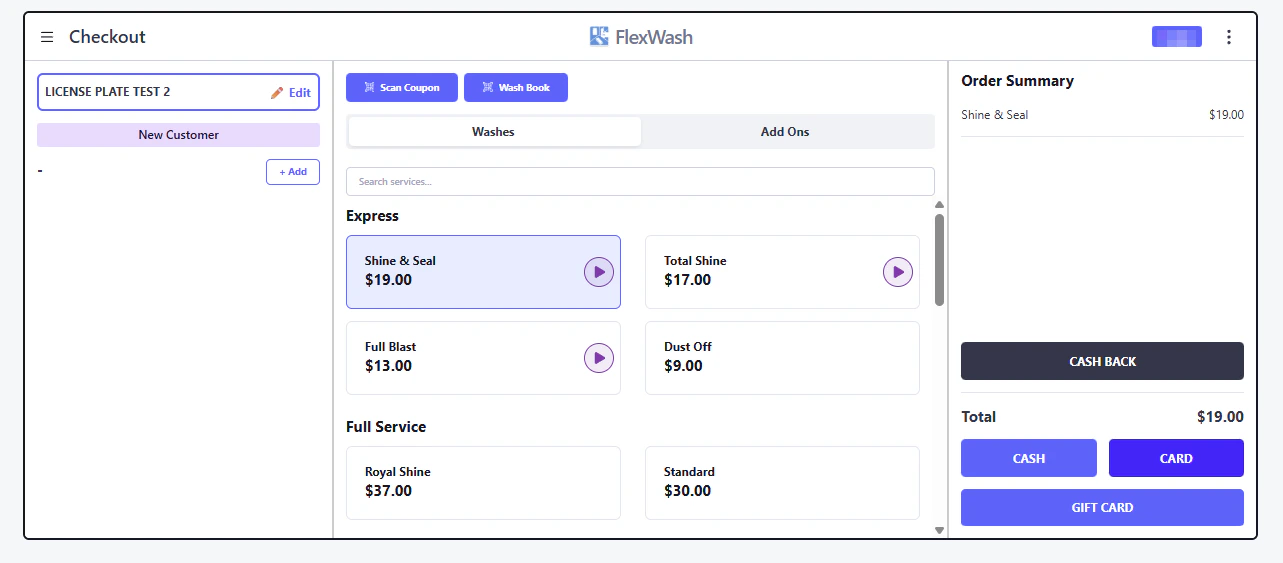 Choose a payment method:
1. Cash.
2. Card: Once you have chosen the card option, either insert or tap your card on the payment terminal.
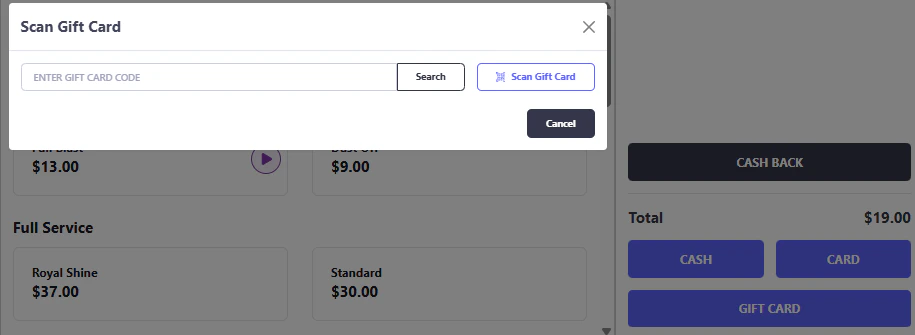
3. Gift Card: Once this option is chosen, the gift card can be entered manually or scanned.
Choose a payment method:
1. Cash.
2. Card: Once you have chosen the card option, either insert or tap your card on the payment terminal.
3. Gift Card: Once this option is chosen, the gift card can be entered manually or scanned.
 Additional services such as Add ons are available during the same purchase.