> ## Documentation Index
> Fetch the complete documentation index at: https://docs.flexwash.com/llms.txt
> Use this file to discover all available pages before exploring further.

# Customer Profile Search

> This article serves as a comprehensive guide illustrating the step-by-step process for looking up an existing customer's profile using the pay tablet.

### Customer Lookup

Select the 'three lines' icon on the upper left of the pay tablet main screen.
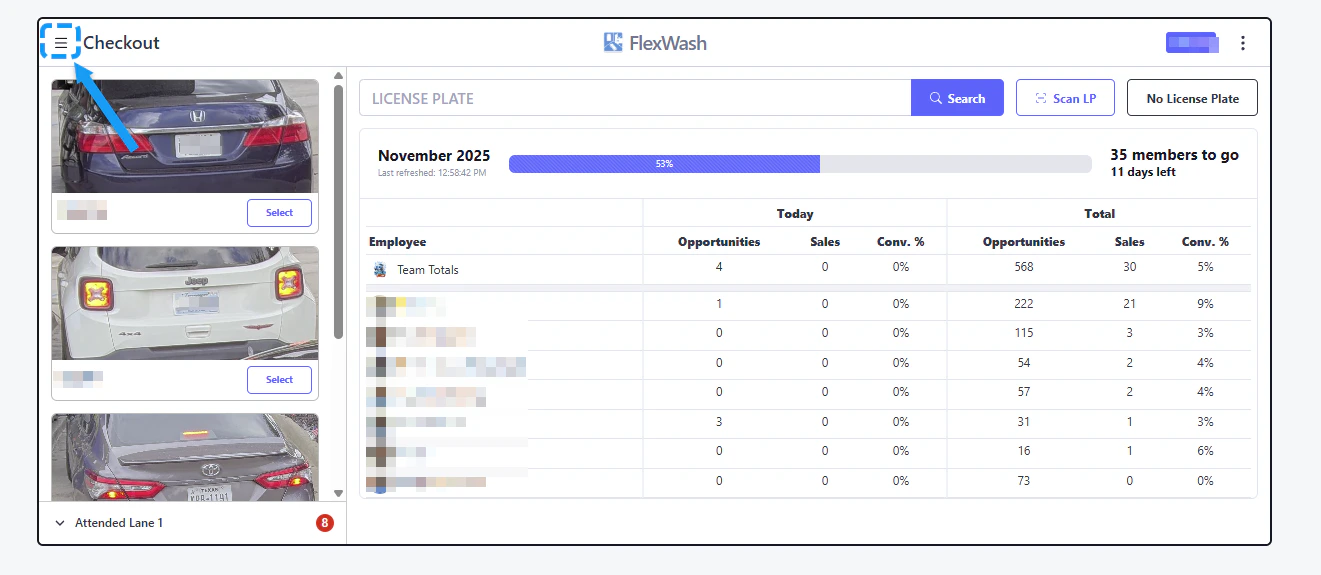
<img src="https://mintcdn.com/flexwash/DoI-y-EkfS9VAGEX/operations/pay-tablets/customer-profile-search/checkout.png?fit=max&auto=format&n=DoI-y-EkfS9VAGEX&q=85&s=0ae108edd499f5a06c76d50a30834c0b" alt="Checkout Pn" width="1321" height="575" data-path="operations/pay-tablets/customer-profile-search/checkout.png" />

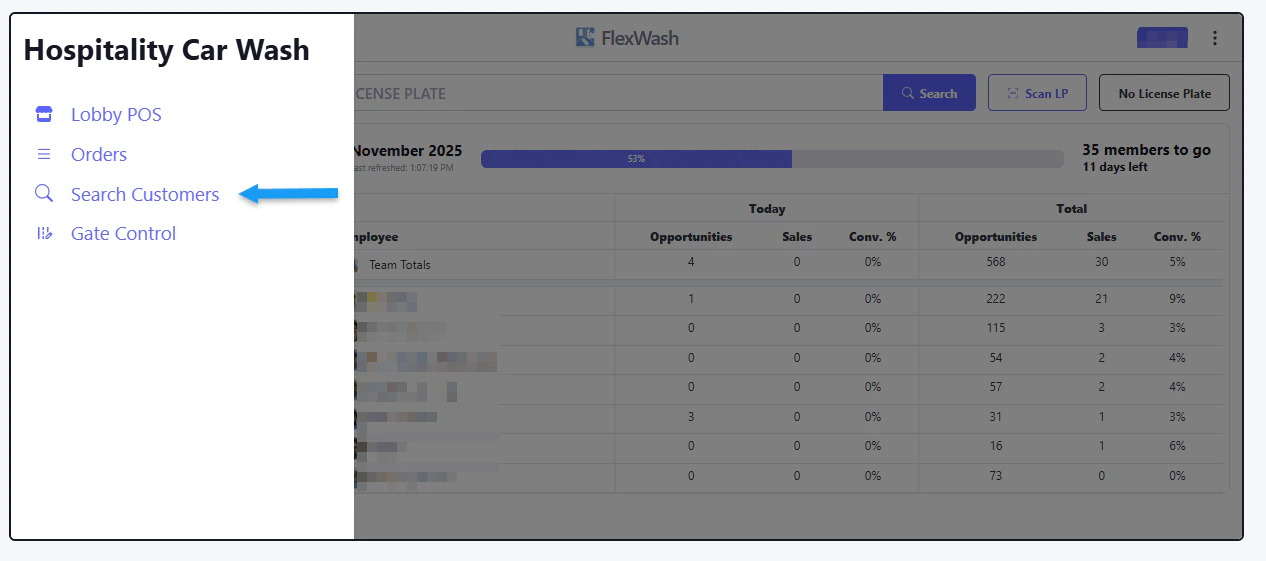
Choose on 'Search Customers'

<img src="https://mintcdn.com/flexwash/DoI-y-EkfS9VAGEX/operations/pay-tablets/customer-profile-search/search-customers.png?fit=max&auto=format&n=DoI-y-EkfS9VAGEX&q=85&s=eac3d2a7a02ba5dd47c01b6f626c7c1b" alt="Search Customers Pn" width="1266" height="561" data-path="operations/pay-tablets/customer-profile-search/search-customers.png" />

Search by Name, Email, Phone Number, License Plate, or CC Last 4 Digits.
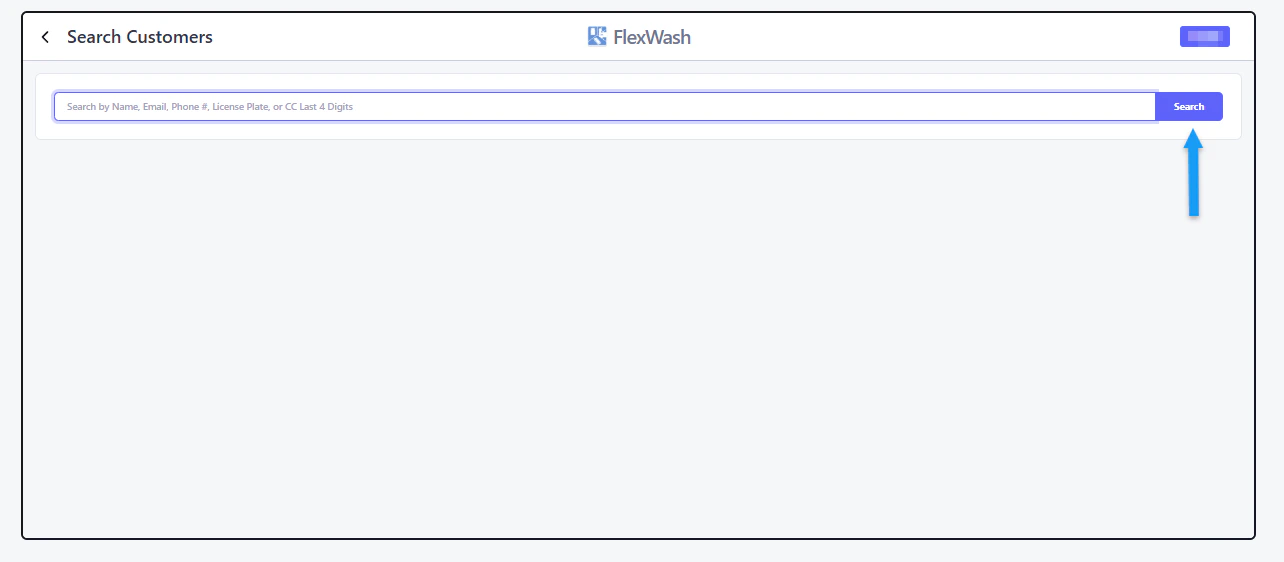
<img src="https://mintcdn.com/flexwash/DoI-y-EkfS9VAGEX/operations/pay-tablets/customer-profile-search/search.png?fit=max&auto=format&n=DoI-y-EkfS9VAGEX&q=85&s=bca078186ebdc2010965cb6a5943e940" alt="Search Pn" width="1284" height="562" data-path="operations/pay-tablets/customer-profile-search/search.png" />

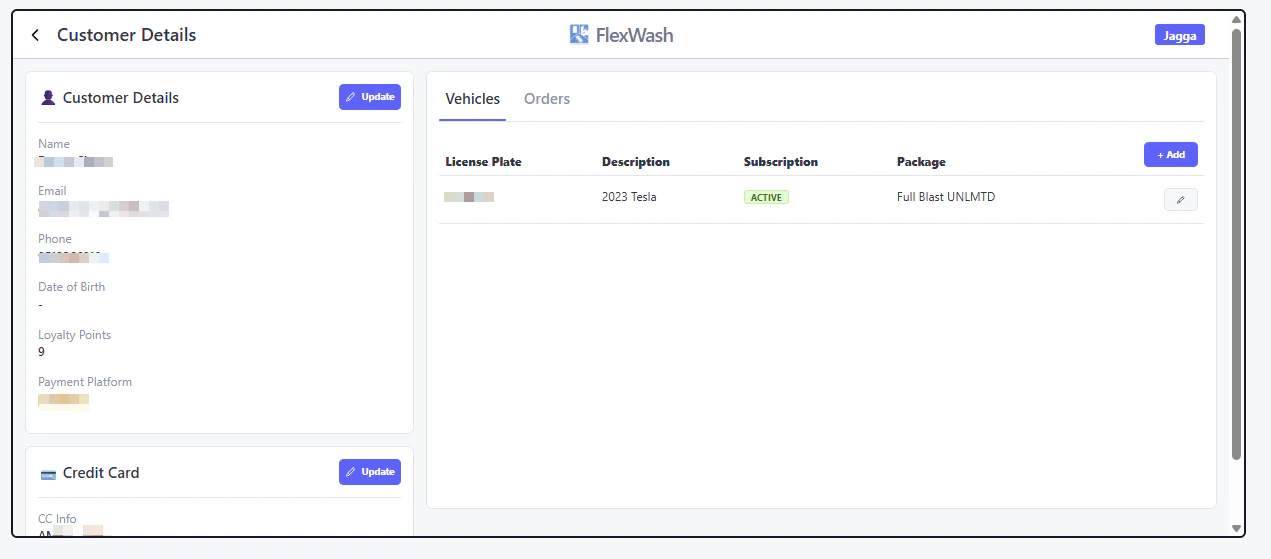
<img src="https://mintcdn.com/flexwash/DoI-y-EkfS9VAGEX/operations/pay-tablets/customer-profile-search/results.png?fit=max&auto=format&n=DoI-y-EkfS9VAGEX&q=85&s=dcab4757bc8f92a73364884bd5809540" alt="Results Pn" width="1271" height="559" data-path="operations/pay-tablets/customer-profile-search/results.png" />